Download latest version here
1.Introduction
It is an extended version of web viewer with more customization and flexibility. Its customization and additional features make it different and much more better than Web Viewer from the perspective of App Developer as well as User.
Note: CustomWebView can work only on devices running on at least Android 5.0
Latest Version : 12
Required Api : 21
Released: 2020-05-12T18:30:00Z
Last Updated: 2023-03-08T18:30:00Z
2.Features
- More customization options than normal web viewer
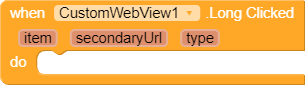
- Long Click event
- New window request event
- Close window request event
- Load local files and content using Html and Js
- Find words and phrases in webview
- Evaluate Js and get result
- Upload files to websites
- Error occurred event
- Get output from console
- Form Resubmission event
- Get content height
- Get SSL Certificate of website
- Get/Set cookies for particular url
- Event for permission(s) request and grant permission(s) manually
- Print web content
- A wide range of tools for working with JavaScript
- Accepts external links/Adds your app in browsers list when you use
BrowserPromptHelperextension - Download files using built-in download helper extension
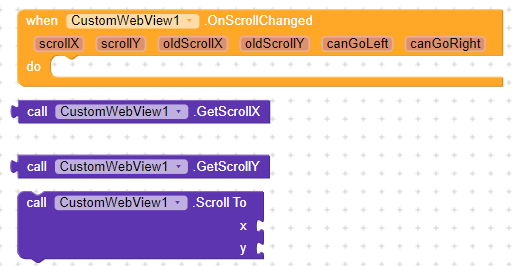
DownloadHelper - Scroll Changed event and function to scroll to particular position
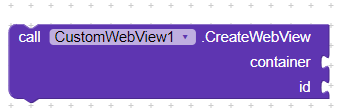
- Create and Remove webviews dynamically
- Ad blocker
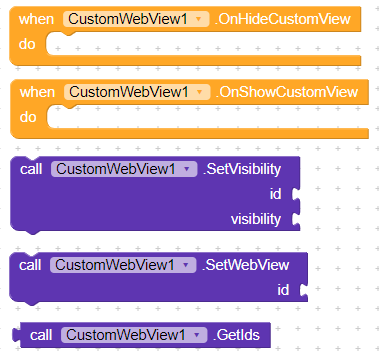
- Full screen video feature (OnShowCustomView and OnHideCustomView)
- Pause and Resume webview
- Get internal history
- Create webpage shortcuts
- Download offline pages and load them without internet connection
3.Designer Properties
4.Blocks
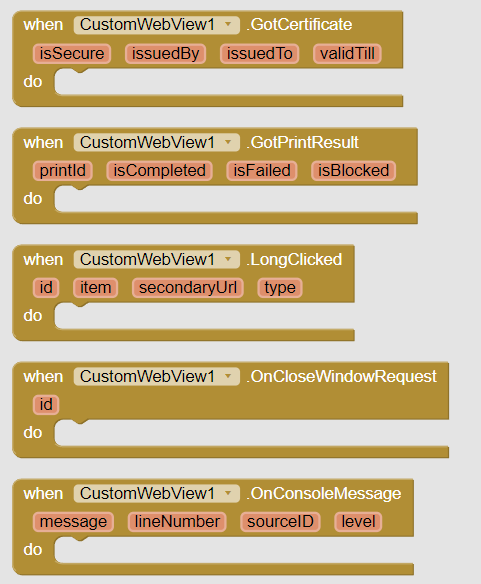
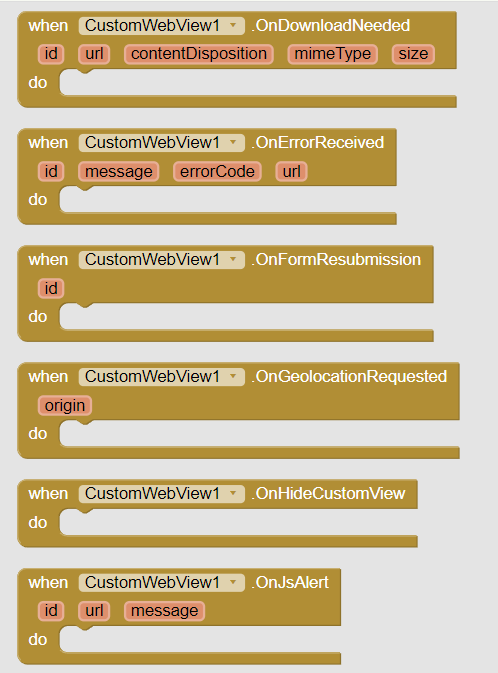
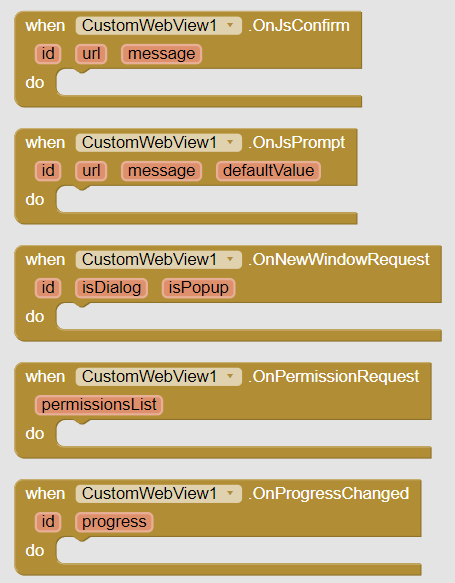
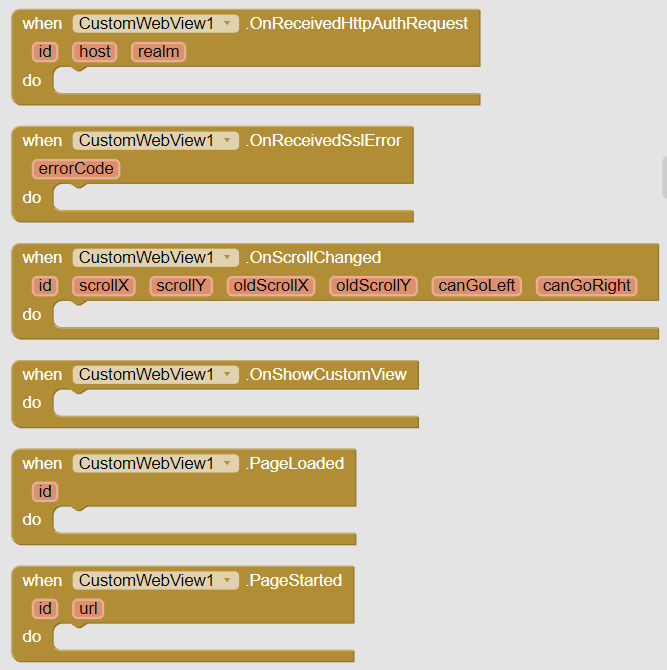
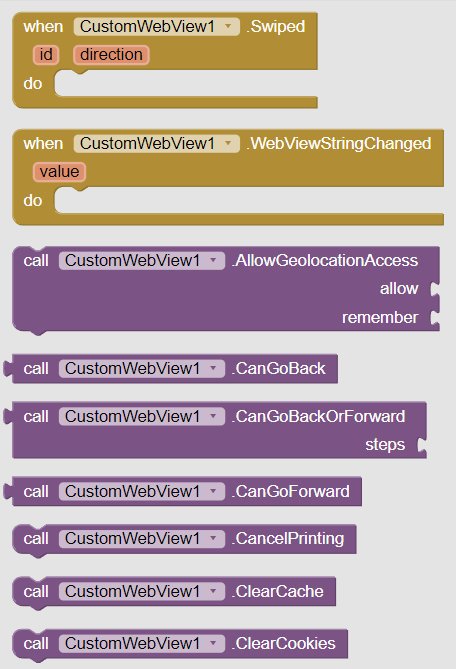
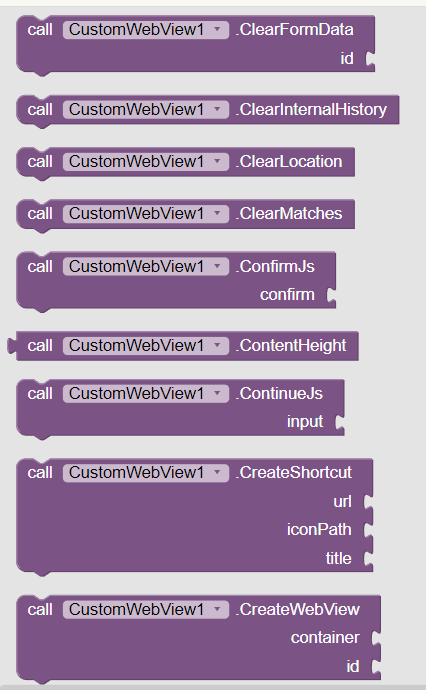
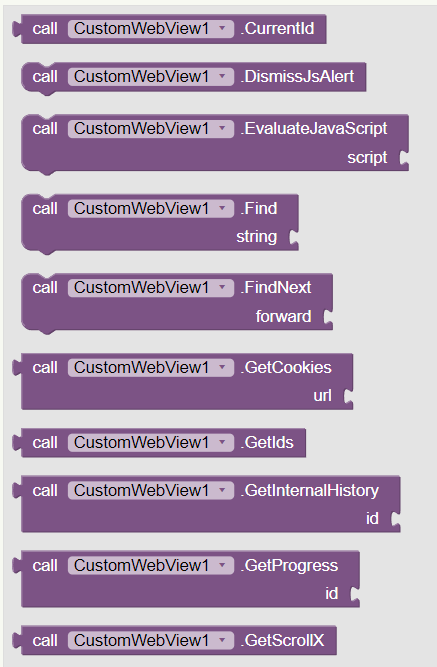
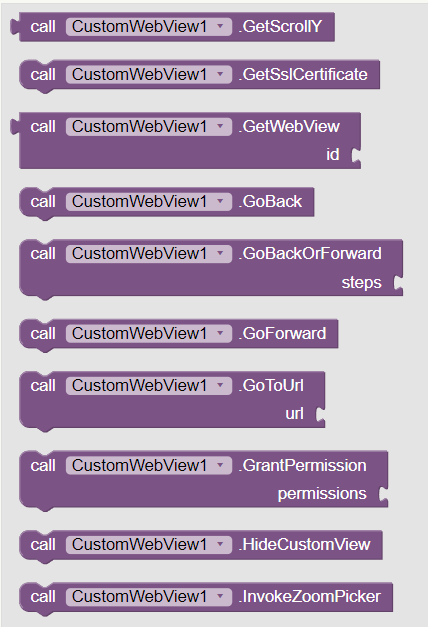
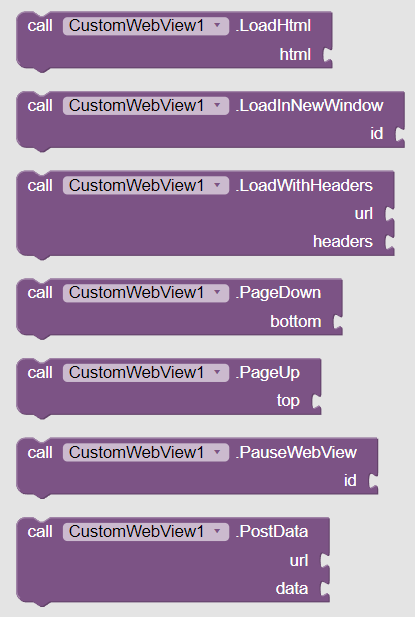
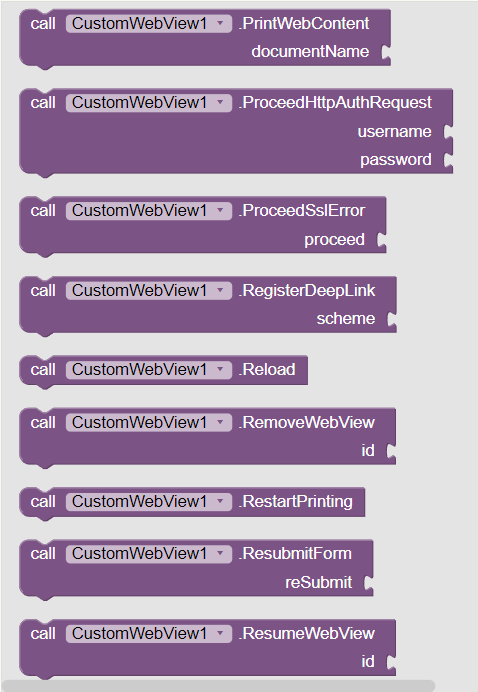
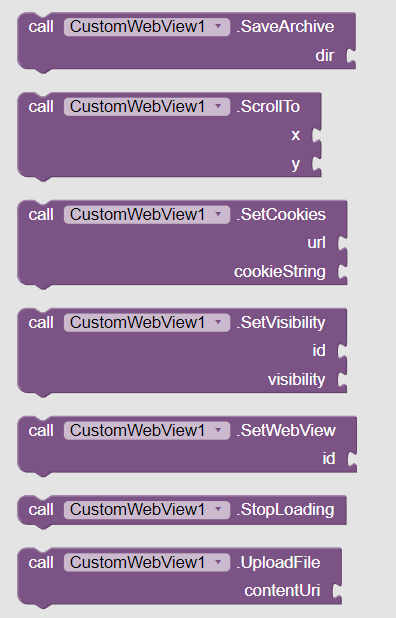
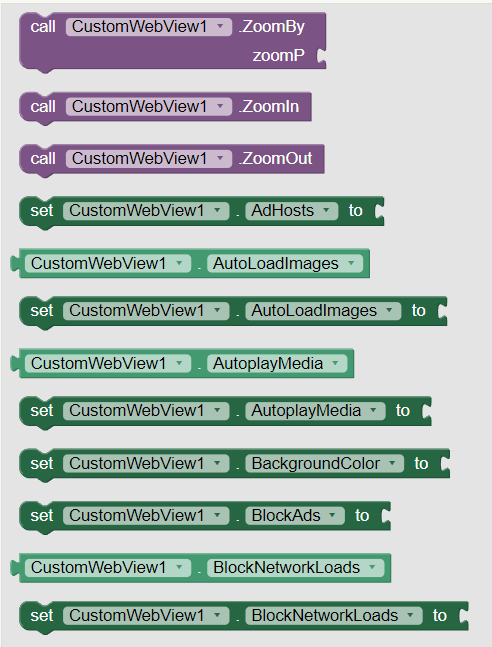
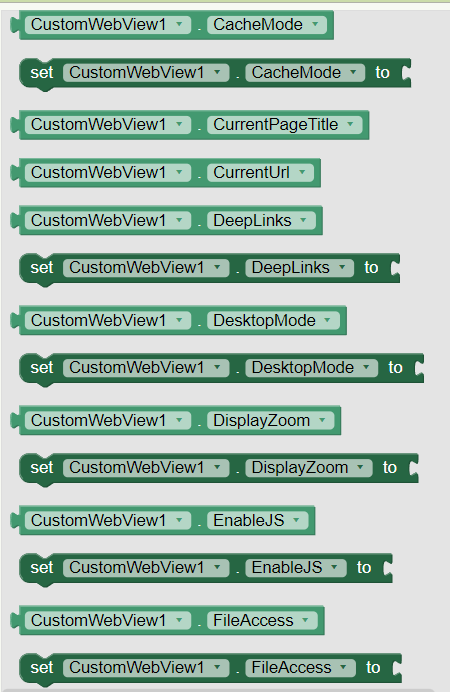
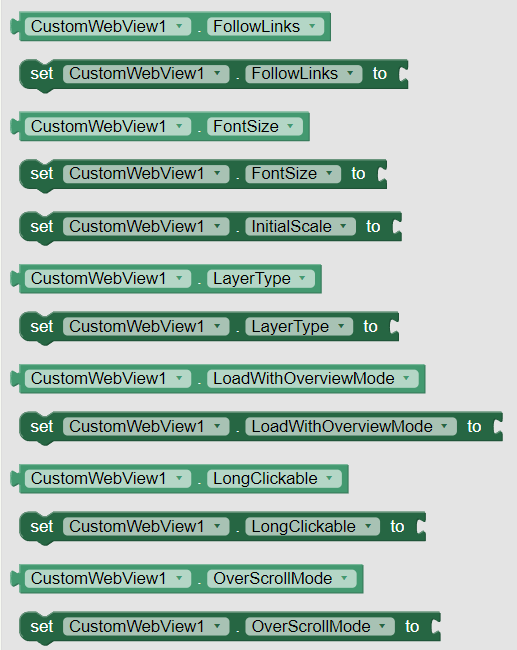
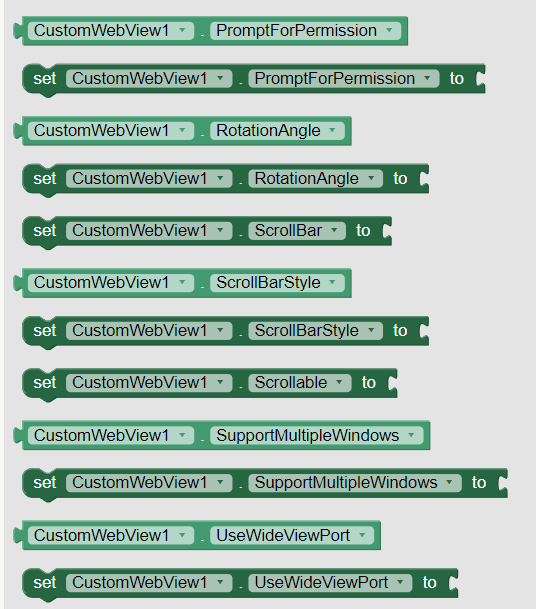
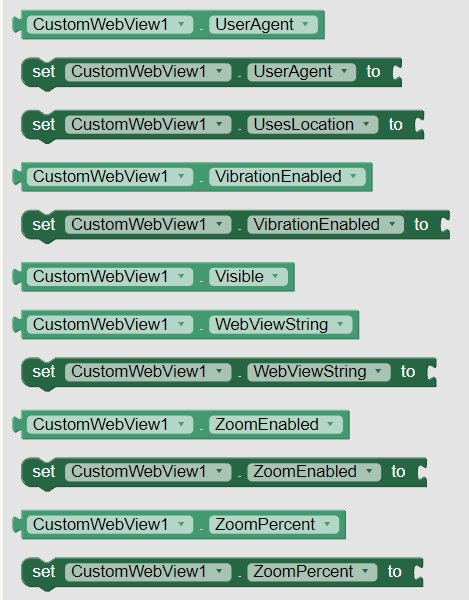
5.Documentation
Events
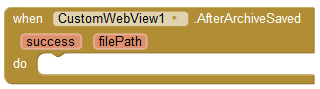
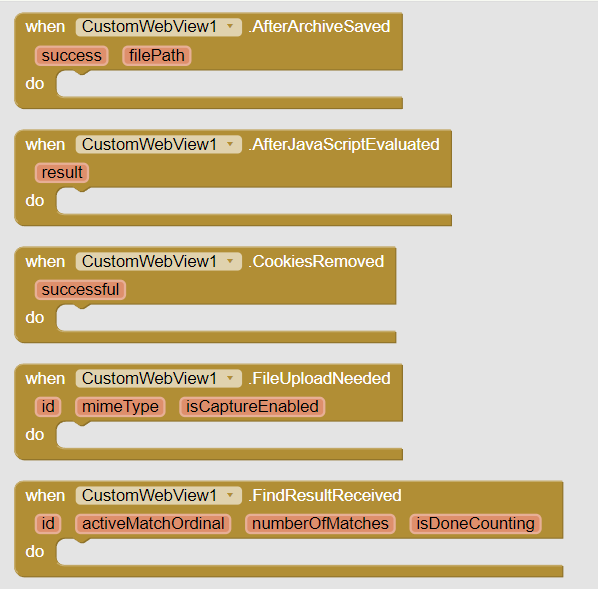
| AfterArchiveSaved | Event raised after 'SaveArchive' method.If 'success' is true then returns file path else empty string.success | booleanfilePath | text |
| AfterJavaScriptEvaluated | Event raised after evaluating Js and returns result.result | text |
| CookiesRemoved | Event raised after 'ClearCokies' method with resultsuccessful | boolean |
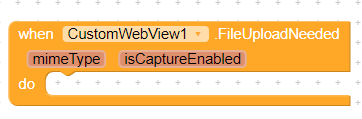
| FileUploadNeeded | Event raised when file uploading is neededid | numbermimeType | textisCaptureEnabled | boolean |
| FindResultReceived | Event raised after 'Find' method with int 'activeMatchOrdinal','numberOfMatches' and 'isDoneCounting'id | numberactiveMatchOrdinal | numbernumberOfMatches | numberisDoneCounting | boolean |
| GotCertificate | Event raised after getting SSL certificate of current displayed url/website with boolean 'isSecure' and Strings 'issuedBy','issuedTo' and 'validTill'.If 'isSecure' is false and other values are empty then assume that website is not secureisSecure | booleanissuedBy | textissuedTo | textvalidTill | text |
| GotPrintResult | Event raised after getting previus print's result.printId | textisCompleted | booleanisFailed | booleanisBlocked | boolean |
| LongClicked | Event raised when something is long clicked in webview with item(image,string,empty,etc) and type(item type like 0,1,8,etc)id | numberitem | textsecondaryUrl | texttype | number |
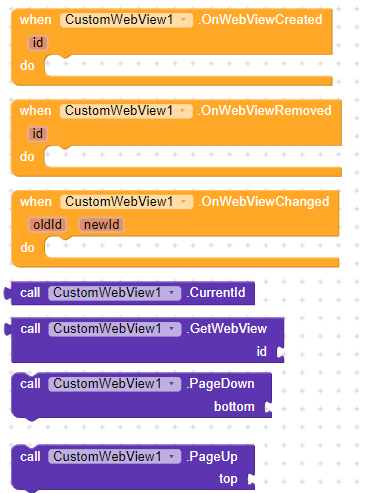
| OnCloseWindowRequest | Event triggered when a window needs to be closedid | number |
| OnConsoleMessage | Event raised after getting console message.message | textlineNumber | numbersourceID | numberlevel | text |
| OnDownloadNeeded | Event raised when downloading is needed.id | numberurl | textcontentDisposition | textmimeType | textsize | number |
| OnErrorReceived | Event raised when any error is received during loading url and returns message,error code and failing urlid | numbermessage | texterrorCode | numberurl | text |
| OnFormResubmission | Event raised when resubmission of form is neededid | number |
| OnGeolocationRequested | Event raised when page asks for location access. Developer must handle/show dialog from him/herself.origin | text |
| OnHideCustomView | Event raised when current page exits from full screen mode |
| OnJsAlert | Event raised when Js have to show an alert to userid | numberurl | textmessage | text |
| OnJsConfirm | Tells to display a confirm dialog to the user.id | numberurl | textmessage | text |
| OnJsPrompt | Event raised when JavaScript needs input from userid | numberurl | textmessage | textdefaultValue | text |
| OnNewWindowRequest | Event raised when new window is requested by webview with boolean 'isDialog' and 'isPopup'id | numberisDialog | booleanisPopup | boolean |
| OnPermissionRequest | Event raised when a website asks for specific permission(s) in list format.permissionsList | list |
| OnProgressChanged | Event raised when page loading progress has changed.id | numberprogress | number |
| OnReceivedHttpAuthRequest | Notifies that the WebView received an HTTP authentication request.id | numberhost | textrealm | text |
| OnReceivedSslError | Event for OnReceivedSslErrorerrorCode | number |
| OnScrollChanged | Event raised when webview gets scrolledid | numberscrollX | numberscrollY | numberoldScrollX | numberoldScrollY | numbercanGoLeft | booleancanGoRight | boolean |
| OnShowCustomView | Event raised when current page enters in full screen mode |
| PageLoaded | Event raised when page loading has finished.id | number |
| PageStarted | Event indicating that page loading has started in web view.id | numberurl | text |
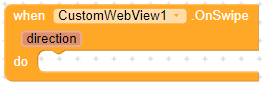
| Swiped | Event raised when webview is swipedid | numberdirection | number |
| WebViewStringChanged | When the JavaScript calls AppInventor.setWebViewString this event is run.value | text |
Methods
| AllowGeolocationAccess | Method for AllowGeolocationAccessallow | booleanremember | boolean |
| CanGoBack | Gets whether this WebView has a back history item |
| CanGoBackOrForward | Gets whether the page can go back or forward the given number of steps.steps | number |
| CanGoForward | Gets whether this WebView has a forward history item. |
| CancelPrinting | Cancels current print job. You can request cancellation of a queued, started, blocked, or failed print job. |
| ClearCache | Clears the resource cache. |
| ClearCookies | Removes all cookies and raises 'CookiesRemoved' event |
| ClearFormData | Clears the form data of the webview Added by Xoma id | number |
| ClearInternalHistory | Tells this WebView to clear its internal back/forward list. |
| ClearLocation | Clear all location preferences. |
| ClearMatches | Clears the highlighting surrounding text matches. |
| ConfirmJs | Whether to proceed JavaScript originated requestconfirm | boolean |
| ContentHeight | Gets height of HTML content |
| ContinueJs | Inputs a confirmation response to Jsinput | text |
| CreateShortcut | Creates a shortcut of given website on home screenurl | texticonPath | texttitle | text |
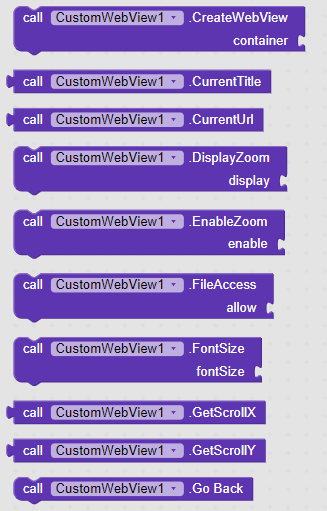
| CreateWebView | Creates the webview in given arrangement with idcontainer | componentid | number |
| CurrentId | Returns current id |
| DismissJsAlert | Dismiss previously requested Js alert |
| EvaluateJavaScript | Asynchronously evaluates JavaScript in the context of the currently displayed page.script | text |
| Find | Finds all instances of find on the page and highlights them, asynchronously. Successive calls to this will cancel any pending searches.string | text |
| FindNext | Highlights and scrolls to the next match if 'forward' is true else scrolls to previous match.forward | boolean |
| GetCookies | Get cookies for specific urlurl | text |
| GetIds | Returns a list of used ids |
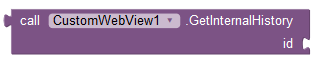
| GetInternalHistory | Get internal history of given webview.id | number |
| GetProgress | Gets the progress for the given webviewid | number |
| GetScrollX | Return the scrolled left position of the webview |
| GetScrollY | Return the scrolled top position of the webview |
| GetSslCertificate | Gets the SSL certificate for the main top-level page and raises 'GotCertificate' event |
| GetWebView | Returns webview object from idid | number |
| GoBack | Goes back in the history of this WebView. |
| GoBackOrForward | Goes to the history item that is the number of steps away from the current item. Steps is negative if backward and positive if forward.steps | number |
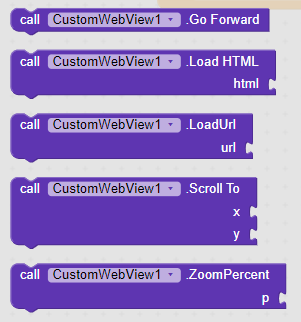
| GoForward | Goes forward in the history of this WebView. |
| GoToUrl | Loads the given URL.url | text |
| GrantPermission | Grants given permissions to webview.Use empty list to deny the request.permissions | text |
| HideCustomView | Hides previously shown custom view |
| InvokeZoomPicker | Invokes the graphical zoom picker widget for this WebView. This will result in the zoom widget appearing on the screen to control the zoom level of this WebView.Note that it does not checks whether zoom is enabled or not. |
| LoadHtml | Loads the given data into this WebView using a 'data' scheme URL.html | text |
| LoadInNewWindow | Loads requested url in given webviewid | number |
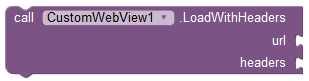
| LoadWithHeaders | Loads the given URL with the specified additional HTTP headers defined is list of lists.url | textheaders | dictionary |
| PageDown | Scrolls the contents of the WebView down by half the page sizebottom | boolean |
| PageUp | Scrolls the contents of the WebView up by half the page sizetop | boolean |
| PauseWebView | Does a best-effort attempt to pause any processing that can be paused safely, such as animations and geolocation. Note that this call does not pause JavaScript.id | number |
| PostData | Loads the URL with postData using 'POST' method into active WebView.url | textdata | text |
| PrintWebContent | Prints the content of webview with given document namedocumentName | text |
| ProceedHttpAuthRequest | Instructs the WebView to proceed with the authentication with the given credentials.If both parameters are empty then it will cancel the request.username | textpassword | text |
| ProceedSslError | Method for ProceedSslErrorproceed | boolean |
| RegisterDeepLink | Registers to open specified link in associated external app(s)scheme | text |
| Reload | Reloads the current URL. |
| RemoveWebView | Destroys the webview and removes it completely from view systemid | number |
| RestartPrinting | Restarts current/previous print job. You can request restart of a failed print job. |
| ResubmitForm | Whether to resubmit form or not.reSubmit | boolean |
| ResumeWebView | Resumes the previously paused WebView.id | number |
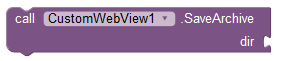
| SaveArchive | Saves the current site as a web archivedir | text |
| ScrollTo | Scrolls the webview to given positionx | numbery | number |
| SetCookies | Sets cookies for given urlurl | textcookieString | text |
| SetVisibility | Sets the visibility of webview by idid | numbervisibility | boolean |
| SetWebView | Set specific webview to current webview by idid | number |
| StopLoading | Stops the current load. |
| UploadFile | Uploads the given file from content uri.Use empty string to cancel the upload request.contentUri | text |
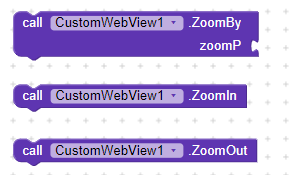
| ZoomBy | Performs a zoom operation in the WebView by given zoom percentzoomP | number |
| ZoomIn | Performs zoom in in the WebView |
| ZoomOut | Performs zoom out in the WebView |
Properties
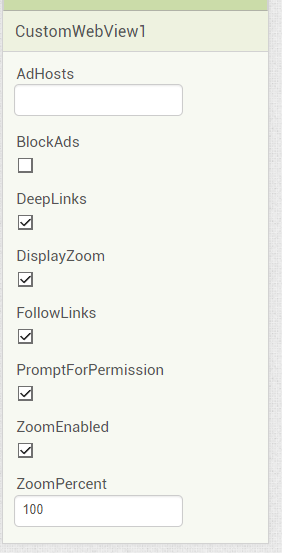
| AdHosts | Sets the ad hosts which will be blocked Property Type : write-only Accepts : text |
| AutoLoadImages | Sets whether the WebView should load image resources Property Type : read-write Accepts : boolean |
| AutoplayMedia | Sets whether the WebView requires a user gesture to play media Property Type : read-write Accepts : boolean |
| BackgroundColor | Sets background color of webview Property Type : write-only Accepts : number |
| BlockAds | Sets whether to block ads or not Property Type : write-only Accepts : boolean |
| BlockNetworkLoads | Sets whether the WebView should not load resources from the network.Use this to save data. Property Type : read-write Accepts : boolean |
| CacheMode | Sets cache mode for active webview Property Type : read-write Accepts : number |
| CurrentPageTitle | Title of the page currently viewed Property Type : read-only Accepts : text |
| CurrentUrl | URL of the page currently viewed Property Type : read-only Accepts : text |
| DeepLinks | Sets whether to enable deep links or not i.e. tel: , whatsapp: , sms: , etc. Property Type : read-write Accepts : boolean |
| DesktopMode | Sets whether to load content in desktop mode Property Type : read-write Accepts : boolean |
| DisplayZoom | Sets whether the WebView should display on-screen zoom controls Property Type : read-write Accepts : boolean |
| EnableJS | Tells the WebView to enable JavaScript execution. Property Type : read-write Accepts : boolean |
| FileAccess | Sets whether webview can access local files.Use this to enable file uploading and loading files using HTML Property Type : read-write Accepts : boolean |
| FollowLinks | Determines whether to follow links when they are tapped in the WebViewer.If you follow links, you can use GoBack and GoForward to navigate the browser history Property Type : read-write Accepts : boolean |
| FontSize | Sets the default font size of text. The default is 16. Property Type : read-write Accepts : number |
| InitialScale | Sets the initial scale for active WebView. 0 means default. If initial scale is greater than 0, WebView starts with this value as initial scale. Property Type : write-only Accepts : number |
| LayerType | Sets layer type Property Type : read-write Accepts : number |
| LoadWithOverviewMode | Sets whether the WebView loads pages in overview mode, that is, zooms out the content to fit on screen by width. This setting is taken into account when the content width is greater than the width of the WebView control. Property Type : read-write Accepts : boolean |
| LongClickable | Sets whether to enable text selection and context menu Property Type : read-write Accepts : boolean |
| OverScrollMode | Sets over scroll mode Property Type : read-write Accepts : number |
| PromptForPermission | Returns whether webview will prompt for permission and raise 'OnPermissionRequest' event or not Property Type : read-write Accepts : boolean |
| RotationAngle | Sets rotation angle Property Type : read-write Accepts : number |
| ScrollBar | Whether to display horizonatal and vertical scrollbars or not Property Type : write-only Accepts : boolean |
| ScrollBarStyle | Sets scroll bar style Property Type : read-write Accepts : number |
| Scrollable | Property for Scrollable Property Type : write-only Accepts : boolean |
| SupportMultipleWindows | Sets whether the WebView supports multiple windows Property Type : read-write Accepts : boolean |
| UseWideViewPort | Sets whether the WebView should enable support for the 'viewport' HTML meta tag or should use a wide viewport. Property Type : read-write Accepts : boolean |
| UserAgent | Get webview user agent Property Type : read-write Accepts : text |
| UsesLocation | Whether or not to give the application permission to use the Javascript geolocation API Property Type : write-only Accepts : boolean |
| VibrationEnabled | Sets whether vibration feedback enabled on long click Property Type : read-write Accepts : boolean |
| Visible | Returns the visibility of current webview Property Type : read-only Accepts : boolean |
| WebViewString | Set webview string Property Type : read-write Accepts : text |
| ZoomEnabled | Sets whether the WebView should support zooming using its on-screen zoom controls and gestures Property Type : read-write Accepts : boolean |
| ZoomPercent | Sets the zoom of the page in percent. The default is 100 Property Type : read-write Accepts : number |
6.Open Source
This extension is open source so that anyone can modify and improve it 
Here is the repo on GitHub:
You can find changelogs and beta aix there.
CustomWebView has two helper extensions named BrowserPromptHelper (adds your app to Browser's list) and DownloadHelper (for downloading files).
7. Snippets
Download blob files:
Please donate some amount to keep me motivated 
https://pay.upilink.in/pay/vknow360@apl
Hope this helps !