🟨 WebViewExtra - Upload/Download Files with webviewer (and much more...)

WebViewExtra wveicon

An extension for AI2 that extends the features of the native webviewer.

The extension, by default, will provide the following features:

  • allow for uploading of files from within a webviewer. (Developers will need to provide suitable html solutions...)
  • allow for downloading of files from within a webviewer, even from Google Drive shared folders! Files are saved to the Download directory in Shared storage.
  • sets READ and WRITE in the app / aia project, enabling the setting of Legacy as a default filescope for storage of files in Shared directories. This is useful for providing access to files in the ASD (which would need to be copied to a shared directory location for uploading).
  • allow for file access from the webviewer.
  • turns zoom on and off in the webviewer, with programmable zoom methods.
  • allow for the use of localStorage and sessionStorage in html/javascript in a webviewer.
  • modifies the userAgent of the webviewer, removing the ; wv, which then enables (for example) Google 0Auth activities, such as authorising web apps with a user's google account.
  • provides choice of download path, the Download directory (default), Documents or the ASD
  • provides choice of upload path, the ASD or Shared Directories (default). You will require a file component.
  • allows for downloading of files from blob urls
  • setting available (false by default) to require a gesture for html5video playback with sound. This means you can autoplay video with sound without interacting with the web page.
  • provides for geolocation
  • provides methods for gaining permissions for camera and microphone in the webviewer

DETAILS

  • Latest Version: 2.2 release.
  • Tested: This has been tested, companion and compiled, on App Inventor 2 using Android 7, 9, 10 and 13 & 14 devices, companion 2.74. It may work on other derivatives....e.g. Kodular/Niotron/etc.
  • Released: 10 Feb 2023.
  • Last Updated: 19 August 2025.
  • Built: Using the Rush Extension Builder by @shreyash.

BLOCKS

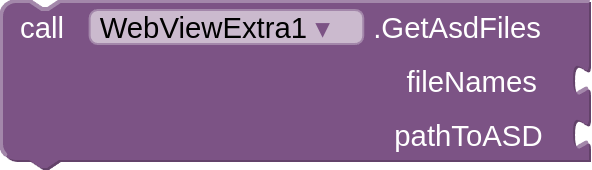
Methods

component_method (1)
component_method (9)
component_method (3)
component_method (5)
component_method (4)
component_method (2)
component_method (10)


component_method (11)

component_method

Events
component_event (3)

component_event (1)

component_event

component_event (4)

Properties

component_set_get (2)

component_set_get (1)

component_set_get

component_component_block

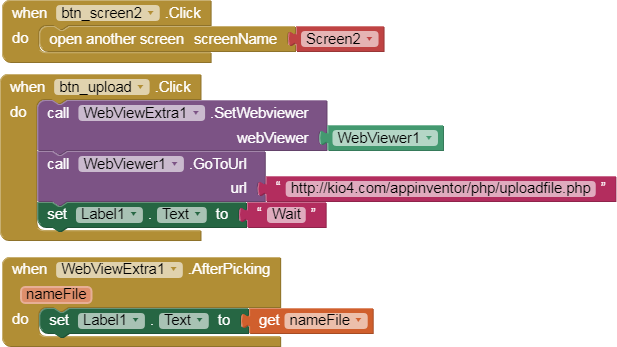
  • Supply the SetWebviewer block with the component block from a webviewer component.

  • In the FileType block, provide a filetype filter in mimetype format. The default is "/" (all files). A list of mimetypes is provided in the FileTypes property block. This is intended for uploading files selection.
  • Set ZoomControls block to true or false, false by default. Zoom Display Controls are permanently off.
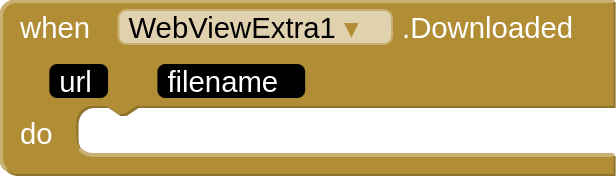
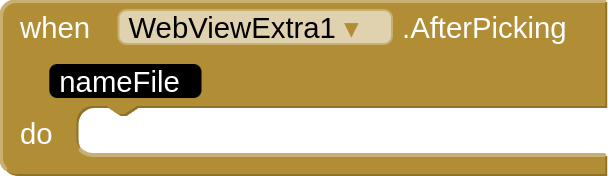
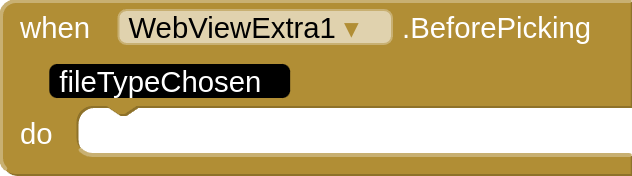
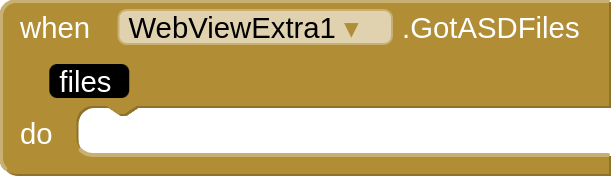
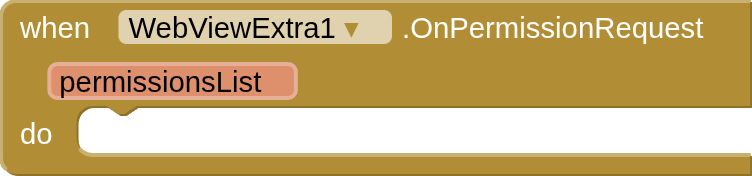
  • The event blocks should be self-explanatory...
Previous Releases and Descriptions

1.2release Update

It seems that simply removing ; wv from the default useragentstring is now not enough, and we also need to remove Version/4.0 and Mobile . Also, not all android devices present the same webview useragentString, e.g. Samsung, Asus, Redmi, Motorola..., therefore it may be necessary to modify the useragent presented in those webview, hence the provision of the get and set useragent blocks. A useful link for native browser user agents: Device Atlas. See below from posts 24 - 45 for the workthrough following reports from @TxSolve .

1.3 release update

  • added the three new media permissions (image/audio/video)
  • tidied up zoom controls to one method (although it seems it does not work on all devices?)

1.4 release update

  • added function to set/unset Viewport mode
  • added function to set/unset Overview mode

1.5 release update

  • added Transparent Background property (designer only)

1.6 release update

  • added option to download to either the ASD or Download directory. By default uses the Download directory

1.7 release update

  • added option to upload from either the ASD or Shared directories. By default uses the Shared Directories. You will require a File component to use the helper blocks. See HERE for more details.

1.71 release update

  • (hopefully) provided a fix for Broadcast receiver issues with API 34 / Android 14

1.8 release update

  • allows for download of files from blob urls

1.8.2 release update

  • manifest permissions for file access removed (e.g. READ_MEDIA_IMAGES), due to the silliness of Google's Photo and Video Permissions policy. Use this version to avoid issues on Google Play store. If you need any read/write permissions you will need to request them from Screen Permissions.

1.9 release update

  • now a setting added to allow autoplay of html5video with sound. (MediaPlayBackGesture). The default setting is false, which allows playback with sound.

1.98 release

  • fixed Downloaded event to run when downloaded completed. Thanks @Kumaraswamy for help and guidance on this. Compile app for this is event to fire correctly.

2.0 release

  • A few additional updates and changes, so decided this merited the 2.0 release :slight_smile:
  1. bug fix applied to the recently added Downloaded code, to prevent the app crashing when switching to other apps in companion.

  2. Revised and replaced the Download location block. This is now renamed from DownloadToASD > DownloadTo, and you now need to provide an integer between 1 & 3 :- 1 for Download (the default), 2 for Documents, & 3 for the ASD. You won't need this block if you are happy with Download as the download location. I added Documents, because this should be of help for Chromebook users, who do not get a Download directory in their app with companion (instead files are down loaded into the Chromebook Downloads folder).

  3. Zoom and Zoom Controls have never quite worked correctly, hopefully now a solution is found. All zoom features are turned off by default, and the Zoom Display Controls are always turned off ( It was not possible to turn them on and off programmatically). To compensate for this, added are two new methods: ZoomIn and ZoomOut, which offer the same functionality as the Zoom Display Controls, but these are now fully programmable outside of the webviewer. You can still turn Zoom Gestures on and off with the blocks provided.

2.1 release

  1. Added back the ability to set your own userAgent

2.2 release

  1. Provides for geolocation
  2. Provides for gaining access to camera and microphone in the webviewer

2.3 / 2.31 release

  1. BlobUrls can now be downloaded to Documents and ASD
  2. V2.31 removes Camera and Microphone permissions if not required (intrusive permissions requests)

EXTENSION

WebViewExtra

MORE INFORMATION

WebViewExtra on AI2 Metricrat

#GITHUB
Source Code

CREDITS

I have @JuanAntonio to thank for creating the basis of this extension, and for additional code, suggestions, bug fixing and testing. It would not have happened without him!
@vknow360 and Luke Gackle for their open sourced extensions on the same subject.
All the Questioners and Answerers on StackOverflow, and howto/tutorial/guide providers on the internet
@Kevinkun for transparent background code
@Kumaraswamy & @ewpatton for listpicker upload from ASD functionality
@Kumaraswamy again for further help with Downloaded event and encouragement :slight_smile:
@vknow360 for camera and microphone permissions code (from github)

& thanks @JimP for production testing the API34 updates
.
.
Enjoy :smiley: , and all feedback and comments welcome.

Available for use in any MIT AppInventor projects or competitions

#####################################################################
This work by Juan Antonio Villalpando & TIMAI2 & Kevinkun is licensed under a
Creative Commons Attribution-ShareAlike 4.0 Unported License with attribution.
Please use name = Juan Antonio Villalpando & TIMAI2 & Kevinkun and link to this source page when giving credit.
#####################################################################
19 Likes
Upload more image in a folder stored on my phone to google drive
Upload video to google drive
CustomWebView : An extended form of Web Viewer
Enviar foto por un googleform
I am making a browser (help)
Convert file to pdf online. WebViewExtra extension
Application Error
Upload file problem
Php / app probleme avec le composant file
Paypal simple-HTML
Backend app (...but no Firebase...)
:blue_square: [FREE] GD Connector - connect users to their own Google Drive and Google Sheets
Insert possibility to download all files from app
Is (App Inventor) it able to remove the background of picture?
WebViewer click button: nothing happened
Editor de documentos
Button Choose Image Not Working on webview?
Permisos en appinventor2
Save passwords in webviewer
Downloading Files through Webviewer on Chromebook
Can I download files in a web browser without an extension?
Web Viewer Local Cache
Webviewer extension for Video, audio, images, gif, pdf upload
How do you enable DOM storage in WebViewer?
Visor web - acoplar dimensiones
Google Maps URL doesn't work when trying to display it through WebViewer
:bar_chart: [Free] ChartMakerPlus - an extension to make google charts
Are these extensions safe?
How do I copy a file from ASD to shared folder?
Upload PDF from MIT web viewer by link into web page
Cannot upload picture through google form embedded on the app
Post file method doubt
How do you open in appinventor url that use JS?
Live Stream Strimm video player won't load from Web Viewer
Download external file from webviewer
:fire: Firebase OTP (Sign In with Phone) using Webviewer
Upload file with post
Loading SVGs in AppInventor?
Problems to view online PDF files - Web Viewer and CustomWebViewer
Load assets from external sources after APK installation
Generate a pdf report from html view
After turning my Website to Android App, i cant login
Help in google drive
WebViewStringChange block
Problem in the upload file in webview app
WebViewer problem opening the page
How do you Integrate a Google Form?
Not using access permission but reviews say you have used it
Webview isn’t working
Who can make a Custom Webviewer extension?
Buttons don't click inside the web viewer but in chrome website the buttons works fine
Webview Problems
Problem with Google OAuth2 and Firebase REST API: Missing Initial State Issue
WEBVIEWER doesn't work
How do I make this extension work on a webviewer part 3?
Link of pdf on list picker
Download extension!
Uploading html file for use with Webviewer
Enabling Full Javascript functionality within webview for external websites
Help for my chat app
Can't load a specific webpage
Hello everyone...How do you disable the (- and +) button on my webview created with mit?
WebViewer stuck on "Loading" for a specific URL, but works in browser
How do I upload image to google drive then send link into the google sheet?
about rive runtime anrid
Could you please help with my code?
RE: Taifun web wiever extension
CustomWebView : An extended form of Web Viewer
How do you get a created app to download updated version?
Choose image / camera from HTML Site and Upload it
How do I save a non-media file (txt, csv) in one of the Shared folders and read it on Android 11+ ( and fix beginners bugs)
I need to get captcha image with webview
Loading problem with elementor index on site created with wordpress
Searching help for ' google maps plus code ' does not have many results
Webviewer don't display button
Make web viewer invisible if not used
I can only see the site screen part in the web viewer
Transparent html page on camera
Subir foto tomada a una hoja de calculo en google
Choose image / camera from HTML Site and Upload it
Download link in app not work
Auto size font googlesheet or formgoogle on WEBVIEWER
Video abspielen
How can I integrate MIT App Inventor with my WordPress site?
How can i change default webviewer?
Hi, I found a free chat box named 'tawk.to' and placed the chat box link within webview block in mit app inventer. Its working fine except 'file upload' feature. Can someone help?
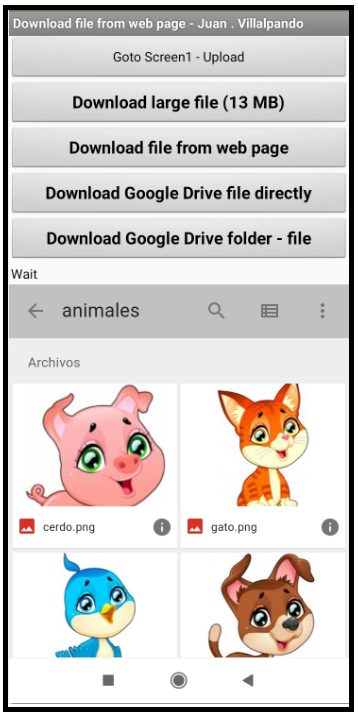
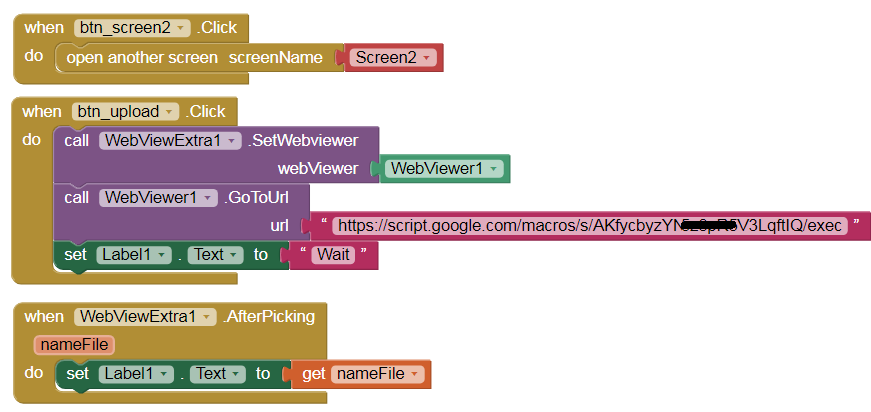
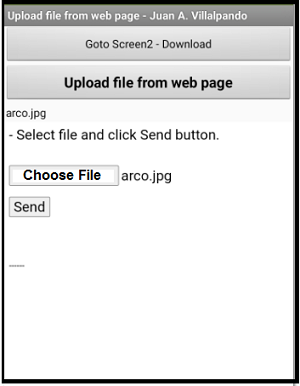
  • Through this extension we can upload and download files from a web page displayed with the WebViewer component.

UploadDownload.aia (20.1 KB)

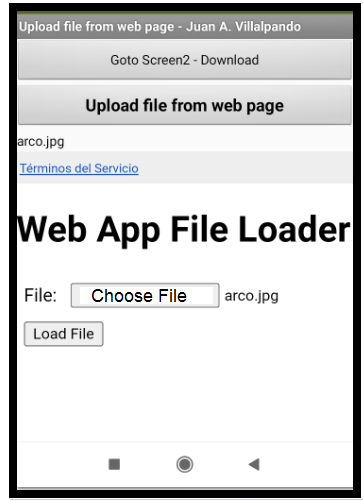
- Upload file from a web page.
visorwebextra4

visorwebextra1

In this example the web page is a PHP:

PHP code: upload_file.php
<html><head>
</head>

<body>
<font size="5" face="Arial">- Select file and click Send button. Size max. 10 KB</font>
<br><br><br>
<form action="upload_file.php" method="post" enctype="multipart/form-data">
<input name="filename" type="file" style="font-size:24px; font-family: arial;"><br><br>
<button type="submit" style="font-size:24px; font-family: arial;">Send</button></font>
</form>
<br><br><br>
<?php
$directory = "subidos/"; 
$filename = basename($_FILES['filename']['name']);
$filepath = $directory.$filename;  
$filesize = filesize($_FILES['filename']['tmp_name']);

if($filesize < 10000){
   if(move_uploaded_file($_FILES['filename']['tmp_name'], $filepath)) { 
	 echo "<font size='5' face='Arial'>- The".$filename." file uploaded to the server. <br><br>";                   
echo "<a href='http://kio4.com/appinventor/php/subidos/".$filename."'>http://kio4.com/appinventor/php/subidos/".$filename."</a>";
					} else { 
						echo "------"; 
					} 
} else {
echo "- The ".$filename." cannot upload because it is larger than 10KB. It is ".$filesize," B. ";
}
?> 
</body></html>

- Download file from a web page and Google Drive.

4 Likes

Is it possible to have a DownloadProgress event?

For larger files, you should see an animated arrow in the notifications area.

2 Likes
UploadFile.html
<!DOCTYPE html>
<html>
  <head>
    <base target="_top">
  <script>
  function LoadFile(event)  {
    var file = event.target.files[0];
    var reader = new FileReader();
    reader.onload = function(e) {
      var fileData = e.target.result.substr(e.target.result.indexOf(",")+1);
      var mimeTypeStart = e.target.result.indexOf("data:") + 5;
      var mimeTypeEnd = e.target.result.indexOf(";");
      var mimeType = e.target.result.substr(mimeTypeStart, mimeTypeEnd - mimeTypeStart);
      var fileName = file.name;
      document.getElementById("fileData").value = fileData;
      document.getElementById("mimeType").value = mimeType;
      document.getElementById("fileName").value = fileName;
    };    
    reader.readAsDataURL(file);
  }
  </script>
  </head>
  <body>
    <h1>Web App File Loader</h1>
    <?var url = getUrl();?>
    <form method="post" action="<?= url ?>" >
      <table cellpadding="5px">
      <tr>
      <td>File:</td>
      <td><input type="file" name="file" onchange="LoadFile(event)" />
      <input type="hidden" id="fileData" name="fileData" />
      <input type="hidden" id="mimeType" name="mimeType" />
      <input type="hidden" id="fileName" name="fileName" /></td>
      </tr>
      <tr>
      <td colspan="2"><input type="submit" value="Load File" /></td>
      </tr>
      <tr>
      <td colspan="2"><span><?= message ?></span></td>      
    </form>
  </body>
</html>
code.gs
function doGet(e) {
  var htmlOutput =  HtmlService.createTemplateFromFile('UploadFile');
  htmlOutput.message = '';
  return htmlOutput.evaluate();
}

function doPost(e) {
  // Logger.log(JSON.stringify(e));
  
  var destination_id = '1tFhDzSWbcExampleT5Xdd7NZ_r';  // ID OF GOOGLE DRIVE DIRECTORY;
  var destination = DriveApp.getFolderById(destination_id);
  
  var data = Utilities.base64Decode(e.parameter.fileData);
  var blob = Utilities.newBlob(data, e.parameter.mimeType, e.parameter.fileName);
  destination.createFile(blob);
  
   listRecord(e.parameter.username, e.parameter.fileName); 
  
  var htmlOutput =  HtmlService.createTemplateFromFile('UploadFile');
  htmlOutput.message = 'File Uploaded';
  return htmlOutput.evaluate();
  
}

function listRecord(username, filename)
{
  var url = 'https://docs.google.com/spreadsheets/d/18tlBCVwsi2giDcTg7GFvYH-CyvOxKqPkwLHBntrdXRc/edit?usp=sharing';  //URL OF GOOGLE SHEET;
  var ss= SpreadsheetApp.openByUrl(url);
  var recordsSheet = ss.getSheetByName("Sheet1");
  recordsSheet.appendRow([username, filename, new Date()]);
}

function getUrl() {
 var url = ScriptApp.getService().getUrl();
 return url;
}

googledrive31

2 Likes

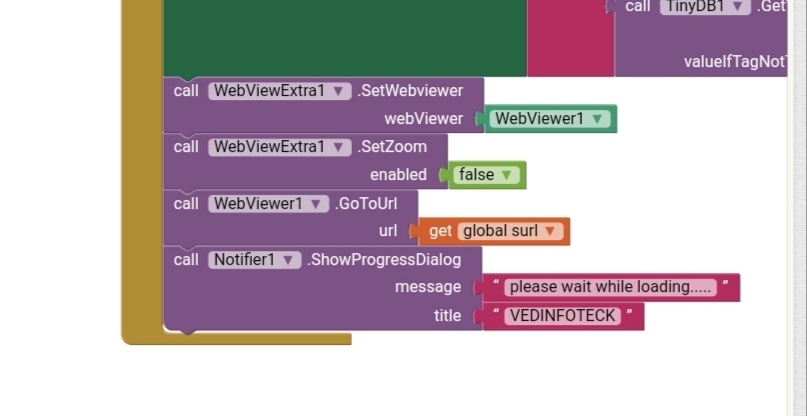
Great extension.local storage support helps but I can't remove zoom control in webview.my blocks are in below image

1 Like

Are you still able to zoom with two fingers?

The zoom buttons will still be visible.

Zoom button is displaying after set zoom to false.any way to hide zoom button.

Is it your web page (or can you get it edited) ?

If so, add this meta tag:

<meta name="viewport" content="width=device-width, initial-scale=1.0, maximum-scale=1.0, user-scalable=no">

Thanks

How ca we upload multiple file ?

Where do you want to upload them? In case you have a server with PHP, you could convert your files to zip and upload it.

https://puravidaapps.com/zip.php

yes but my php look like this.

If you want to upload it via FTP you need an FTP client.

do you have solution just to able multiple file.. just single file is working.. i need multiple file to be uploaded.

You can use a Clock and upload a file automatically every 4 seconds (for example).

how?

Do you want to upload files from the app to a hosting?
Do you have an FTP server in your hosting?
How do you want to upload the files via FTP or via PHP?

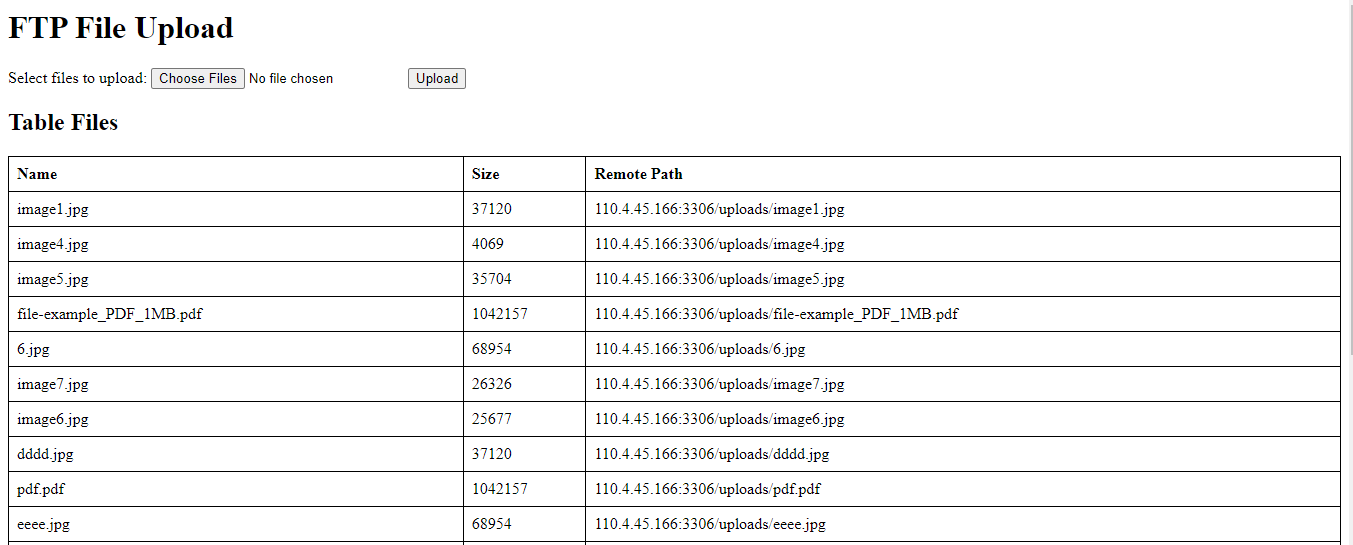
i have a php file that is working to upload files but when i use this webview extra extension i can only select 1 file to be uploaded but when i use google chrome i can upload more than one
file

Show the html for the web page you are using to select the files to upload (as in your image above), specifically the <form> structure.