An efficiently designed virtual background execution environment for App Inventor.
Powered by the ItooX framework.
It allows you to run blocks in background the same way you do normally when the app is active.
 Please go through all the details and documentation listed below before you try to use the extension or seek help from others. Efforts have been made to be precise and simple at the same time.
You need to be familiar with App Inventor to use this extension. Difficulty level being Medium-High.
📚 Terminology
It is essential to understand basic terms used in this documentation and in this extension.
-
Background: When we use the word "background", we may refer to two things.
- We say "the app is running in the background" – we mean that some operation is being done while the app is not active.
- The second meaning, we also refer to "background" as in "background service" as opposed to a "foreground service".
-
Foreground: Just like the word "background", this word has two meanings.
- We say the app is in "foreground" – meaning the app is open, being active.
- The second meaning, we refer to "foreground" as in "foreground service" feature offered by the extension.
🛠️ Types of Service
A service is basically something that runs also while the app is not open or when the app is closed.
-
Background Service: A non-visible background work that can be scheduled using Itoo.
-
Runs silently without user noticing it.
-
Vulnerable to being stopped by the system abruptly, can only run upto a few minutes in modern devices depending on the phone brand, OEM, OS installed, etc. (also see dontkillmyapp.com)
-
-
Foreground Service: A user visible and recommended way to execute something in the background.
-
Itoo is primarily based on supporting this service.
-
Generally can work non stop for ever, but could be limited to a few days or less time depending on the phone brand you use.
-
A permanent notification is shown while this service is active starting from Android 8 (Oreo).
-
📝 Principles of design and usage
To run blocks in the background, you code the blocks normally then use Itoo to execute them.
There are a few things you need to follow while you are using Itoo:
Usage
- Before you try to do something with Itoo, first get it working normally.
- Do not use global variables, or try to access/set them.
- Do not use user interface components such as Label, TextBox or even Notifier since there is no interface in background.
- You cannot use Tiny DB, alternatively you are supposed to make use of the similar storage features Store/Fetch property blocks offered by this extension.
- For the main background procedure, you need to include an argument "x".
- You cannot use normal Event blocks in background, use RegisterEvent block to listen to component events.
- You cannot run more than one foreground or background service.
- A component does not get created until you touch any of its block.
Design Solutions
-
How do you report the status live from background onto the user interface?
- For that purpose, Itoo offers way to communicate back and forth between the user-interface and the background execution using Broadcasting feature.
-
When a new type of block is added to App Inventor, will be be supported?
- Yes, but it may not be immediately supported, it would need an update.
-
When the device restarts, how do I start a background process?
- This can be done using SaveProcessForBoot feature offered by the extension.
-
How do I run a background process 24/7 without any interruption?
- This can be achieved using a Foreground Service (with CreateProcess) block, but do note that some device brand may abruptly stop anything.
-
How do I customize the foreground service notification?
- Update the notification Id (
123321) using the Melon Notification extension.
- Update the notification Id (
📑 Documentation
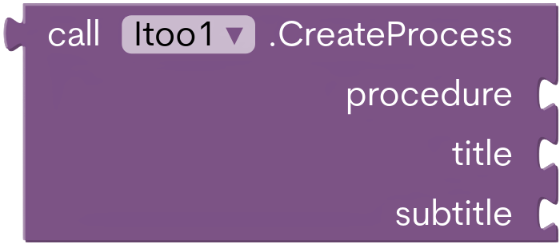
- Starts a foreground service, with procedure being the initial point.
Title & Subtitle refers to content of the Notification.
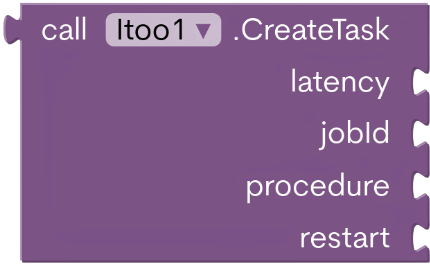
- Starts a background service, latency being the delay, with procedure being the initial point.
JobId refers to a unique service Id to check status and stop the task.
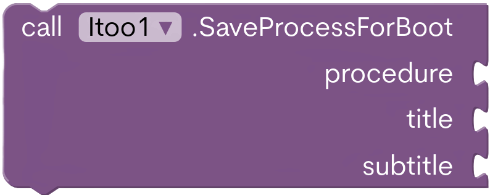
- Useful when you want to start a foreground service when the device boots up.
-
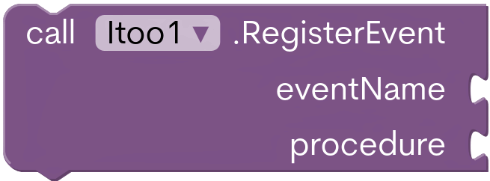
Remember, you cannot normally use the Yellow event blocks in background.
Using this, you supply an event name such asClock1.Timerwhere Clock1 is the component andTimeris the event name.So what happens when that event is raised? The procedure given will be called with the same number of values as the Event.

- Returns true if a foreground process is currently active.
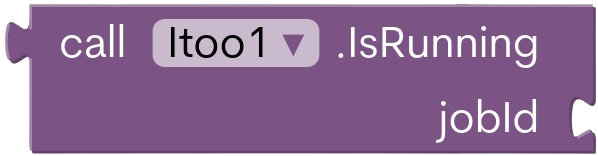
- Returns true if the given JobId is currently active.

- Stops any foreground process currently running.
Can be called both from background or while the app is active.
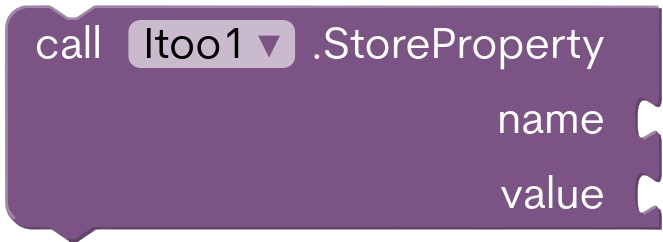
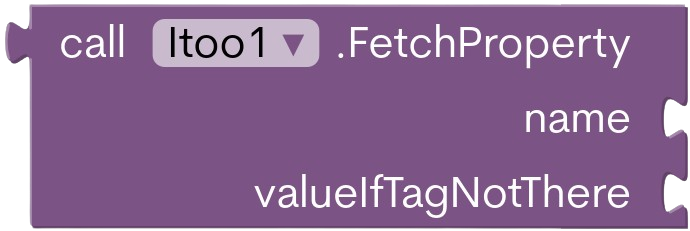
- Since TinyDB cannot be used in background due to synchronization issues, Itoo offers a similar set of blocks to serve the same functionality.
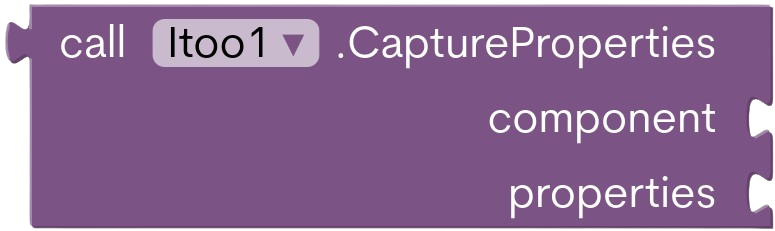
- Captures the green property blocks and saves their values.
Then in the background, you can reapply the properties.
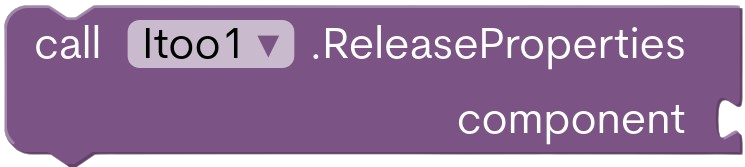
- Releases the captured properties of the component. In background.
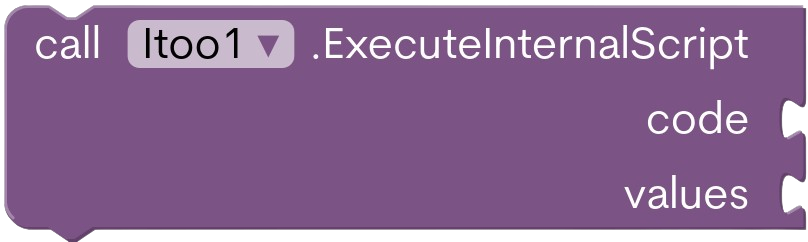
- There is only a few specific cases where you might use this block.
You can use it to initialise a Firebase or a Cloud DB.
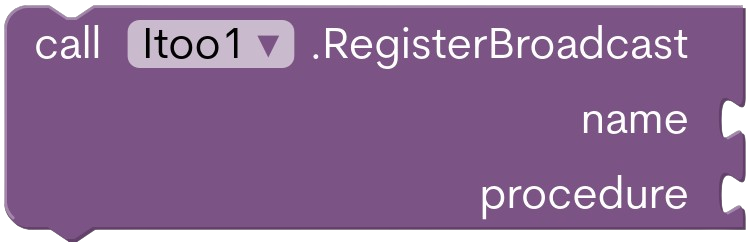
- A way to receive messages from app to a background process.
Name is the message's tag you want to listen to. After message is received, the supplied procedure is called with an argument i.e the message.
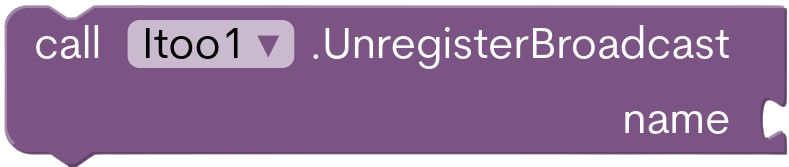
- Unregisters a registered broadcast in background.
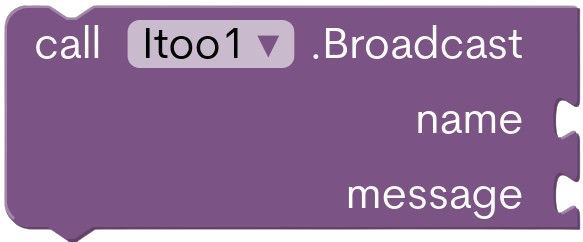
- When you want to send a message to background or vice versa.
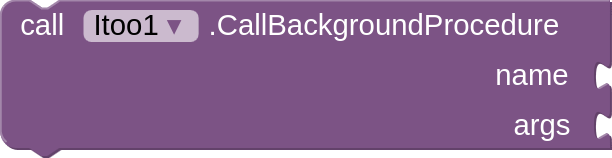
- Once a background service has been started, you can use this Block to call procedures in the background.
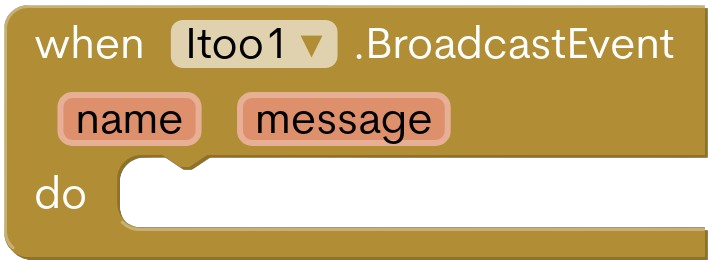
- Any messages sent from background will be received here.

- Returns true if called inside a background process.

- Customize the permanent notification icon.
Possible notification icons
ic_btn_speak_now
ic_delete
ic_dialog_alert
ic_dialog_dialer
ic_dialog_email
ic_dialog_info
ic_dialog_map
ic_input_add
ic_input_delete
ic_input_get
ic_lock_idle_alarm
ic_lock_idle_charging
ic_lock_idle_lock
ic_lock_idle_low_battery
ic_lock_lock
ic_lock_power_off
ic_lock_silent_mode
ic_lock_silent_mode_off
ic_media_ff
ic_media_next
ic_media_pause
ic_media_play
ic_media_previous
ic_media_rew
ic_menu_add
ic_menu_agenda
ic_menu_always_landscape_portrait
ic_menu_call
ic_menu_camera
ic_menu_close_clear_cancel
ic_menu_compass
ic_menu_crop
ic_menu_day
ic_menu_delete
ic_menu_directions
ic_menu_edit
ic_menu_gallery
ic_menu_help
ic_menu_info_details
ic_menu_manage
ic_menu_mapmode
ic_menu_month
ic_menu_more
ic_menu_my_calendar
ic_menu_mylocation
ic_menu_myplaces
ic_menu_preferences
ic_menu_recent_history
ic_menu_report_image
ic_menu_revert
ic_menu_rotate
ic_menu_save
ic_menu_search
ic_menu_send
ic_menu_set_as
ic_menu_share
ic_menu_slideshow
ic_menu_sort_alphabetically
ic_menu_sort_by_size
ic_menu_today
ic_menu_upload
ic_menu_upload_you_tube
ic_menu_view
ic_menu_week
ic_menu_zoom
ic_notification_clear_all
ic_notification_overlay
ic_partial_secure
ic_popup_disk_full
ic_popup_reminder
ic_popup_sync
ic_search_category_default
ic_secure

- Specify the foreground service type as required by latest versions of Android.
DataSyncis the default value. You may also specify it in the designer tab.
Service types
Camera,
ConnectedDevice,
DataSync,
Health,
Location,
MediaPlayback,
MediaProcessing,
MediaProjection,
Microphone,
PhoneCall,
RemoteMessaging,
ShortService,
SpecialUse,
SystemExempted (you wouldnt need to use this one)

- Enabled by default, produces essential debug logcat to trace errors.
Note: However in the production mode, you should turn it off to not leak any sensitive data in log.
📚 Resources & Quick Start
Some sample projects that might help you start.
Project files are attached at the end, try to copy rather than simply opening the AIA.
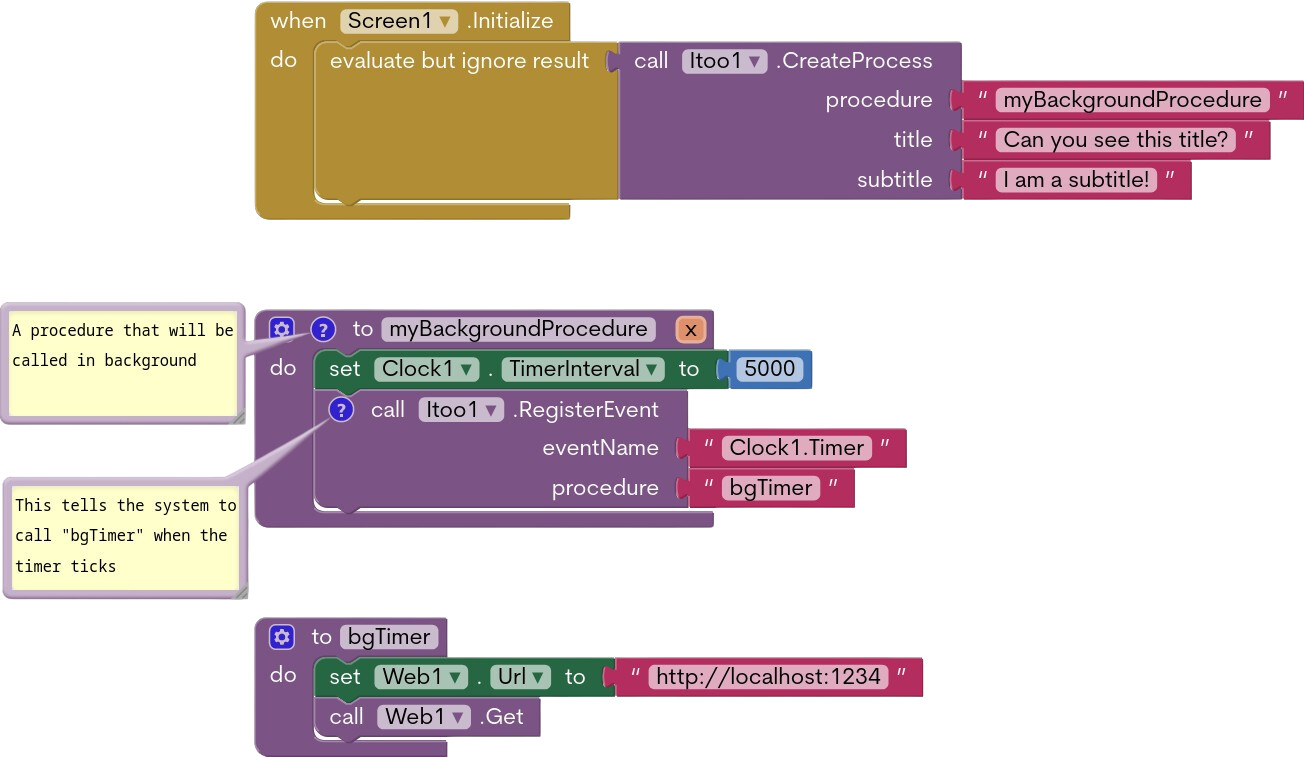
CloudDB with Itoo, update data every few seconds
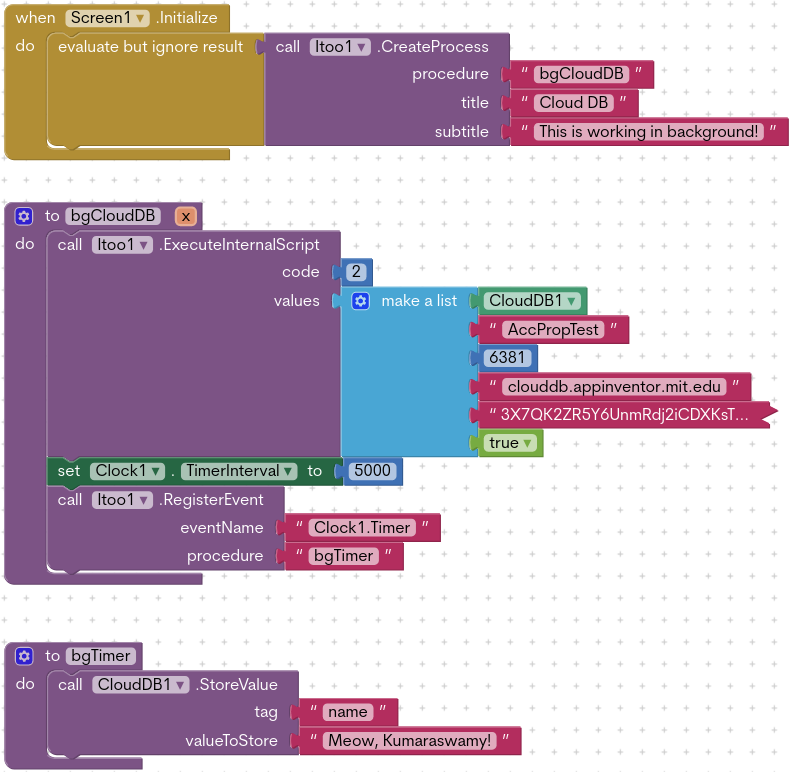
Here is where the ExecuteInternalScript action comes into play!
Code number 2 represents Cloud DB.
Updates Cloud DB every 5 seconds using Clock.
You just need to change the credentials in the values and you can start using it.
Firebase with Itoo, update data every few seconds
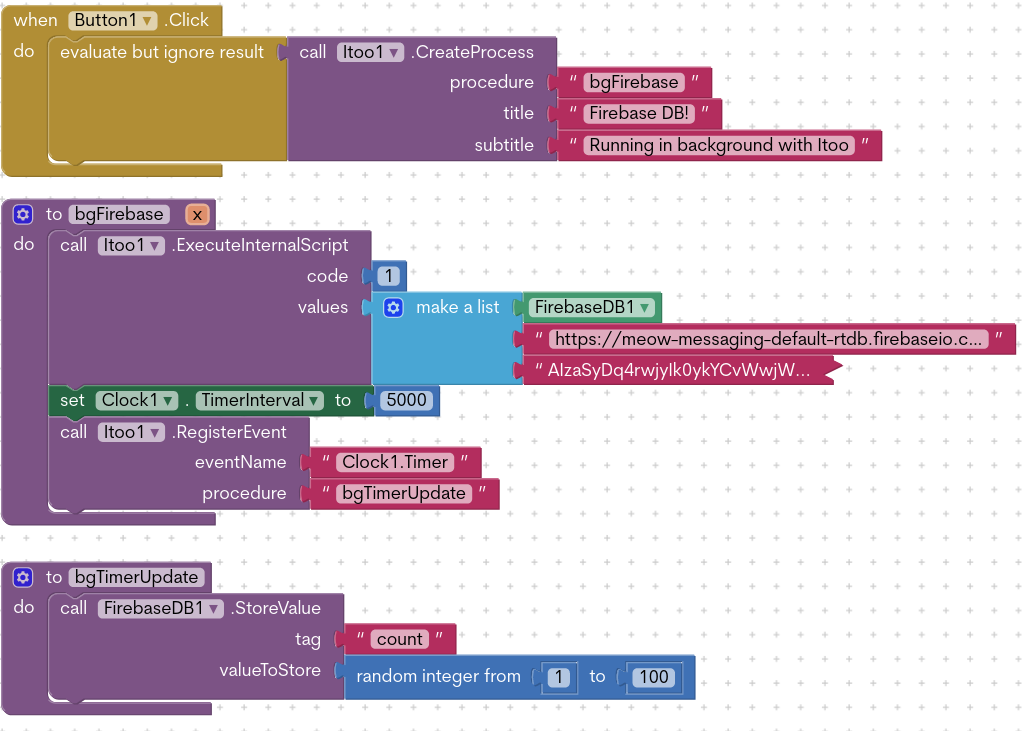
Similarly to CloudDB, we use the ExecuteInternalScript with code 1 to configure firebase.
Writes to Firebase DB every 5 seconds using Clock.
Update your Firebase URL Token & start using it.
Capturing and releasing properties for quick setup
Sometimes you have a lot of configuration in the designer property set and would want to avoid setting them manually again in blocks. The Capture and Release property functions got you!
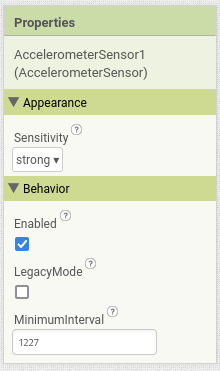
You can basically save the state of the properties by Itoo and can be reapplied to the component in background.
This works most of the time, but there might be exceptions.
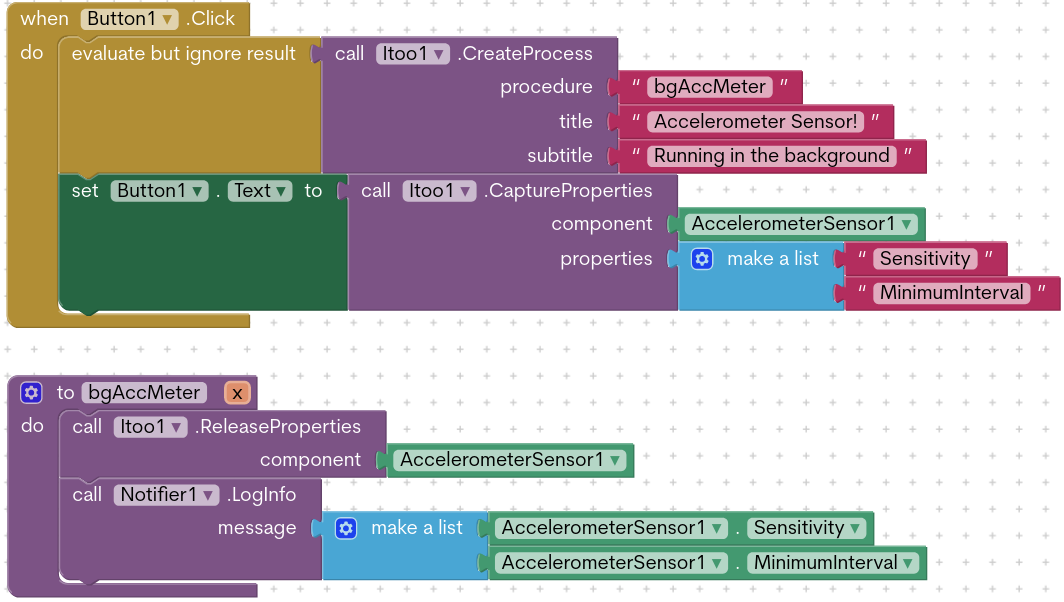
The above example demonstrates how properties Sensitivity and Minimum Interval for the Accelerometer Component is saved and reapplied in the background.
New features in Itoo Sky 4.4.0
-
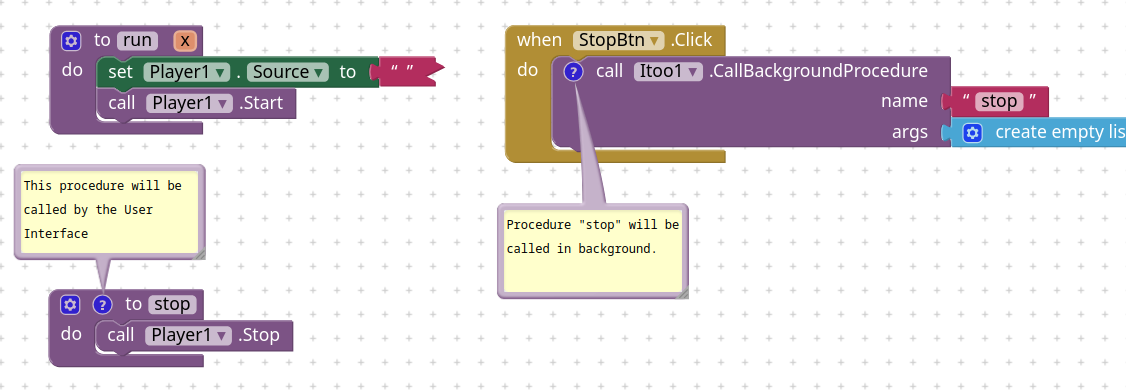
Ability — Call background procedures from UI
Once a background service is started, you can call a procedure to run in background.
-
Ability — Call UI procedures from background.
Now you can call to update user interface while in background, if your app is open
Wait, what are the requirements?Carefully notice the above blocks.
We are registering theTimerevent ofClock1and we keep track of the counts and increment it by 1 each time theClock1_Timeris called.
Then we call the procedureui_updatefrom the background that will update the count in the label.
So whenever you need to call a procedure to user interface, the procedure name must start with prefixui_. -
Ability — Automatic event resolution system
Beginning from this update, you do not necessarily need to register for events using the RegisterEvent block. From now, Itoo will try to search for a procedure using the naming conventionComponentName_EventNameand call the procedure if it exists.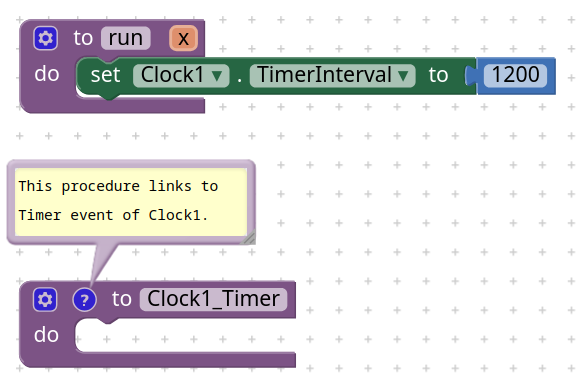
Demonstrating automatic event registration for Timer event of Clock1.
-
Behavior — Now when you click the notification, by default it opens the application. (
Screen1)

More examples:
- Itoo with Notification listener — by Taifun
- Battery checker reminding you to unplug when fully charged — by Taifun
- Creating a music player to run in background — by Kumaraswamy
- Creating alarm manager from scratch — by Mario
- Streaming never ending radio — by Mario
- Pedometer with Itoo — by Mario
- Chat with push notification (CloudDB and Itoo) — by Mario
- All type of Push Notifications using Itoo — by TimAI2
- Run app in background, that fires an alarm whenever phone is shaking - #4 by Taifun
Turn off device specific battery optimizations: dontkillmyapp.com
Extensions Featuring Itoo(x)
- Alarm manager by Taifun
- Locationservice by Taifun
- Notification listener by Taifun
- Phone State Listener by Taifun
- Geofence by Taifun
🔗 Extension
This extension can be freely used, including in appathon.
Both extension and framework are open sourced under the GNU-3 license.
By default, the extension does not ask for notification permission.
Use the AskForPermission block or enable it manually.
V4.4.2 xyz.kumaraswamy.itoo.aix (92.2 KB)
Please consider donating: PayPal.Me
Project files
All of the project files listed below uses version 4.1. Please upgrade if you target Android 14+ onwards.
SimpleItooProject.aia (81.9 KB)
SimpleItooCloudDB.aia (82.2 KB)
ItooFirebaseDB.aia (82.1 KB)
PropertyCapture.aia (81.9 KB)
Thank you
Kumaraswamy B G