Collecting my Guess Label components and Keyboard Buttons in lists and tables ...
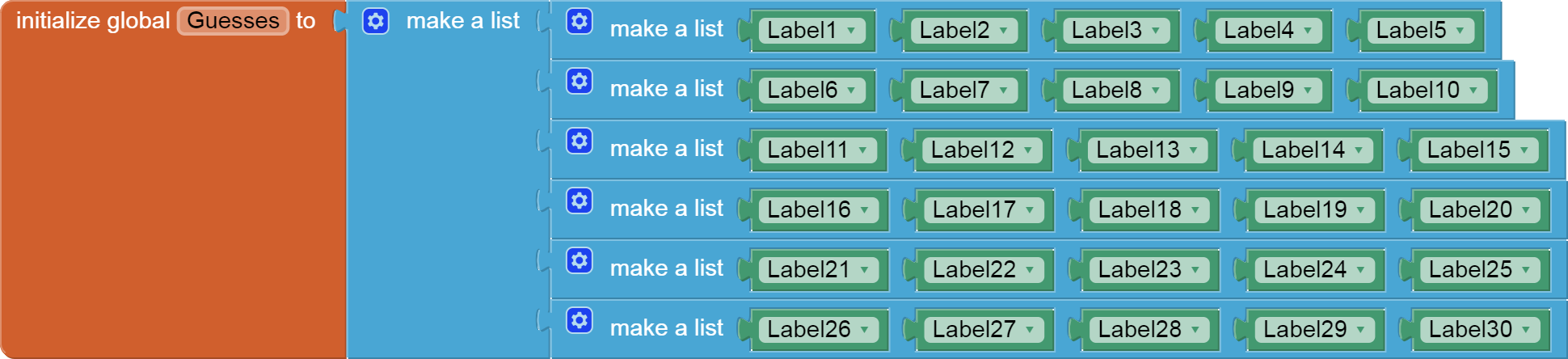
This table of Labels holds my guesses. I set it up to look like the run time display of the Labels, for ease of debugging and understanding. To fill it easily in the Blocks Editor, I added all the empty sockets using its blue Mutator first. Adding new sockets is easiest when all the other sockets are empty, since it doesn't matter where you insert them. (No worry about having to scroll offscreen to get to that last socket.)
My first row was set to Inline, so it would look like a row.
After all 6 * 5 = 30 empty sockets are ready to accept Label components, it is time to take advantage of another secret AI2 facility, typeblocking ...
At this point all the empty sockets in my blocks workspace are in the make a list blocks I recently added.
At my keyboard, I typed
el1 and a Label1 component block appeared and popped into my first empty socket. I continued typing
el2
el3
...
el30
until I had filled in the entire table.
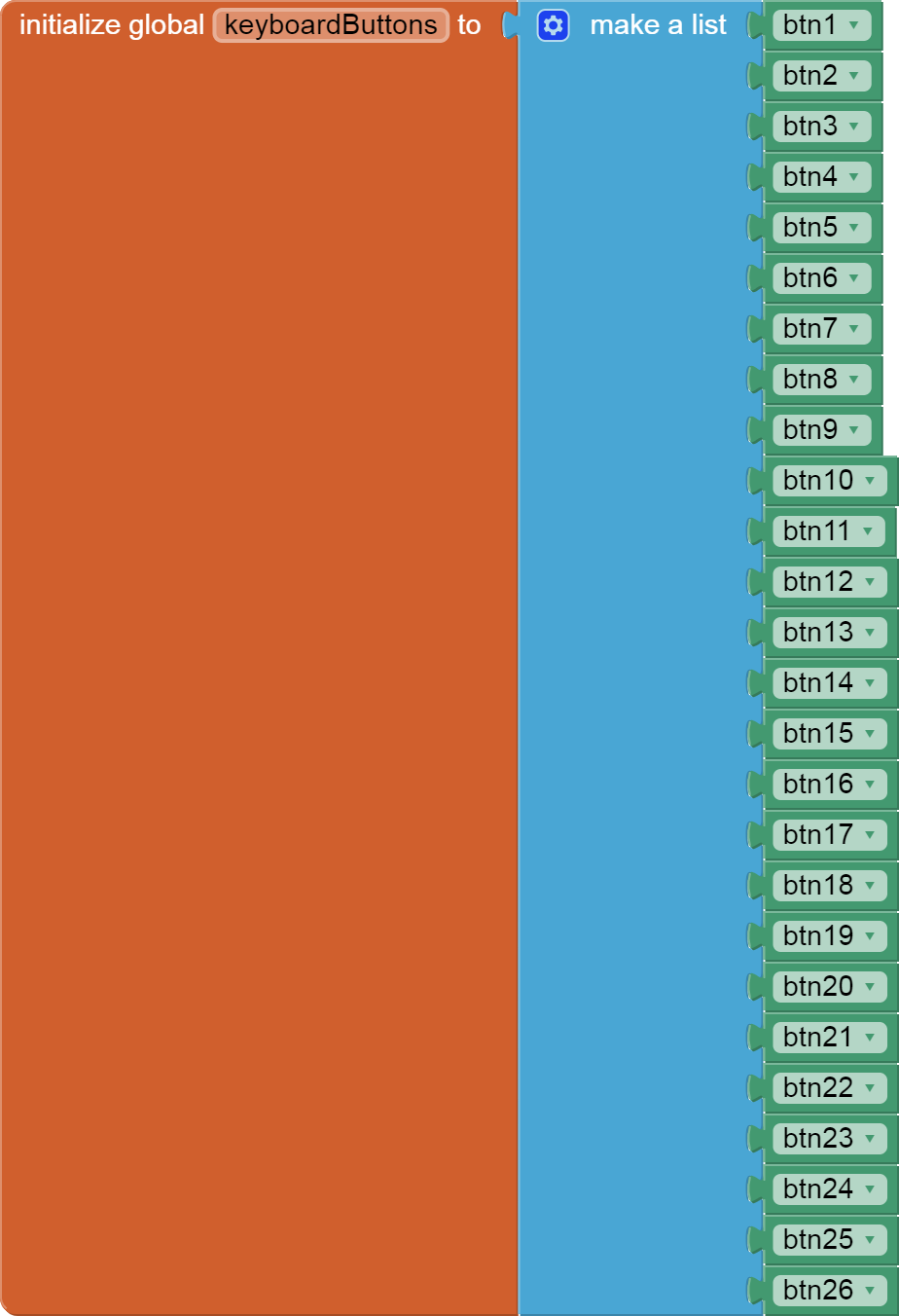
My list of keyboard buttons was built the same way, btn1 ... btn26 .
I did not name them by their letter associations, since I had them already filled in their .Text values in the Designer.
This was a good time to code some setup procedures for any associated data structures ...
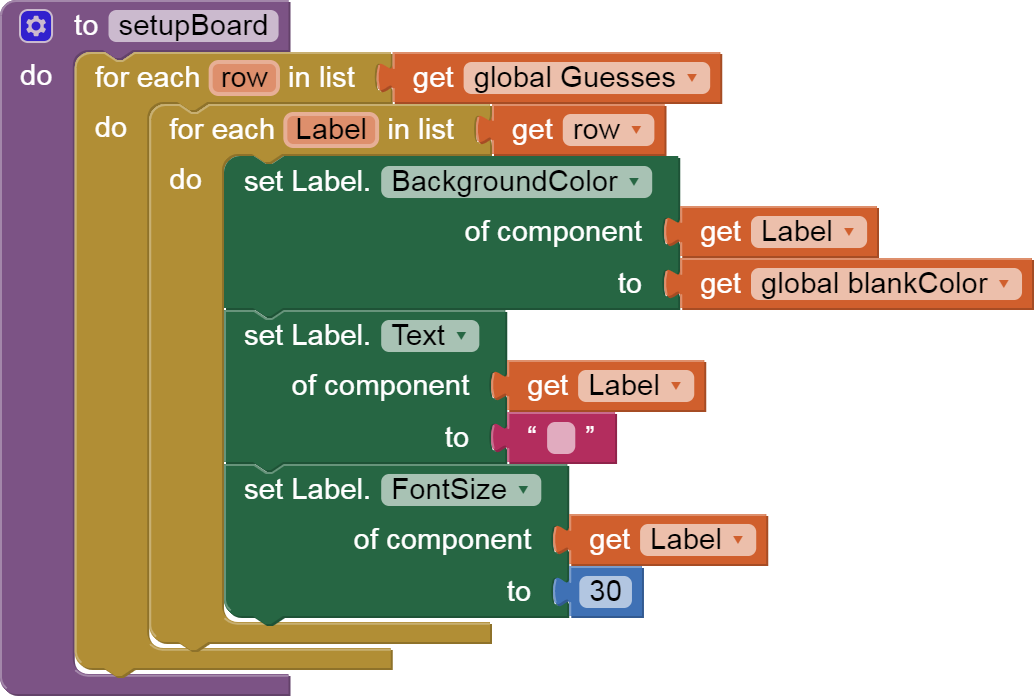
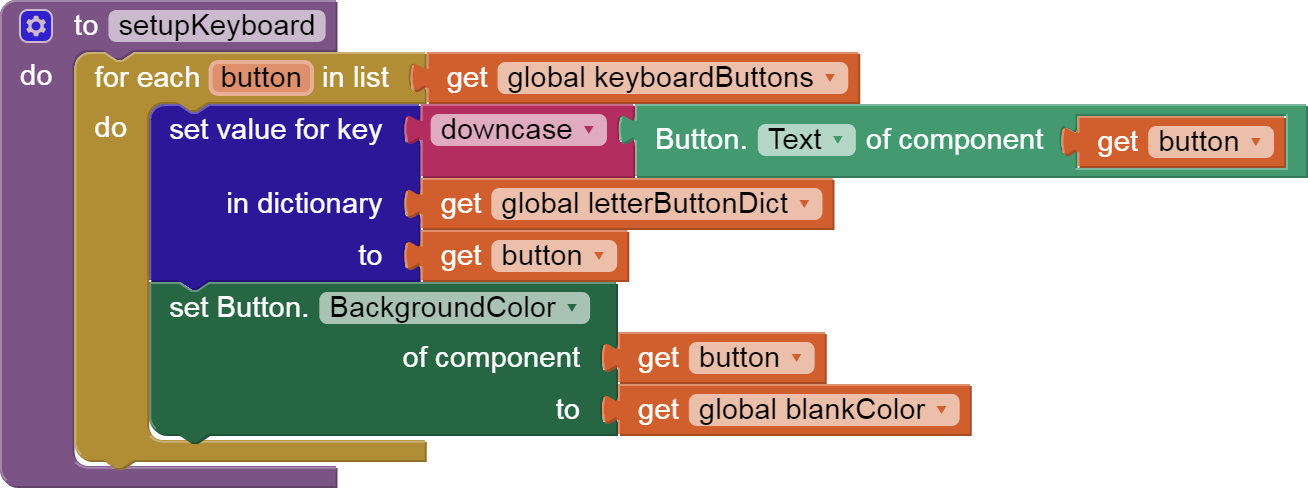

I added a dictionary to map letter text back to the associated keyboard button to help later on in the game when I needed to color keyboard buttons according to their hits and misses.




I have used global constants for my color options to centralize them. That helps keep them consistent across the guess Labels and keyboard, and makes it easier to implement different color combinations at some future date.