🟧 Spinner Setup

The spinner component is an odd thing, and requires some rigour to get control of it.
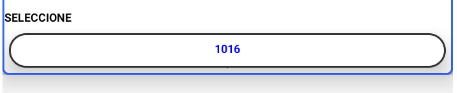
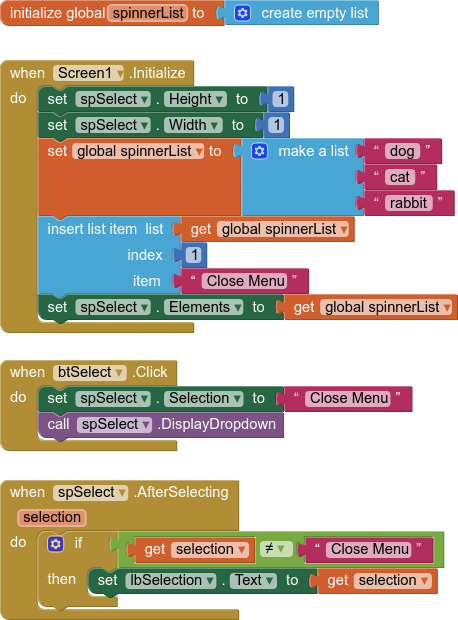
This is how I usually setup a spinner so that all the selections are available every time. I use a button to set the selection and call the spinner dropdown, and "hide" the spinner. by setting its height and width to 1 pixel each. If placed inside a centred horizontal arrangement, the spinner should be invisible in all themes. Note: something has recently changed with the spinner, it seems you can now set height and width to 0, and the spinner will still work as expected. As of nb204 you can now make the spinner not visible and it will still fire on selection.

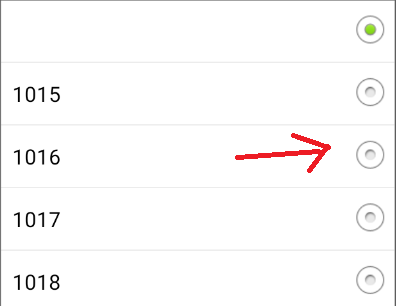
By adding a "Close Menu" selection (it can be called what ever you want) at the first index, and by setting this before calling the drop down, all preferred selections are available, and selecting "Close Menu" from the drop down does nothing other than close the drop down. You then use if/else blocks to action the other selections as required.

BLOCKS

EXAMPLE AIA PROJECT

spinnerSetup.aia (2.7 KB)

6 Likes
User Defined Spinner
How can I display the list as it was at the beginning after pressing a button?
Help populating a Spinner with datas from a csv file (only first column)
App not entering in Spinner AfterSelecting function
Using two spinner variables
How do you initialize a spinner?
Spinner not opening new screen?
Help About Spinner
I want to call the tags of the sub-items of the tag and list the desired values among the loaded data
Spinner after selection block not working
How do I use list data to populate spinner?
Easydialog component
Desplegable de los primeros de cada lista
Notifier with selectable list or multiple buttons
Habilitar e inhabilitar spinner con botón / Enable and disable Spinner - extension
Spinner with none selected item
How do i ROTATE a component?
Appınventor spinner veritabanı
App not responding close or wait
Reading data from google sheets from one column in spinner list and values from the same row in other Lables
3 Spinners elements setting up according to selection
Trouble Managing Spinner AfterSelecting
Dot menu with spinner selection
Medication Reminder (again)
Second column in Spinner?
Get range from Google sheet to populate spinner elements
Runtime Error | The Operation elemts cannot accept the arguments [""]
The operation select list item cannot accept the arguments: , ["prenom"], [chiffre]
Can a text box be created by clicking a button?
Spinner issue (not nb204!)
Hidden Spinner Problems
Problem with Spinner
Solving Runtime errors
Habilitar si se esta usando

2 posts were merged into an existing topic: Spinner not opening new screen?

The only way I could get the spinner to work properly is to set "Spinner Visible to True" when clicking on the Button and setting "Spinner Visible to False" at the end of AfterSelecting spinner.

That is one way of doing it, but it should work if the spinner is always visible, but you resize it to 1x1 pixels to make it, to all intents and purposes, invisible. (Depends then on its placement on the screen)

Thanks for the idea, why not just set height and width to 0? Also works.
You can also set the size of the spinner to about 30x30 if you want to see the down arrow.

You will find it does not return a selection if you do that.

Yes indeed, as indicated below, something has changed....

This seems to have changed. On my current test devices (Android 13 & 14) it also works when height and width are set to 0.

1 Like

I will test it out, bonus if it works :wink:

Yep, tested companion and compiled Android 7 and Android 13, works on both.

Thanks for the heads up @Anke :+1:

There is a detail in my case

When I select the element for the first time it loads the name to the button

When I try to make the second selection the content is automatically unchecked
and I have to select again

I would like the text to remain on the button if I do not select and exit with the Esc button on my keyboard.

first selection ok
image

uncheck and select empty

Remove this block:

image

You cannot select an item without firing the afterSelecting event

How do I use the aia file to see the sample?

Download it and open it AI2

got it...thanks ...learning this system is interesting

I see that this Spinner thread appears to be testing this with a Spinner for Android. Has anyone tested this with the Spinner for IOS?

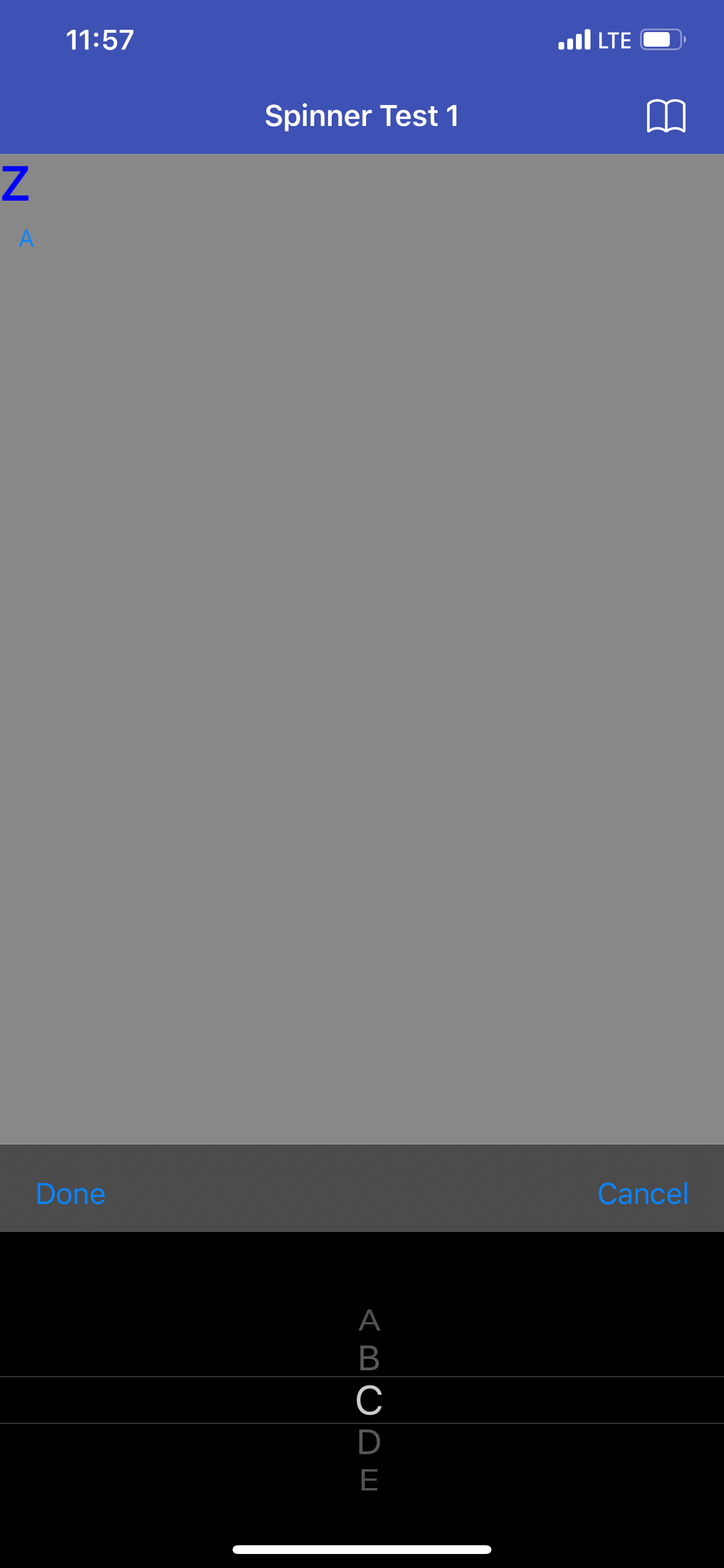
I have noted that in IOS, the Spinner is not a drop-down menu like for Android, but appears at the bottom of the screen as a scroll mechanism. And, the Spinner object settings in Designer, does not include any background nor text color for it, and the Spinner in IOS shows up as an all-white section at the bottom of the screen, with Done and Cancel as the only visible items... you can scroll in the "white space" and hear the "spinner sound", and it will set your option for you, but you can't see the selections during selection process due to the all white background and text color (assuming).

I have set the Screen1 background colors to non-white background (black and also grey), and the text color, but the Spinner seems to have a mind of its own far as the colors go - all white. There was another thread that mentions using Dark Mode or something, but I'm not seeing/finding how to adjust the background / text color on the Spinner as it works in IOS.


Any input welcome, thank you

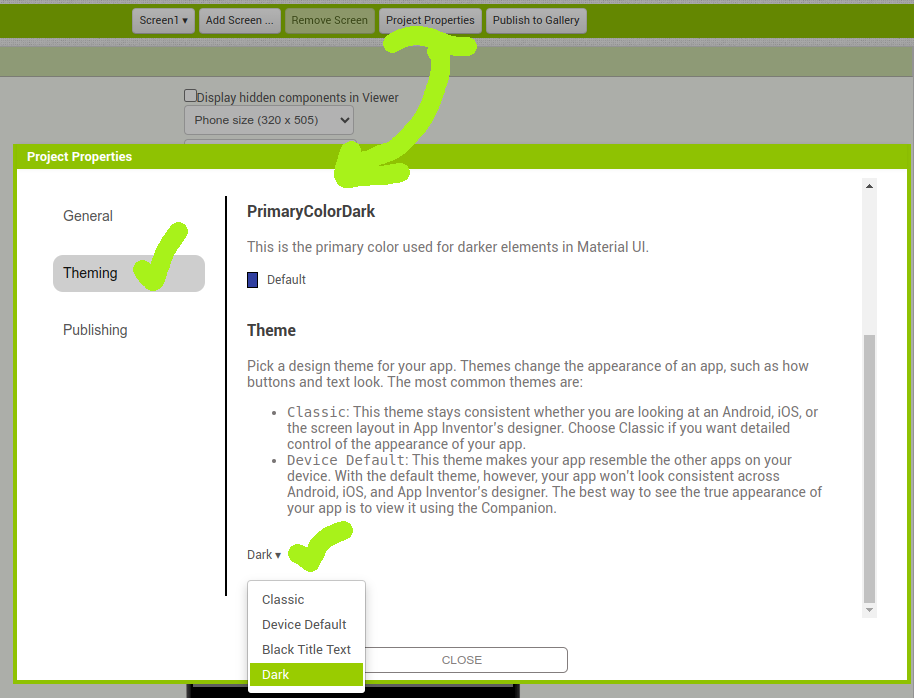
PS: Update on this... I just located thread Spinner does not work with Theme "Dark" on iOS 17.4.1 - Companion & IPA which also talks about this, but there are no blocks to see with the application, so not sure how the text color is changed in the Spinner. But I did also locate and test the "Dark" theme, and that did fix the IOS Spinner to show up (but not in Classic or Device Default it returns to an all-white blank Spinner):

PGB

Thanks, how to send the get selection to listview?

Please elaborate and provide a screenshot of your relevant blocks

Taifun

how to add another list on listview but the last list not dissapear

Try the append to list block

Taifun

PGB

Did you resolve this - the difference between the Android & IOS spinner display I'm seeing is massive, from perfect to not so, respectively.

Did you manage to get a similar spinner on IOS to Android? The IOS spinner is also close to bottom of screen and is 'squeezed'.

Thanks