Anke
October 29, 2021, 5:23pm
1
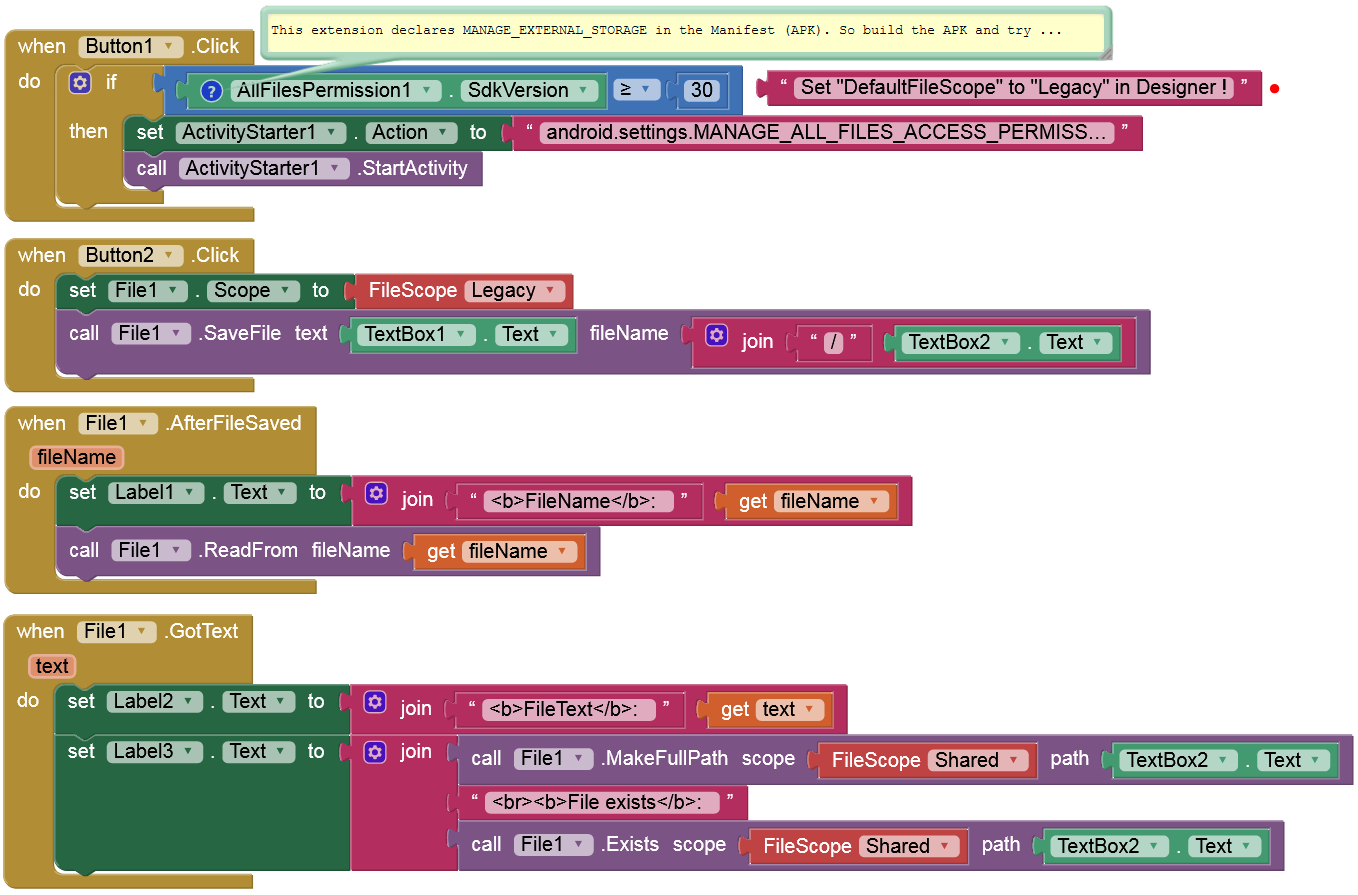
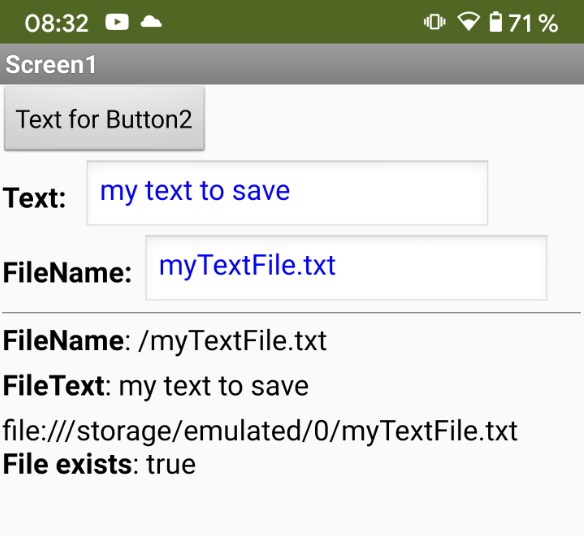
In this guide I show you, how to request and grant → MANAGE_EXTERNAL_STORAGE on devices with Android 11+. Be aware that this permission is usually not granted by Google. However, let’s assume the app is only intended for private use or for special users or for other app stores .
This permission must be declared in the Manifest (since it is not declared the Companion app you can't test this with Companion ):
<uses-permission android:name="android.permission.MANAGE_EXTERNAL_STORAGE"/>
Here is a small extension that declares this permission automatically in the Manifest (and let you check the API level of the device):AllFilesPermission.aix (4.3 KB)
UPDATE (April 27, 2025): "HasAllFilesAccess" added, AllFilesPermission_2.aix
Currently you must still set → DefaultFileScope to → Legacy in the Designer.
EDIT on September 29, 2023: These blocks & the APK don't work since the nb193 release (targetSdkVersion= 33) on Android 13+ because there is another bug with the File component:
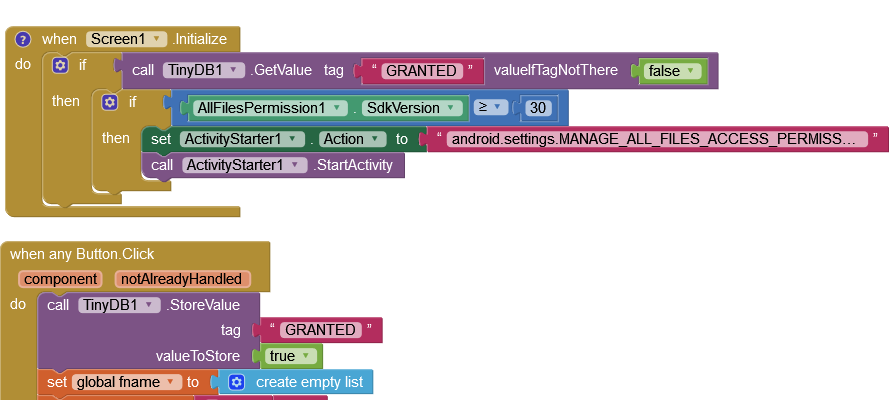
Blocks
EDIT: Google Drive link removed (since outdated)https://drive.google.com/file/d/12JU9RLj-zvx5N4tUerLsl1Wm-ZZrYDyG/view?usp=sharing
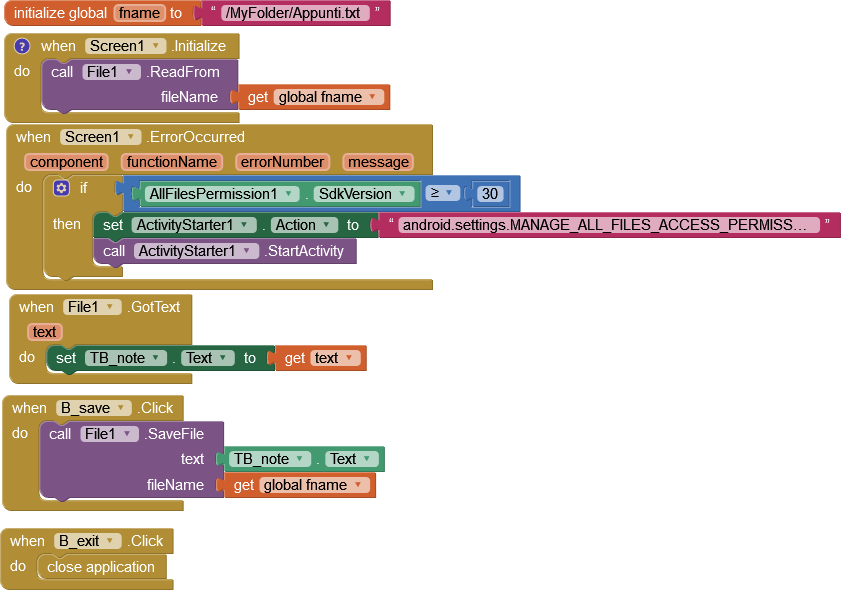
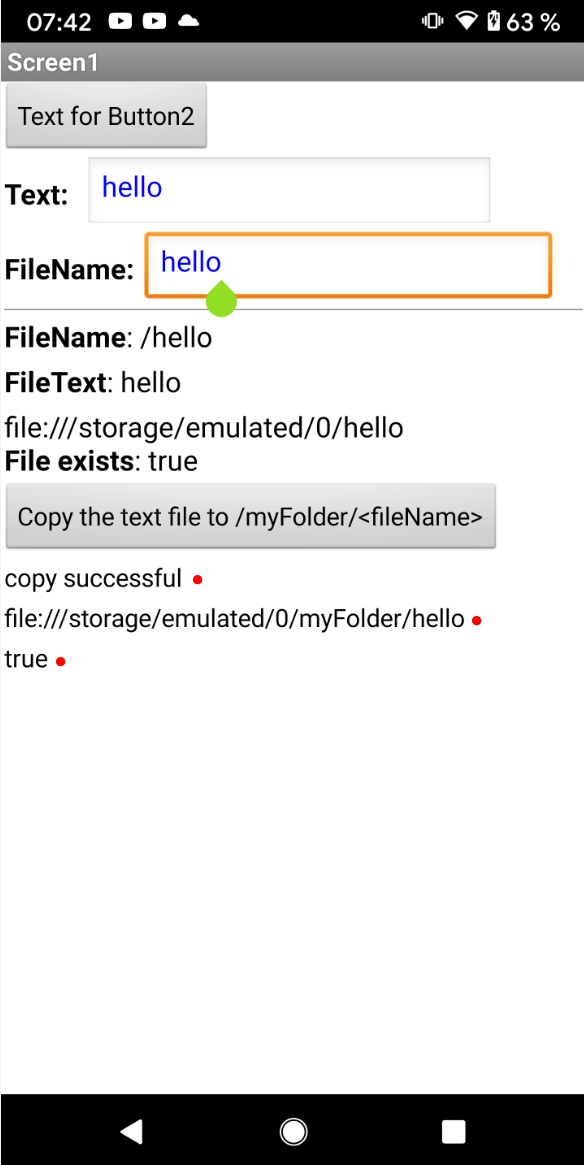
New version since nb193 release (targetSdkVersion= 33). I used the MFile extension instead of the File component:
13 Likes
patel
October 29, 2021, 8:03pm
2
I can not read the complete text
2 Likes
TIMAI2
October 29, 2021, 8:15pm
3
android.settings.MANAGE_ALL_FILES_ACCESS_PERMISSION
5 Likes
patel
October 30, 2021, 6:19am
4
I tested Anke's extension with this blocks, it runs, I can read my file, but all times opens file access window.
How can I request permission first time only ?
Anke
October 30, 2021, 6:36am
6
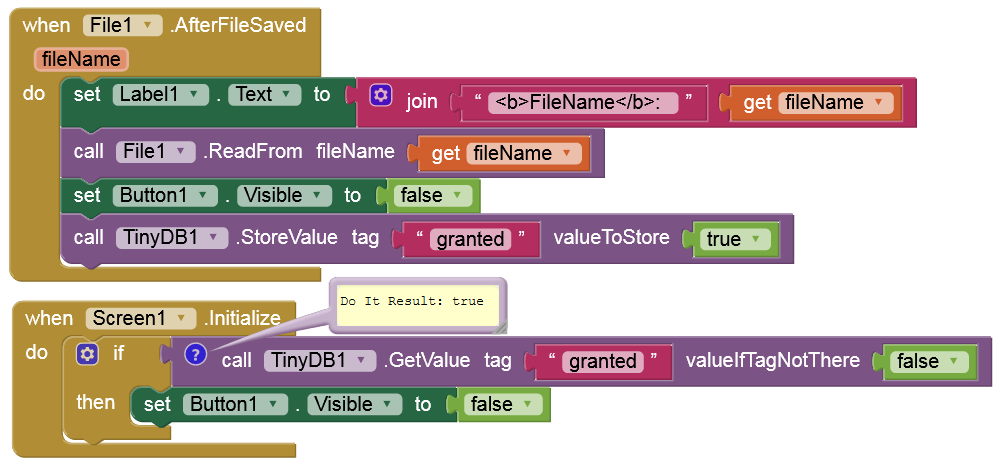
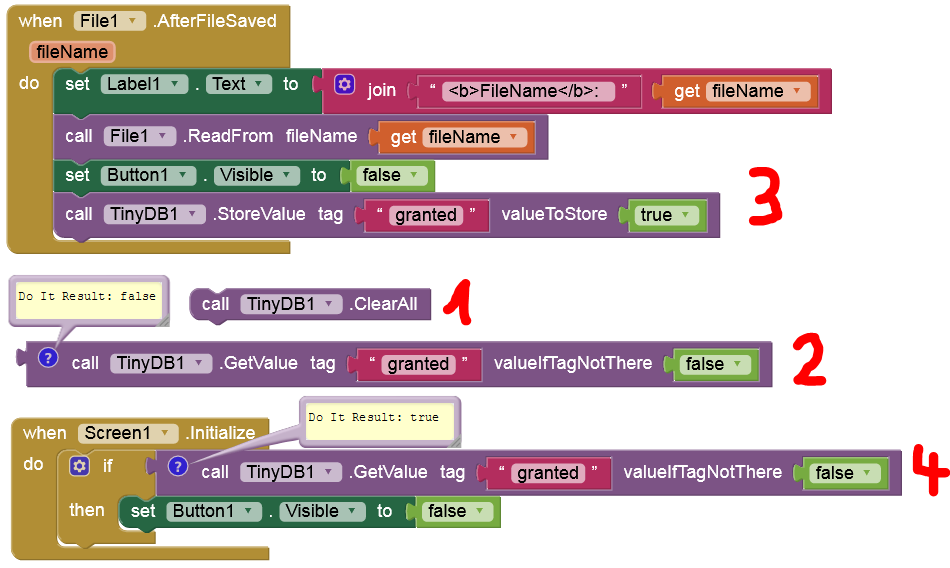
After the permission is granted and you can save the text file e.g. in the root dir of the external storage, you can set Button1 to invisible since this is no longer needed:
2 Likes
patel
October 30, 2021, 6:38am
7
Thank you Anke for sharing your knowhow
Anke:
why blocks seem bit different to me
Anke:
What does that mean?
UI of input for blocks seems different to me
Those are inlined, you can right-click on the block to inline it.
2 Likes
patel
October 30, 2021, 5:47pm
15
Anke:
No , why?
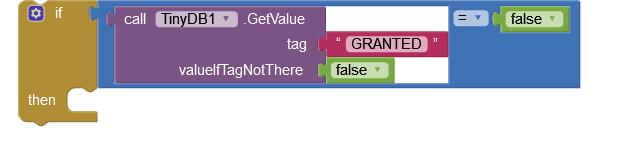
Here my blocks, if I don't use "if all tinyDB1.getvalue = false it shows all times access window
Here you'll find instruction how to patch the companion to get additional permissions: https://ullisroboterseite.de/android-ai2-faq.html?topic=patchcompanion
2 Likes
patel
November 7, 2021, 7:27am
20
I can not understand how this patch can help to get manage permission
Anke
November 7, 2021, 8:29am
21
Add this line to the Manifest of the MIT_Companion.APK
<uses-permission android:name="android.permission.MANAGE_EXTERNAL_STORAGE"/>
These are then all declared permissions:
Permissions
    <uses-feature android:name="android.hardware.bluetooth" android:required="false"/>
    <uses-feature android:name="android.hardware.location" android:required="false"/>
    <uses-feature android:name="android.hardware.telephony" android:required="false"/>
    <uses-feature android:name="android.hardware.location.network" android:required="false"/>
    <uses-feature android:name="android.hardware.location.gps" android:required="false"/>
    <uses-feature android:name="android.hardware.microphone" android:required="false"/>
    <uses-feature android:name="android.hardware.touchscreen" android:required="false"/>
    <uses-feature android:name="android.hardware.camera" android:required="false"/>
    <uses-feature android:name="android.hardware.camera.autofocus" android:required="false"/>
    <uses-feature android:name="android.hardware.wifi"/>
    <uses-permission android:name="android.permission.READ_CONTACTS"/>
    <uses-permission android:name="com.google.android.googleapps.permission.GOOGLE_AUTH"/>
    <uses-permission android:name="android.permission.GET_ACCOUNTS"/>
    <uses-permission android:name="android.permission.CALL_PHONE"/>
    <uses-permission android:name="android.permission.BLUETOOTH_ADMIN"/>
    <uses-permission android:name="android.permission.NFC"/>
    <uses-permission android:name="android.permission.WRITE_EXTERNAL_STORAGE"/>
    <uses-permission android:name="android.permission.ACCESS_FINE_LOCATION"/>
    <uses-permission android:name="android.permission.ACCESS_COARSE_LOCATION"/>
    <uses-permission android:name="android.permission.ACCESS_NETWORK_STATE"/>
    <uses-permission android:name="android.permission.PROCESS_OUTGOING_CALLS"/>
    <uses-permission android:name="android.permission.ACCESS_WIFI_STATE"/>
    <uses-permission android:name="android.permission.MANAGE_ACCOUNTS"/>
    <uses-permission android:name="android.permission.RECEIVE_SMS"/>
    <uses-permission android:name="android.permission.SEND_SMS"/>
    <uses-permission android:name="android.permission.VIBRATE"/>
    <uses-permission android:name="android.permission.RECORD_AUDIO"/>
    <uses-permission android:name="android.permission.REQUEST_INSTALL_PACKAGES"/>
    <uses-permission android:name="android.permission.INTERNET"/>
    <uses-permission android:name="android.permission.USE_CREDENTIALS"/>
    <uses-permission android:name="android.permission.READ_CALL_LOG"/>
    <uses-permission android:name="android.permission.ACCOUNT_MANAGER"/>
    <uses-permission android:name="com.google.android.apps.googlevoice.permission.RECEIVE_SMS"/>
    <uses-permission android:name="com.google.android.apps.googlevoice.permission.SEND_SMS"/>
    <uses-permission android:name="android.permission.CAMERA"/>
    <uses-permission android:name="android.permission.READ_EXTERNAL_STORAGE"/>
    <uses-permission android:name="android.permission.BLUETOOTH"/>
    <uses-permission android:name="android.permission.READ_PHONE_STATE"/>
    <uses-permission android:name="android.permission.ACCESS_MOCK_LOCATION"/>
    <uses-permission android:name="android.permission.ACCESS_LOCATION_EXTRA_COMMANDS"/>
    <uses-permission android:name="android.permission.READ_LOGS"/>
    <uses-permission android:name="android.permission.MANAGE_EXTERNAL_STORAGE"/>
If you use this version, you can also test your apps (that request MANAGE_EXTERNAL_STORAGE) with Companion.
patel
November 7, 2021, 10:15am
22
But I need your extension for using installed app ?