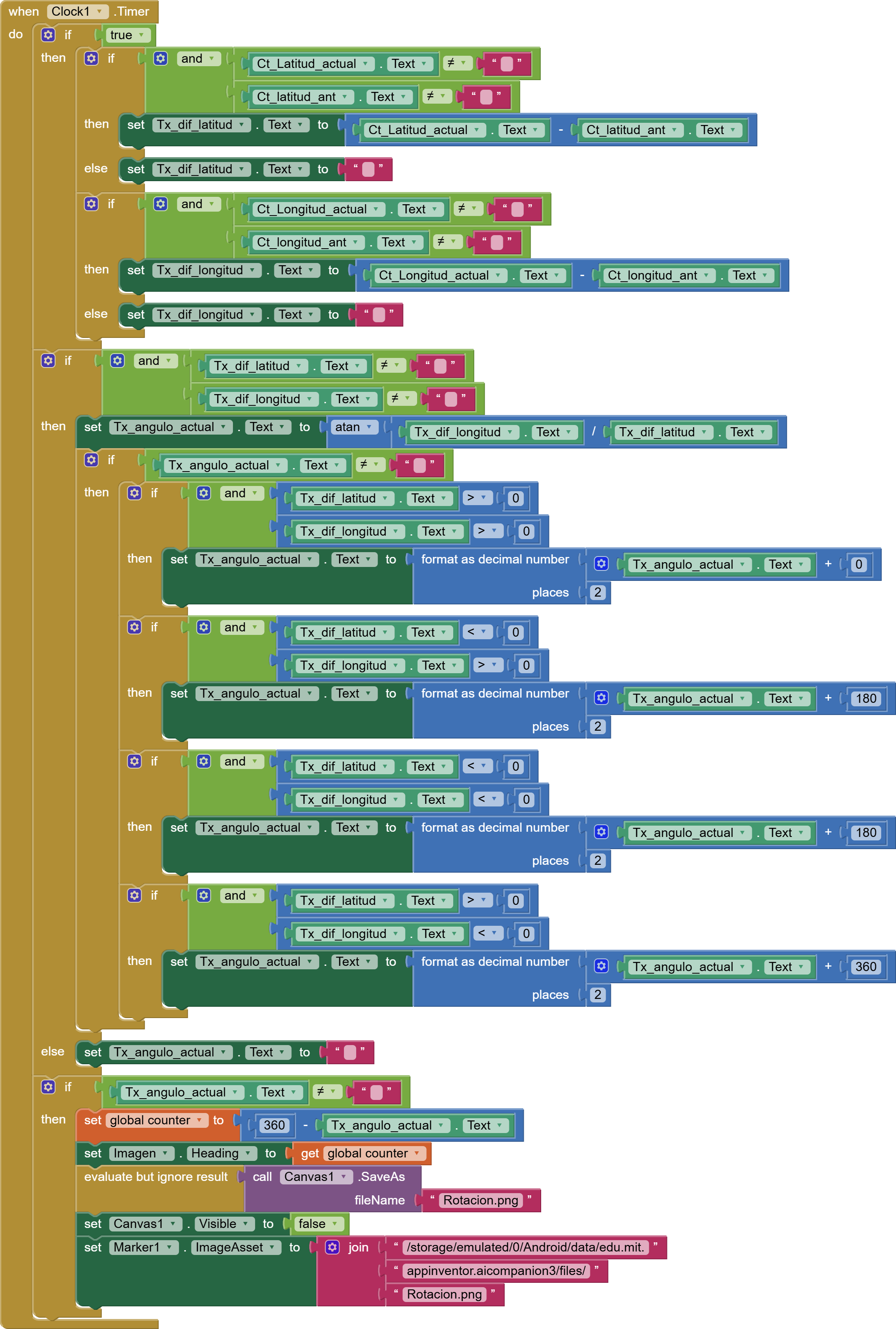
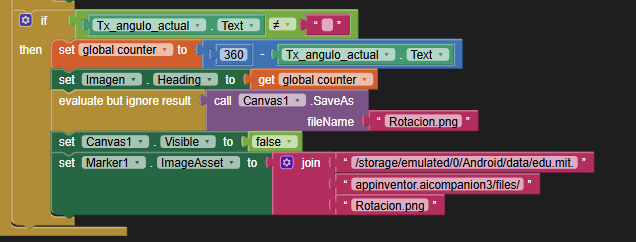
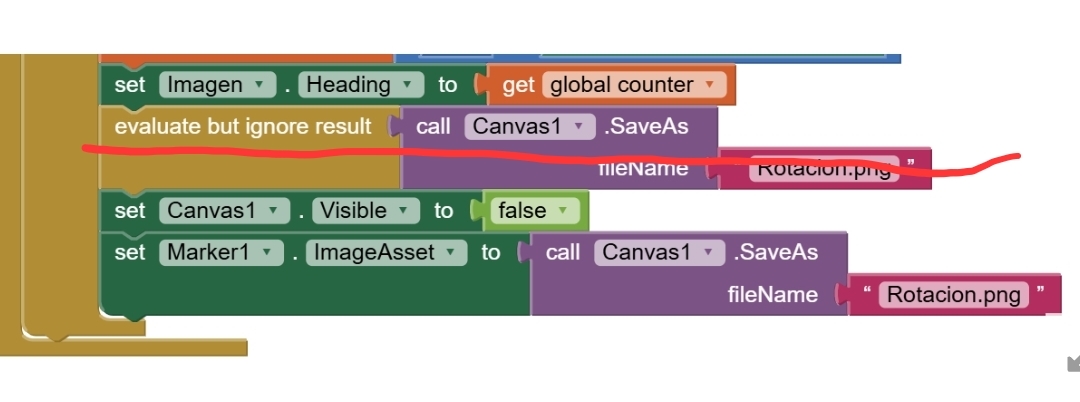
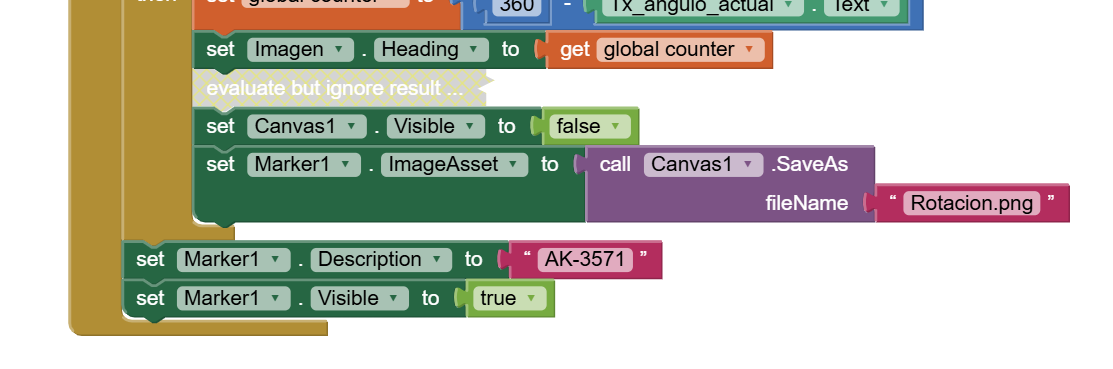
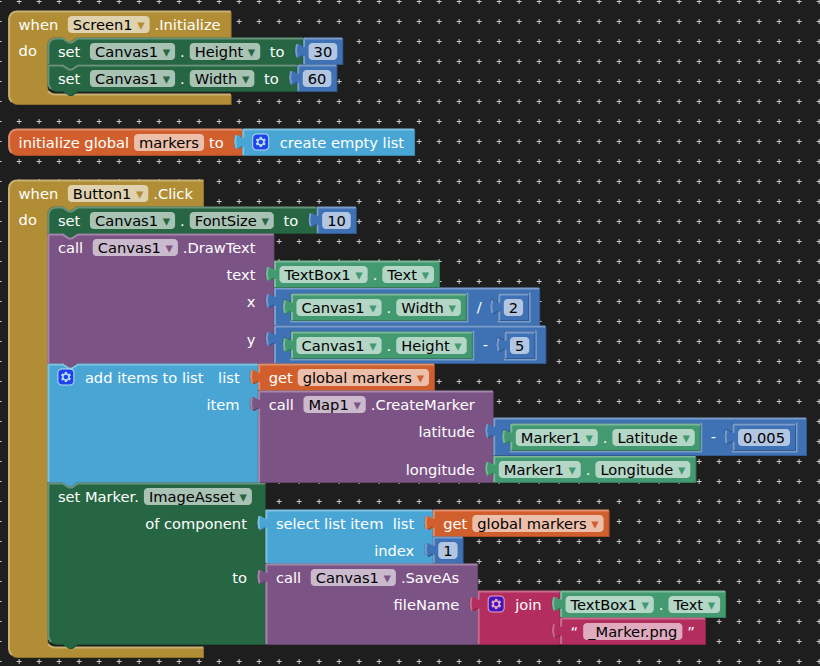
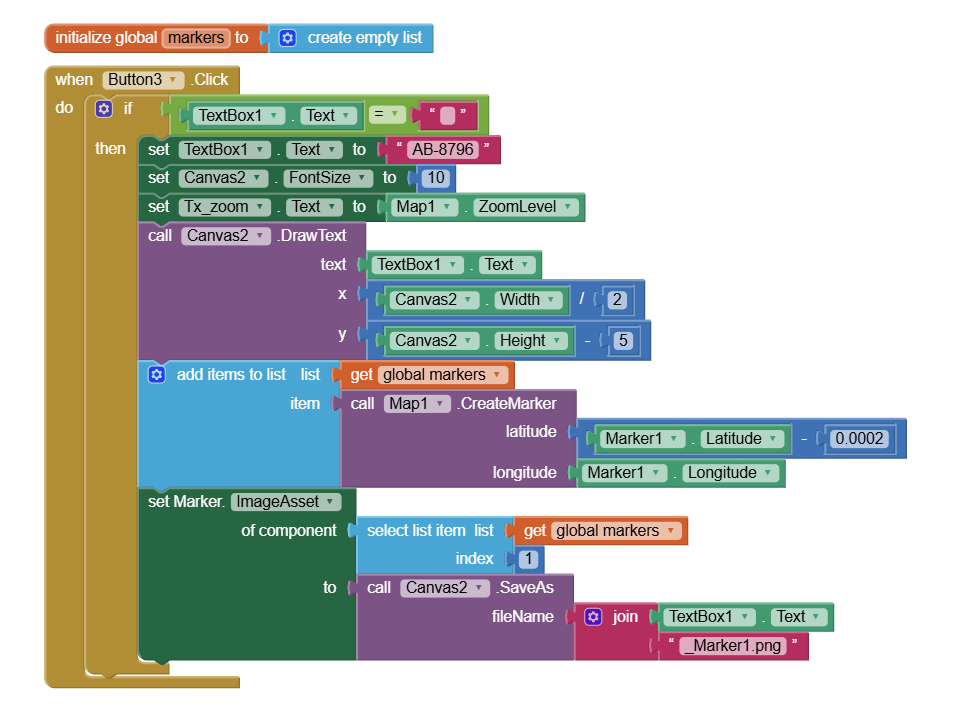
I'm adding an image to the marker.
When I run it in Companion, the image appears and I can rotate it.
When I install it on my phone, the image doesn't appear, and the rotation doesn't work either.
What could be the problem?
rotateMapMarker (1).aia (110.6 KB)
ABG
April 10, 2026, 10:32pm
2
Hard to guess without an aia export.
Differences between Companion and built apps:
Empty TinyDB, returning untried defaults
File system differences
Permissions
I attached it there; I have to upload it in parts because the page keeps crashing.
greetings
ABG
April 10, 2026, 10:42pm
4
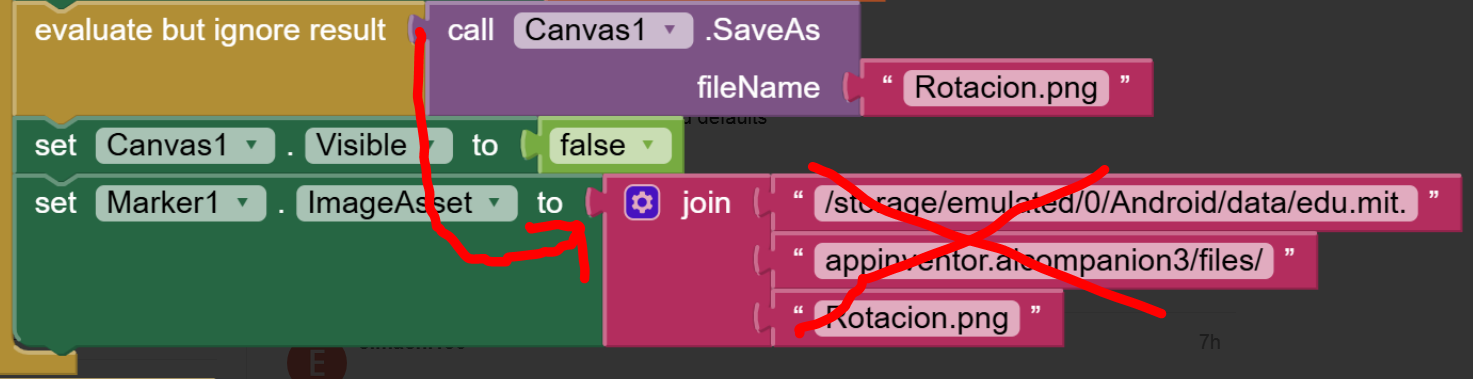
I would reexamine your Canvas file image path.
If there is no Companion, the path must be different.
Maybe the Canvas Save block gives you a path?
By the way a 1 millisecond timer is unrealistic.
which one would it be?
But why is the image reflected in the Compamion?
ABG
April 10, 2026, 10:51pm
6
When you do a Canvas SaveAs in the Companion app, it lands in the Companion's storage directory.
When you do a Canvas SaveAs in a built app, it lands in that built app's storage directory, which is different from the Companion app's storage directory.
There is a way to know t run time if you are running in the Companion.
Anke
April 11, 2026, 5:38am
7
You must not hard-code the ASD path.
A question:
Is it possible to place text below the image without it rotating, just like the image?
ABG
April 11, 2026, 4:15pm
10
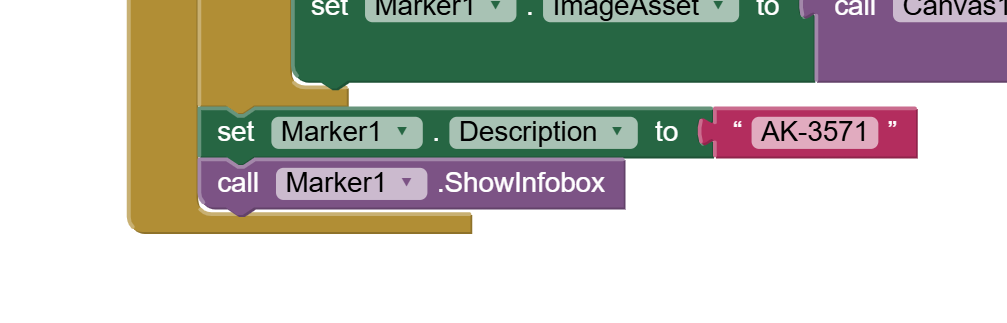
Have you tried adding Description Text to the marker and then telling the marker to display it?
Taifun
April 11, 2026, 7:16pm
11
You are saving twice
Taifun
1 Like
ABG:
un texto descriptivo
I haven't tried it yet. How can I implement it in the block?
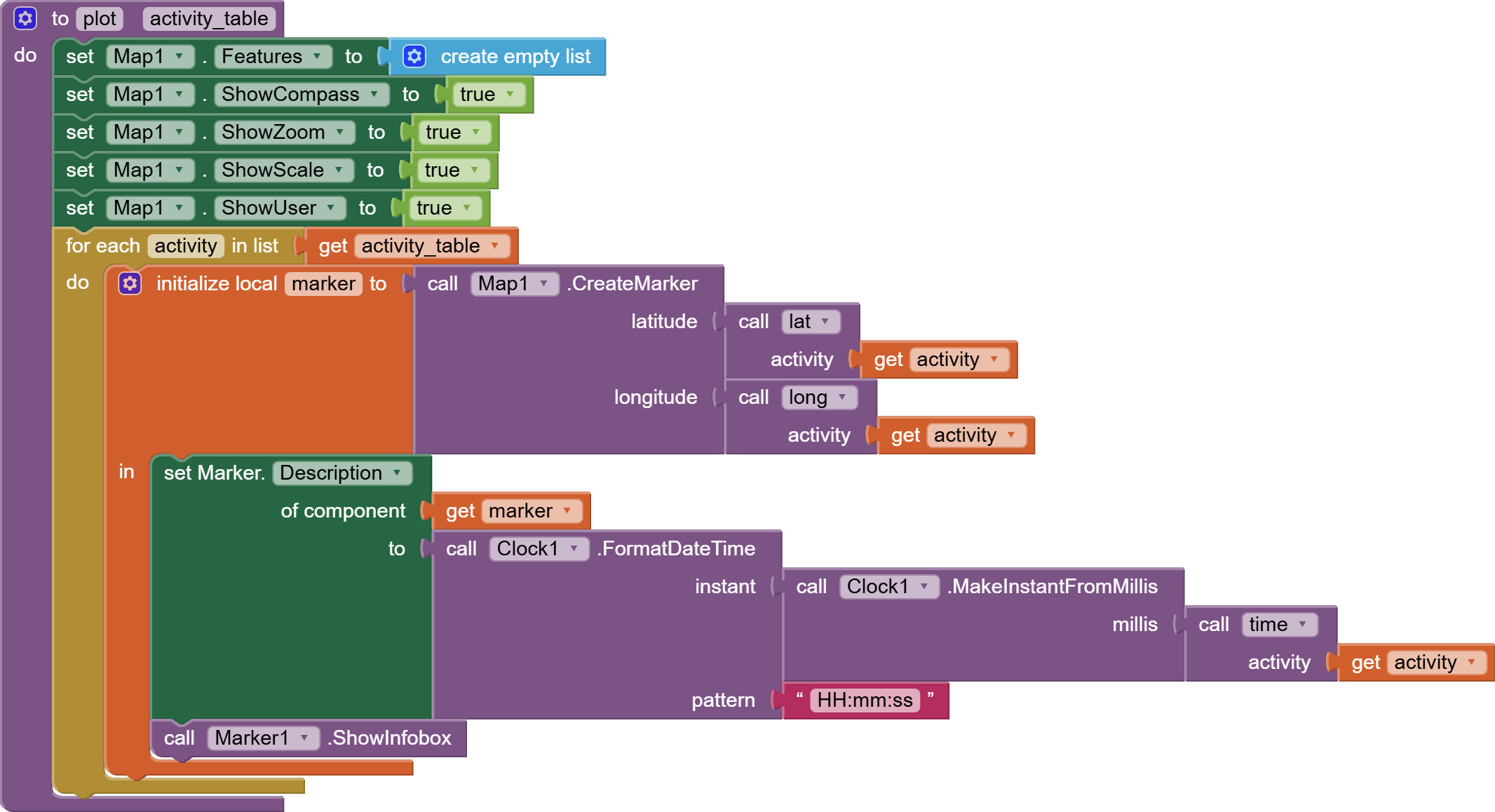
Would it be something like this?
ABG
April 11, 2026, 8:56pm
13
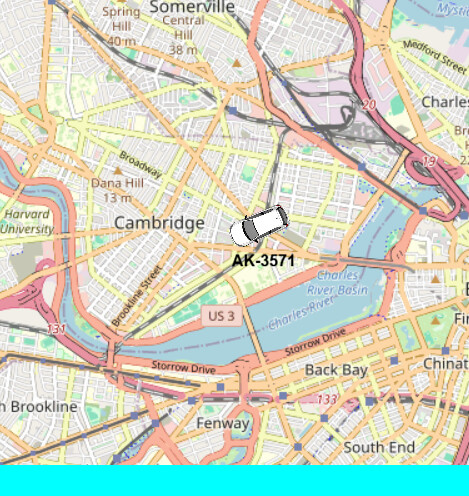
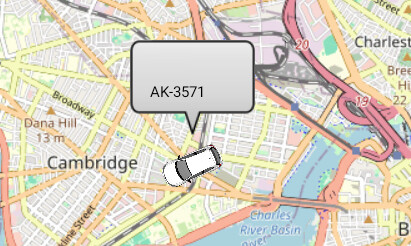
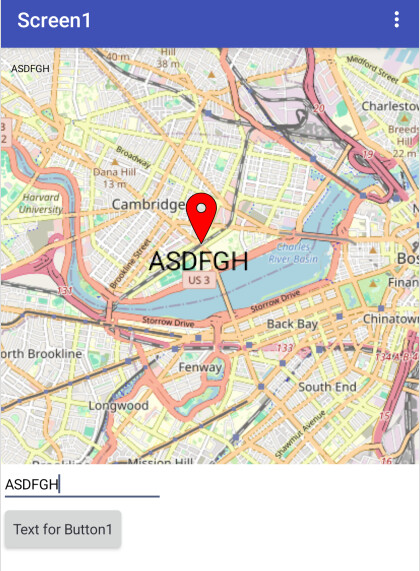
(from another app tracking trucks)
Perfect, but what if I only wanted the text and not the frame?
Also, could I reduce the size and center it under the vehicle?
elmachi130:
Perfect, but what if I only wanted the text and not the frame?
Also, could I reduce the size and center it under the vehicle?
If you use the InfoWindow you can only get the text with the frame.
You cannot reduce the size and center the InfoWindow under the vehicle because the InfoWindow always displays above the Marker, in your case, the the icon you created with ImageAsset. There isn’t any way to modify this default display using the native tools.
See what you can do with a Marker > Maps
This extension might allow you to provide text where you want it
TIMAI2
April 12, 2026, 3:49pm
16
You could do some thing like this:
Use another canvas to create a transparent "text" image of your vehicle ID
Create a new marker and set its imageAsset to you text image
Offset the latitude of the new marker to below your car marker
When your car marker moves, move the label accordingly
1 Like
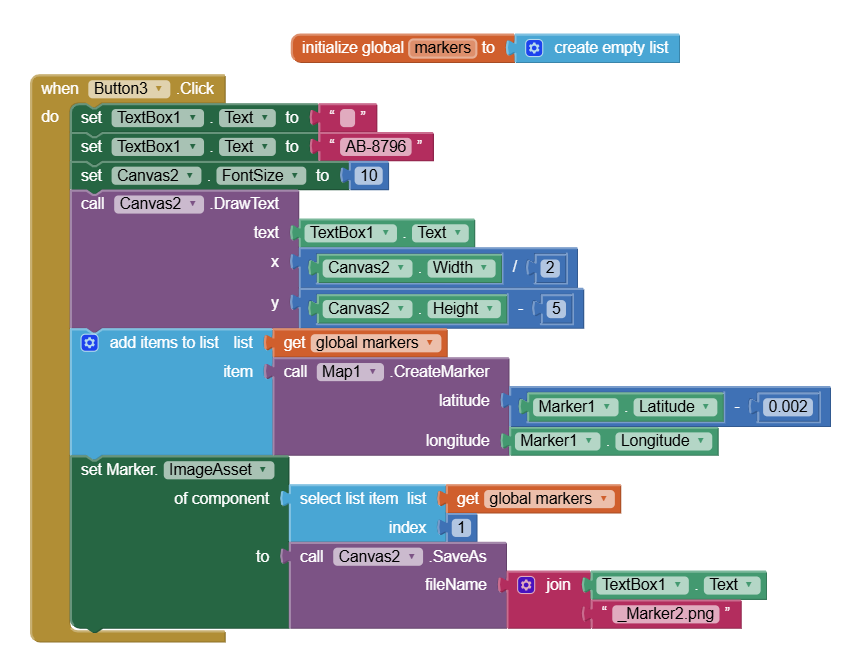
Perfect. I have these last two questions:
First, how do I prevent the red location marker from appearing after the second click?
Second, the text seems to thicken after the second click. How can I maintain the same text thickness?
TIMAI2
April 13, 2026, 3:14pm
18
Don't create new markers again and again
Okay
With this block, I managed to keep the text from getting too thick, but it didn't stop the red location balloon from appearing.
Any suggestions?
ABG
April 13, 2026, 8:56pm
20
You forgot about the Rotacion.png