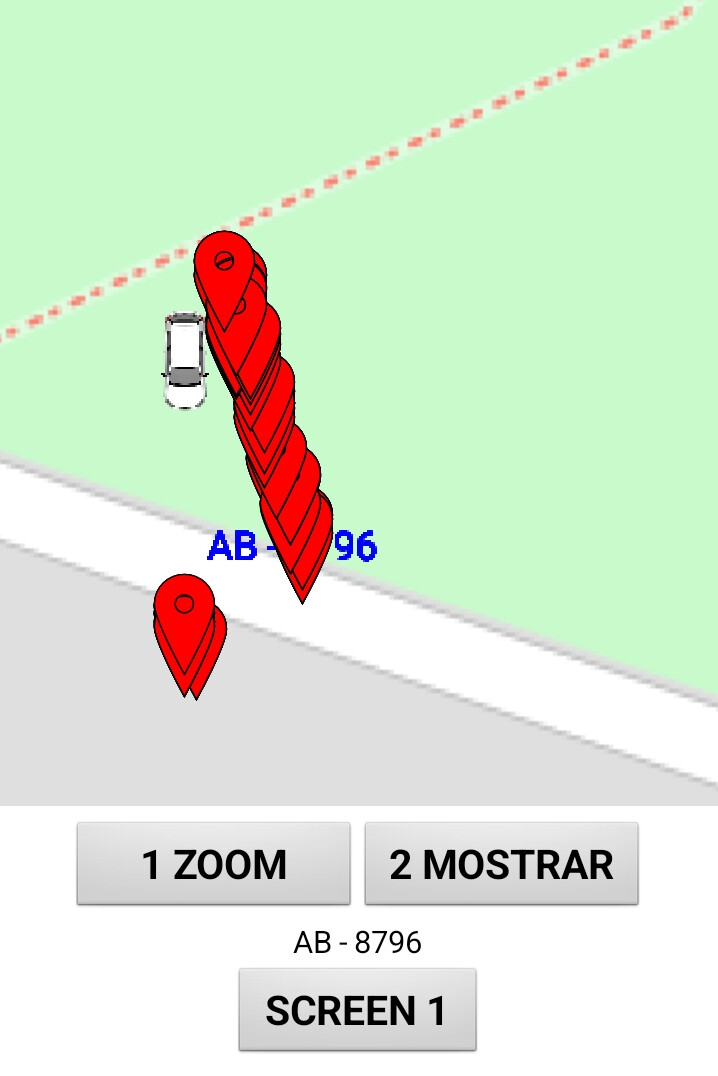
When I install a Canvas app on my phone, the marker image doesn't appear, unlike in Companion

Why are you repeatedly pressing the button, it is only needed once ?

You keep creating the same marker again and again, by pressing the button again and again, overlaying the latest one on the previous one. The blocks I provided were only for one marker. You will need to modify these in order to add description markers to different car markers.

1 Like

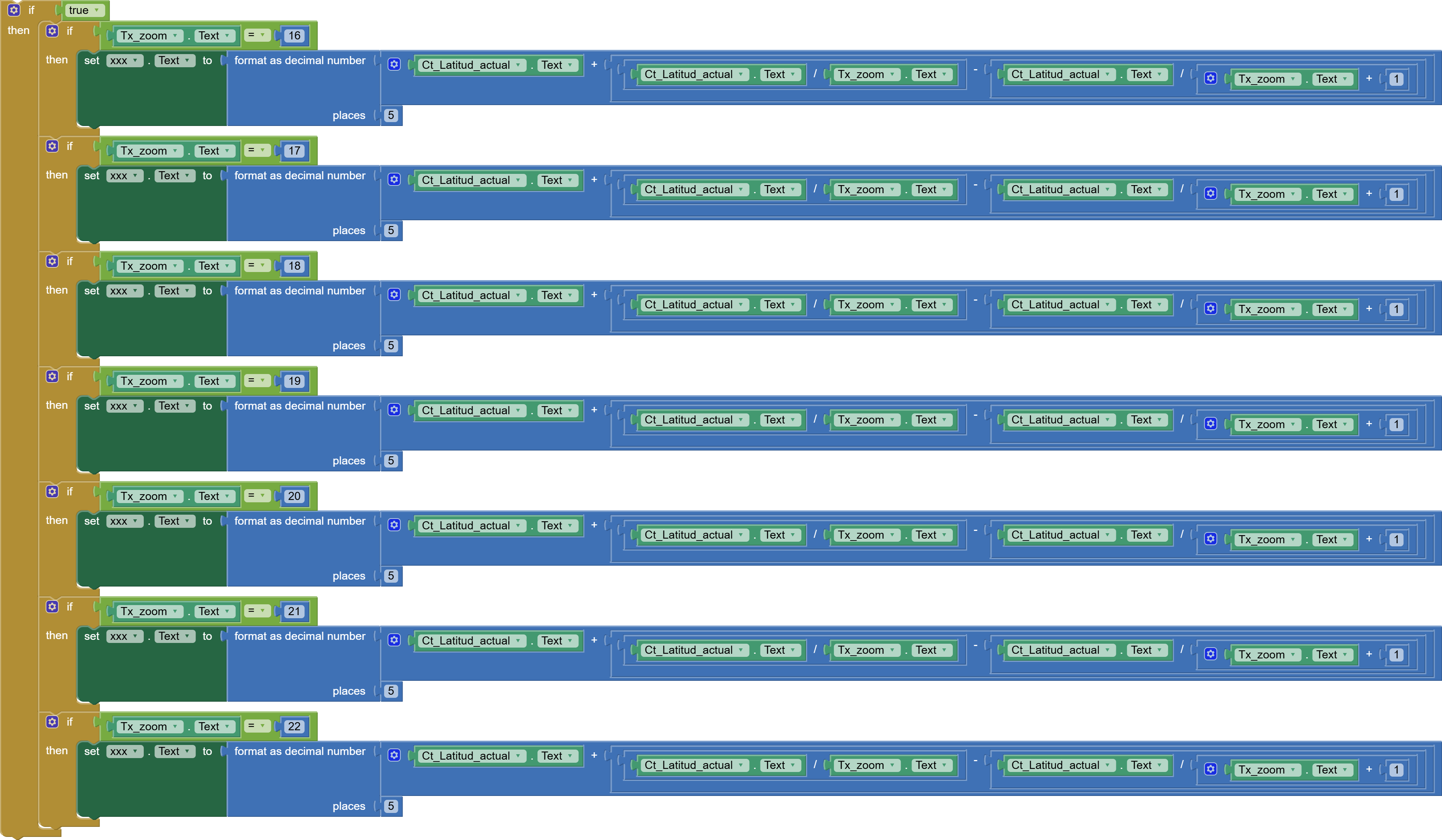
How can I prevent the text from moving away from the vehicle when I zoom in?

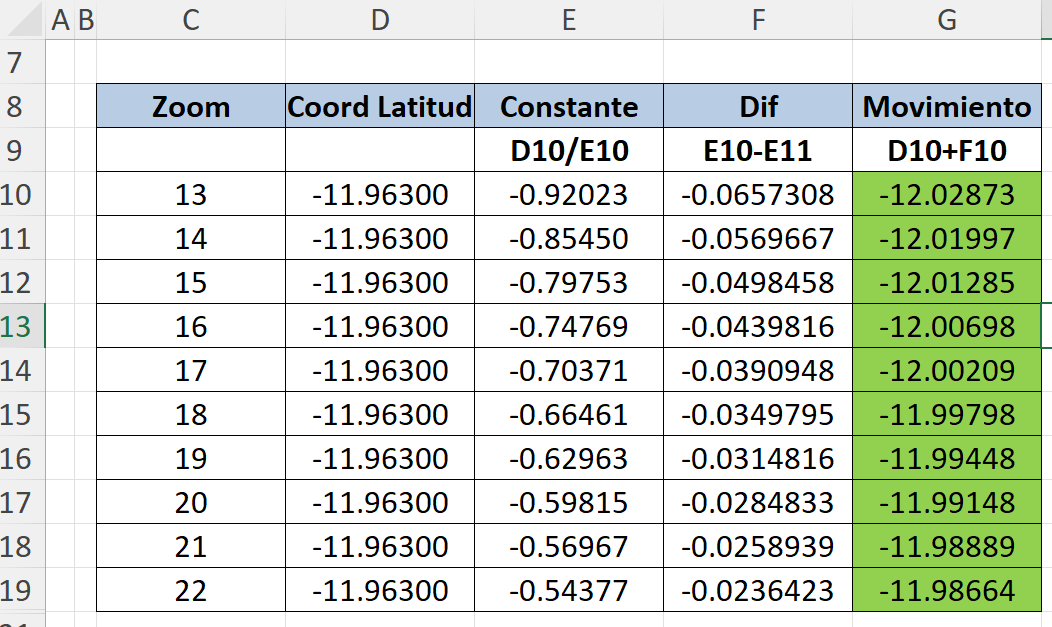
There must be a constant to maintain that distance. How can I calculate that formula?


I thought I'd find a constant using latitude and zoom variables to reduce the distance between the text and the vehicle.

This would prevent the text from zooming out, but I see they don't match up, or perhaps I've set it up incorrectly. Any suggestions?

did it have any difference between so many ‘if … then …‘? and why ‘if true’?

I need the text to follow the vehicle, which is why it has to work with a timer.

Because when I use a button, the text only stops at the starting point and doesn't follow the vehicle.

This means it will repeat itself every time the text's location is requested, and we have countless markers.

What could I do?

Ubication.aia (122.7 KB)


This is on screen 2, click the ZOOM button

Do you understand the difference between Design Time vs. Run Time Markers?

Use a Design Time Marker instead of using the Map1.CreateMarker block (which creates a new instance of the Run Time Marker) every time it is called) See Tim’s comments. :wink:


No, I haven't had the chance yet. Could you show it?

The descriptive text is used when you click on the marker, but remember that I'm no longer using the marker but an image. I don't know if it will work because I already tried and it didn't.

But this is still for clicking.

I would like it to be more efficient because I will be tracking 8 vehicles, which is why I need to differentiate them by their license plate numbers.

Could you help me with this last part (.aia)?

Ubication.aia (122,7 KB)

Good day, everyone.

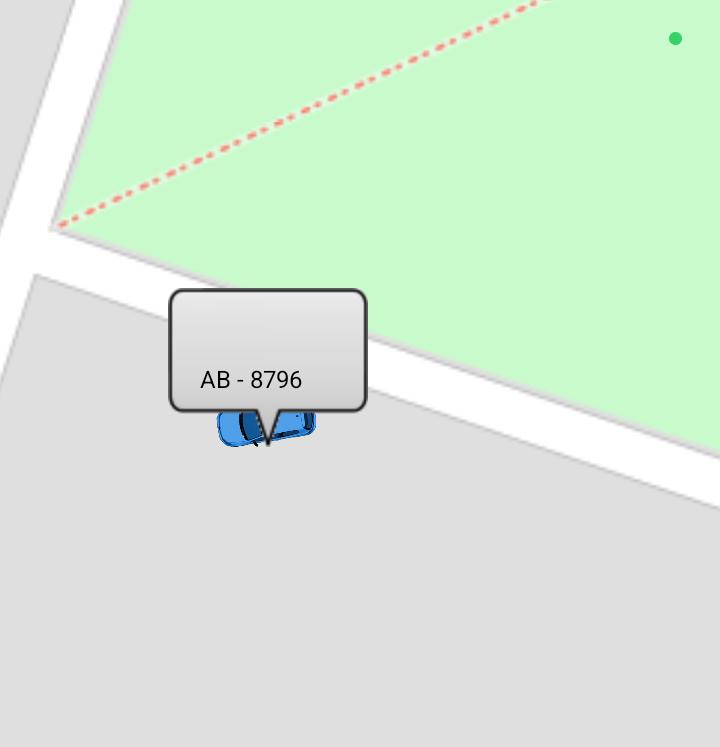
How can I edit the background, frame, height, and centering of the description text?

I've searched for a post on this topic but haven't found a solution.

No matter how much I try, it doesn't change even though it's there.

Did you read post #15 in this thread?

It is NOT possible to edit the background, frame, height, and centering of the description text of the when you use the Marker pop-up. :wink: You can use the Marker.Title to add add an additional line of text above the Description

Regarding ‘No matter how much I try, it doesn't change even though it's there.’ a guess is you are using too small an interval in your Clock that should update but you attempt to update too often and you use up all your memory and the app freezes. :wink:

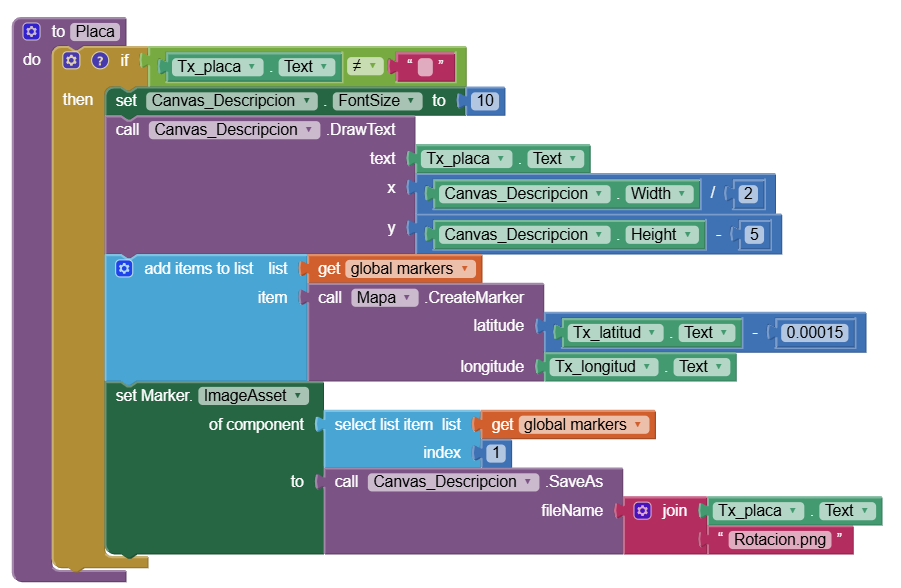
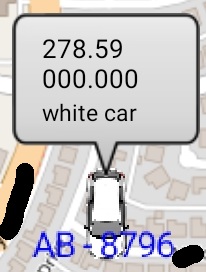
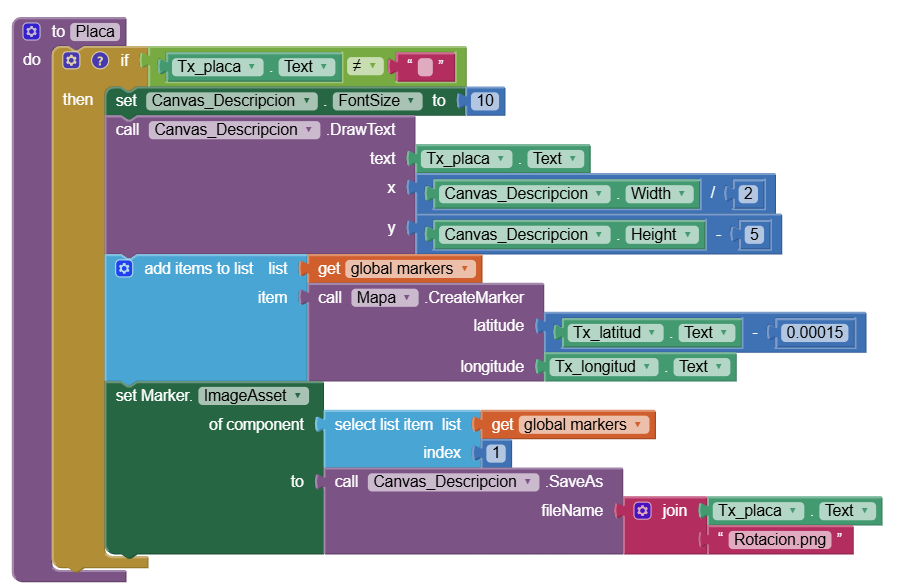
what about you put all the text and the car image in a canvas, then save the canvas, then set the marker image asset to the saved image?

1 Like

Yes, I noticed that, but I changed it to 1000, which is one second.

There must be a way to continue with the previous method.

I could make it appear and disappear every second by deleting and recreating the previous marker.

If that doesn't work, I'll have to create a .png image with the license plate number.


The question would be how to delete the created bookmark.


The problem is that when the car turns, the license plate also turns.
And the worst part is that I'd have to create different cars with different license plates. I only need two colors: one for the user and another for everyone else, so they can be easily distinguished.


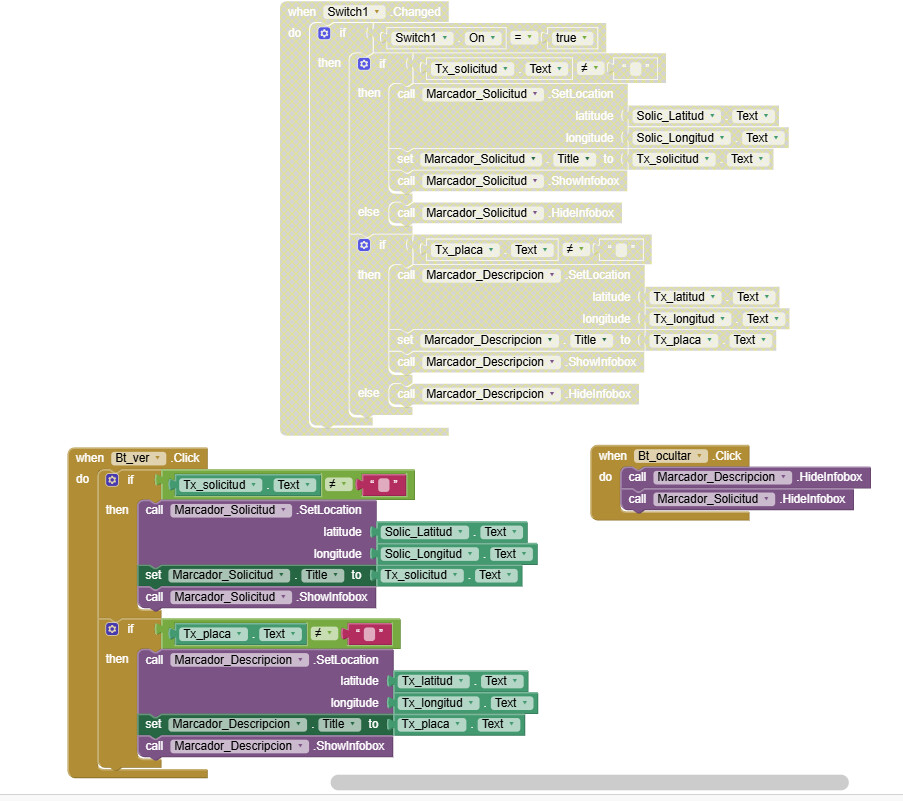
Question: Why can't I display more than one description?

I tried using the buttons and the switch, but neither allows me to see both descriptions at the same time.

that AB-8796 is license plate? what that need to turn?

that is why you need a universal procedure to draw the car/license /description on the canvas.


If it's a license plate,

I've already given up on that method.

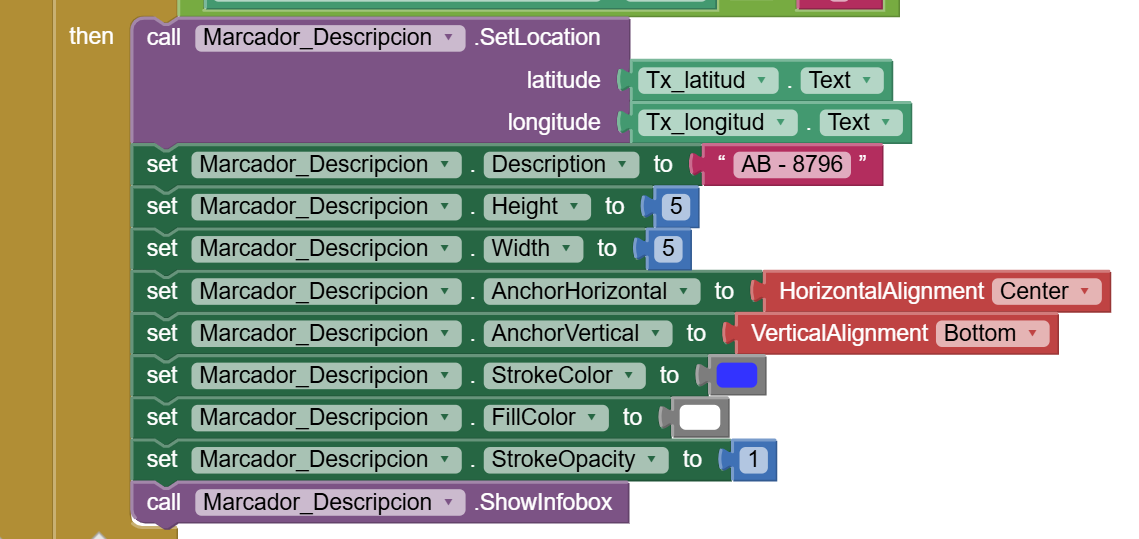
Now I want to work with descriptions, but I don't understand why it won't let me work with two descriptions at the same time. When I request that both be displayed, only the last one requested is shown
the infobox is designed to only one on the screen same time. you need to find other solutions than infobox.


What do you recommend?

I already did that.