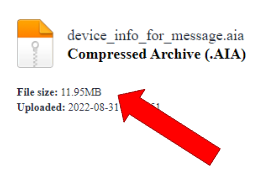
Well, here might be a list of hot issues that might be causing your error.
You do not have a stable network (or you disconnected) when uploading your project.
The files are too large. In particular, each asset must not be larger than 5 MB when you upload them. I guess the code server (http://code.appinventor.mit.edu ) has a larger limit from what I heard, but I'm not sure.
Projects with large media files will have issues loading. Try an experiment; make a copy of a project ; remove some of the media files and see what happens when you try to load. (thanks Steve )
Other examples:
It is the compression that can cause issues. Also, once the App is loaded onto Android, zero compression works best because Android does not have to decompress before displaying them. PNG is a good choice because it scales so well and yes it can be saved uncompressed.
.
32bit is absolutely fine for small images that require transparency (exception being the launch icon that should not use transparency).
So I think the files causing the issue are not 100% perfect in some way. You could try run…
There are multiple ways you can test the issue Jeffrey.
Load the Project aia on your personal laptop and try the Project from you home router. If the Projects runs ok, the issue is probably Internet congestion and/or an over-stressed school network (or you could just be testing while the traffic on App Inventor's server is less)
share the aia with this community and someone will run the app and tell you what happens.
Is it possible that your IT department made recent changes on its 'white l…
If you are not exceeding the 30MB limit, it should be fine. It might just be that the Servers were over-reached at the time. We have seen Servers fail in recent times but a new system has since been defined and new servers installed. However, your Project is small, your images are small. Should be perfectly fine unless there is something wrong with the images.
Another possibility would be a broadband issue on your side..........?
And all of the tips here:
This list was made by @Taifun
Use different screens wisely
Before starting to create another screen, first you should think about is it really necessary? See also Building apps with many screens and SteveJG's post about advantages/disadvantages , because in only one screen you also can use vertical arrangements to simulate different screens, just set the arrangements to visible = true/false as needed...
If you decided to use different screens, then you should switch them correctly, else you …
Now let's take a step forward and take a look at your file.
Not too much, the limit is 30 MB. But: there is an image in your asset manager that is 3 MB.
With a compressor, e.g. Easily compress images at optimal quality in seconds. , I compressed your image from 3.4 MB to less than 0.3 MB. Go and try it.