It doesn't have to be difficult. it is simply a matter of getting your data organised correctly.
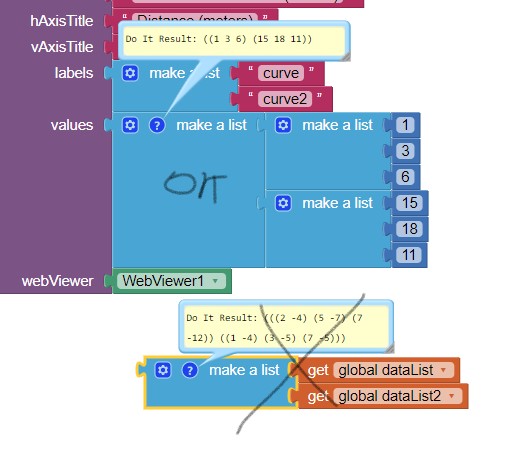
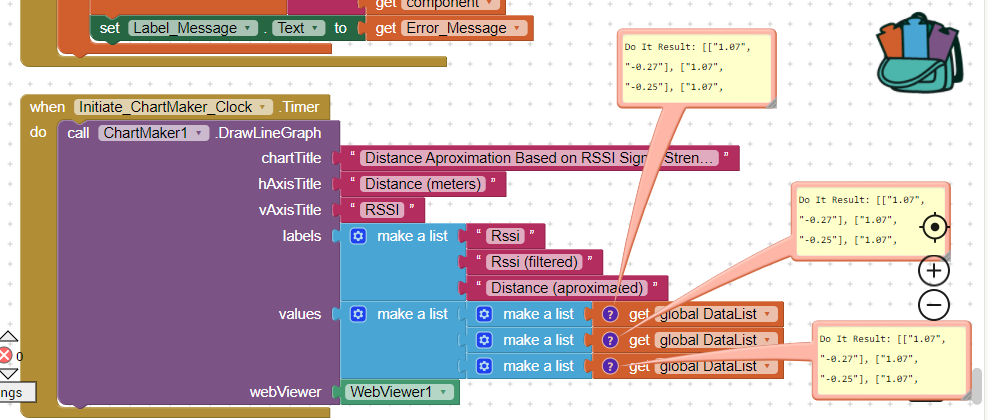
For a two line chart, the Chartmaker extension expects to receive a list of data for each point.
For example:
The first point for each line would be a list like this: [[1,5,7]] where 1 is the point number, 5 is the first point for the Line1 data, and 7 is the first point for the Line2 data.
When we add the next point the list would look like this: [[1,5,7],[2,4,8]] where 2 is the point number, 4 is the second point for Line1 and 8 is the second point for Line2.
Most of us will not be receiving/providing data in that way, we will probably have two lists:
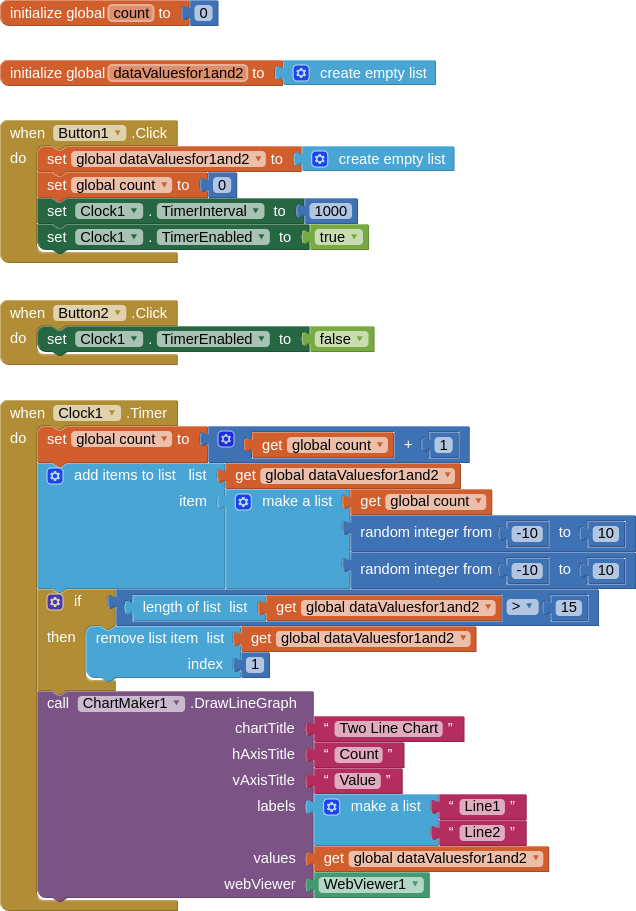
[5,4] and [7,8] therefore we have to combine these lists to create a new list that the Chartmaker extension will understand. This can be done with list blocks.
That said, the Google Chart Chartmaker extension is probably not the best method to display data like this if it is constantly updating, you do get a blink or flicker on each refresh, because the entire chart is redrawn, not just the data points. A different method, perhaps using the canvas, may work better.
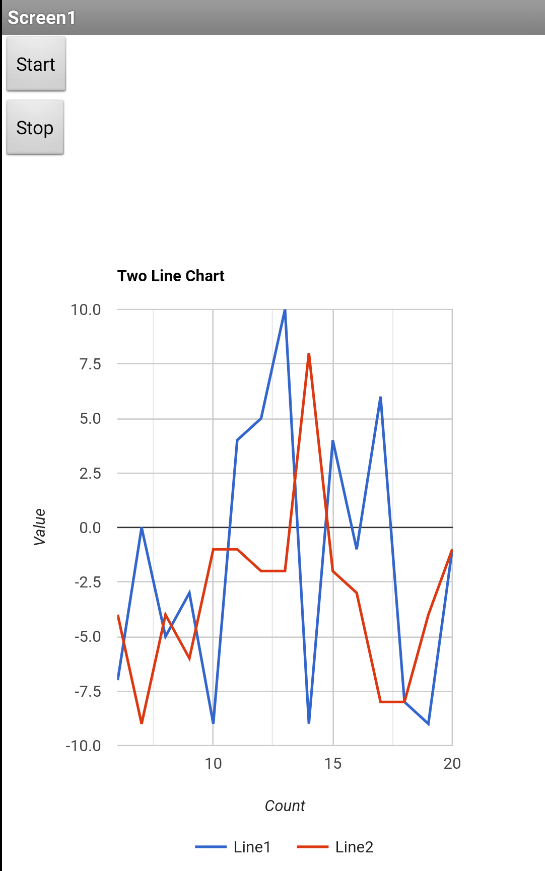
I provide an example that builds the data values with point numbers every second using a clock at 1 second intervals) and a random number generator. It also removes the first item in the list of values after 15 items are displayed, in order that you get a "rolling" effect.
SCREEN
BLOCKS
AIA
TwoLineChart.aia (12.6 KB)
I hope this explanation helps....
 . Where is your second list of pairs? You need two lists of pairs!