Logging Marathon Runner Checkpoints in Google Sheets

This sample is intended to show how to use Google Sheets aggregation functions like MAXIFS to summarize multirow log data into single line summaries.

This sample uses the New York City Marathon as a base, though it probably can't scale to the 53,000 runners.

It is based on three sheets:

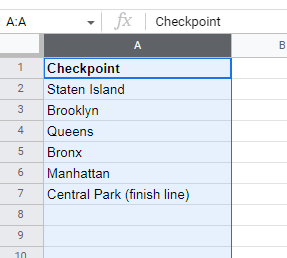
  • Checkpoints, a list of locations each runner must cross on his route
  • Mileposts, a detail list of runner checkpoint timestamps
  • Runners, a master list of runners, with identifying bar codes and stats

Checkpoints (reference only)
MilePosts details (one row per runner per checkpoint passage)
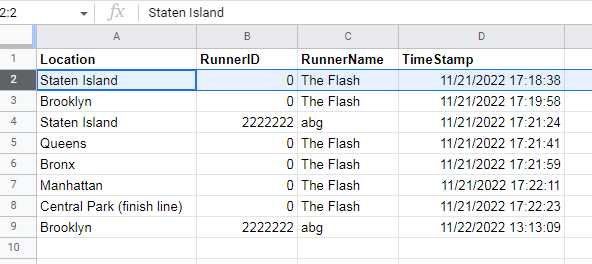
I only bothered with two runners:

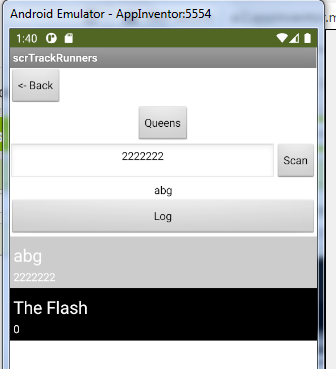
  • abg (runnerID 2222222), who took a day to get from Staten Island to Brooklyn, but no further
  • The Flash (runnerID 0), who used his super speed to cover the entire course in 4 minutes.

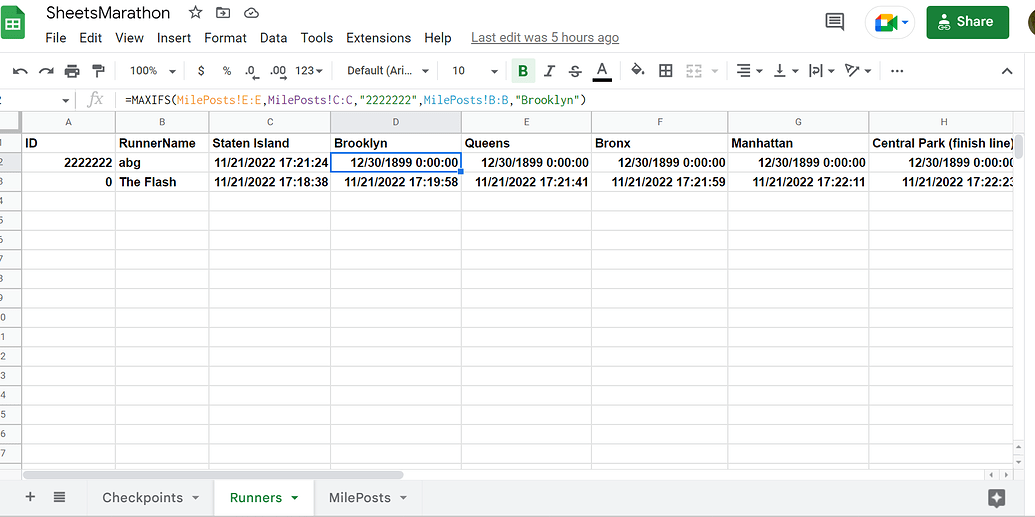
The summarizations are kept with the runner records in the Runners sheet:
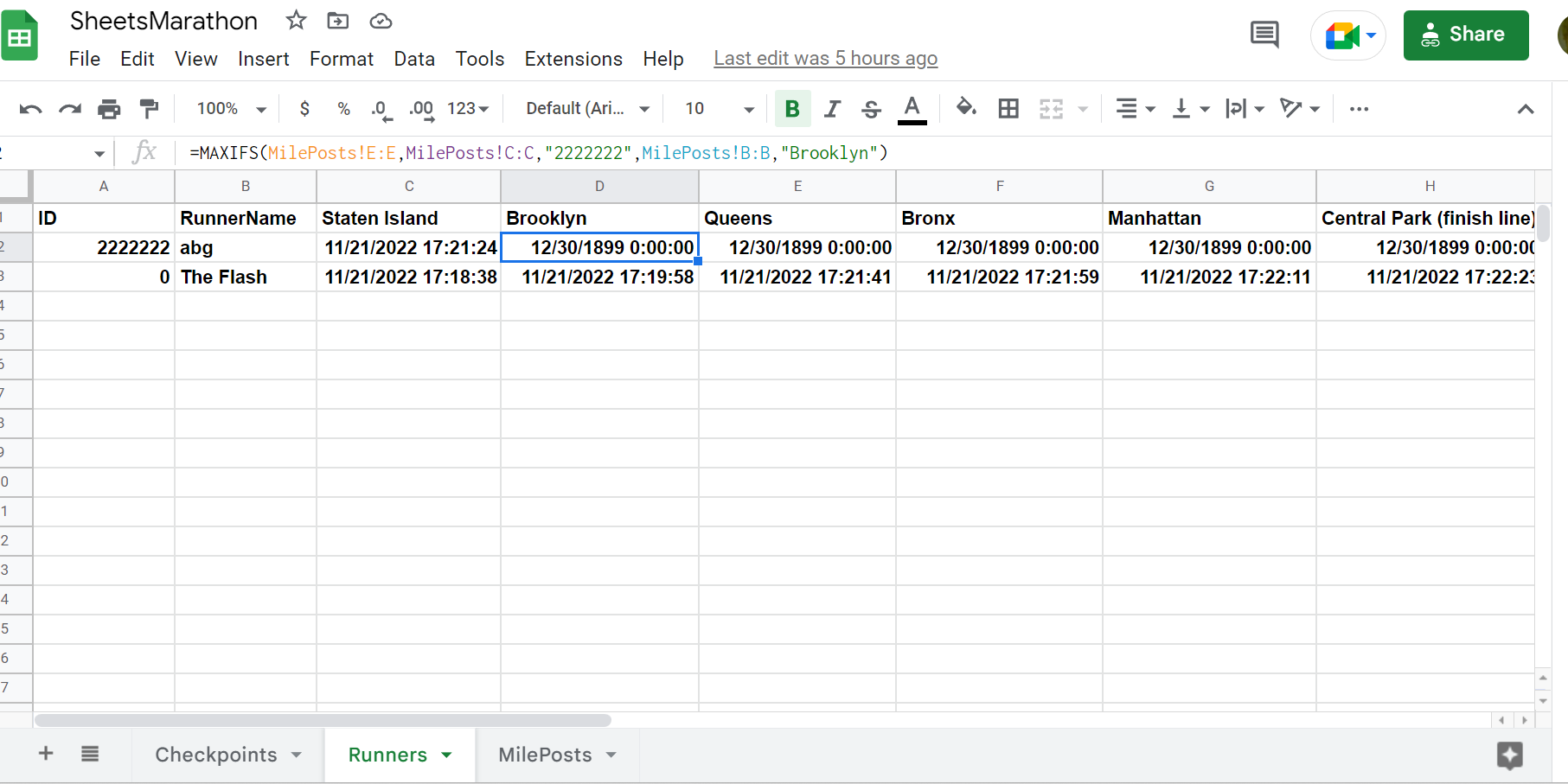
The summarizations are timestamps gathered from the MilePosts details using the MAXIFS() function.

The Google Sheet:

Aggregation functions are useful to track:

  • progress of items through a manufacturing or shipping process
  • Inventory levels at various locations, based on SUMIFS aggregations of inventory transfers.

The remainder of this tutorial will cover details of how to implement this app using the AI2 Spreadsheet component.
2 Likes
Appinventor barcode scanner database
Trying to make a storage manager app. As a beginner
Mostrar alerta si el "nombre" esta en mi base de datos de google sheets (Show alert if the "name" is in my google sheets database)
Automatic Timetable maker for school
Track attendance and location of user in a Google Sheet
How do you import data from chatbot to bar graph automatically?
Trouble Compiling my first app
How can I write data in 1sheet and read data from another sheet then print in a listview?
How do I make if conditions using and blocks in mit app inventor
Simple update google sheet data
I need to get a barcode scanner to send data to a google spreadsheet
Set label text to the contents of a cell in a spreadsheet
Update particular record in Google sheet
Spreadsheet Setup
Solve nonlinear least square problem with MIT app inventor
Creating "history taking attendance" in App Inventor
Can you use databases are even a tiny bit relational with App Inventor?
any tutorial on how to use the component spreadsheet?
I need save in a Google Sheet a Spinner's selection
How do you determine sheet name in .GotSheetData event
Listpicker sublist not saving
WEB PUT for google sheet?
Listview when selecting shows the selected item, How do you have it show multiple items associated with it?
Employee attendance
Reading data from google sheets from one column in spinner list and values from the same row in other Lables
Viewing of data from google Spreadsheets. Can somebody please help me?
Load a ListView from Google sheet
How can I select a List View item by scanning a QR code that takes the reference from my spreadsheet?
NFC para registro
Why do i see the row data not the column data
Identification via API Google Sheets
Saving data to sheets
Timer woes again
How do you arrange the blocks correctly?
WHEN ANY KEY.CLICK only and not ALL buttons in the app
BLE broadcast Bytes
How do you separate the information from a Google Sheet?
Criar um app para ler tag nfc (how can I use an app to read a nfc-tag for student identification)
Tres desplegables pero que se comuniquen entre si ( Three related ListPickers)
The data is not transferred into spreadsheet
Data from google sheet, display per row
Need help plz to create app
Runtime Error : java.lang.OutOfMemoryError:
Simple update google sheet data
Clearing content from a table when using Screen1.BackPressed
Barcode reader with app inventor
How do I make changes on live?
Spreadsheet readrange than addrow

This app has three Screens, in order of complexity:

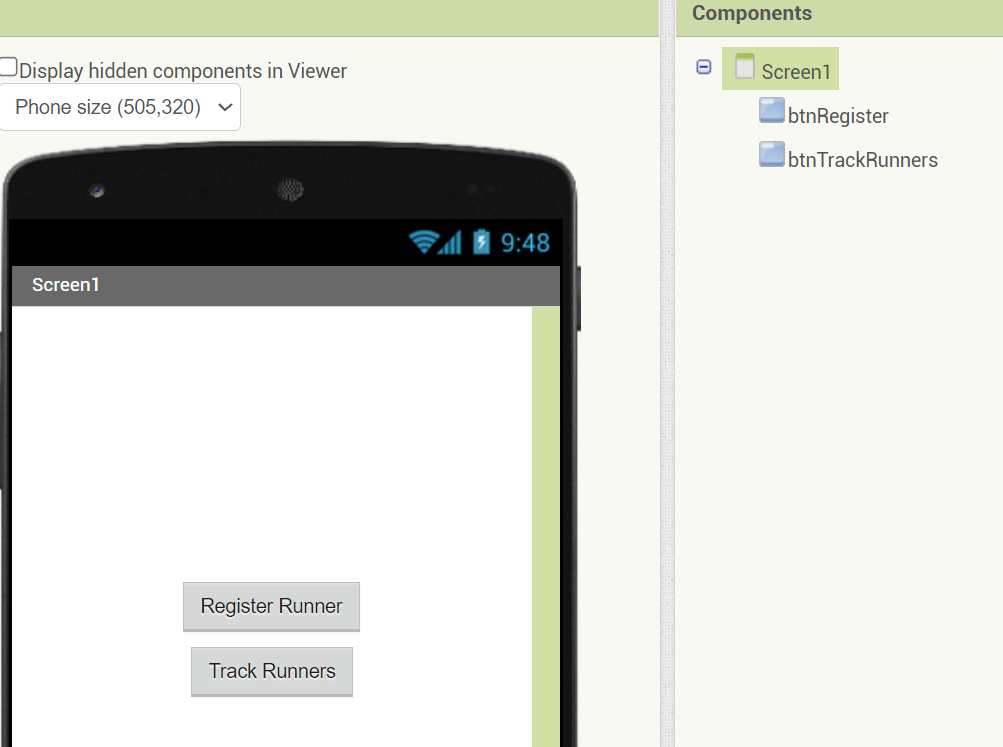
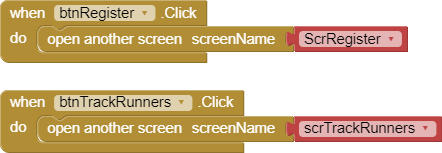
  • Screen1, a doorway to the other Screens
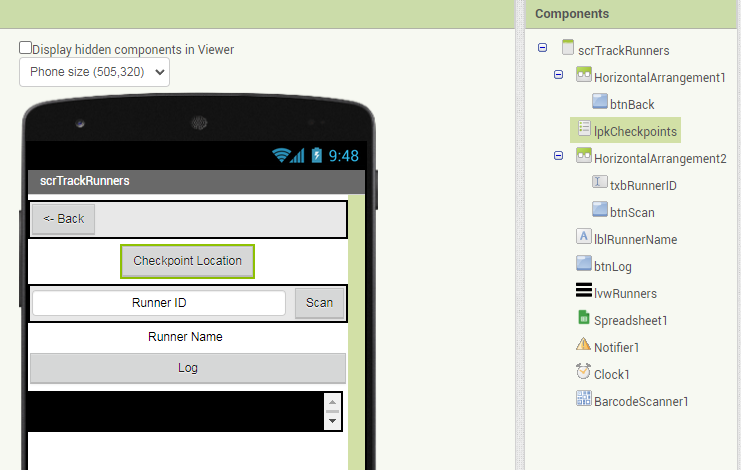
  • scrTrackRunners, to log arrival time of runners at checkpoints
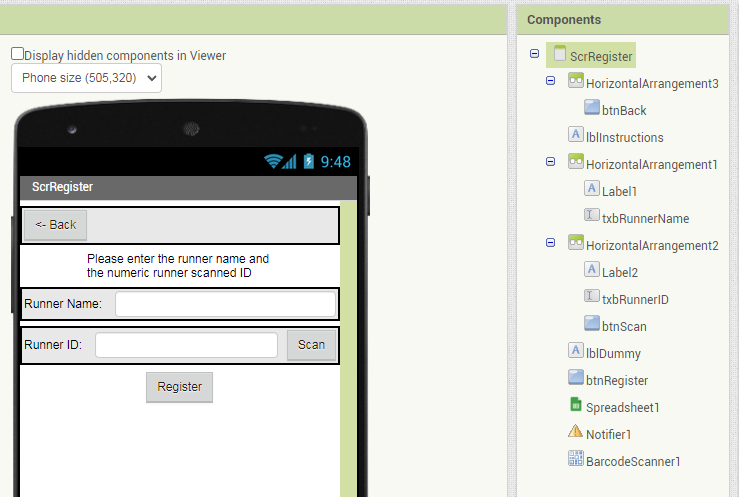
  • ScrRegister, to set up new runners, their bar codes, and a summary line of their arrivals.

Screen1


scrTrackRunners


The runner tracking screen is meant to be used by multiple people, each standing at one of the Locations that runners must pass.

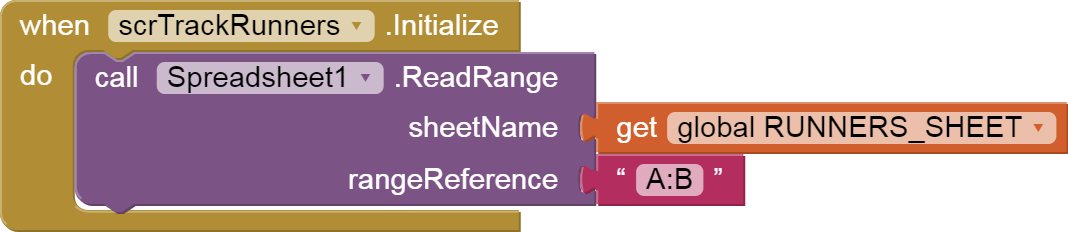
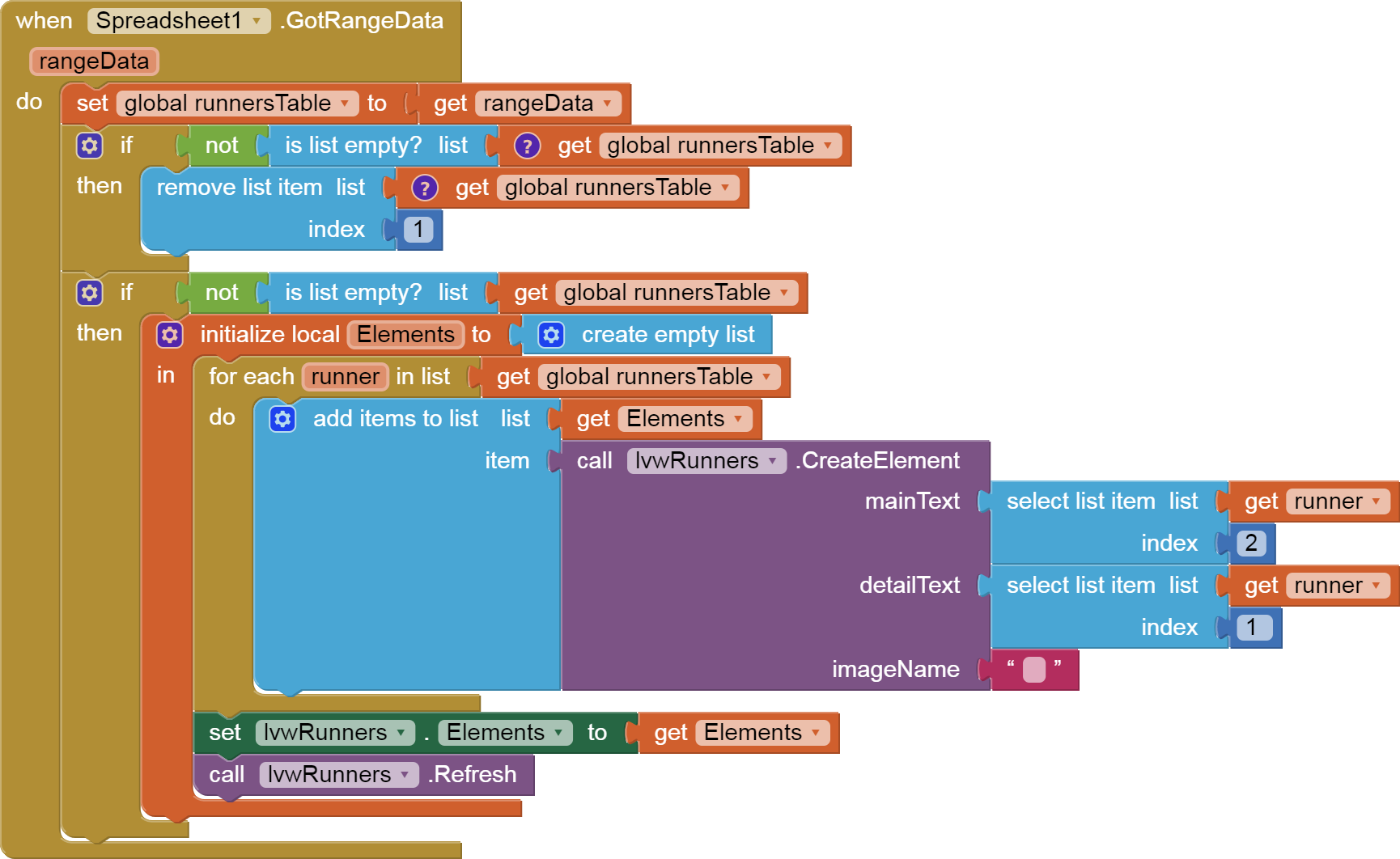
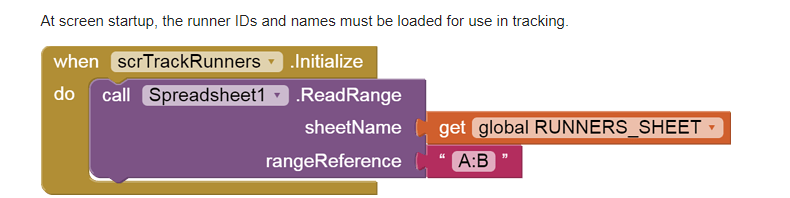
At screen startup, the runner IDs and names must be loaded for use in tracking.


The first two columns of the Runners sheet contain

initialize global runnersTable to

The runners table is handy for lookup of runner name by runner ID.

For small marathons that can't afford bar codes and scanners, I have added a ListView with runner names and unique IDs.

A List Picker is used to select which location is to be logged when the Log button is Clicked.


initialize global checkpointNames to

(I cheated and hard wired my location list into the app. I leave it to you if you want to dynamically load the location list at startup.)

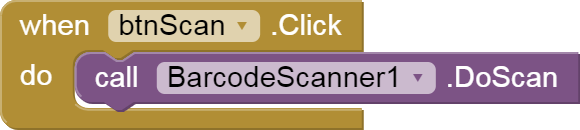
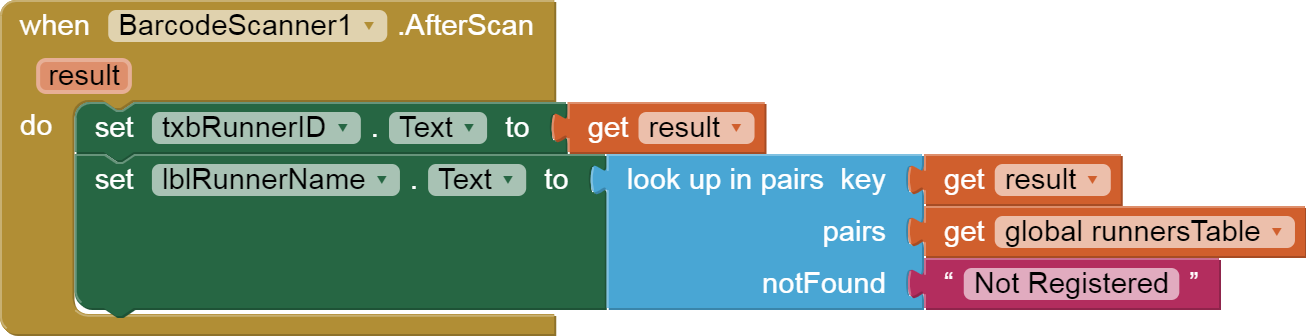
For people with bar code and scanner money, here is some scanner code:


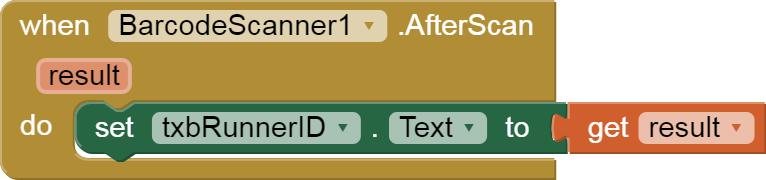
All the Scan button does is load up the two .Text values for use when the Log button is Clicked. Feel free to move the Log button logic to the Scan Received event, if you want to save a Click per runner and you have the bar codes.

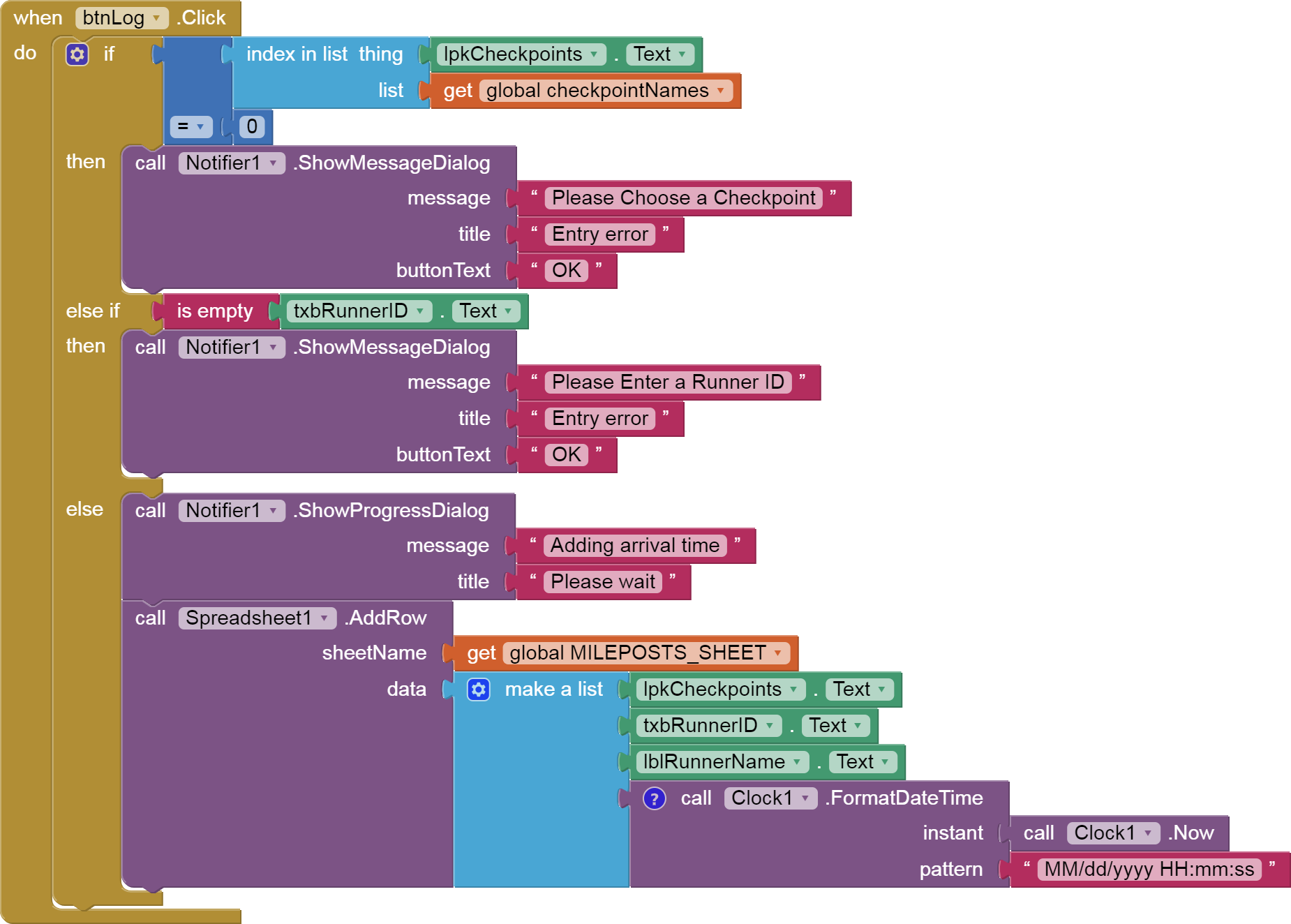
When btnLog.Clicked:

  • error check for missing Location
  • error check for missing runner ID
  • post a Progress Notifier to warn that a web operation is starting
  • add a row to the MilePosts sheet with
    • location
    • runner ID
    • runner name
    • current timestamp

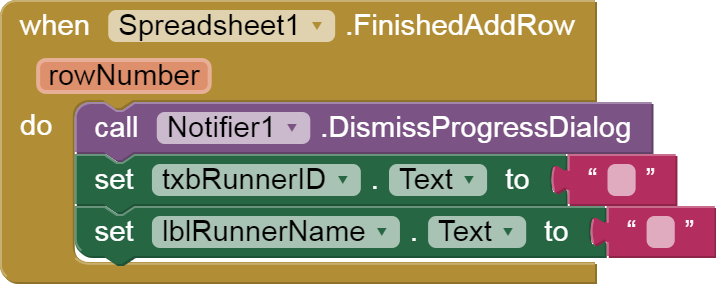
WHen the row has successfully been added, dismiss the Progress Dialog and clear the two input boxes. (Don't touch the Location, we're loggers, not runners!)

Oh, and don't forget the error detection ...

Details
initialize global MILEPOSTS_SHEET to
initialize global RUNNERS_SHEET to

I use constant globals, to keep my sheet names in one place, in case I decide to change them later and don't want to have to hunt them down in my blocks. The capitalization is a coder convention to say that there variables are meant to be constant.

Registering runners:


The scrRegister Screen has

  • a text entry box for a runner name
  • a text entry box for a unique runner ID number, which can be optionally filled by
  • a Scan button
  • a Register button, to add the runner to the Runners sheet.

There is no Screen Initialization code for this screen.

A Scan button is provided for people who have pre-printed bar codes they want to register with runner names.


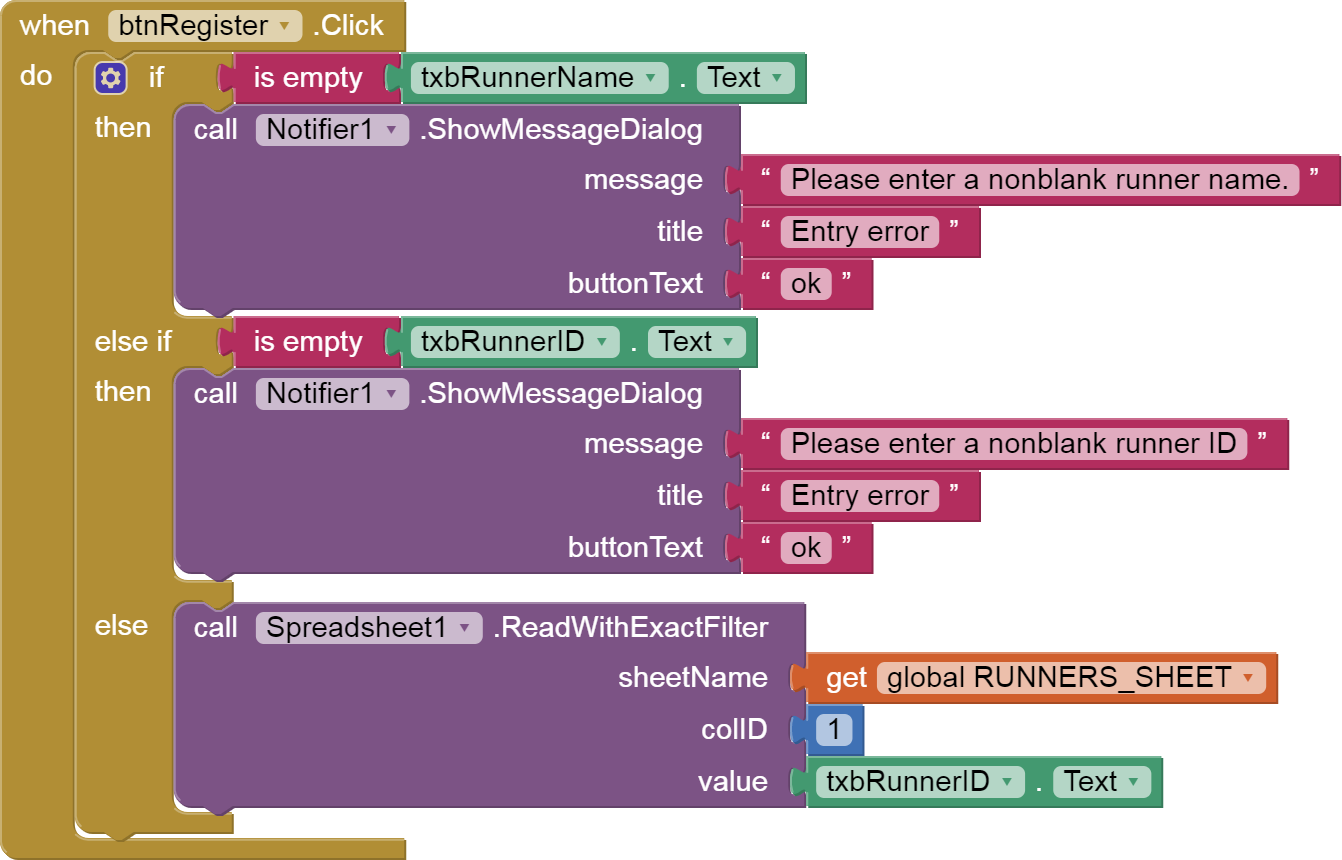
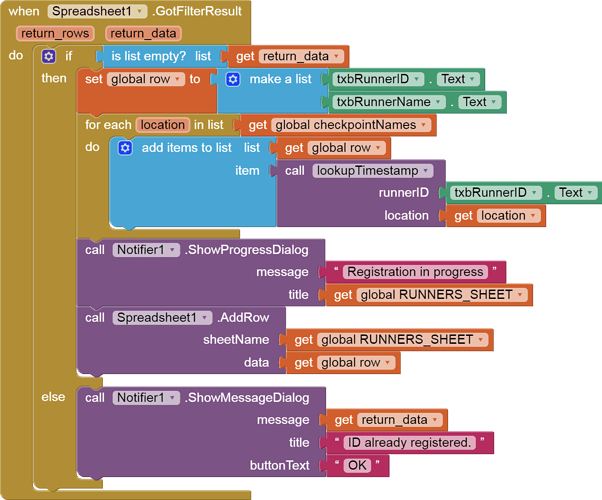
When the Register button is Clicked,

  • Check for blank runner names and ID
  • Ask Sheets for any Runners rows that already have this runner ID, to avoid duplicates, using a Filter Query for just that ID.

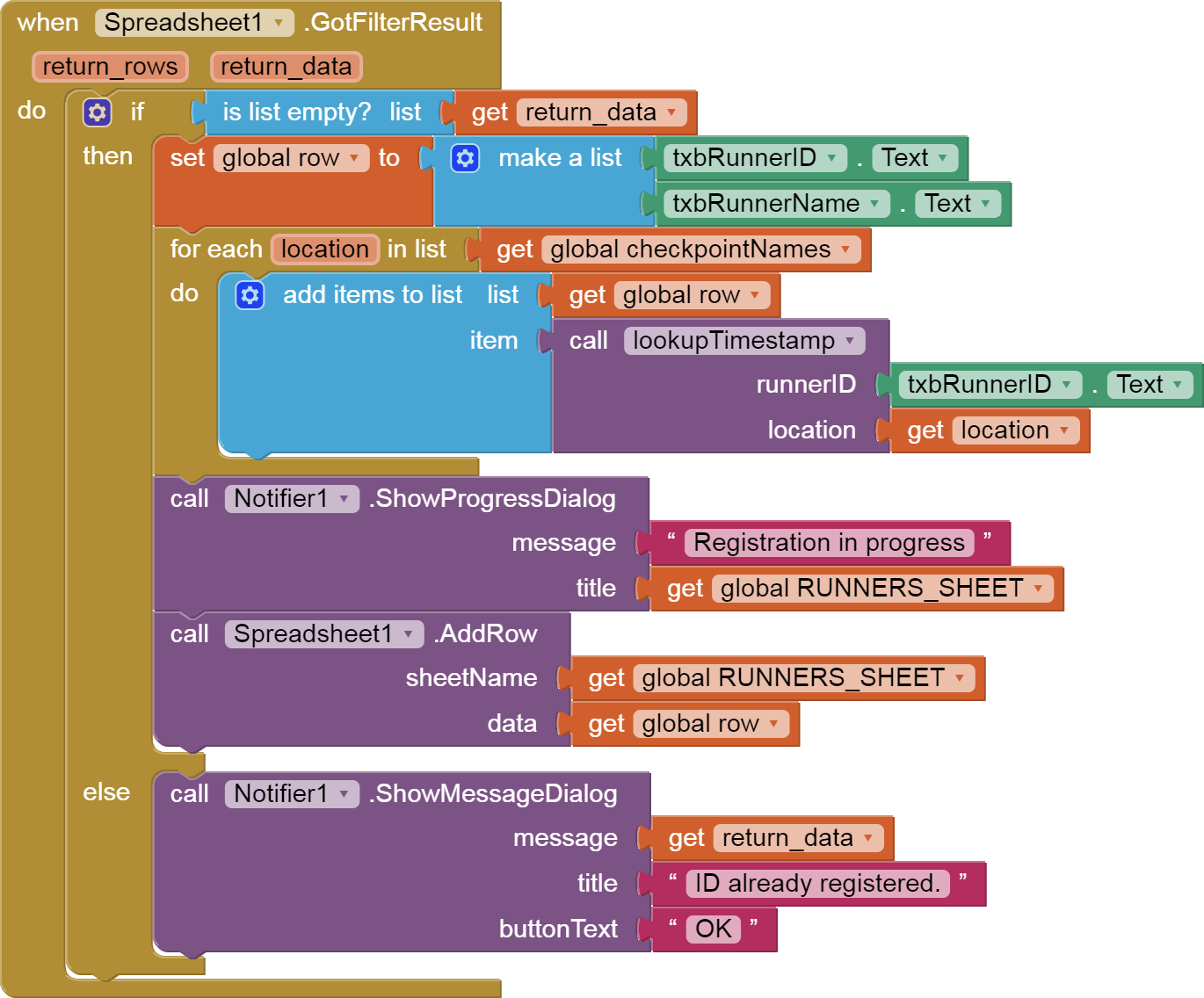
We want the filter result to be empty. If it is not empty, complain. Otherwise start building the row that will hold this runner:

  • runner ID

  • runner name

  • lookup formulae for each of the checkpoint names (Staten Island, Brooklyn, etc.)

  • Pop up a Progress Dialog to warn that a sheets Add is in progress

  • issue the Add Row request

Here is how each lookup formula is built:


initialize global MILEPOSTS_LOCATION_RANGE to
initialize global MILEPOSTS_RUNNERID_RANGE to
initialize global MILEPOSTS_TIMESTAMP_RANGE to

To verify I got the right ranges:

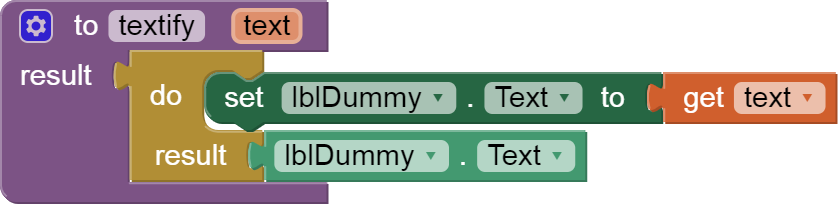
I had to add a function to bypass a bug in the Spreadsheet component that makes it choke on a text JOIN result:

This concludes the tutorial.

This is only one way to handle the problem of keeping milestones in a row.
It could also have been handled by looking up the row number of a runner when he passes a checkpoint, and updating that cell in the runners sheet.

The detail logging done here would facilitate adding more data to the checkpoint rows, like the identity of the person who logged that checkpoint for that runner.

Feel free to comment on this tutorial here.

P.S. @TimAI2 pointed out silently that the Sheets Pivot facility can be used to generate those rows of Checkpoint times by runner ID.

I have no data yet on whether or not this operation needs to be done after all data collection is complete, or if it can be done before data starts to arrive and will automatically update from the Checkpoint details sheet during the race.

1 Like

Its possible to give me this project demo .aia file?

Unfortunately, the required JSON authentication files in the .aia file are sensitive.

Fortunately, all the blocks in this thread are draggable to your own projects.

1 Like

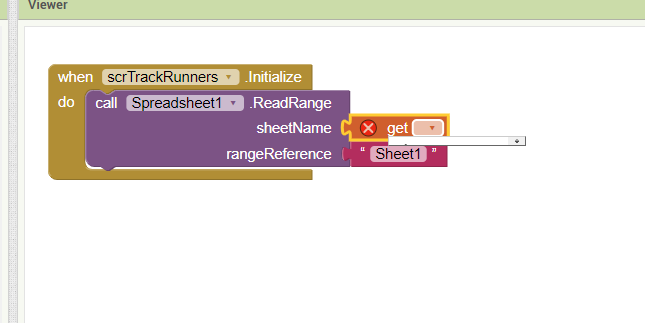
how i connect my apps to google spreadsheet ? when i cant entry sheetname

See FAQ Section: Google Sheets
for more information on how to work with Google Sheets.

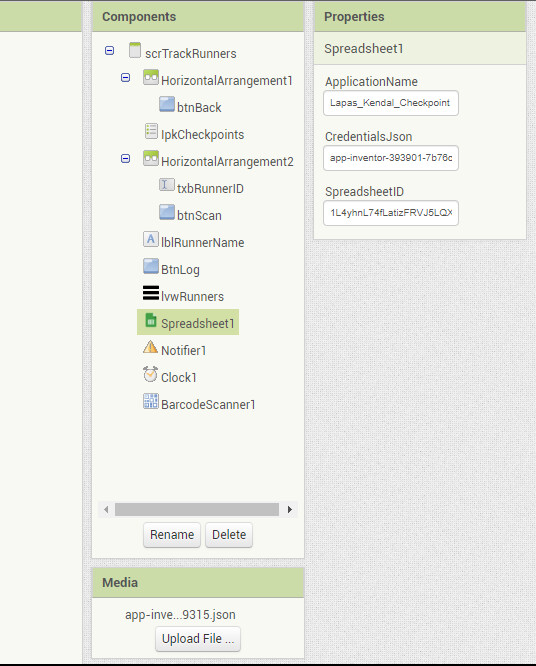
You have to set up your own Sheet and authentication for it according to the spreadsheet component help.

ah thanks for helping, this is my first time

I already following this post Google Sheets API Setup and Spreadsheet component. Example. Google Sheets

but I still cant get my sheetname. How i can do it ?

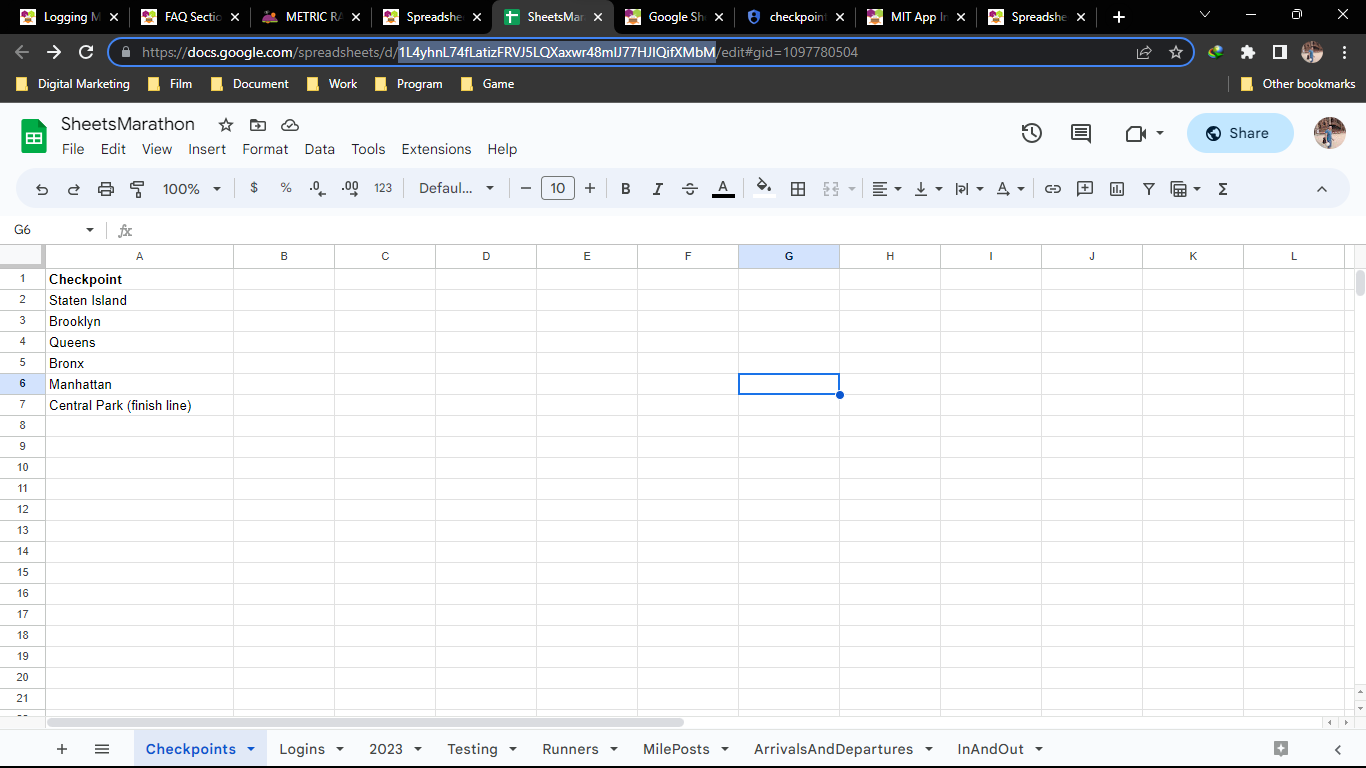
Sheetnames are at the bottom of your sheet, if you look at it on the web.
Sample:

The sheet name for this sample is Runners.
See the highlighted tab?

A new sheet typically has a sheet name of Sheet1.

thanks for reply, so we need to type it manually ? or automatically connected and select from the list ? because the sheet im using is my copy from your google spreadsheet file

Im using this

So which sheet did you want to read?

Type that name into a text block.

how ? I try to type on after get

sorry if im disturbing you? Maybe any private message to this ?

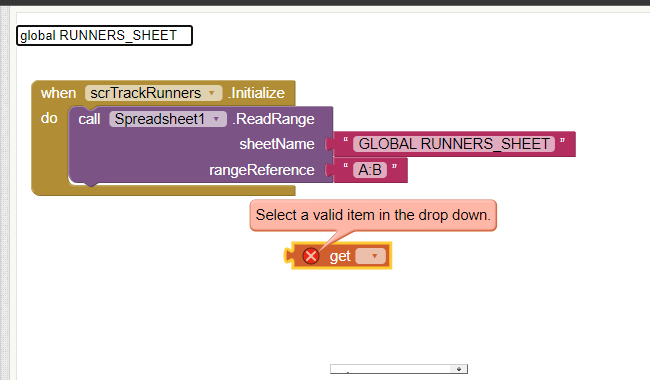
There is no sheetname for GLOBAL_RUNNERS_SHEET...

Im following this sir, I do exact copy before editing

Before you refer to a global variable, you must code an init global block for that variable.
For global variable RUNNERS_SHEET, you would want to init it as 'Runners' to match the sheet name in your picture.

You might be wondering why i didn't just use a text block containing 'Runners' in that ReadRange block.
I use constant global variables to avoid typoes in important text values.

I hope you are not color blind.

Ah I see my mistake now.. Thanks for explain it, I re read the guide and I find my mistake.

Now i find a problem at this

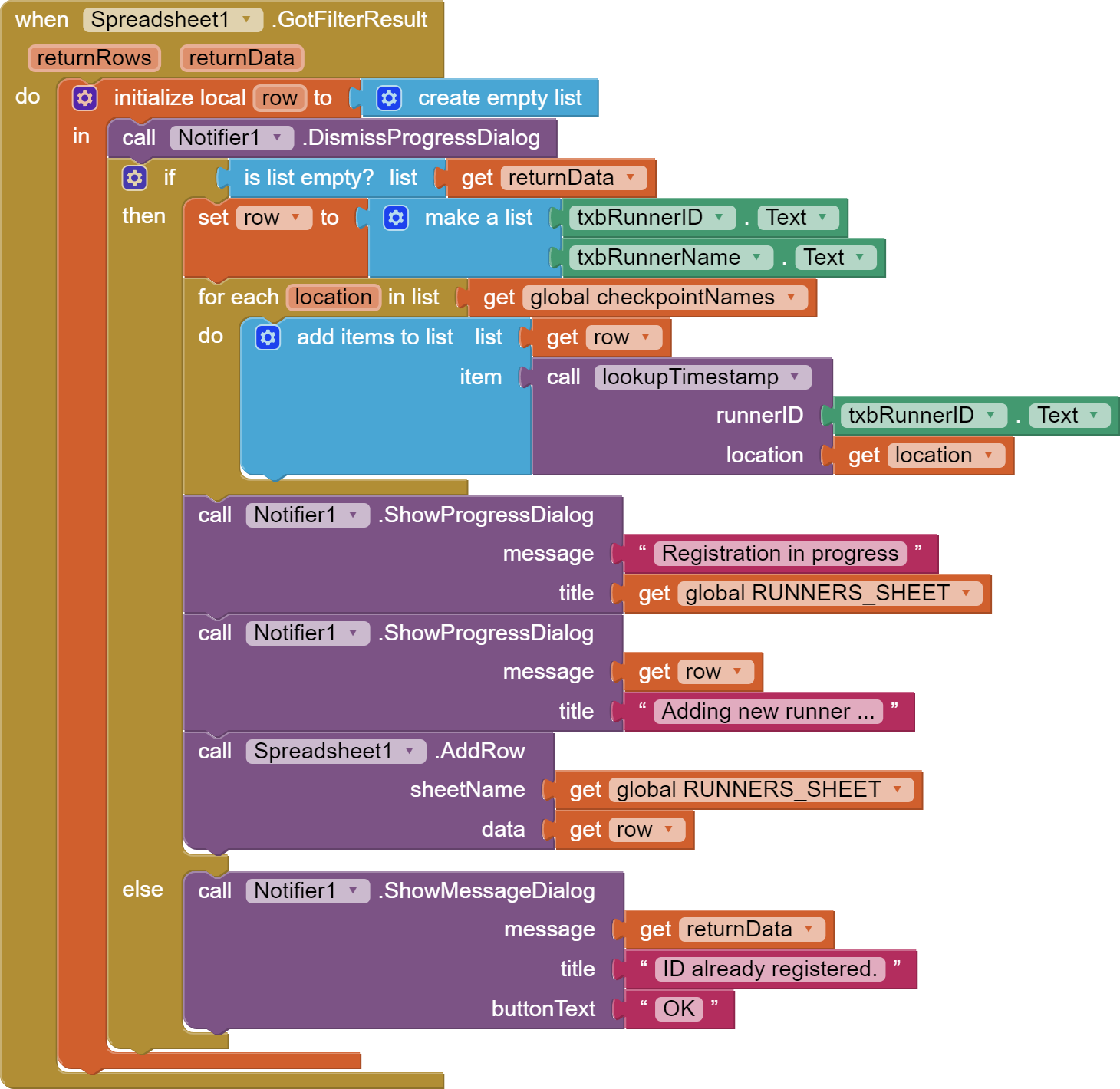
Where the initialize global for global row ? Did I miss it ?

Sorry, I did not supply it because it is used temporarily, for debugging.
It could have been used as a local variable.
Its initialization would be irrelevant, since it is assigned at the start of GotFilterResult.
You could init it as CREATE EMPTY LIST, to set reader expectations of its usage.


This version is cleaner, more self contained, at the expense of not leaving behind a debugging aid.

Thank you so much, this is what i need..

Hello, can i ask more ? I already copy exact ur code but got error. Is i must learn script or using google script too ? I want create apps like this please help

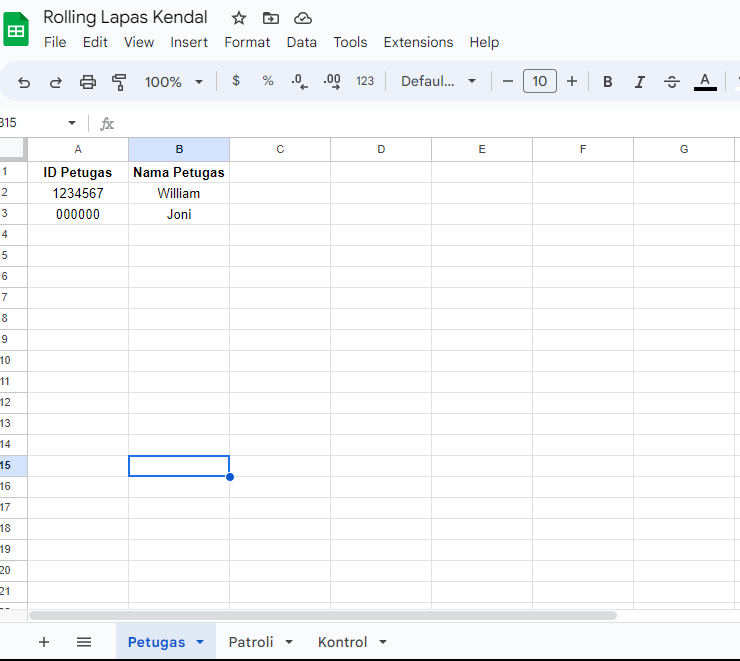
this my worksheet

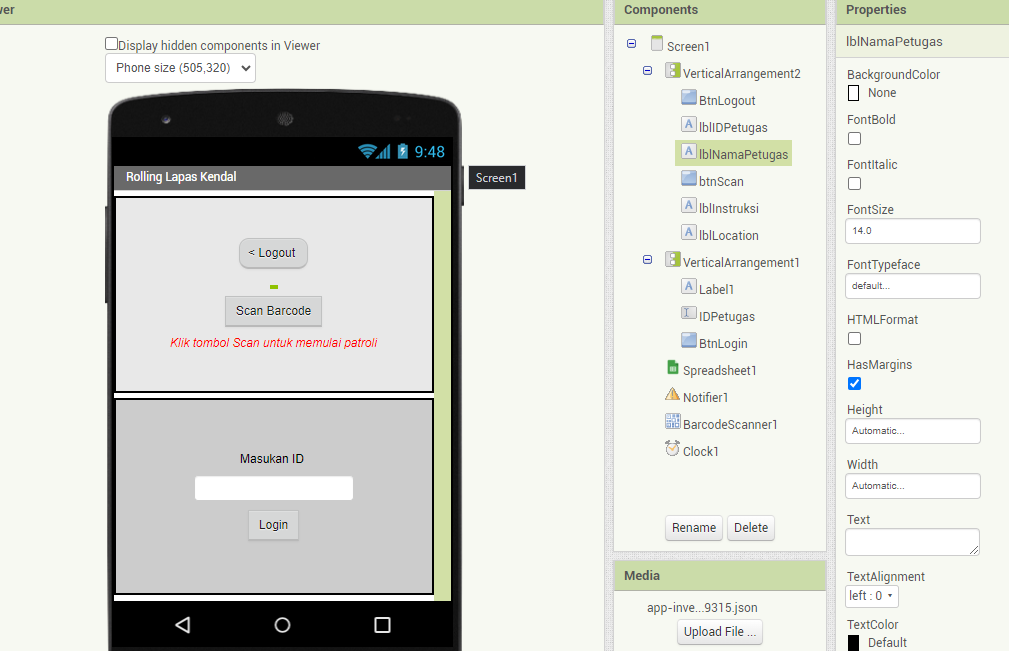
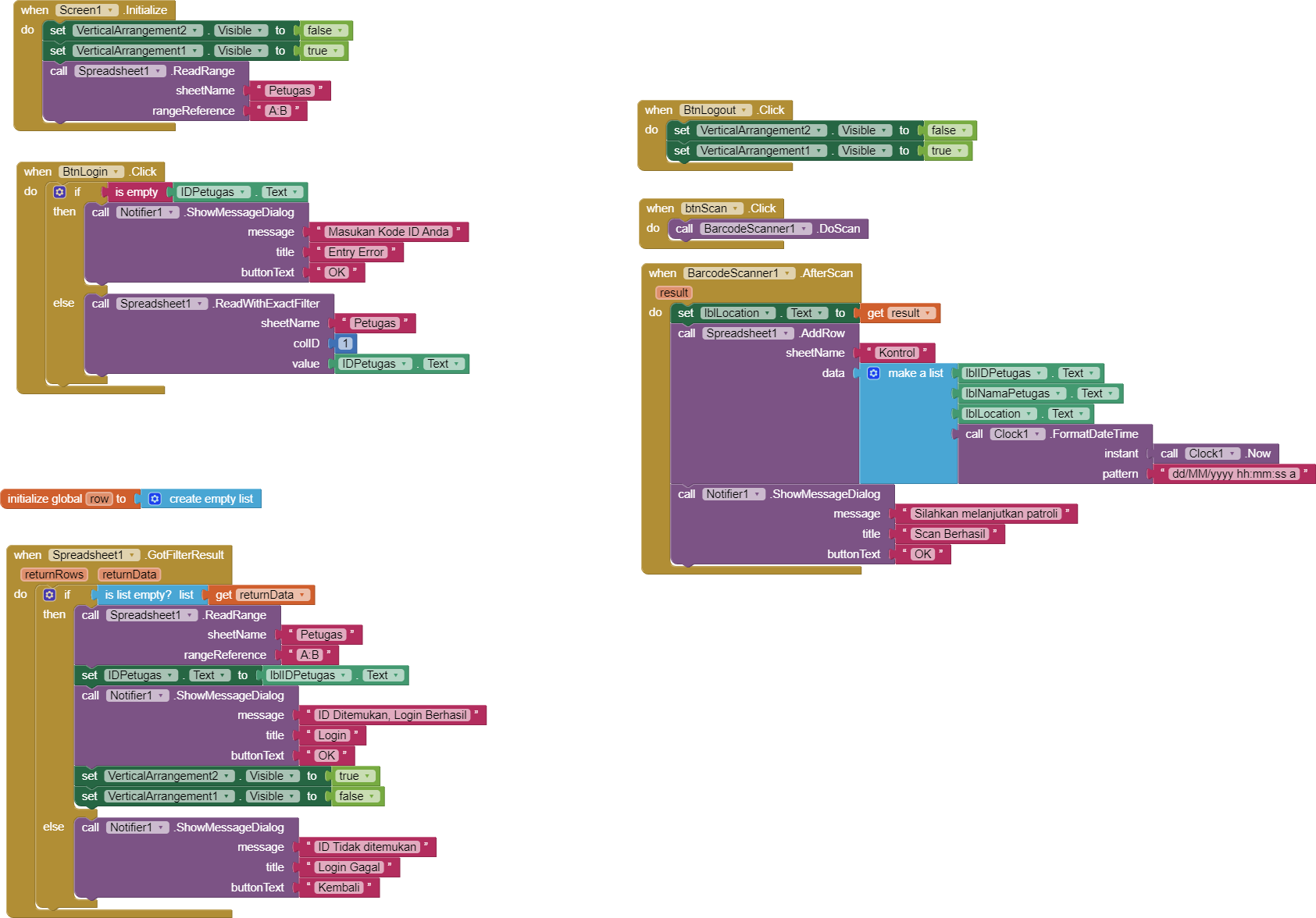
I want create when user login or entry his ID, apps search for ID on google sheet to continue the process this my block, I want use this for patrol report

this what i create but I cant complete the filter process.. Please help.

Thanks