app inventor unable to compile this project , please tell me what is the issue
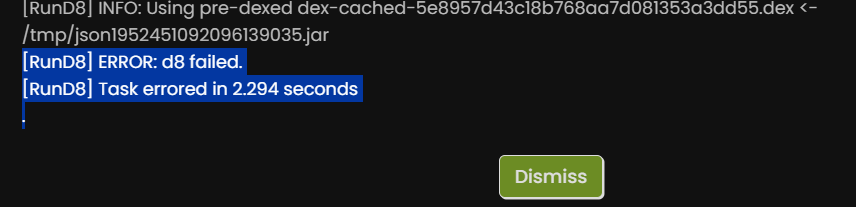
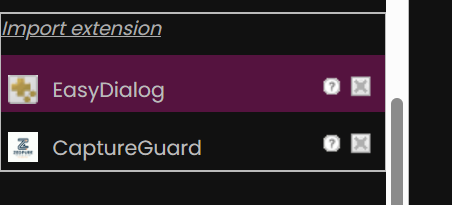

i try to compile without the extension ,same error
I see in the Project Properties section of your aia file you went overboard on
the Blocks toolkit.

Let's see if resetting that to default helps .
Nope.

i checked each and every block and tried without extension , tried changing the name of the project , no luck
Removing both extensions and doing a fresh export/import did not help.
HUSKY (1).aia (3.6 MB)
i checked something. i deleted the production_calculation layout and then its working. can you check why this happing
The trailing _ in Cavity_ looks unusual.
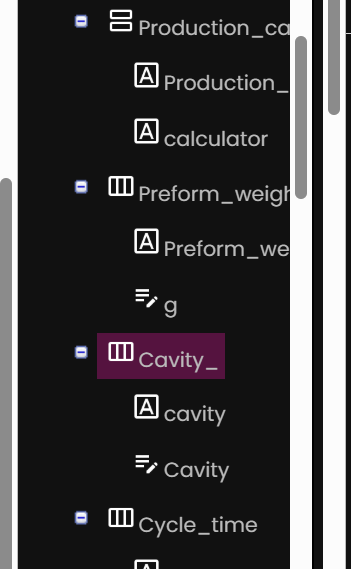
I wonder if that is breaking something further down the line.
Taunting the build process with similar names (non-capitalized) is dangerous too.
I recommend doing some component renames in the Designer, to add object types to the names and keep names unique. Don't worry, the block references will track the component renames.

Here's a sample fast rename setup:
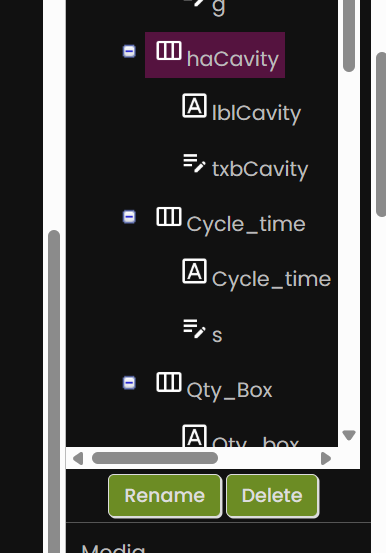
It turns out Ctrl-N triggers my Brave browser to open up a new window, and doesn't reach the AI2 Designer to request a rename.
done. still error
It is Alt-N
2 Likes

yes, i am using two extension . screen guard and notifier, , even i delete both extension, still error

I'm stumped.
I cleaned up everything possible to be cleaned, but still a d8 error.
HUSKY_test_2.aia (3.6 MB)
Any ideas, anyone?
Start again ? With Device Default theme and Default Blocks Toolkit and appname that matches aia project name.
With renamed (to avoid any duplicate filename confusion) and resized images.
Build to apk at suitable stages in the new project.
Test a standalone prioject with the two extensions compiled.
That suggests a "straw that broke the camel's back" situation.
You can use Ctrl-C and Ctrl-V to copy that Arrangement into a new Screen, and fall back onto screen switching instead of stacked screens (as long as you stay under 10 screens and get your data into TinyDB for the cross-screen journey.)
Working one.
edit: aia deleted
What was the critical fix?