In my code in the "Sign Up" screen, I clearly made it store a list when the user meets password requirements. However, when I try to write a simple code to access this list, it states that it is not a list in the pop up notification. Can someone please look at my project and see what's wrong?
FBLA_App.aia (365.4 KB)
That will be the tinydb getEntries bug, doesn't immediately behave like a dictionary, take another route to your tinydb data.
Thanks for your help Tim, I really appreciate it! Would you mind suggesting some alternative routes to my tinydb data? I tried other ways, such as looping through the keys of tinydb and then using the dictionary block to get the related value. I've also directly called the getValues list block to convert the data directly to a list of lists. I've even looped through integers and used string concatenation to turn it into the keys that the TinyDB dictionary accepts, then tried to access the correlated value through that. Do other data storage components have this bug too?
I see you are trying to use consecutive numbers as your TinyDB tags.
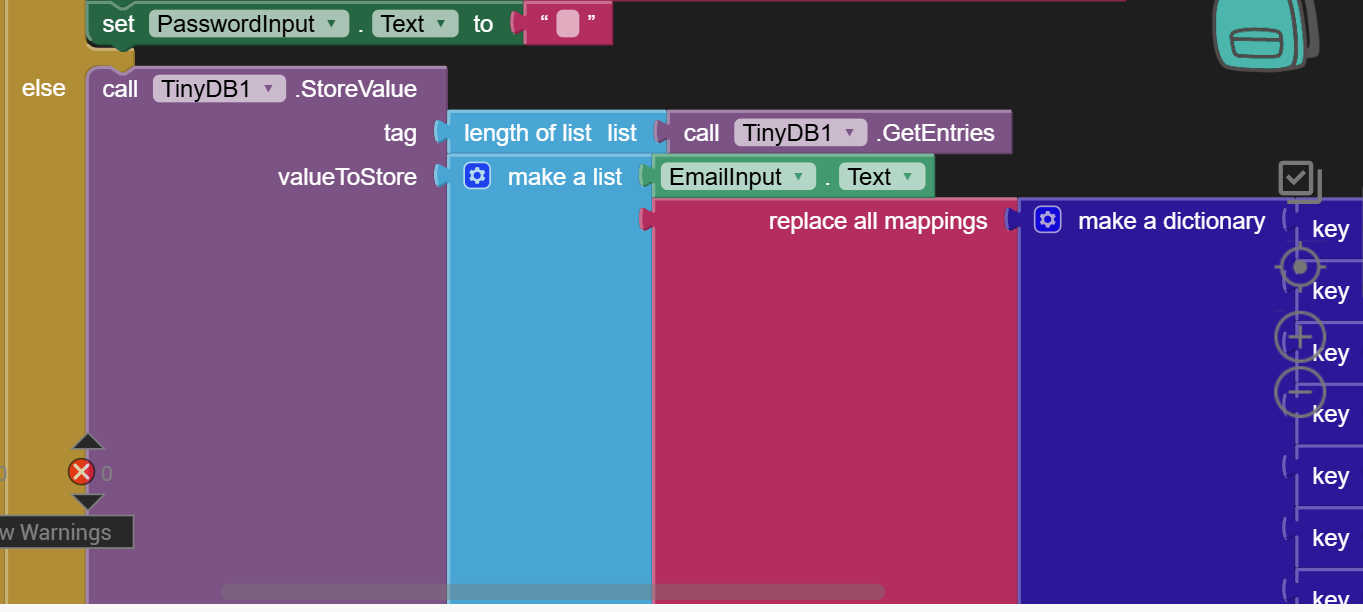
You could have used the length of list of the TinyDB GetTags block, which does return a list.
However, the email address is usually the best tag to use, since they are unique to the users.
On the other hand, looking at the other data you are storing, this looks more like a table of student enrollments in various events.
Each row of the table would have columns
- email address
- name
- password
- event
- chapter
Enrolling a student in an event would entail
- Retrieving the tag 'ENROLLMENTS' value (initially empty list) into a local variable
- adding a new row to the local variable
- replacing the local variable back into TinyDB under that same tag.
This lets you use AI2's list blocks to sort and search the enrollments.
I notice you clear TinyDB. That erases all your data, right?
Yea I did this to debug, and be able to carefully look at one line of data every time I test it. I'm planning on removing it later once I get this to work.
On further thought, this is a two table app:
- student email addresses, with their names and passwords
- enrollments table, with just 3 columns
- email address
- event
- chapter
This normalizes the student table, and avoids the possibility of different id/password confusion.
Have you tried the new console feature in the Blocks Editor?
Which Notifier alerts does it show?
You need to be in the Companion.
Thinking about using spreadsheet data component but I just don't want the storage component causing delay through uploading new info to the cloud and retrieving from it.
TinyDB is immediate, but not shared.
It lives in the phone.
Is the spreadsheet component also immediate? Due to this app only made for live demonstration purposes, feel like I would definitely prefer speed over sharing
No. It's Google Sheets, on Google's servers.
TinyDB is fast and reliable, if you don't mind doing your own table retrieval, updates,a nd replacement.
You can keep a separate TinyDB Namespace for student email ID/Name, email ID/password, etc.
After converting the tinyDB entry to have an email key and a dictionary value, it works like a charm. Thanks for your help!
The fly in the ointment is the case where a person is enrolled in multiple events.
The good thing is, a student in FBLA may only enroll in at most 1 event
