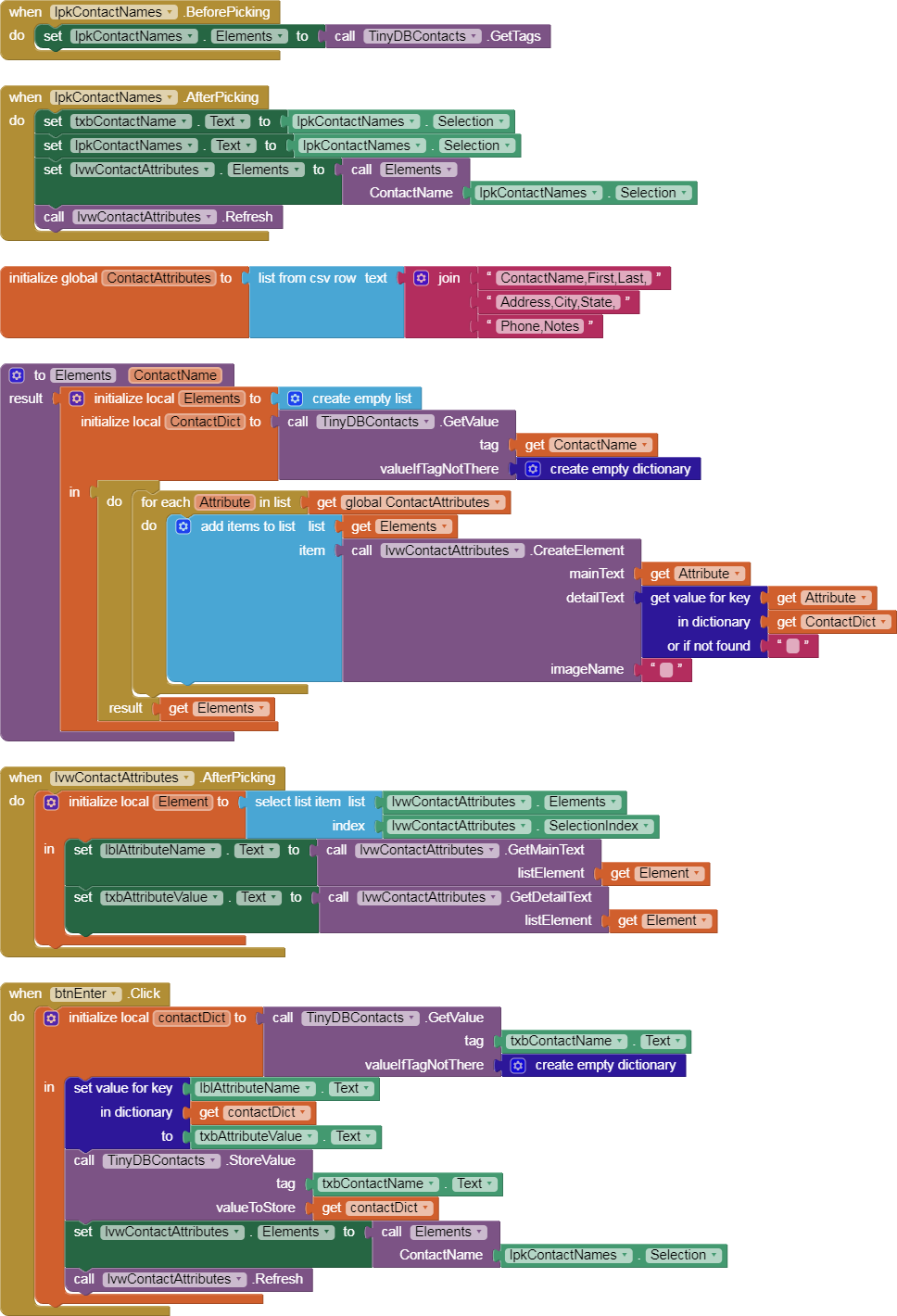
I took a couple of hours to whip a quick and sloppy TinyDB Contact list app with dictionaries.
Here's a video of it at work ...
(I used my phone's screen recorder, which unfortunately does not catch cursor actions.)
Designer:
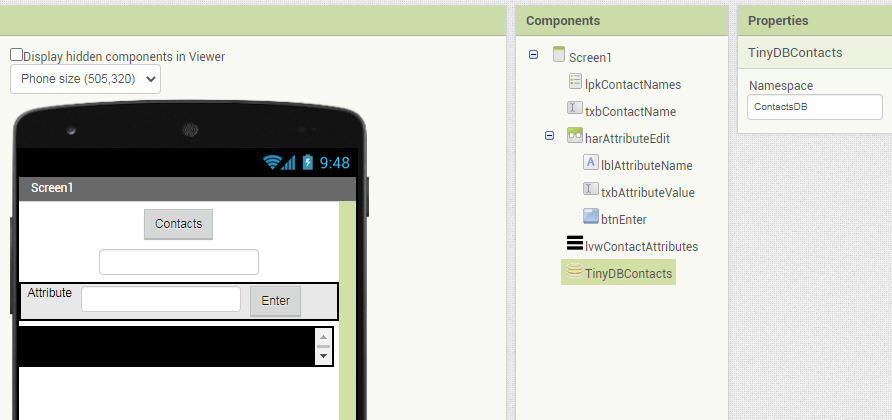
Components include:
- A list Picker to pick Contacts from a TinyDB TagList
- A text box to show the current ContactName or enter a new one
- A Horizontal Arrangement to present a contact Attribute and its value, and allow Enter of a new value
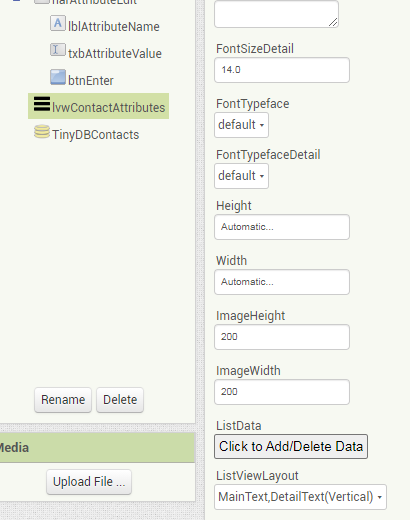
- A ListView (Main, Detail view) to present the chosen Contact's attributes and values (Who needs a bunch of text boxes, anyway?)
- A TinyDB set aside just for Contacts, with its own NameSpace.
The Contacts List Picker:

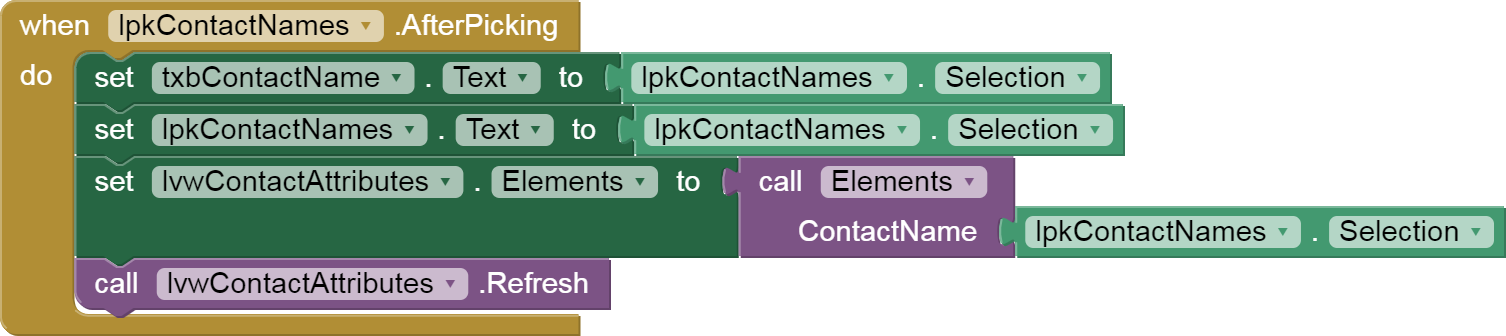
After selecting a ContactName from the TinyDB TagList, it needs to be formatted as ListView Elements and loaded into the ListView:
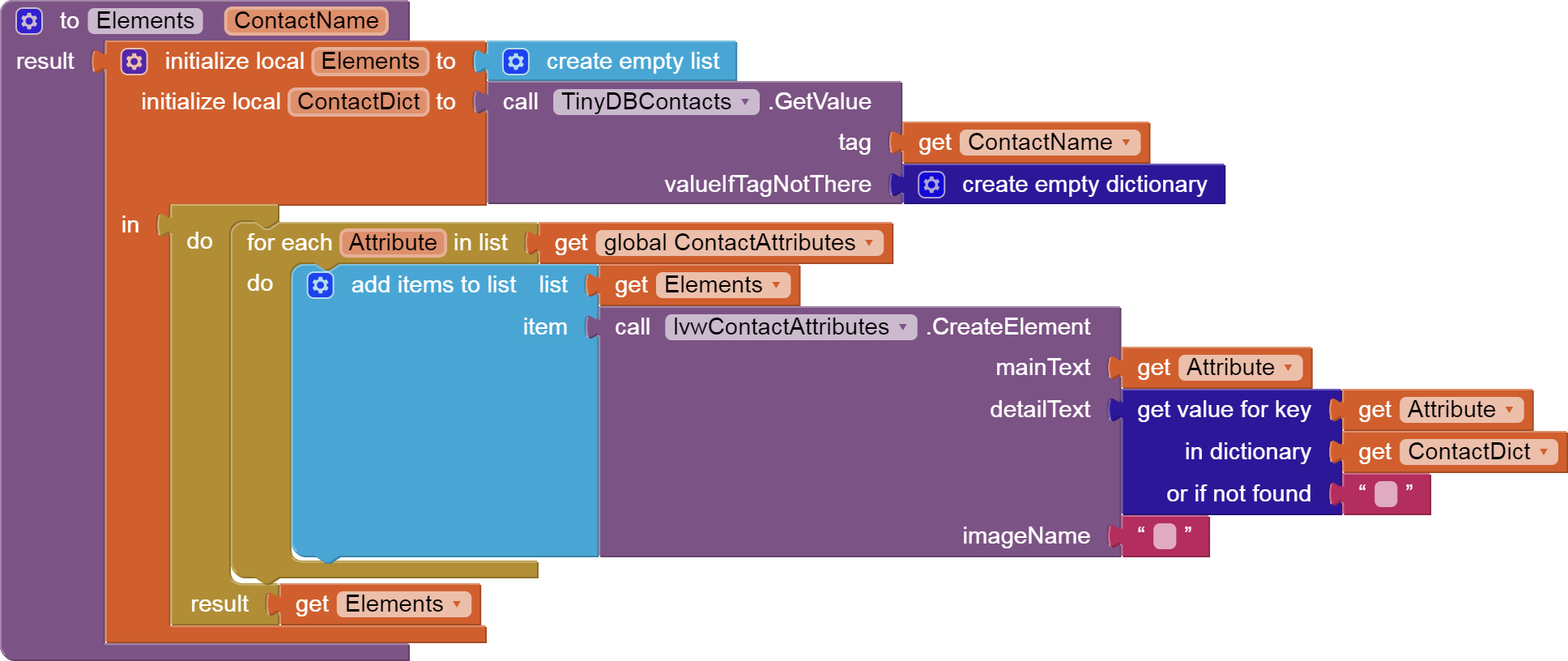
I chose to use a standard list of Attribute names, hard coded into a global list:

With further effort, this could be extended to also include new attribute types entered by the user, contact by contact (Left Shoe Size,...)
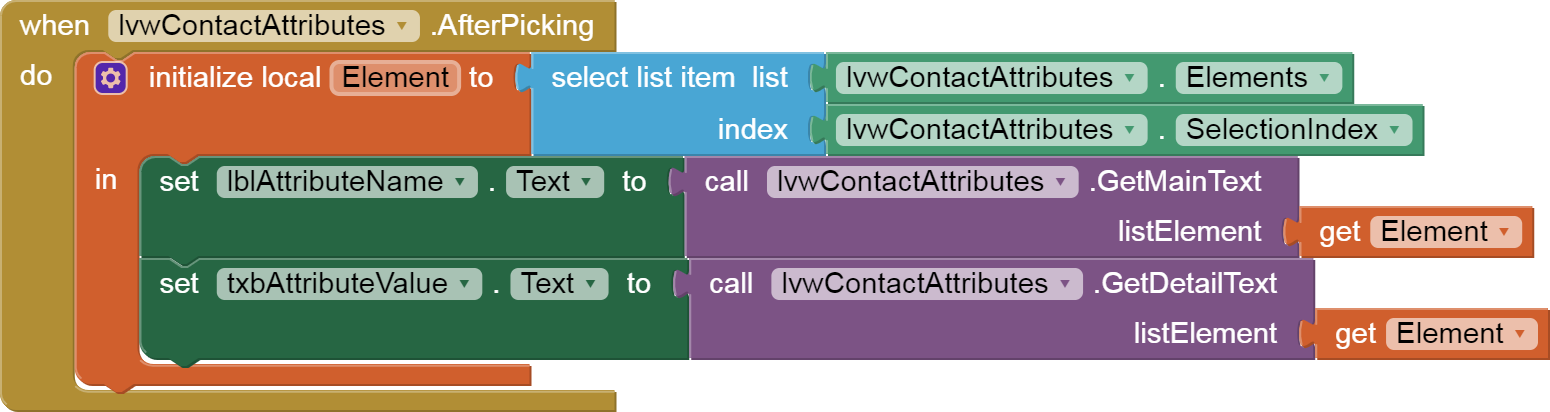
When an attribute is selected from the ListView for the current contact, the attribute name and value are loaded into the Label and textbox for editting and replacement via the Enter button:
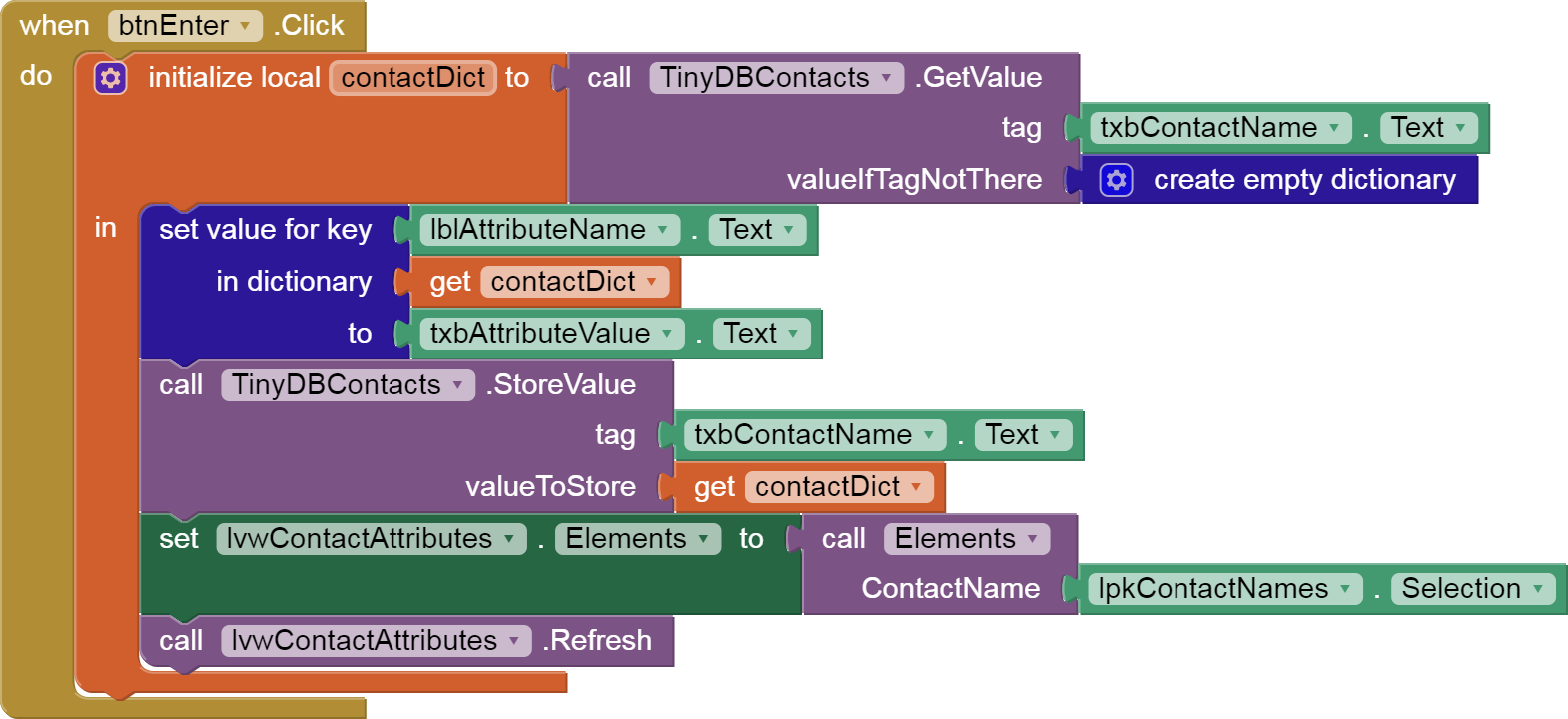
The Enter button uses the TinyDB as the data source for its updates, so it reads, updates, and stores in one shot.
The source:
TinyDB_Contact_Dictionaries.aia (3.9 KB)
All blocks: