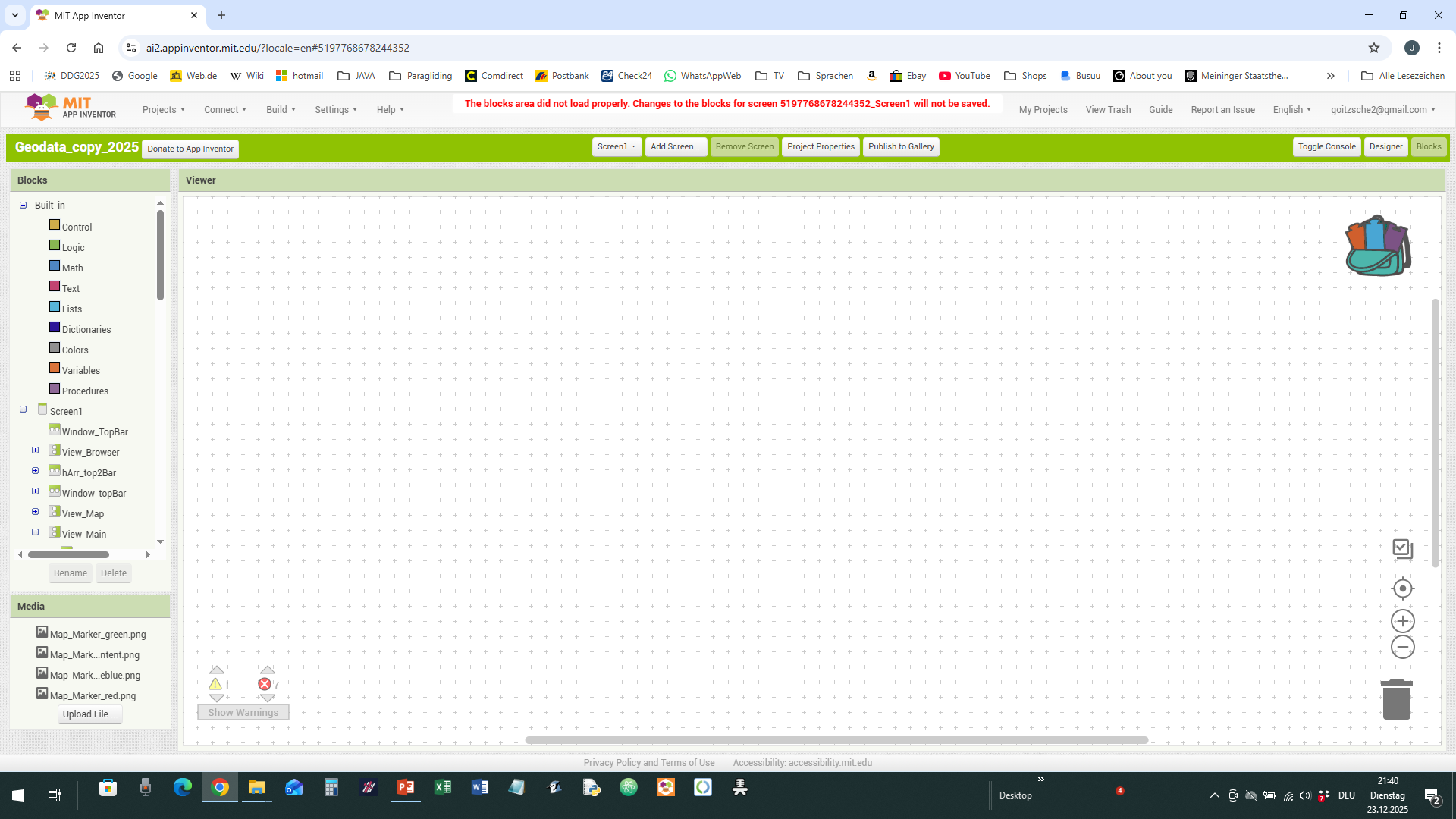
I've lost a complete project (1.7 kB)! only because of a bug within AI2. The story is that I used the right mouse button to duplicate an extended block. This lead to a glued mouse pointer at that block so that I couldn't free the mouse pointer from that block releasing the left button. So I decided to reload AI2 and the result is what you can see in the picture. The issue of a caught/glued mouse pointer already appeared several times in the past, it could be solved by restarting AI2, this time, so far, not! In the past I reported diverse errors/bugs concerning the blocks panel. Now I'm going to stop using AI2. Don't know what really happened. In the farer past there didn't appear errors like that (as well as others). AI2 is not reliable usable. This event is really irritating.
This URL allows you to open AI2 to the Project List, without opening any project.
http://ai2.appinventor.mit.edu/?autoload=false
From that list, you can request Exports of Projects without trying to open them.
Upload the troublesome .aia here.
Maybe it can be saved?
Thank you for this hint, but it doesn't work. Believe me I tried all possible: this way, then to copy it into a new project to see whether only the blocks are not visible although they further might exist. Next to copy all (non visible) blocks to the backpack (it also doesn't work properly) without a desired result. Last but not least making a AIA-file and loading it from the computer, no chance.The project is simply lost and finally restart the PC! Every time I load it appears the error message in red: "the blocks area did not load properly etc." It's curious that all components in the designer area exist without having lost even one. All blocks disappeared into Nirwana!
Geodata_copy_2025.aia (85.9 KB)
I see stuff in the .bky files for Screen1 when I browse the aia using 7zip.
I also see block images in the Unchive analysis tool.
But I also see unusual characters in names in Unchive:

Did you add that character to the two procedure names (the little degrees circle?)
Replacing all degrees symbols with empty text did not help.
I'm stumped.
The XML in Screen1.bky looks okay.
Maybe @Boban can help?
You mean " ° " ? Yes, it's the only special character that can be used in names. It is my personal way to mark a procedure that contains one or more other self-created procedures. I use it as followed: I've created templates that contain hundreds of standard procedures to manage strings, lists, dictionary, canvas, JS etc. I store those procedures as collapsed blocks so that I can't see the content. If I pick and put them to the backpack for a new project I expand those marked prcd. to see which else are to be put into the backpack. There is no need to expand blocks without this character since they don't contain another self-created procedure. Using a procedure without having procedures inside doesn't work. It's so far my quick way to identify complex functions. There is no problem doing so (I do it for years without any problem). This is not the problem of the loss of the project. I also use it sometimes in names for variables to indicate special behaviour running a procedure's code. In "List_add°" I forgot to remove it after updating the function. They are yet not necessary at all in this form.
But I wonder where you got those prcd. from?
The whole project is not finished. Some screens/windows (e. g. vertic. Arrangements etc. act only as a template from an old runnable version and will be removed later). I would be interested in restoring the blocks related to "View_Main" and "View_Map". Those blocks are new, revised, optimized etc.
Thanks for your engagement !
How do you create procedures inside procedures?

Do you mean call other procedures from procedures?
These were the only blocks mentioning View_Map.
None mentioned View_Main.
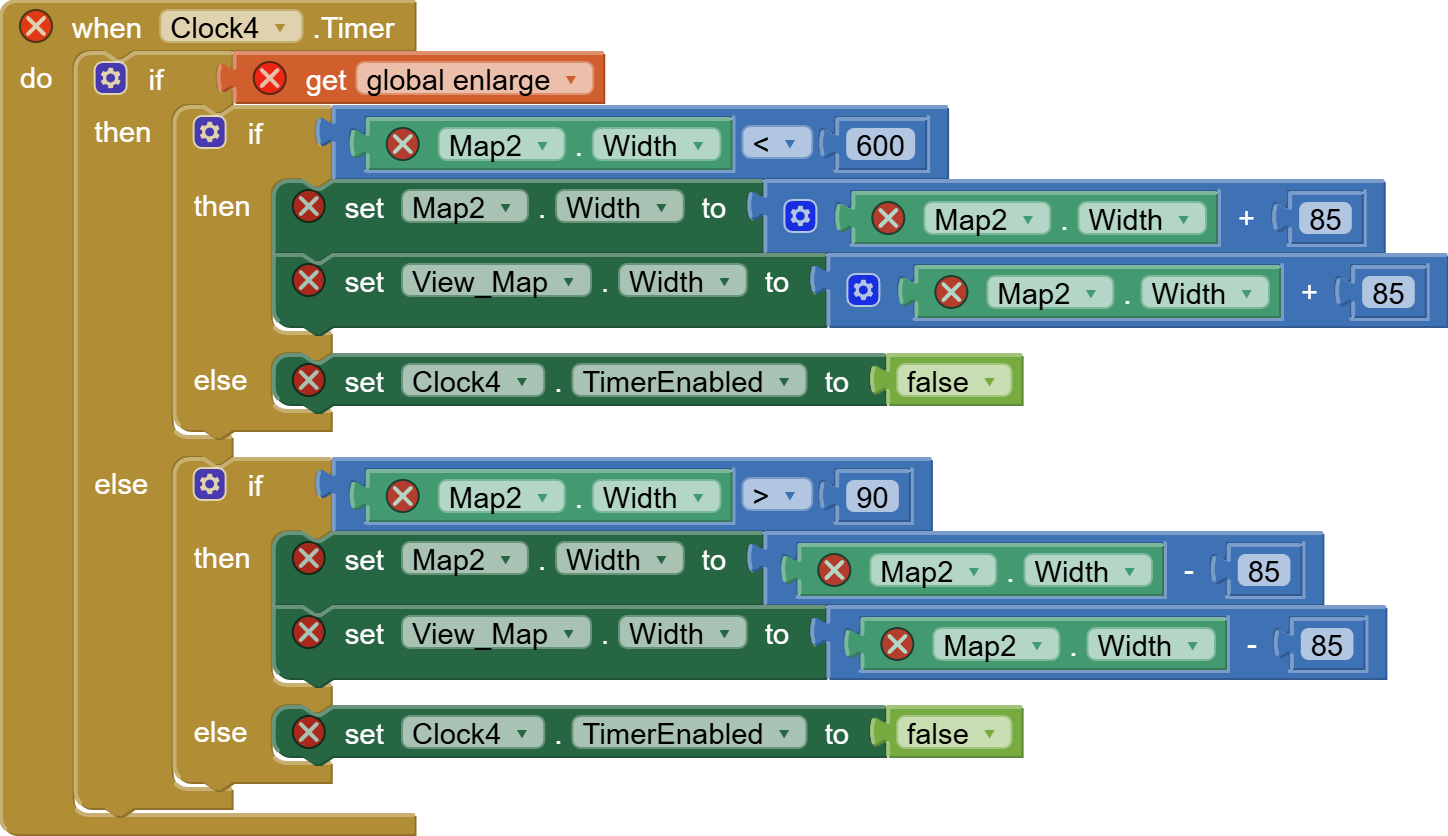

These were the only View_Map mentioning blocks I found in Screen1.bky.
I recovered them by turning on full attribute indenting XML pretty printing in Notepad++ from its Plugins -> XML Tools section, then searching for View_Map.
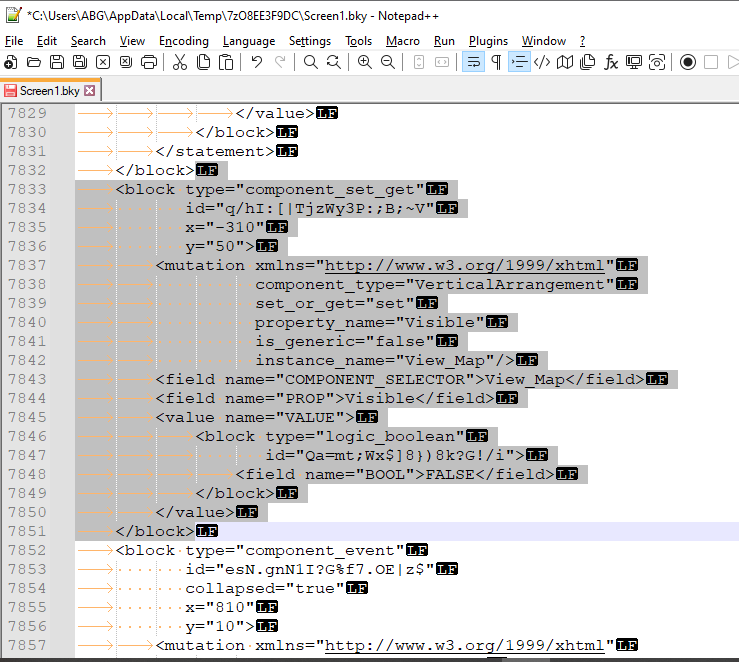
As you can see, the XML is very fluffy, 20 lines for single block.
The indentation level shows where to copy and paste from.
I started an almost empty recovery project (Nothing in the Designer, just one place holder text block in the Blocks Editor.)
That gave me an internal XML paste target to receive the copied block XML.
Re-importing the modified recovery aia gave me access to the imported block(s) in the Blocks Editor, from which I was able to download draggable blocks for you to re-import to your Blocks Editor via drag and drop.
Exported pngs are great backup files, if you name them well, using the AI2Helper browser extension for a mass download.
All these tools are freely available to you, should you find it worth the trouble.
Here's another recovery technique:
In the broken project's Designer screen, select Screen1 in the component tree.
Press Ctrl-C to copy all the components and their blocks.
Start a new project, and in Screen1 Designer, press Ctrl-V to paste all the components and whatever of their blocks rode along.
The Designer looks similar to the original project, but almost all the blocks are gone.
cloned.aia (4.7 KB)
I had already done that without success. Unfortunatedly there will be no other solution than to recode all I've lost which I don't feel like doing. So, some bugs in AI2 must be fixed. I cannot explain how and why this happened. As I mentioned before, the mouse pointer glued at a duplicated block, an issue that I had several times before that could only be solved closing AI2. There is nothing than to mention again that there are several problems that didn't exist long time before. Suddenly they appeared, some of them I reported in the past, that are not fixed til now but that makes coding more difficult. There are also some improvements as well as some inconveniences but where is the advantage when you can't rely on the coding platform. This time I've additionally lost all blocks. Thank you again for having dealt with my problem.
Let us know what platform works best for you when you find one.
1 Like
also you have used same name for the component and the procedures which may cause errors. used two time same Afteertextinput, also some unsual charaters are there in most of the procedures..

Home, you have used in three places, variable, procedure as well as in button
I have tried my level but the problem is if i beautify the codes i can see all the main blocks and not child blocks. If i didnot format then as usal i am unable to see blocks and getting same error
Geodata_copy_2025_PlainFormat.aia (100.1 KB)
Geodata_copy_2025_WIthFormatted.aia (100.5 KB)
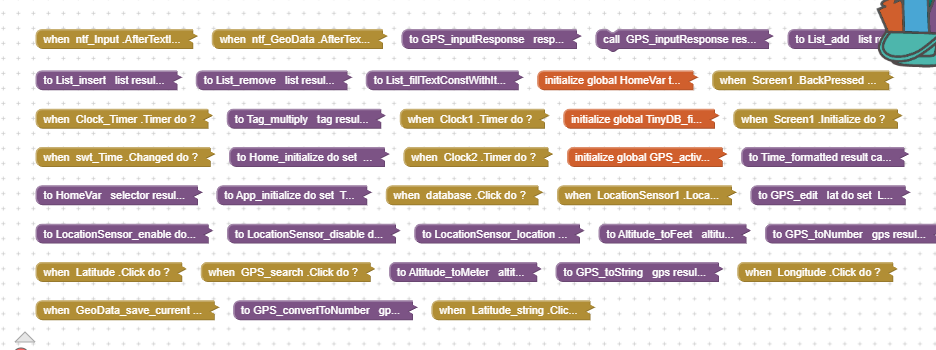
Main cause is Same name was given to many items
Also many items name conventions are not all followded
2 Likes
Some have to go through the school of hard knocks to learn how important it is to create backups. An experienced programmer knows this. The cause is not a bug in App Inventor, but rather a more or less chaotic programming technique. Therefore, it is inappropriate to blame the platform.
I forgot to mention that I also looked at your AIA and tried to reconstruct it. Unfortunately, I wasn't successful either. In your test screen, for example, there were blocks lying around without any connection, marked with red and yellow warnings. Generally, many components were very confusingly named. A tip for your future apps: buttons are best named as "btn_YourFunction" instead of just "YourFunction". Labels, for example, as "lbl_YourLabel", TextViews as "TextView_YourName"... "HorizontalArrangement1" as "HA_Name", etc. Because the base component name is retained, it's much easier to keep track of which component is which. Some custom name changes aren't compatible with Android. For example, if you simply rename a button to "back", the app won't compile because "back" is already used internally. The button should therefore be named something like "btn_back".
1 Like
This is also a good way to take incremental block backups:
1 Like
Did you lose all your Checkpointed code also? I didn't know they were connected somehow.
1 Like
I have one app with 4 screens and 14.000 blocks and I have not any problem to follow the logic structure and the normal app maintenance. You would have attention to put prefix types in the all name components and blocks, put your blocks design as your logic structure app, reuse routines and follow the rules of a structured software. To detect your SW mistakes use the message blocks whit specific variables.
Of course I can.
Here you have a working one Geodata_copy_2025_4.aia (96.0 KB)
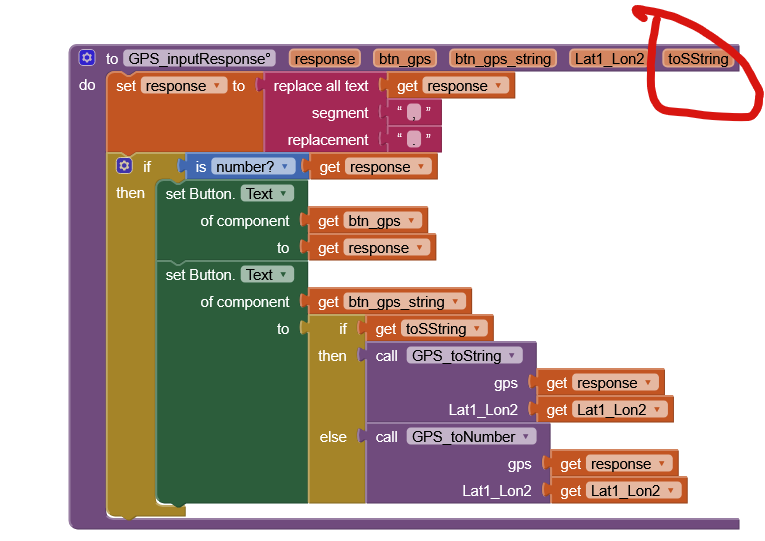
I was somewhat confused in what was wrong and could not see it, however, by changing toString to toSString then everything started working.
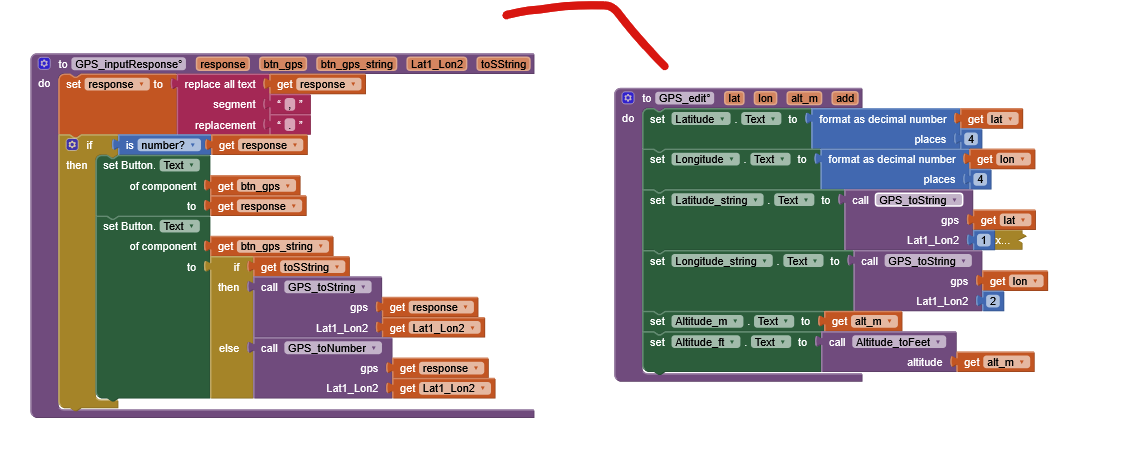
P.S. You also have duplicate event

Edit:
toString most likely Java reserved word.
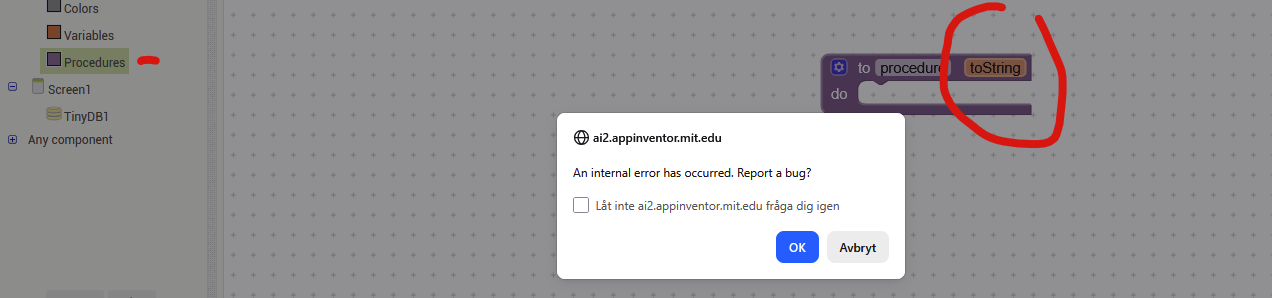
1 Like
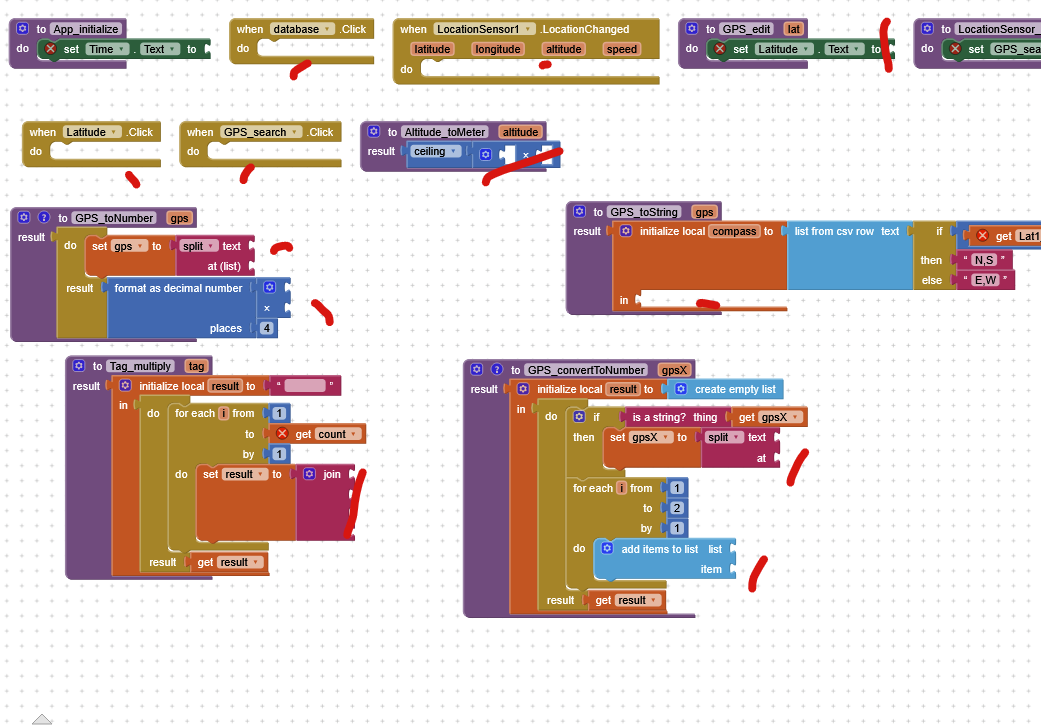
I changed the topic title. 
1 Like
A more fitting title would be: Futile effort for someone who has left the platform