This is the new version of my MifareInfo extension.
In this version I have added some feautures:
- Authentication with Key A
- Read Block
- Write Block
The extension have some events and property and functions here a small explanation.
The following events work when You approach a Mifare Tag to your smartphone with the app opened:
Provide the Mifare Tag Uid
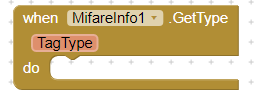
Provide the Mifare Tag Type
Provide the Mifare Tag bytes size
Provide the Mifare Tag number of sectors
Provide the Mifare Tag number of blocks
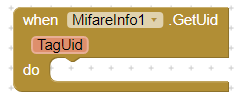
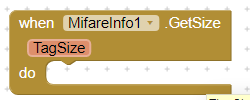
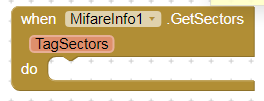
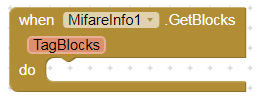
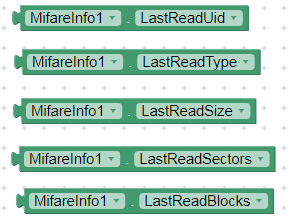
Provide all the info data of the last Mifare Tag approached

True to read a block, false to write a block

Provide the Key A necessary for the Mifare Classic Authentication after this it is possible Read or Write a block if the Key is correct and has the permission to do it.
The default Key A is FFFFFFFFFFFF
The Mifare Tag must be near the Android device

Read the Block specified (after the authentication) with a number between 0 and the number of blocks minus 1
The Mifare Tag must be near the Android device
The extension calculate the Sector to authenticate
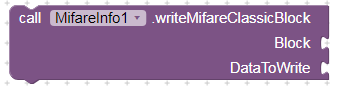
Write the Block specified (after the authentication) with a number between 1 and the number of blocks minus 1.
The Mifare Tag must be near the Android device.
The extension calculate the Sector to authenticate
The data to be written must not be greater than 16 bytes, HEX format.
If You write less than 16 bytes the extension add 0 tho the remain bytes
N.B. Not all the blocks are equal in a Mifare Tag, every sector has blocks for user data and a block called sector trailer, here are stored the authentication key and the access bits. So You must pay attention to write data in the correct block or your Mifare Tag could become unavailable. Before to start write data is good to read this document to understand how Mifare Tag works https://www.nxp.com/docs/en/data-sheet/MF1S50YYX_V1.pdf
N.B. After You install the .apk the first time You approach a Mifare Tag to your device a pop-up wil ask You if You want to use the default NTAG Info app or our MifareInfo (or your project) , You must select MifareInfo (or your project) otherwise when You approach a Mifare Tag the intent will not go to our app