This is as simple as it gets using the MIT Map Component and the LocationSensor together.
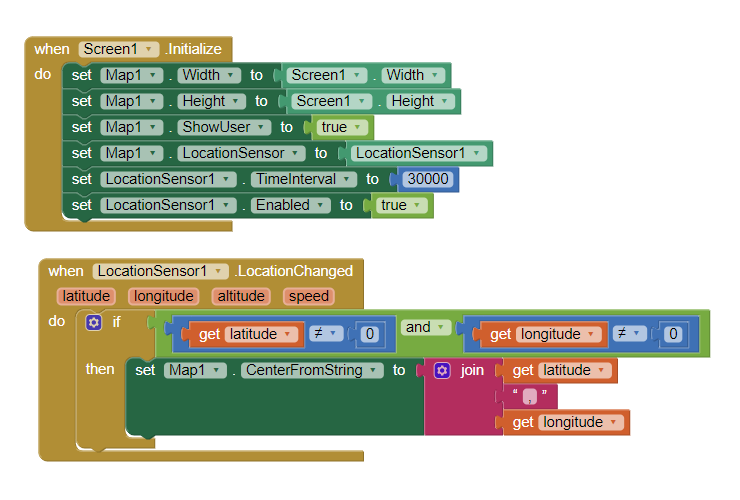
Place a Map component, a LocationSensor component, have your device's Location Setting to on. Create these Blocks and a map will display showing your location. You need to do this on a real device.
For more help see Map components
You may have to wait up to a minute after you load the app to see the display while waiting for the GPS receiver to get a satellite fix (so it knows where it is at the moment).
Is this what you wanted?
Regards,
Steve