How to add border to textbox in the App Inventor? Without the border, user can't tell where the text box is.
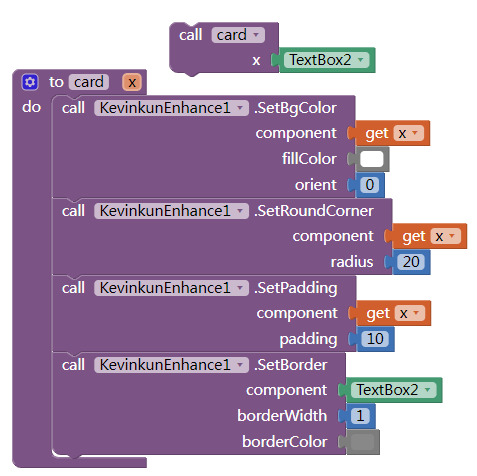

For an extension free version, put the textbox inside an Arrangement slightly larger with black background?
Center it.
1 Like
Also, have you tried setting Focus to the text box?
1 Like
Or just set the background colour of the textbox
2 Likes
i got a problem
when screen initializes 4 buttons are designed with your extension @Kevinkun but when i click any button click event then all 4 buttons design is now default design. so how do i do it?
@Pralaya_Ranjan_Beher Please provide an example aia project that demonstrates the problem
1 Like
i found out the problem and solved it. Thank you for your response.
Why not share your solution so that others may learn ?
Actually I did a wrong method..
I wanted to use this extension but when I click the link it doesn't work
which link?
i got a BgColor not set error, what does it mean?