it works well, Thank you very much.
I have question about table again.
I want first line to be fixed without any change when I scroll up/down screen.
When I scroll, first line text is not moving, but, background color is changed in to transparent color. so, first line and other line characters are mixed.
Is there any option?


Oh Sorry I forget It should be a line diagram
You will need to look through the configuration options here and do some internet searching on how to configure the header row so that it behaves itself.
If I get time I will also see what I can find.
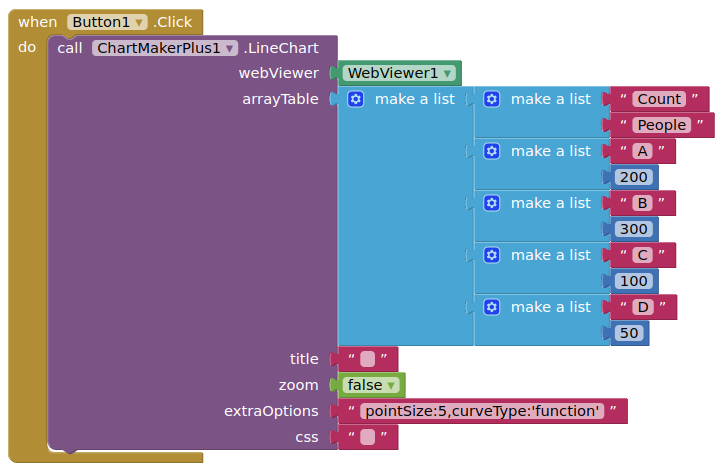
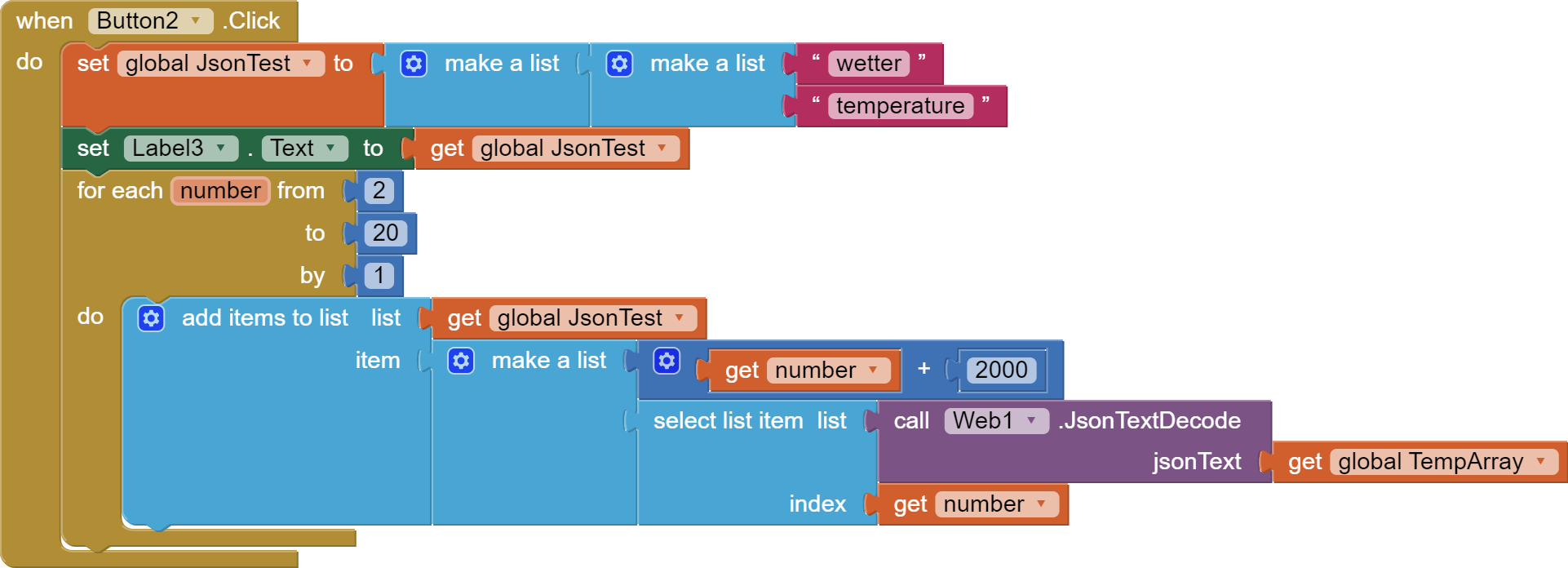
THx TIMA12 But this is easy but Danke
After fiddling for Hours I Got it
On Google Sheet you have to Change it to US behause in Germany we have a different Notation 12,566: You Change this
Set a spreadsheet's location & calculation settings
- On your computer, open a spreadsheet in Google Sheets.
- Click File. Settings.
- Under "General," click the "Locale" and "Time zone" menus to change your settings.
- Click Save settings.
Thank you for this Tool
Thank you very much.
I'm not familiar with google chart and I tried to find the way.
But, I couldn't find.
Please, Help ^.^
@jnstyle0
I will see what I can do.
In the meantime, it may be easier to use the Tableviewer extension ?
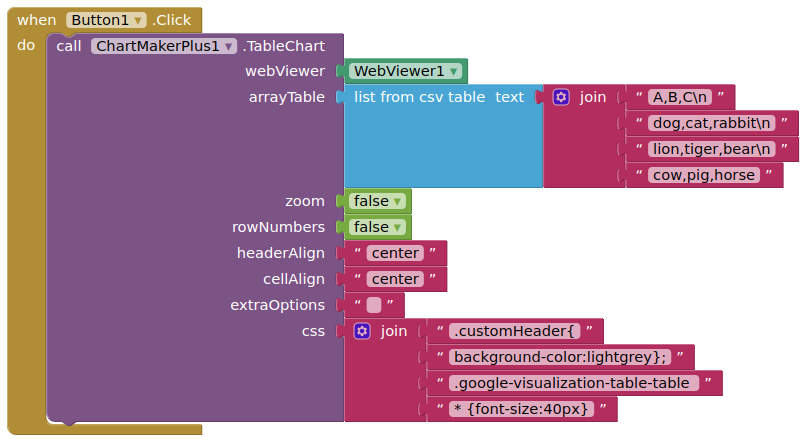
thank you very much.
that's really what i wanted.
Here a working example Google Sheets with 3 Values inn an ChartMakerPlus in an
Line Chart.
Where ?
I distributed my app to others personally.
a few people tell me that table scroll function doesn't work.
- my phone is android 12 : it was ok
- Android 14 : table scroll doesn't work (left/right OK, up/down Not OK)
I saw it and the table was just fixed.
if I touch a line, its background color was changed.
do you know why?
I want to know how to solve it.
Scrolling Up/Down
Not sure why this is, would have to see your aia project (you can send by private message if you want)
Colour Change on Line Select
This is a feature of the table, it can be turned off, or preferred colour set, with extra options / css.
Thanks for your kind reply.
I used 2021 version(V3k1).
I will retry on monday using new version (V4)
and my block is like this and very simple
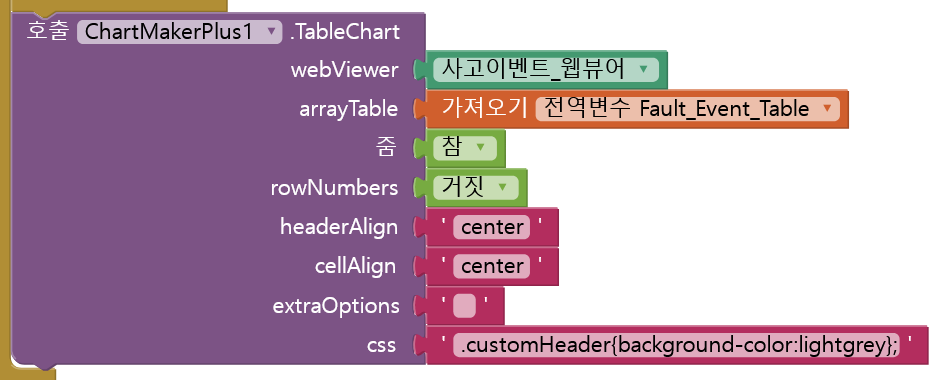
I installed new version(V4), but Up/Down scroll function didn't work at android 14.
Please check.
Do you have screen scrollable checked?
Try this:
cmpTableFontSize.aia (14.2 KB)
Tested companion and compiled app on Android 13 Google Pixel 4a.