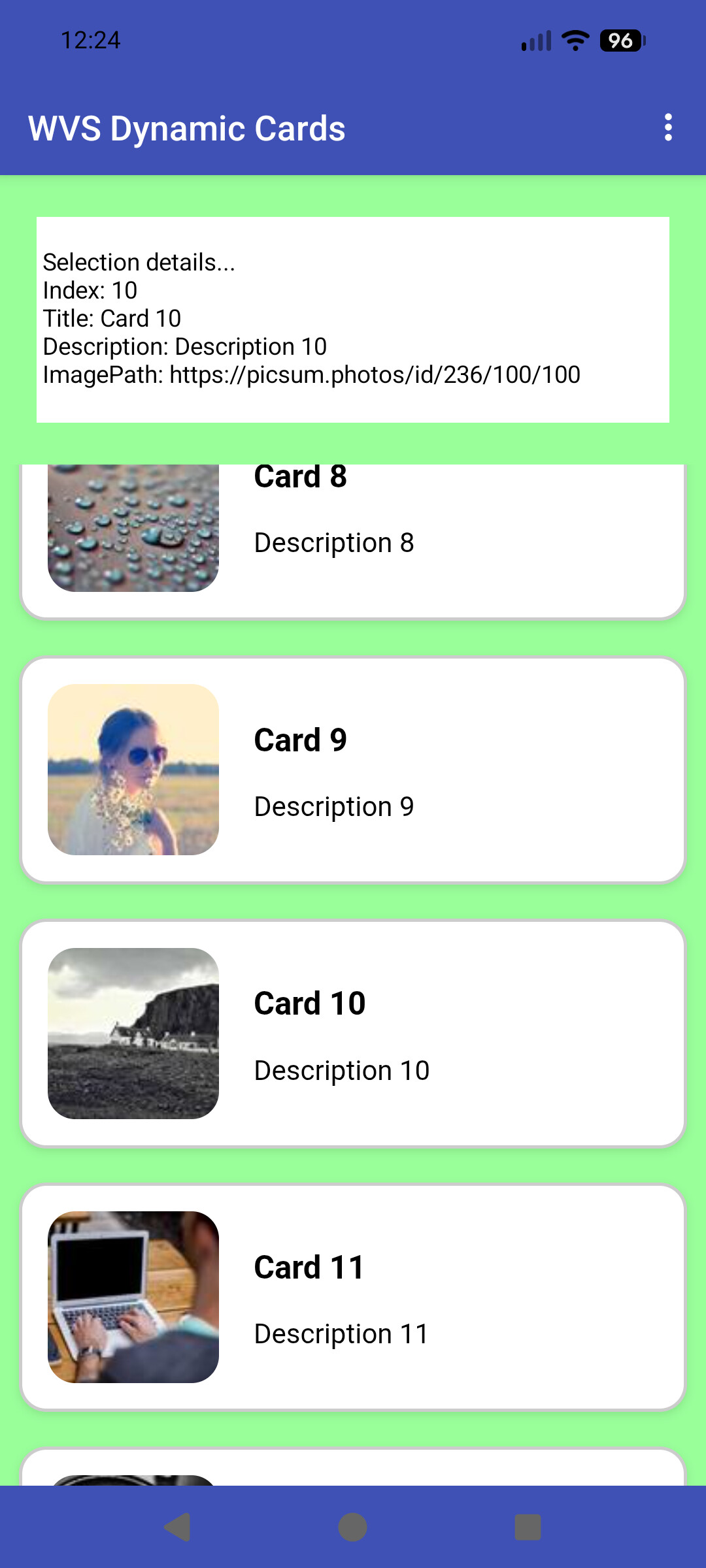
"CardView" Listing Alternatives (not recyclerlist)

Herewith a few options to create "cardview" listings without using a recyclerlist, but that, in my testing, provide similar performance. I am not a great advocate of the "doomscrolling" lists - e.g. 1000s of entries, but these all work well up to a few hundred entries. A large dataset is better served in smaller portions...

I would use the native listview, but using images causes lag and drag when scrolling, although there may be a fix forthcoming for this.

  1. With a Webviewer and html/css/javascript (no extensions, so useful for cross platform development).
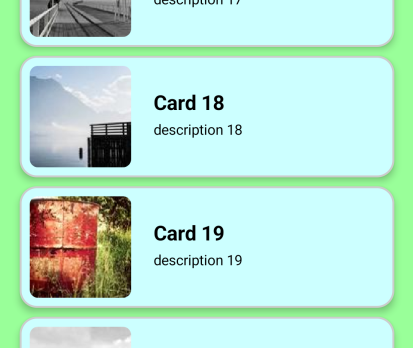
  2. With @kevinkun 's Tableviewer extension, also using html/css/javascript
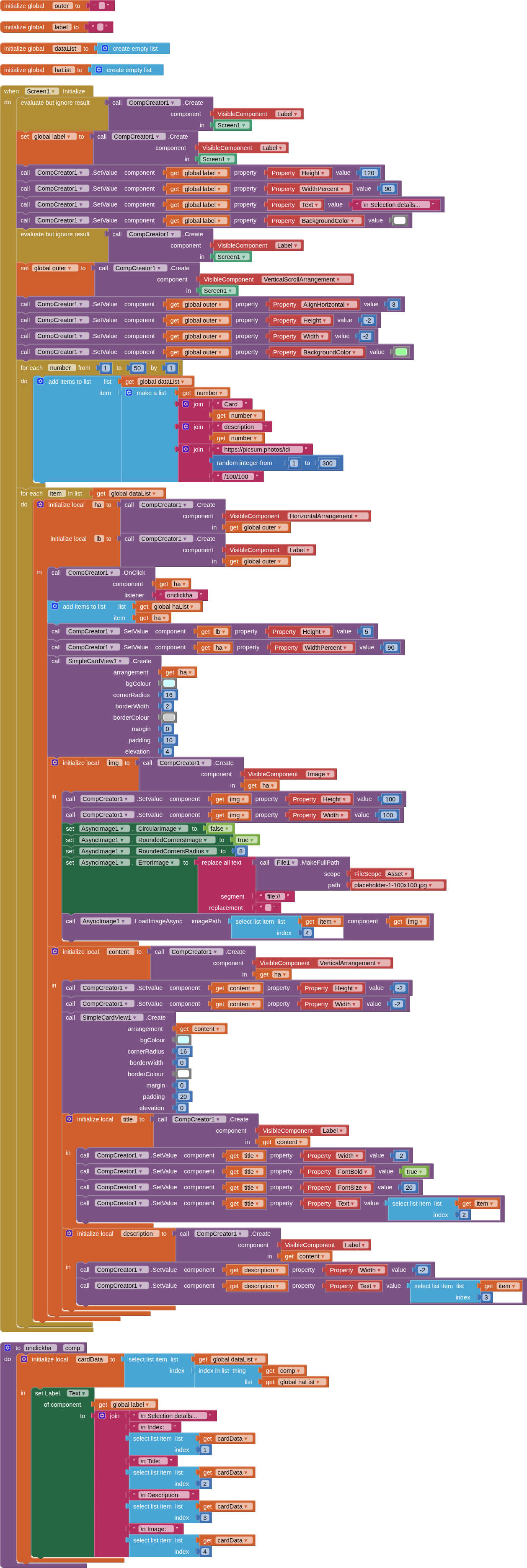
  3. With @kevinkun 's CompCreator extension, @The_K_Studio 's asyncImage extension (using my fork with rounded corners), and my SimpleCardView extension.

I will use the same data for all three for comparison. All three examples should substitute any "missing" images with a placeholder.

Tested on Android 17 device.
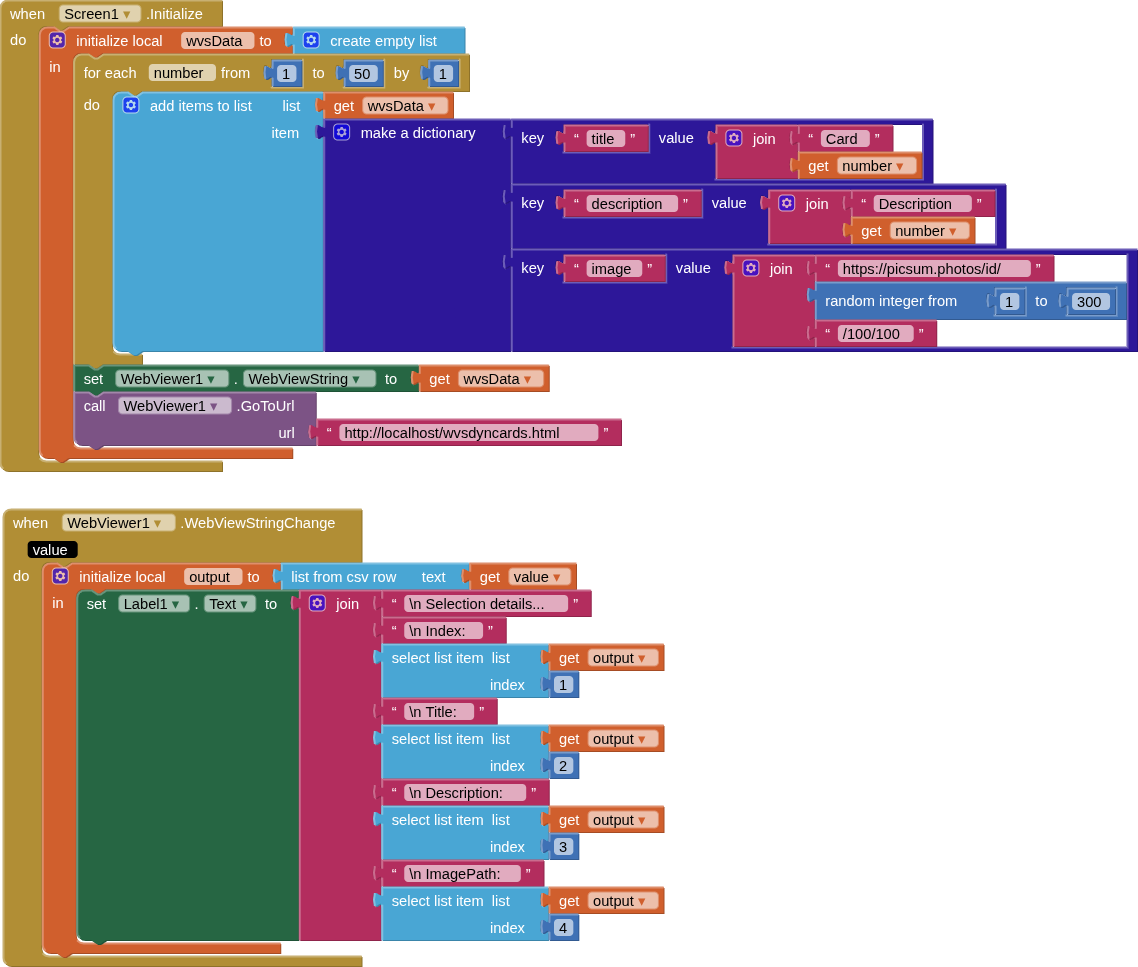
1. With a Webviewer and html/css/javascript (no extensions, so useful for cross platform development).

BLOCKS

HTML
<!DOCTYPE html>
<html lang="en">
<meta charset="UTF-8">
<meta name="viewport" content="width=device-width,initial-scale=1">
<title>WVSDynCard</title>

<style>
	
body {
	background-color: #99ff99;
}
	
#card-container {
  background-color: #99ff99;
  padding-top: 20px;
  padding-bottom: 20px;
  display: flex;
  flex-wrap: wrap;
  gap: 20px;
  justify-content: center;
}

.card {
  background-color: white;
  border: 2px solid #ccc;
  padding: 15px;
  border-radius: 16px;
  box-shadow: 0 2px 5px rgba(0,0,0,0.1);
  width: 90%;
  display: flex;
  align-items: center;
  gap: 10px;
}

.card_image {
  border-radius: 16px;
  margin: 0px 10px 0px 0px;
}
	
</style>

<body>

<div id="card-container"></div>

<script>

const data = JSON.parse(window.AppInventor.getWebViewString());
const container = document.getElementById('card-container');

data.forEach((item,index) => {
  const card = document.createElement('div');
  card.className = 'card';
  card.dataset.index = index;
  
  card.innerHTML = `
    <img class="card_image" src= ${item.image} onerror="this.onerror=null;this.src='https://picsum.photos/id/1/100/100';" />      
    <div class="card_content">
      <h3>${item.title}</h3>
      <p>${item.description}</p>
    </div>
  `;
  
  container.appendChild(card);
});

container.addEventListener('click', (e) => {
  const card = e.target.closest('.card');
  if (card) {
    window.AppInventor.setWebViewString((parseInt(card.dataset.index)+1) + ", " + card.querySelector('h3').textContent + ", " + card.querySelector('p').textContent + ", " + card.querySelector('img').src);
    card.style.backgroundColor = 'orange';
    setTimeout(restoreOutline,250);
    function restoreOutline() {
	card.style.backgroundColor = 'white';
}
  }
});

</script>

</body>
</html>

SCREEN

AIA

WebViewDynamicCards2.aia (9.1 KB)

2. With @kevinkun 's Tableviewer extension, also using html/css/javascript

BLOCKS

CSS StyleSheet
body {background-color:#99ff99 } table { border-collapse: separate; border-spacing: 0 10px; width: 100%; border: 0px; }   table, tr, td {border: 0px;} tr td{border-radius: 16px;} .card {background-color: white; border: 2px solid #ccc; padding: 15px; border-radius: 16px; box-shadow: 0 2px 5px rgba(0,0,0,0.1); width: 90%; display: flex; align-items: center; gap: 10px; } .card_image {border-radius: 16px; margin: 0px 10px 0px 0px; } .card_content {text-align:left}
SCREEN

AIA

TableViewerDynamicCards2.aia (30.6 KB)

3. With @kevinkun 's CompCreator extension, @The_K_Studio 's Async Image Loader extension (using my fork with rounded corners), and my SimpleCardView extension.

BLOCKS

SCREEN

AIA

CompCreatorAsyncDynamicCards2.aia (65.9 KB)

1 Like