What is the easiest way to do it if i want to translate language on the other screens? So i can choose it in settings?
Do much the same as you have done on Screen1, use TinyDb with the same namespace on other screens to get the language selected.
Okay also with button and spinner? Just hidden?
Don't hide the Spinner (e.g. not visible) set to 1x1 pixel in size. The Spinner component will not work if not visible. If that is what you intend.
That said, it would make more sense to automate language change on other screens, so you only have to change the setting, and the language is changed for all screens.
Thats is also what i want. Ex for the dark light theme i used all the same switch and other stuff.
Visible in settings on screen1 and not visible on all the other screens.
But how Else should i change language on other screens when i push the button on screen1?
I have already told you. Use a tinydb on each screen, ensuring the same namespace as the tinydb on Screen1. Then you can access the currentLang tag/value. With this, and a copy of the langlist2 list you run the same routines as you do on Screen1 to set the values for labels and other components to the assigned language.
Well but i still need new dictionaries and procedures for every screen? Because UpdateAllTexts can i not use on other screens than screen1?
Correct.
Your question has devolved into how to create a multi-language app. Probably should start a new topic Kent?
Here is an old example showing a way to make a multi=language with Lists and the Any component.
 on a single screen. You could adapt something similar to your needs.
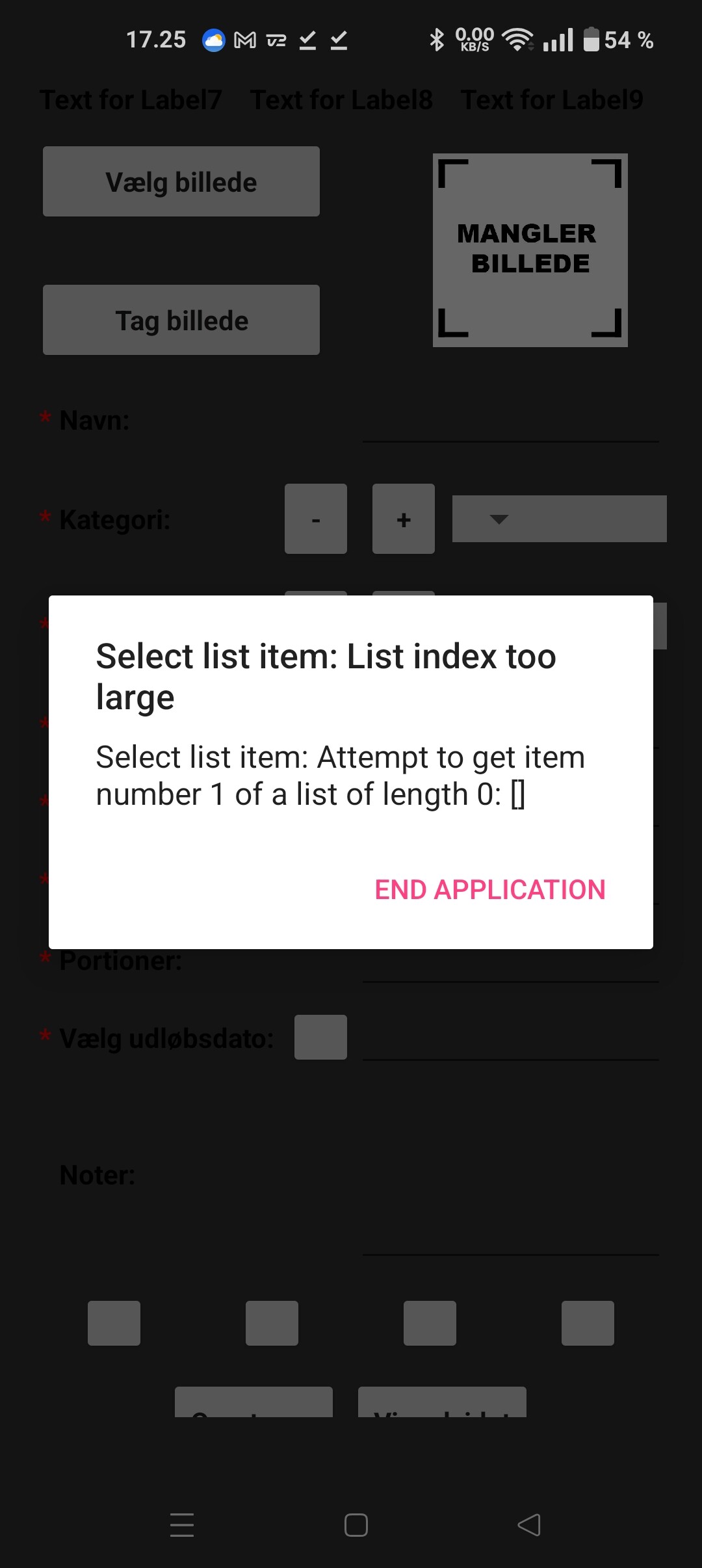
Debug your blocks to find the list error
Sometimes it is easier to generalize a problem and solve the general case.
If I were to internationalize a multi-screen app, I would use TinyDB instances (NameSpaces) as my cross-language encoders and decoders.
I would code the app for what I like (English), and load the Media folder with language files, 2-column CSV tables of English, foreign phrases from my Labels, Notifiers, ListView elements, etc.
Sample files:
German.csv:
"No","Nein"
"Stop","Halt"
(... I have forgotten all my German)
Spanish.csv:
"Yes","Si"
"mister","senor"
(I learned my Spanish from Mel Blanc)
When the user chooses German from the language list, read the German.csv file from Media, and when it arrives load a TinyDB instance (TinyDBTranslate, Namespace=Translate) with English tag / German value pairs .
Have all the screens use the TinyDBTranslate lookup to decide what to show based on what the component had in its .Text attribute left over from the Designer, or what was in your text blocks that you wanted to display.
If you need to reverse translate, like from a Notifier response, use a reversed (values/tags) TinyDB loaded from the same language file.
This avoids having to keep blocks for every phrase and every language, if you use the Any Label and Every Label blocks.
@ABG
Can you please give an .aia example so i am sure how to make it?
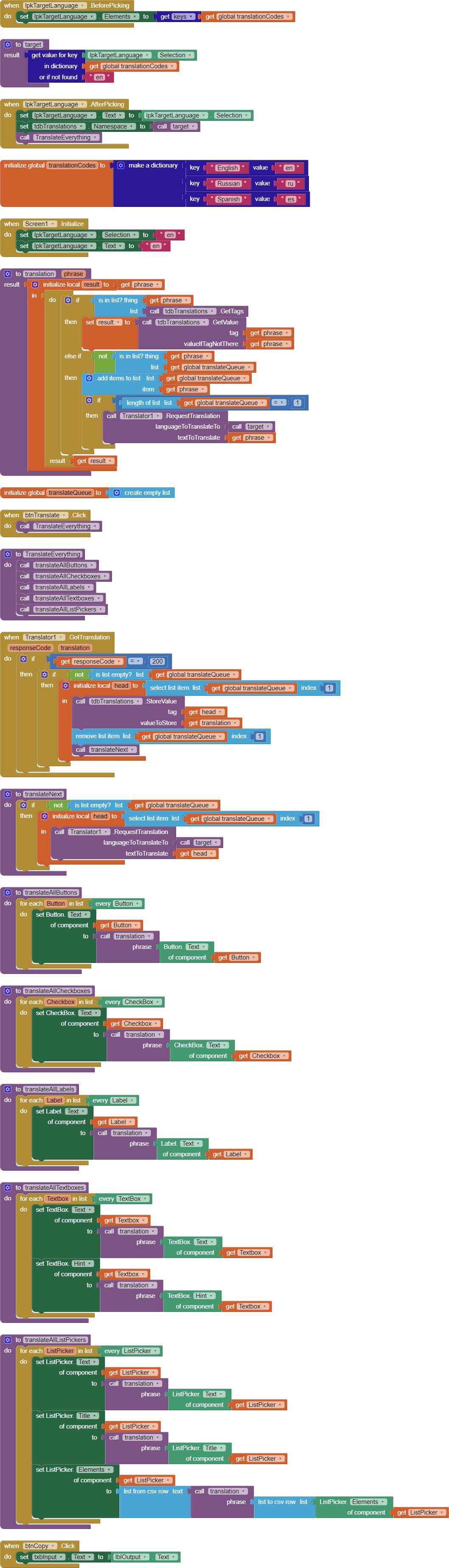
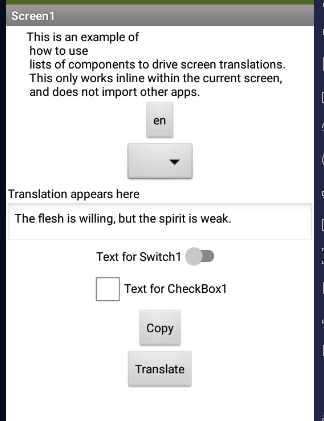
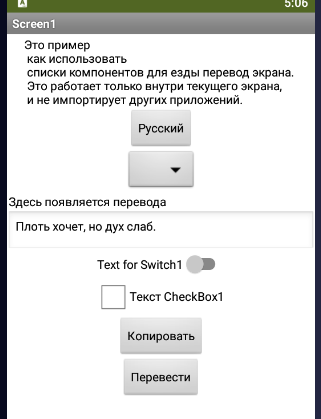
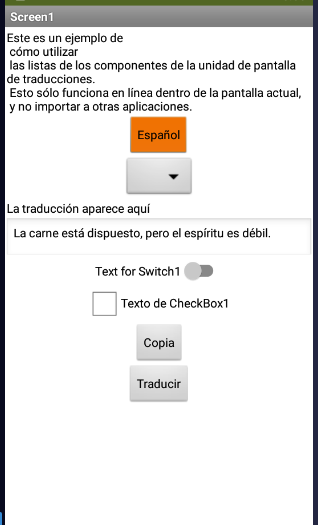
translator_every_component.aia (8.3 KB)
This sample project has code to translate just about every component into any language you like.