I wonder if the extension is running out of memory and then recycling the bitmaps, causing some clicks to appear like they do nothing. The amount of memory for a bitmap will be 4 * width * height bytes, and then that'll be per step you want to save in the undo/redo stack. As an example, a 1024x1024 canvas will need 4 MB per image, then if you have 20 steps that's 80 MB. In theory that should be fine for most apps. Does the failure happen after a consistent number of steps or does it appear random?
I'm ready to recommend stacking the fill parameter triples (x,y,color) instead of the Canvas SaveAs image file names.
But then I would have to suffer through teaching how to stack triples and replay them.
It is consistent. It seems that, since the UndoIndex is always 1 more than the ImageStack,... when it comes to refiling the last Redo, it cannot do it because the ImageStack is at, say, 4, but the UndoIndex is looking for 5.
But, if I set the global UndoIndex to 0, then when I hit Undo, it deletes 2 areas at once.
Yes, I completely understand. I really like the logic of this method. I think I just need to get my variables to work together.
After doing a fill and adding the new SaveAs image to the stack, set the Undo Index to the new length of the stack.
By the way, you can't take length of list(UndoIndex), because UndoIndex is a number, not a list.
I wish I could just use the Undo/Redo blocks that come with this extension, but the snapshot that they take distorts the edges of the original outlines. Learning this logic that ABG introduced, I am wondering if the Undo/Redo that comes with the extension is using jpg's. I switched to png's because they did make a cleaner snapshot. I wish I could ask Passo @Passos_0213 , the creator of this extension, to help in some way, but his contact links do not seem to work.
1 Like
Send a private message on this community (click on his profile icon), he is active at the moment
This is a different Undo/Redo scheme, where the stack has all the actions leading to the current image, but no image.
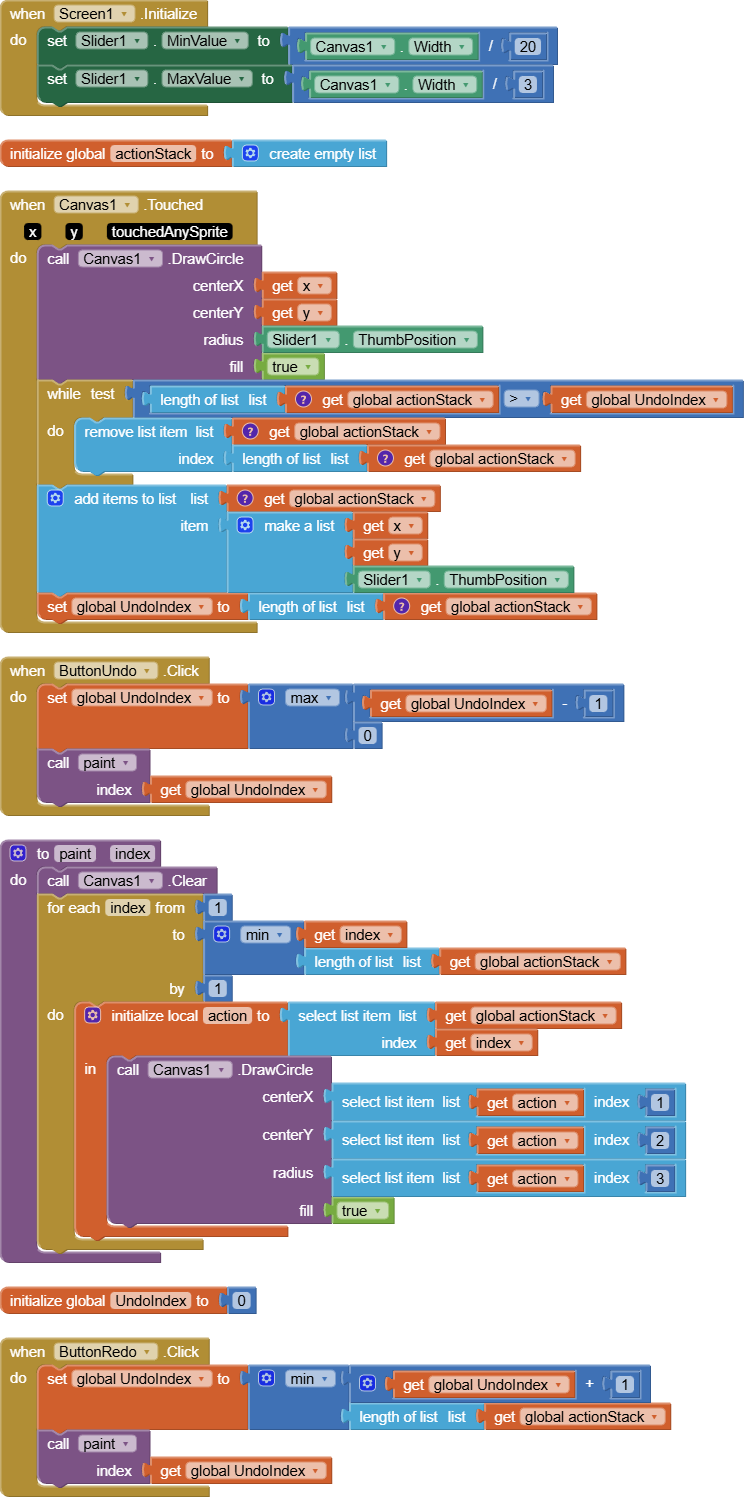
CanvasReplay.aia (4.3 KB)
Ty, I will write to him.
Ty, I will try this.
Here is my effort on this using the extended canvas extension just for floodfill.
floodUndo.aia (23.7 KB)
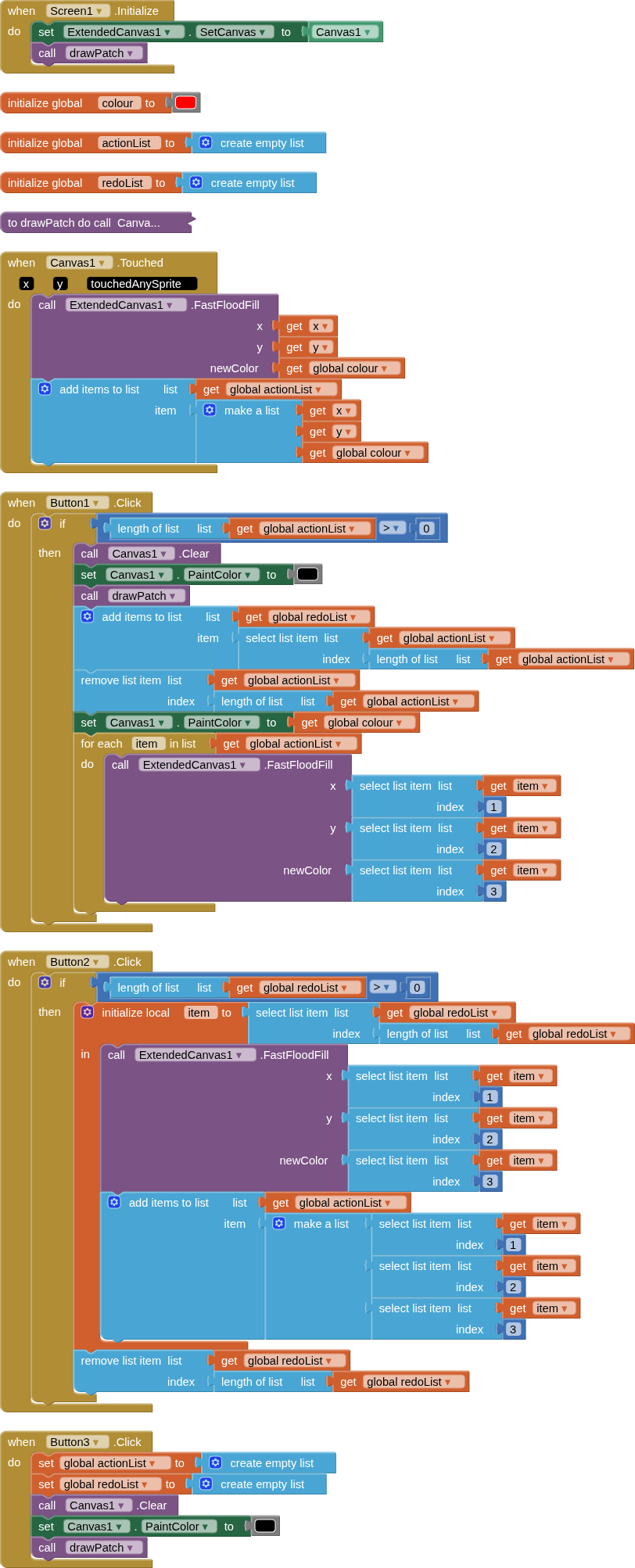
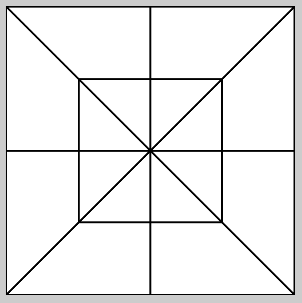
The drawPatch procedure draws the "patch" layout as shown by the OP, using drawshape and drawline.
1 Like
I like the dual stack approach better than the stack and index approach.
There's less opportunity to get out of sync.
Ty, I will try this.
Ty for writing, Susan.
I am using the Fast Flood fill in the Extended Canvas extension, but the Undo/Redo, that comes with the extension, distorts the Outlines on my Quilt Design background image. So, I had to try and devise my own Undo/Redo. ABG offered an option, but I can't seem to get it to Redo the last Redo click.
It seems that the UndoIndex is always 1 more than the ImageStack. So, when it comes to refilling the last Redo, it cannot do it because the ImageStack is at, say 4, but the UndoIndex is looking for 5.
Then today, TIMAI2 came up with a different method, However, the app locks up at different stages. See above.
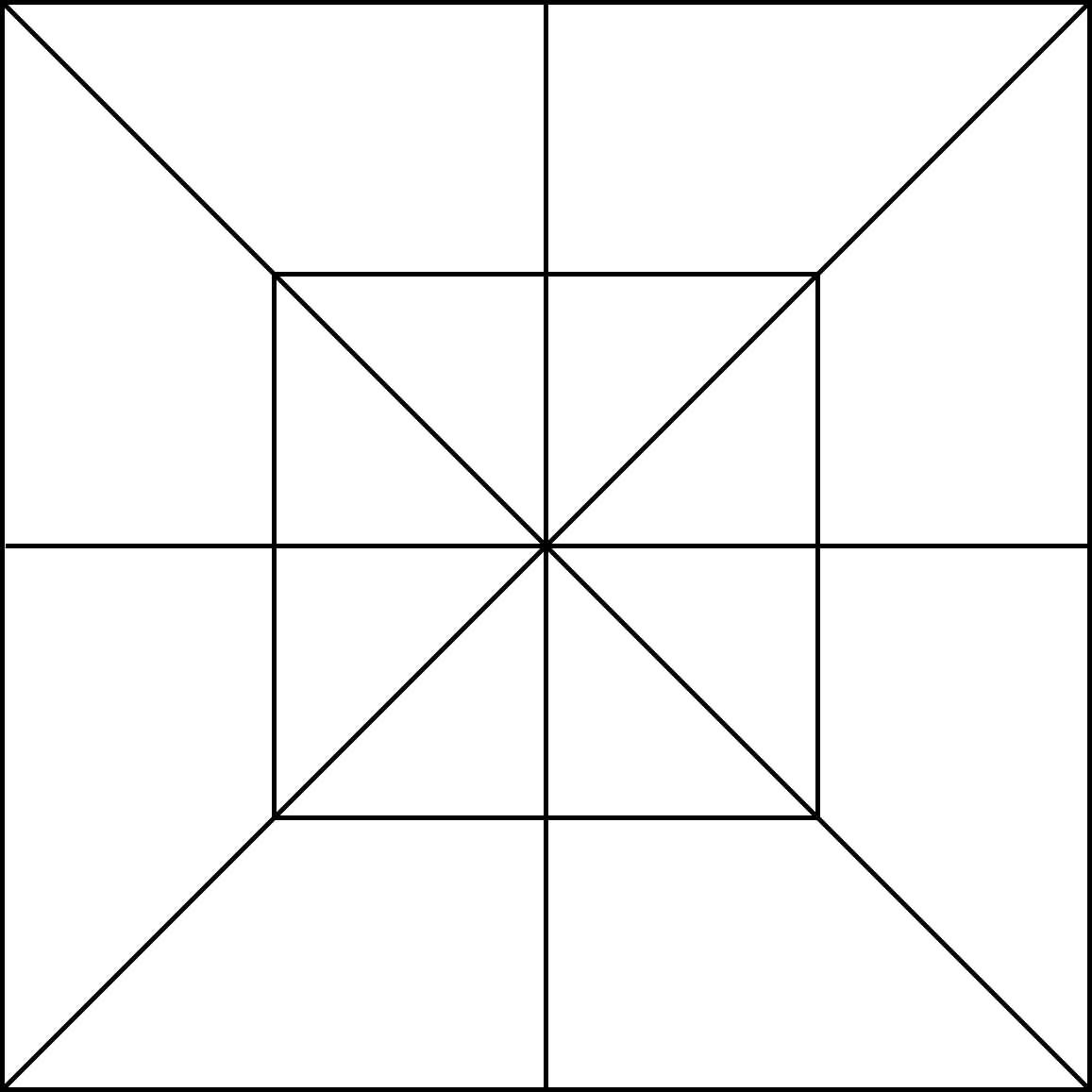
Please provide the image pinwh.png here, I will test it out in my example
UPDATE:
Instead of using the Companion, I downloaded TIMAI2's apk and used it on my phone. It locked up 5 times, at different random stages (at 14 click, 34 clicks, 23 clicks, 14 clicks, 6 clicks). But then, on the 6th reload, I was able to click 64 times(4 fills, 4 undos and 4 redos… over and over again), and had NO lockups. I am so hopeful.
So, maybe the Companion app has limitations. With the first method (ABG’s), it behaved the same with the Companion app and with the Phone apk. So, I was surprised to see that TIMAI2’s method behaved differently with the phone apk.
I will proceed to incorporate TIMAI2’s method into my blocks and give a report.
Thank you, and what size do you have your canvas set to? (height/width - presumably the same)
Ty. I am using a Horizontal Arrangement set at 340x340px. And the Canvas is set to fill parent on both H and W.
I just tried your app again, and I am thinking that it might be locking up because I clicked outside of the button by accident. I think I saw an event somewhere that said something like "if click outside..." Could that possibly be helpful?
Update....I take that back. I did it again and purposely clicked outside the button, but it did not lock up.