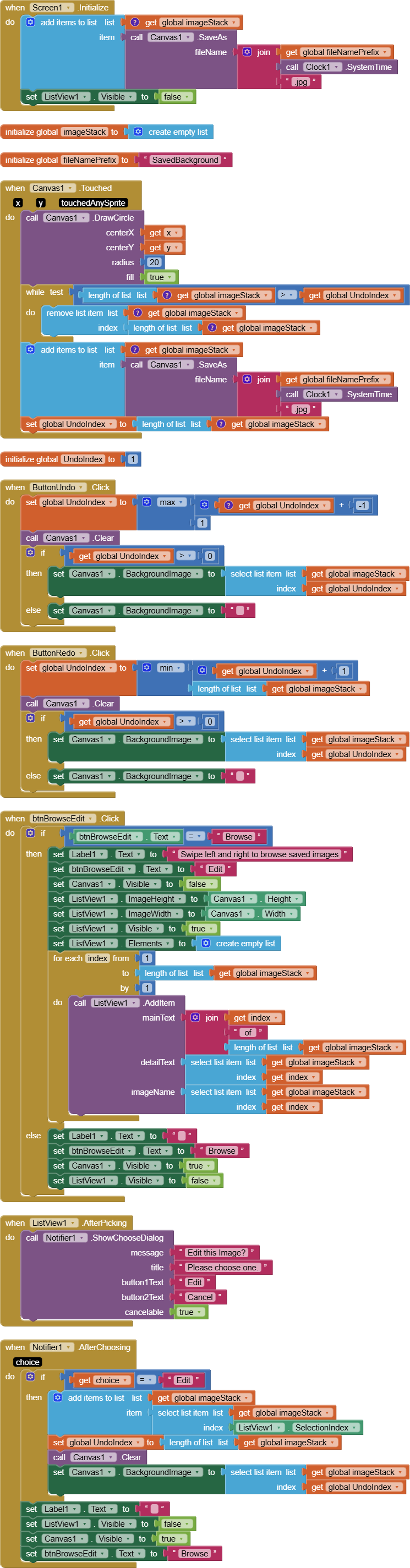
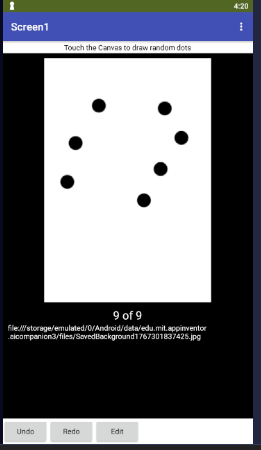
Here's a sample Canvas Undo/Redo stack, with a ListView for image browsing
CanvasUndoRedo (1).aia (6.2 KB)
Here's a sample Canvas Undo/Redo stack, with a ListView for image browsing
Setting a list to a string is not the same as adding a string to a list.
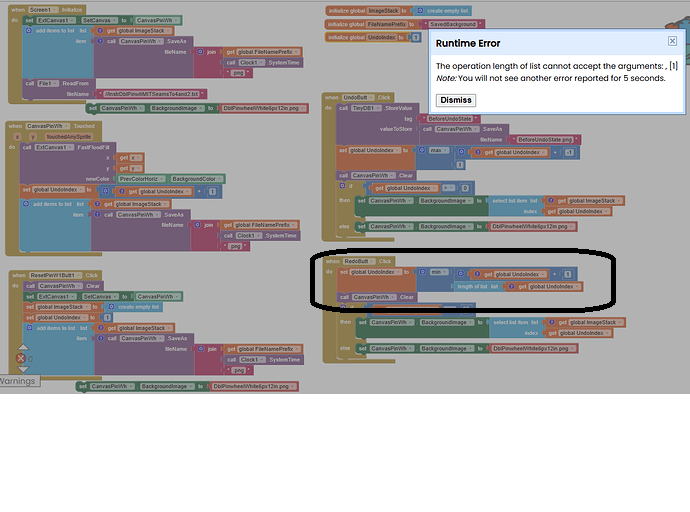
Ty for the ListView blocks. I will try and figure them out in the next few days. I recall you saying that these blocks will let me see what is being saved, so that I can figure out why my Redo is not working.
Read the blocks to see which variable is being tested for length of list.
Once you know which variable is involved, go back at look for the bllocks that assign values to that variable.
Are the values stored into that variable lists, or are they numbers of pieces of text, which are not lists.
The only way to create a list is through a list block.
There is also the possibility that you are asking for the length of list of something that was never intended to be a list.
Getting close, just needs another o next time 
??. Not sure what you mean.
What are the contents of the Undo Stack and Index before and after the Redo attempt?
That sounds about right.
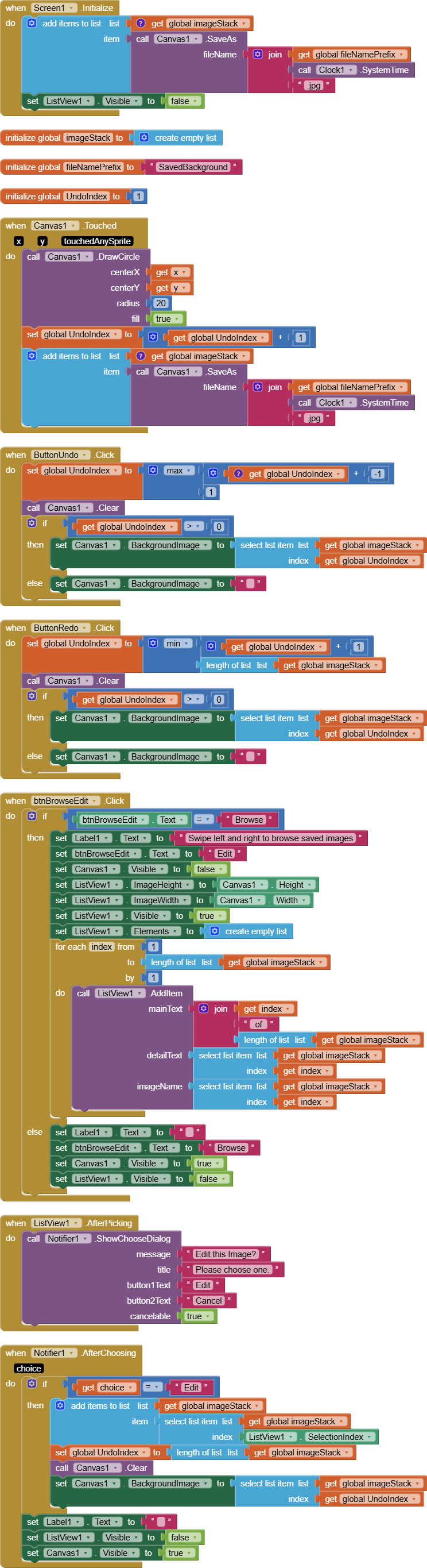
Undo and Redo just change the index of where your currently showing Canvas background image came from on the stack.
The latest image should be at the highest index in the stack.
I've been watching a Netflix series about a secret trans-government organization with the power to reset time (The Lazarus Project), and its effect on it secret agents.
(They will drop the series this month.)
That's quite similar to what happens with an Undo/Redo stack.
More of a coincidence, one of the free EPIC games in the last couple of weeks (Viewfinder) has an Undo/Redo stack in it too. This is the one where you move around in a 3D world, but can change it by altering your perspective.
I probably got wrong the effects of Undo and Redo on the Undo Stack.
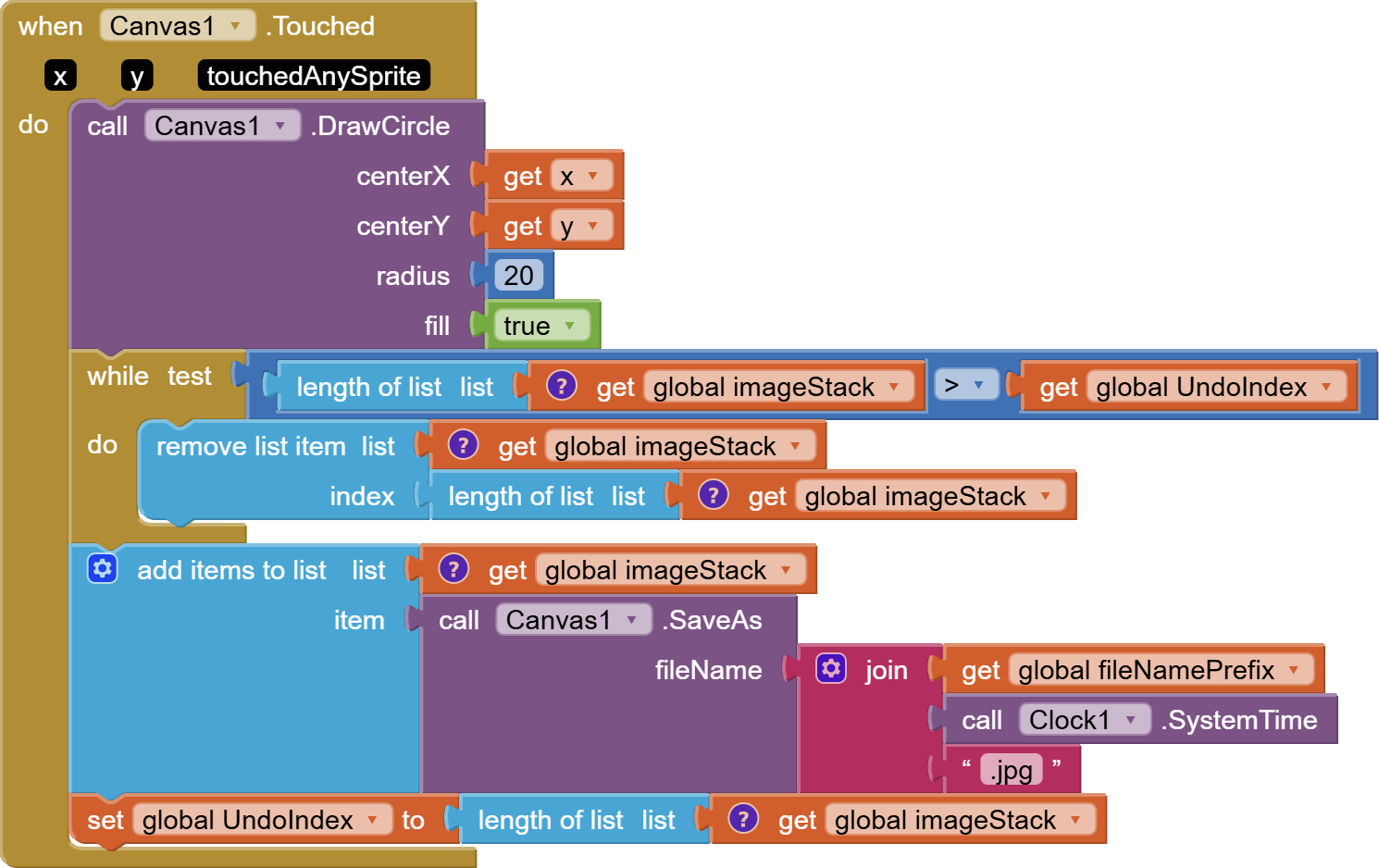
Undo and Redo should allow you to navigate the Undo stack, selecting which item on the stack is the current reality perceived by the user, but the act of changing reality itself (in your app, doing a flood fill) should clip off the top of the Undo stack, removing all the Redo saves past the point where you are in the Undo stack.
So if you have done 7 actions and your stack is 8 items high, (adding 1 for the starting state), and you do 3 Undos to reset time to item (8-3=5), showing the user what he saw 3 actions ago, and then if the user takes a new action at that point, the old items 6,7,8 become invalidated (should be removed from the stack) before adding the new reality to the end of the shortened stack. In this case, that would leave you pointing to item 6 of a 6 item stack., with no Redo available and Undo offering only navigation back into the first 5 items on the Undo stack.
By the way, I have not bothered deleting the leftover image files from my sample code.
I'm a bit of a slob, and storage is cheap.
My new code:
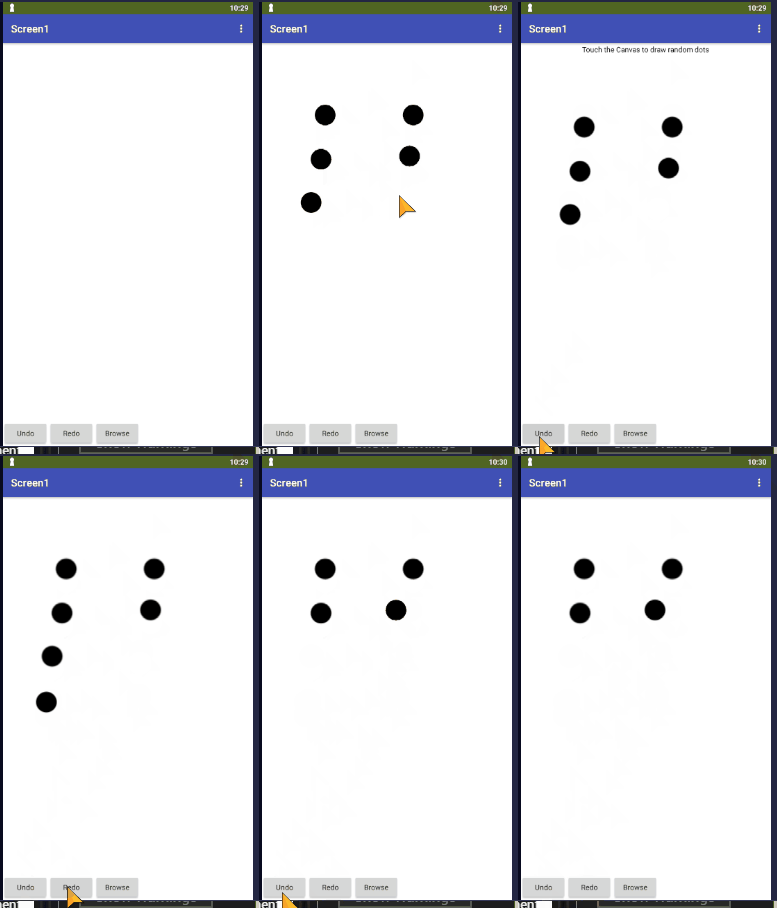
Ty. I will try it again, and let you know how it goes.
Unfortunately, this new code in the Touched event did not work for me. The undo deletes the entire block, and the redo still does not work.
I am thinking that…Everytime I click Undo, I need to rebuild the Redo stack. Or, am I already doing that?
At this point, I have no idea what you are talking about.
All I can do is post working code, and suggest general architectural principles for an Undo/Redo stack:
Ty. It seems as though the UndoIndex is not connectd to the ImageStack. Or, do they become connected in the Touched event?
The connection between the Undo index and the Undo stack is maintained intentionally in your brain first, and your code second.
The intention of the Undo Index is to hold your place while searching for the place in the stack where you want to change course.
Never allow the undo index to leave the range 1..(length of list of the undo stack)
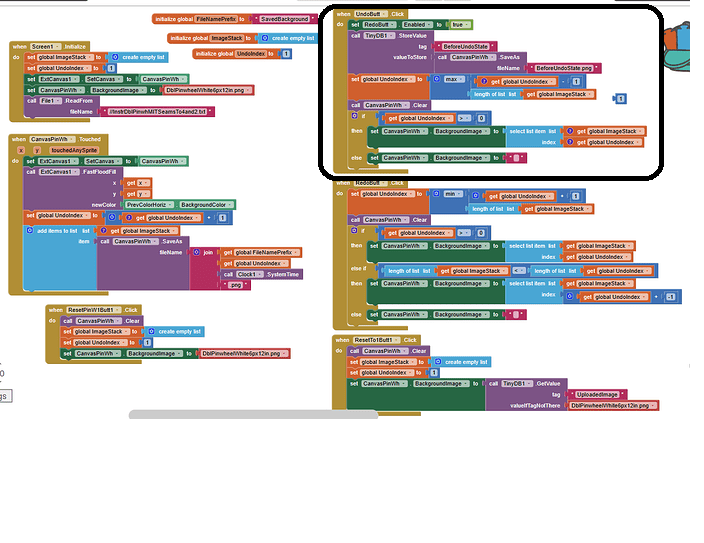
You took a mathematical expression that was designed to reduce a value (Undo Index) by 1 but still keep it in the range 1..length of list( the stack) and turned it into an expression that always returns the length of the stack.
The max() function returns the maximum of its two arguments.
What did you your major was, again?
Does it return a Max that is common to both arguments? Or, just the max of both arguments?
Could you show me an example of what you mean by the first case?
What I mean is, does it compare the number of items in the ImageStack with the number of items in the UndoIndex, and take the highest value that is common to them both?