Ty, I will try this.
Ty for writing, Susan.
I am using the Fast Flood fill in the Extended Canvas extension, but the Undo/Redo, that comes with the extension, distorts the Outlines on my Quilt Design background image. So, I had to try and devise my own Undo/Redo. ABG offered an option, but I can't seem to get it to Redo the last Redo click.
It seems that the UndoIndex is always 1 more than the ImageStack. So, when it comes to refilling the last Redo, it cannot do it because the ImageStack is at, say 4, but the UndoIndex is looking for 5.
Then today, TIMAI2 came up with a different method, However, the app locks up at different stages. See above.
Please provide the image pinwh.png here, I will test it out in my example
UPDATE:
Instead of using the Companion, I downloaded TIMAI2's apk and used it on my phone. It locked up 5 times, at different random stages (at 14 click, 34 clicks, 23 clicks, 14 clicks, 6 clicks). But then, on the 6th reload, I was able to click 64 times(4 fills, 4 undos and 4 redos… over and over again), and had NO lockups. I am so hopeful.
So, maybe the Companion app has limitations. With the first method (ABG’s), it behaved the same with the Companion app and with the Phone apk. So, I was surprised to see that TIMAI2’s method behaved differently with the phone apk.
I will proceed to incorporate TIMAI2’s method into my blocks and give a report.
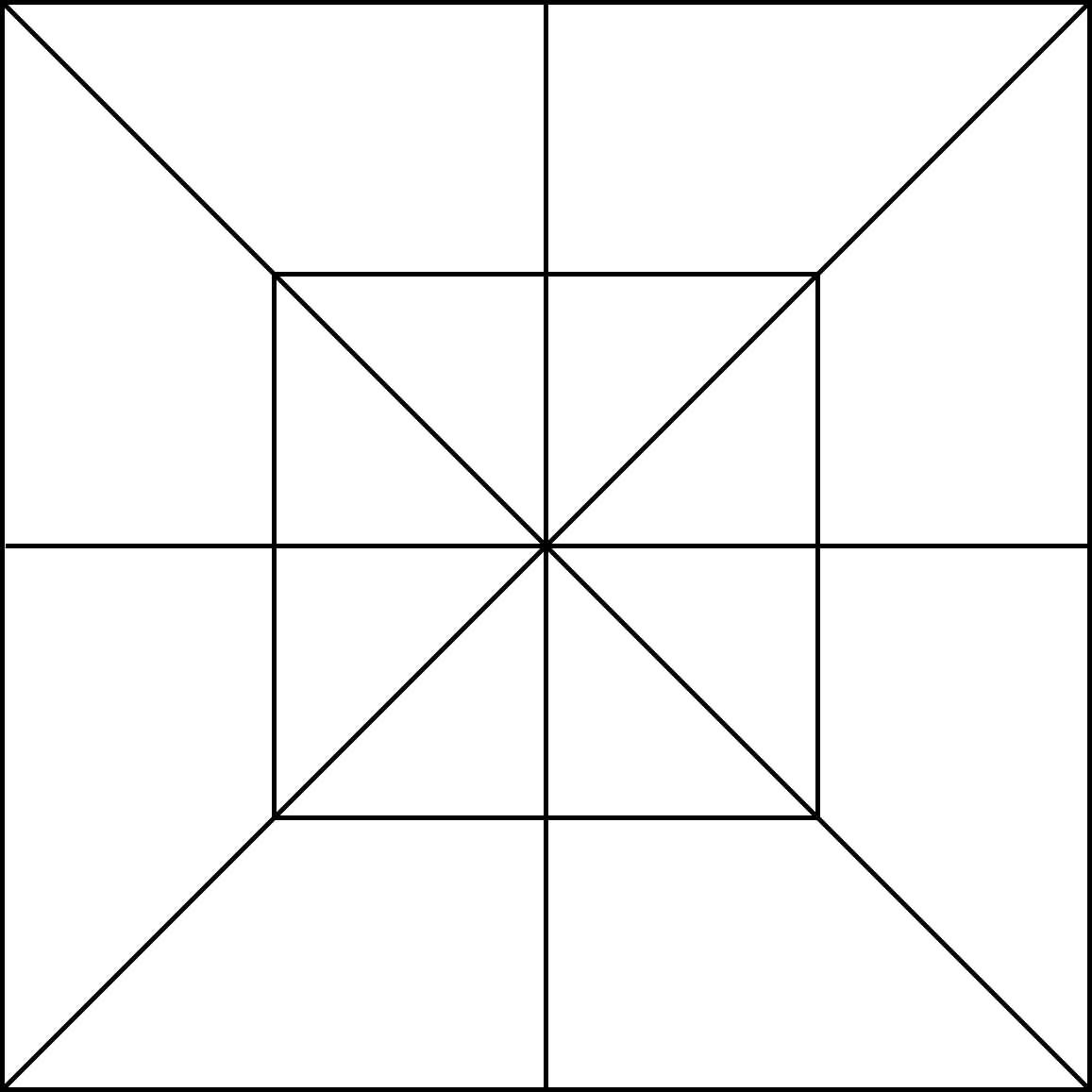
Thank you, and what size do you have your canvas set to? (height/width - presumably the same)
Ty. I am using a Horizontal Arrangement set at 340x340px. And the Canvas is set to fill parent on both H and W.
I just tried your app again, and I am thinking that it might be locking up because I clicked outside of the button by accident. I think I saw an event somewhere that said something like "if click outside..." Could that possibly be helpful?
Update....I take that back. I did it again and purposely clicked outside the button, but it did not lock up.
Try this, actually better than the first one, as not reloading all existing filled sections. Canvas at 300x300, inside a vertical arrangement at 300x300 (for stability)
floodUndo2.aia (29.3 KB)
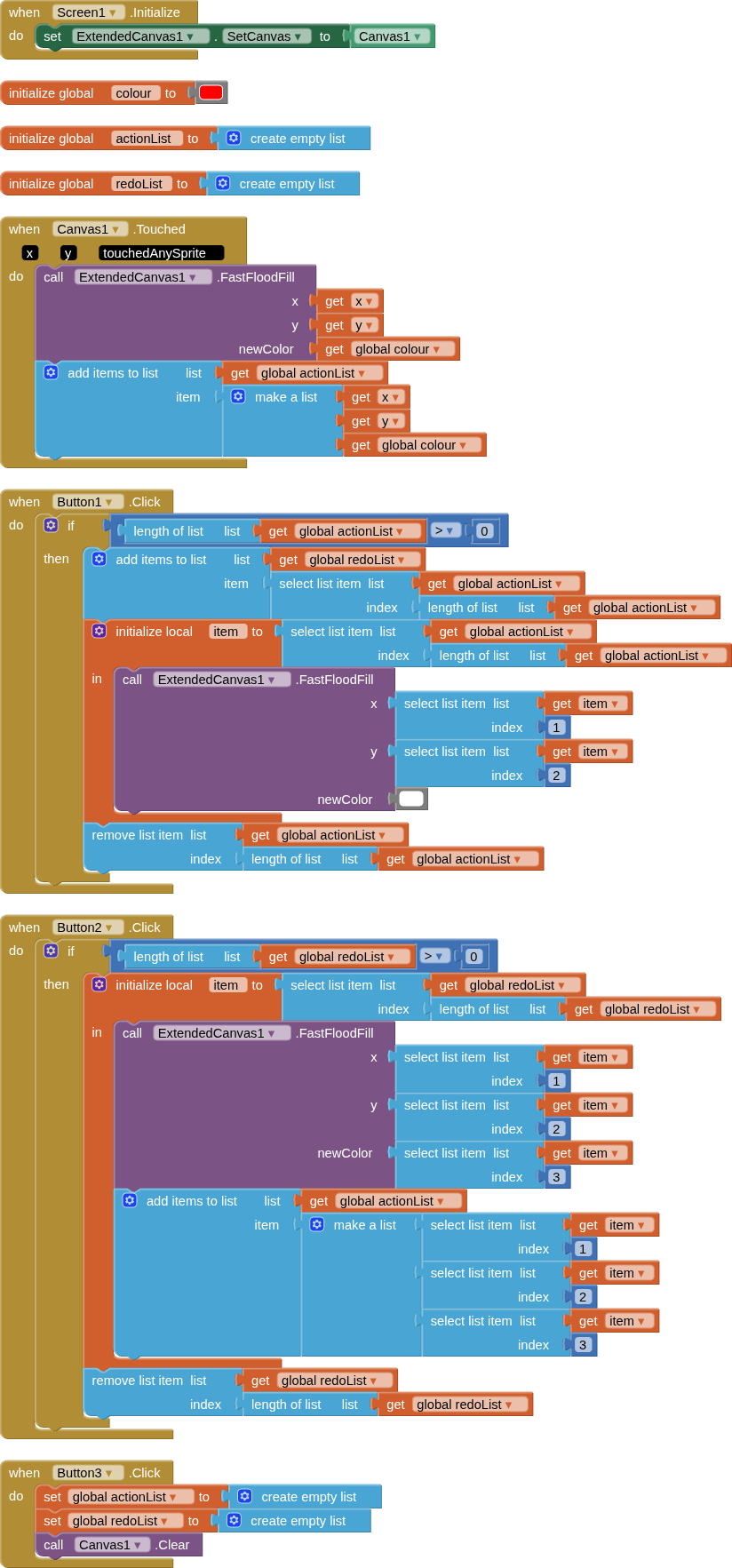
Please test this aia project first, before attempting to insert blocks from it into your own project. This should be all you need, no lists of indexez etc.
Ty. I will try and report back.
The 6th click (my 2nd Undo click) removed my Outline, and also distorted the Diagonal Outlines. Your 1st method was so clean, even after several undo/redo's.
Does your 1st method just use too much of my phone's resources?
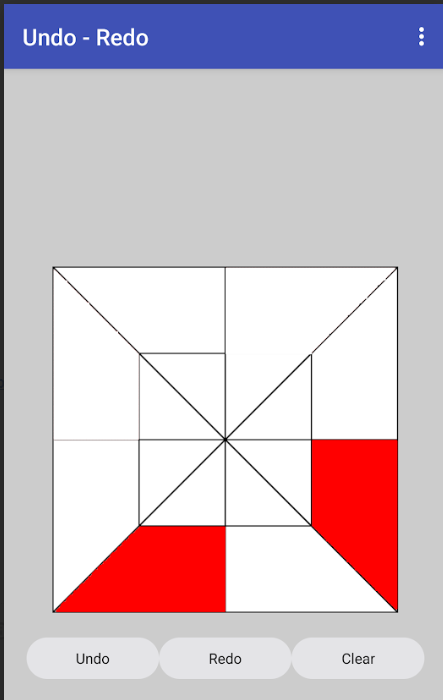
I also see minor degradation of the lines after undos and redos (when I run on my emulator, but not when I run on my device) Video from testing on emulator:
This is probably an unavoidable consequence of how the canvas works. The first method redraws after each undo so you get a fresh canvas, new lines each time (not with redo). Could be the best you can hope for.
I see the same minor degradation of lines with a compiled app on my device. If I press clear, the lines are no longer degraded, so artifacts are appearing from the undo and redo activities.
Would suggest the redrawing of the canvas and lines on each undo as a workaround for this (e.g. do not use your image but draw the lines on the canvas with the canvas tools, as in my 1st method.
SVG files are made of text.
It might be possible to extract polygons from that.
Could you post the svg here?
This would be another way, to draw out all the polygons, and colour them by overdrawing polygons (for undo and redo). Would need the maths as previously suggested to "get" the correct polygon from the canvas touch x,y values. Then we could do away with the extension (we do not really know if the extensions floodfill process is causing the artifacts to appear. (@Passos_0213 )
Slightly easier maths would be to have "imaginary" circles at the centre of each polygon
(x − center x )2 + (y − center y )2 ≤ r2
User then presses on the "circle" to action the flood (redraw/colour of polygon).
I may do an example of this, tomorrow...
Ty. The community is not letting me upload my svg. I will try to send it to you in a private message.
Rename it from .svg to .txt
That should let you upload it.
Ok. To rename it, I had to take it into Gimp because Windows 11 woud not let me do it in Explorer. So, here are 2 versions: transparent fill & white fill... in 2 different formats: txt and pdf.
DblPinwheelTransp5px12in.pdf (70.3 KB)
DblPinwheelWhite5px12in.pdf (99.9 KB)
DblPinwheelWhite5px12in.txt (3.6 MB)
DblPinwheelTransp5px12in.txt (3.6 MB)
I originally wanted to do the fills using Layers and an svg. So, I tried to do it using the Canvas Layers extension, but I could not figure it out.
I had visions of using 2 layers, with the top layer having outlines and a transparent fill. And the bottom layer just having a white fill. Then, when I was done filling the Quilt Block with colors, I wanted to remove that top layer with it's outlines, so that the only thing left would be just the fill colors on the white bottom layer, with no outlines. It just makes a cleaner quilt image if you are filling with, say, tan or silver...you won't see the outlines. But,like I said, I could not figure it out.
Ty. I look forward to this tomorrow, or whenever you have time.