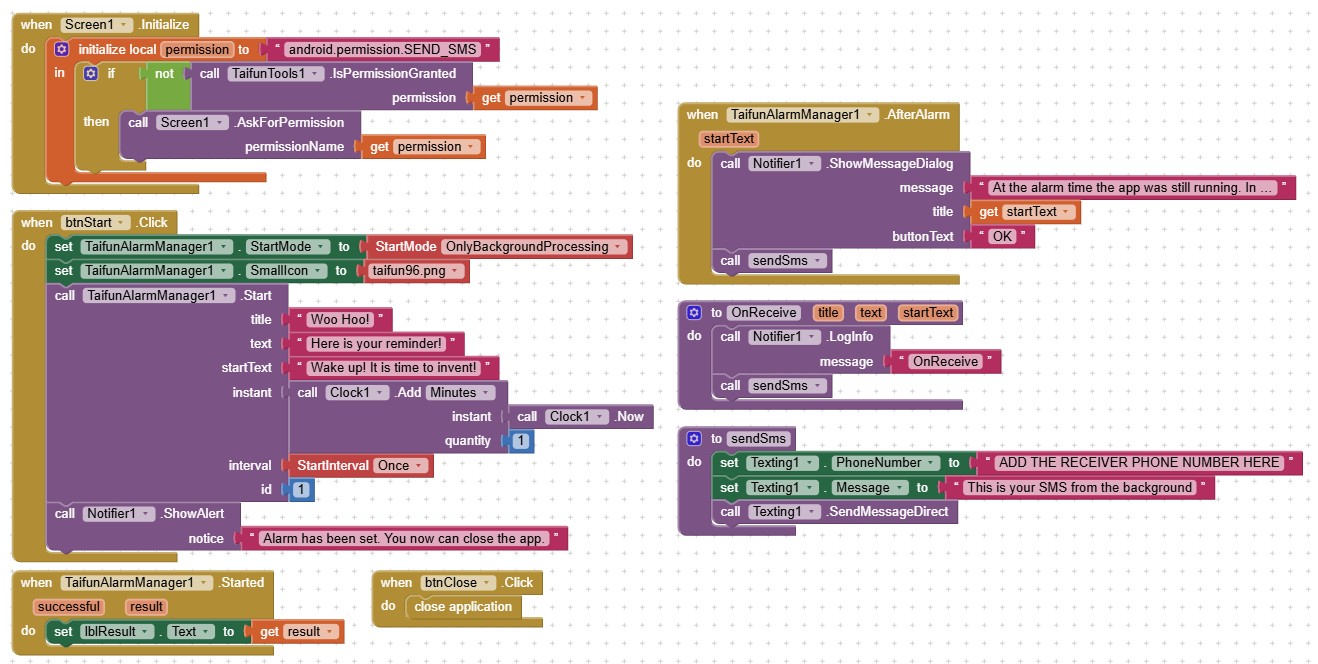
If you’re unsure whether the alarm was set correctly, use the Started event to verify it. You can then close the application when the user presses a button.
Again
Taifun
If you’re unsure whether the alarm was set correctly, use the Started event to verify it. You can then close the application when the user presses a button.
Again
Taifun
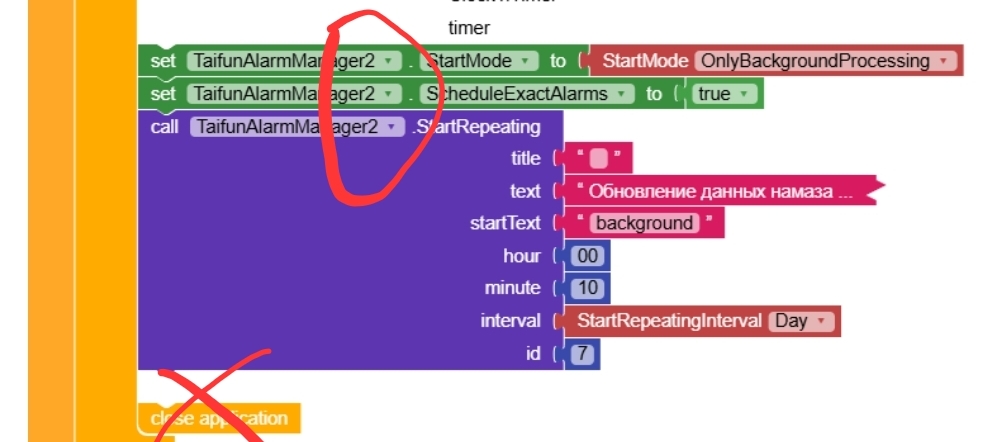
The startnow notification block triggered with a delay of 7 minutes at 00:17, which is strange... in principle, it doesn't matter to me, the main thing is that it worked, albeit with a delay.
You just found out the difference between inexact and exact alarms
Note : Google recommends to use exact alarms wisely to reduce battery consumption. See also Use cases that might not require exact alarms. If you decide to use exact alarms, then the user needs to grant the SCHEDULE_EXACT_ALARM permission, see method AskForScheduleExactAlarmPermission
Taifun
The extension works like a Swiss watch. It's a shame there's no choice of notification tones.
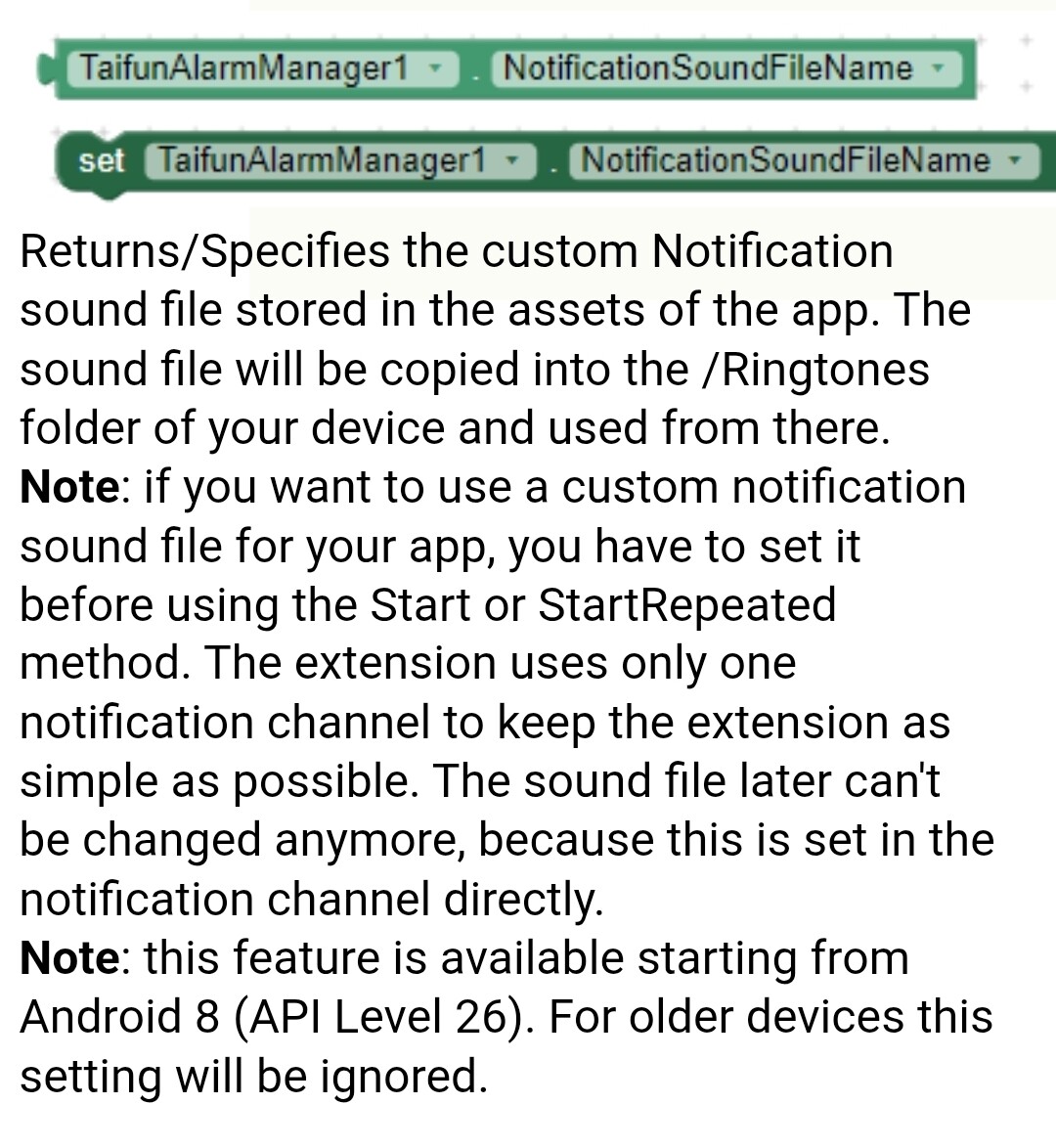
You can set a custom notification sound, see also the documentation at App Inventor Extensions: Alarm Manager | Pura Vida Apps
Taifun
Hey! I recently bought @Taifun's Alarmmanager extension to send SMS every 15 minutes even while the devices screen is off. But I can't quite get it to work properly. Anyone of you guys got an idea why?
My Code:
Thank you in advance,
RafVuc
the texting component has not been designed to send sms in the background...
therefore you will have to start your app at the given time to be able to use the texting component to send the sms
alternatively without using the texting component you could use additionally my sms receiver extension, which is also able to send sms in the background, see App Inventor Extensions: SMS Receiver | Pura Vida Apps
I was wrong about the texting component not being able to send sms in the background, see my latest test example below
btw. you did not really understand how background processing is working... the AfterAlarm event does not fire in the background, you have to use the OnReceive event handler
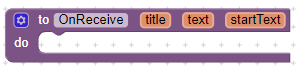
see again the documentation at App Inventor Extensions: Alarm Manager | Pura Vida Apps and the examples in the Itoo integration section of the documentation
AfterAlarm
Event indicating that an alarm occurred. Event will fire only if the app is up and running, else depending on the startMode a notification will be displayed or the app will open screen LockScreen.
Taifun
I did some more tests and was now able to send a sms in the background using the texting component (tested on Samsung Galaxy A54 running Android 16)
this example uses the
Note: This solution is not permitted on Google Play, because it is using the SEND_SMS permission.
Taifun
Hello Pura Vida Team,
I have tested the Alarm Manager extension using the official lockscreen demo app (.aia) provided by Pura Vida.
However, I encountered the following issues:
Could you please clarify:
For your information, I am using a Vivo smartphone with Android 11, and all required app permissions have been enabled according to the demo .aia configuration.
This issue is very important because long-term alarms are currently not working at all.
Thank you for your support.
Best regards,
Ade Irawan
Try to disable battery optimization. You can do this manually or use my extension
See also Vivo | Don’t kill my app! for Vivo restrictions
You also can try another device to find out, if the issue is device specific...
No, you can define an alarm also years in advance, for example as birthday reminder
For some devices battery optimization has to be disabled
Taifun
but i have disabled battery optimization as per lockscreen.aia demo but it still doesn't work
Read again this
for your specific device
Try another device to see it working correctly
Taifun
I now asked Gemini for you. See the recommendations below
Taifun
It sounds like your user is running into the classic "Android Background Execution" wall. Even with battery optimization disabled, Vivo devices (along with Oppo, Xiaomi, and Huawei) are notorious for having aggressive secondary power management layers that the standard Android settings don't always touch.
Since the alarms work in the short term but fail over longer periods, it's highly likely the system is "killing" the app's process or ignoring the AlarmManager to save juice.
Here is a breakdown of what is likely going wrong and how to fix it:
Lock the app in the App Switcher: Open the app, go to the "Recent Apps" screen, and swipe down on the app card to "Lock" it (a small padlock icon will appear).
Check "High Background Power Consumption":
Vivo phones use Funtouch OS, which has its own proprietary battery manager. Disabling "Battery Optimization" in the standard Android settings often isn't enough.
On Android 11, Vivo devices require explicit permission for an app to "start" itself (which is what happens when an alarm triggers while the app isn't in the foreground).
Isn't it possible to set two different alarm sounds for two different alarms? Even by automatically changing the sound immediately after a single alarm goes off?
Theoretically it is possible, but to keep it as simple as possible it currently is only possible to set one alarm sound. I probably will consider this feature for future releases
From the documentation
Note : if you want to use a custom notification sound file for your app, you have to set it before using the Start or StartRepeated method. The extension uses only one notification channel to keep the extension as simple as possible. The sound file later can't be changed anymore, because this is set in the notification channel directly.
Taifun