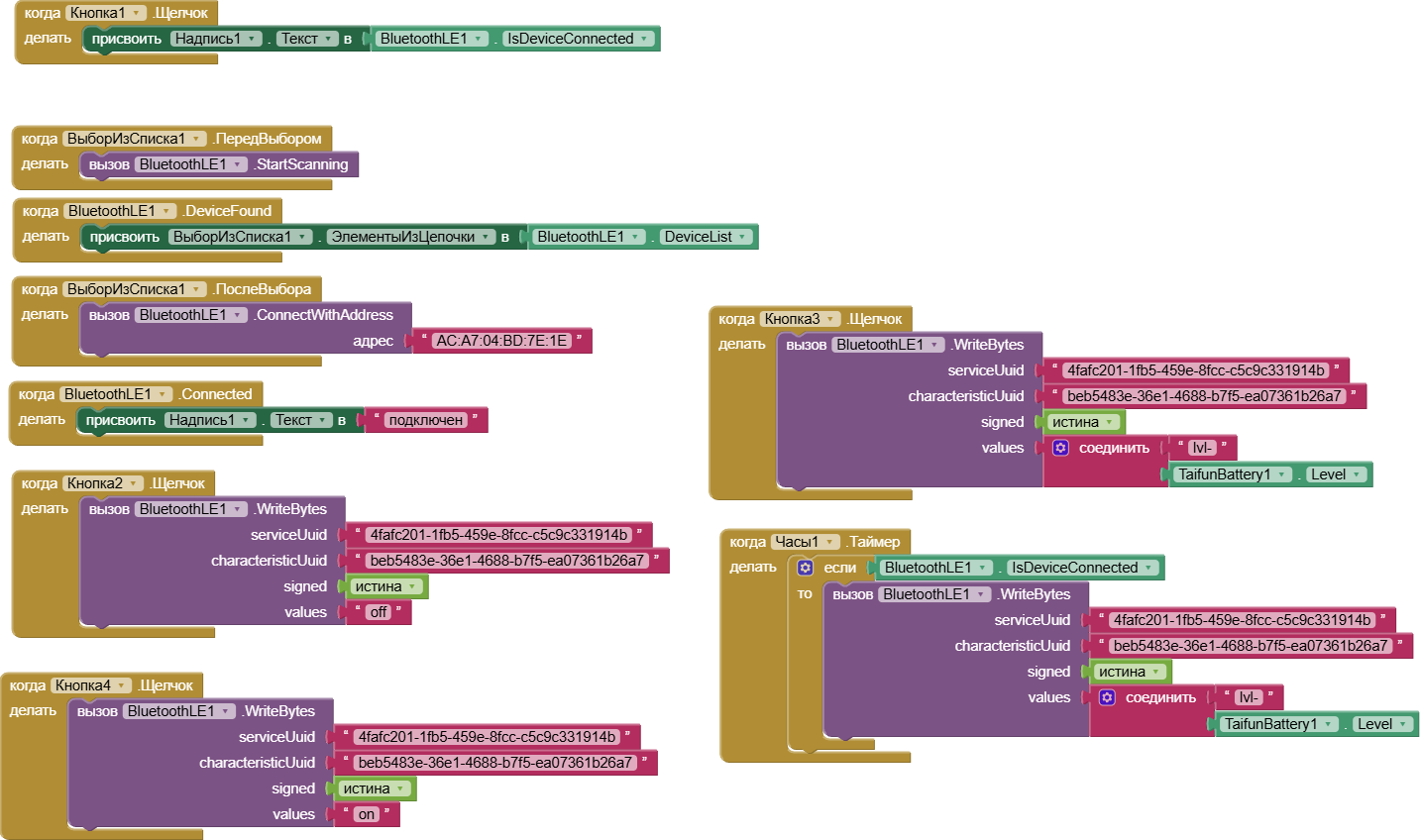
Hello, friends. Please help me solve this problem. I need a small app that will send battery data from my tablet to an ESP32C3, which will then monitor the tablet's charging and turn it on and off. I created the app, and it works until I minimize it. As soon as the app goes into the background, the battery charge stops updating, and the last data before I minimized it is sent. I came across your thread about allowing background apps, but I can't figure it out no matter what I try. So, I really need your help!
Read the complete itoo thread and search for BLE examples.
Try something simple first to understand how the extension works. Learn from available examples. In your case the battery checker example
For your purposes you have to modify procedure batterychanged to send the data regularly to your device.
If you get stuck, post a screenshot of what you have tried. Any: Before taking the screenshot switch the language to English!
Taifun
Thanks for the great advice and excellent example. I realized I was setting it up incorrectly. On my Android 15 device, foreground notifications weren't showing up, which was frustrating. I tried running your app on Android 10, and everything worked. I think I've figured out the Itoo setup, but I can't figure out how to get it to broadcast on a timer. If you could help me further, I'd be very grateful. I've attached the file just in case.
Blutus_AKB.aia (311.9 KB)

Some observations
- Use the latest itoo cersion
- Adjust the blocks ro follow the changes of the last version... there is no RegisterEvent procedure anymore
- You forgot the argument x in your background procedure named run
- You have to connect to the BLE device also in the background... searching for BLE examples in the itoo thread will show you how to do it. . It does not look kike you did a search
- to find out, if something is working in the background or not, use the Notifier.LogInfo method for debugging and use logcat to check the log.
Taifun
I rolled back the version to 4.4
- Adjust the blocks ro follow the changes of the last version... there is no RegisterEvent procedure anymore
I didn't really understand the new features, so I decided to stick with the old version and your example.
t does not look kike you did a search
You're wrong. I searched for information, read a lot, and found your thread with a reminder to unplug my phone from the charger. I even found an example of someone making a similar device to what I need, but it's a lot of code and it works strangely. I'm having trouble understanding the translated functions.
- to find out, if something is working in the background or not, use the Notifier.LogInfo method for debugging and use logcat to check the log.
I'll have to spend even more time figuring this out, but I can say that your example with warnings about disconnecting the charger works!
- You forgot the argument x in your background procedure named run
I'll try to fix this, but this function just didn't work for me at all.
After listening to your advice, I figured out how to send debug information, but I still can’t receive a message on the timer in the background. Can you tell me what the problem is?
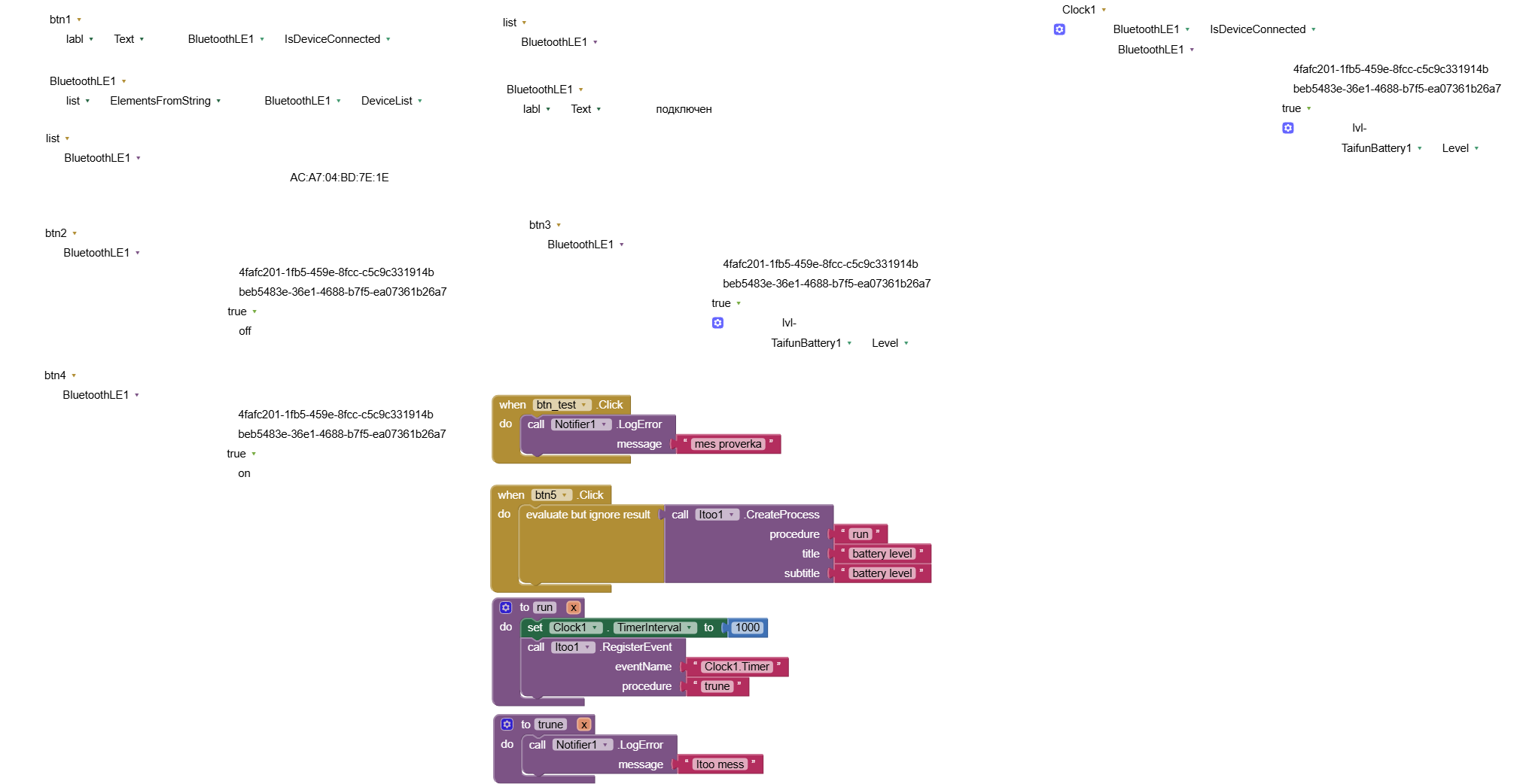
You called your procedure „trune“. I am sure you meant „true“.
No, I just came up with this name for the function.
Hi @ptihka1986, you must remove the argument x for your procedure "trune". It is only relevant for the procedure "run".
This working background BLE example might help, too
Adjust it to the latest itoo version
Taifun
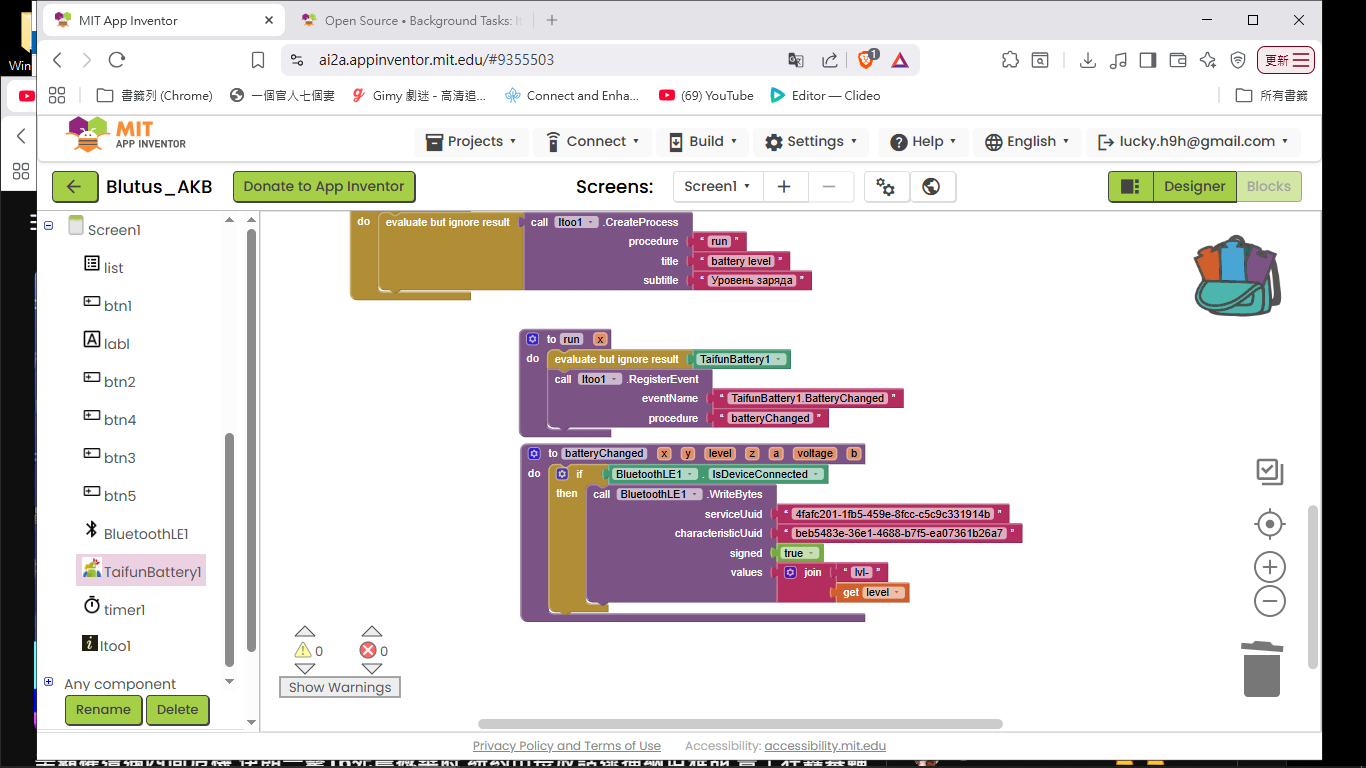
I looked at the original file you provided and made some modifications for you. Try it; it should work.
miracle_Ho
Thanks, but I've already done that, and everything works for me. Although I'm not entirely sure if it's correctI did it like this.

I want to thank Kumaraswamy for his help and for such a great app. It's simply superb.
And a special thank you to Taifun. You're a fantastic teacher who gives people tips so they can learn, rather than doing it for them. Keep up the good work! I believe TaifunBattery is your app, and I salute you for that! I'd like to ask you one more question. How does the "batteryChanged" feature in the batterychecker app continually update if you don't use the timer?
What you're doing is correct. Start the connection at startup and send data every 5 minutes. Previously, when using MQTT, I simply started, sent, and stopped the connection in the Timer (to save power).
You have to create the TaifunBattery1_BatteryChanged procedure with all the required parameters.
itoo02.aia (103.0 KB)
This is event oriented programming.
The extension gets triggered from the Android operating system if there was a change in the battery level, which then triggers the BatteryChanged event.
No need for a timer to constantly check if there was a change
Taifun
And now everything is clear, once again, thank you very much for your help and for the programs!
When I click btnStart background process starts. app closes and In the background “TextToSpeech1.Speak” block runs. I can here voice. But ui_procSendBackground3 procedure doesn’t run. BLE doesn’t connect.
I moved “TextToSpeech1.Speak” block inside if condition block (bEnableBLEInBackground) and I can here voice. then I moved this “TextToSpeech1.Speak” block to ui_procSendBackground3 procedure and I do not here any voice.
itoo - version 4.5.0
Android 13
Can anyone educate me.
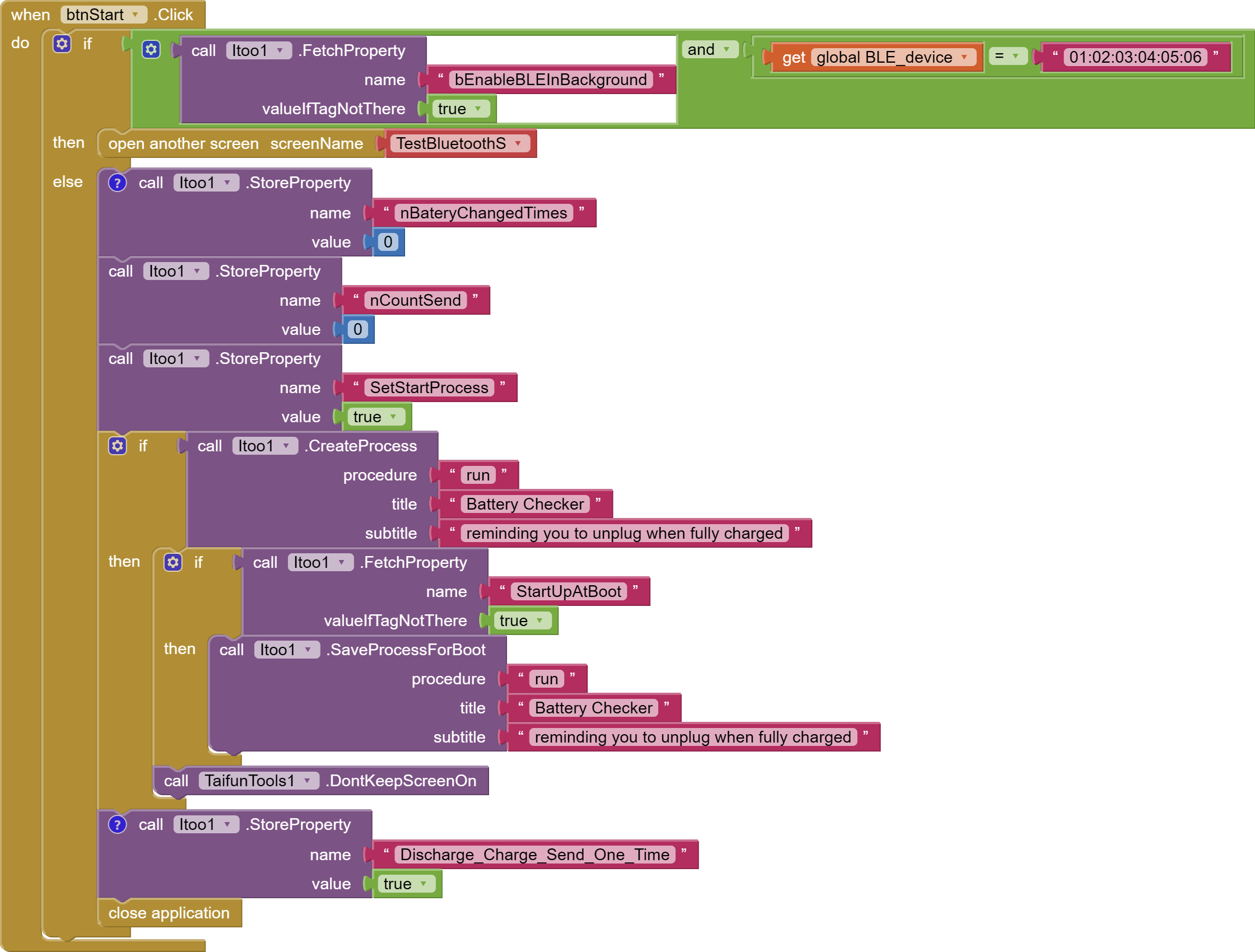
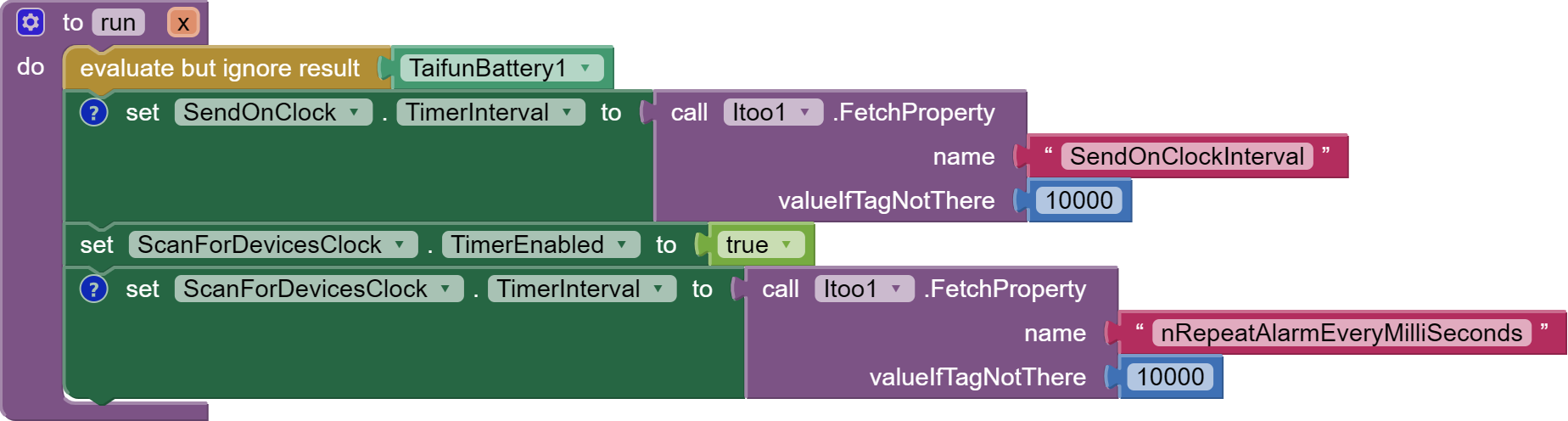
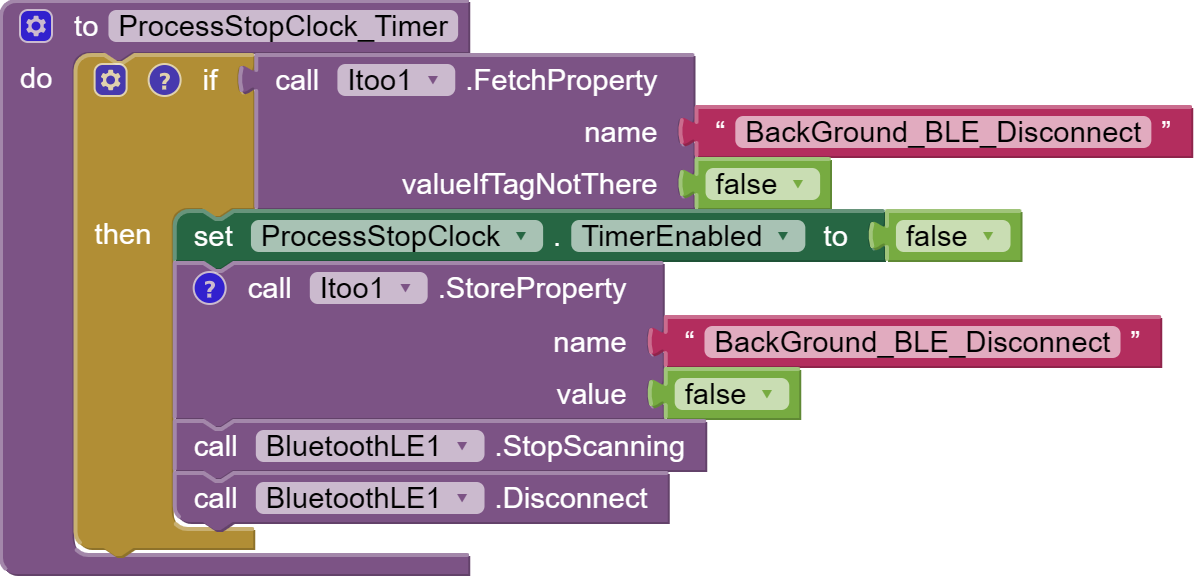
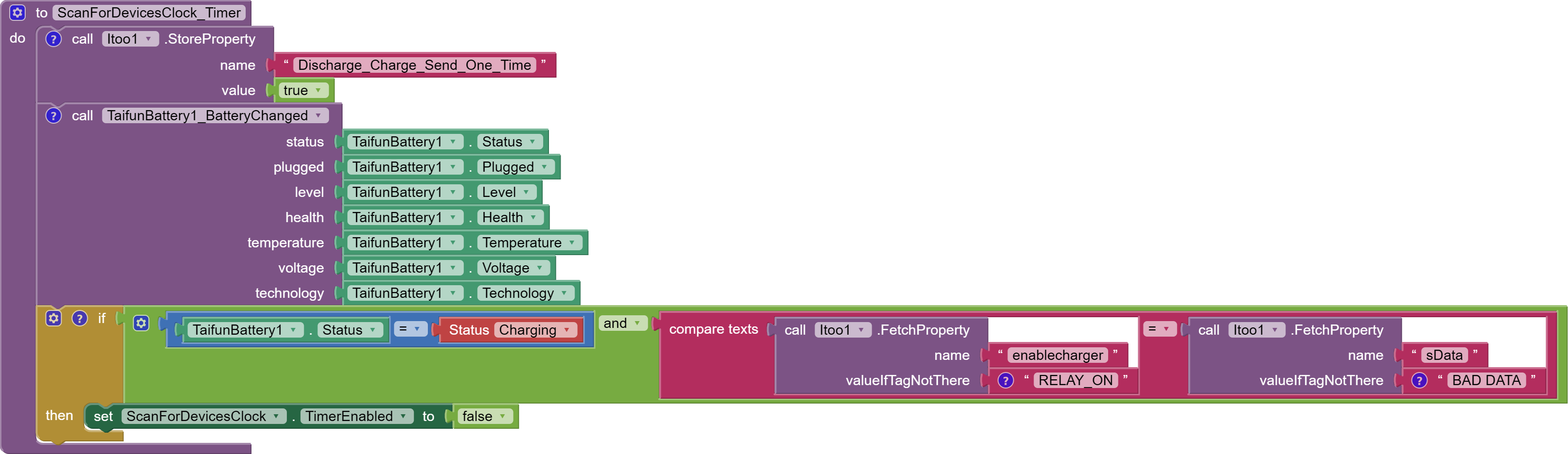

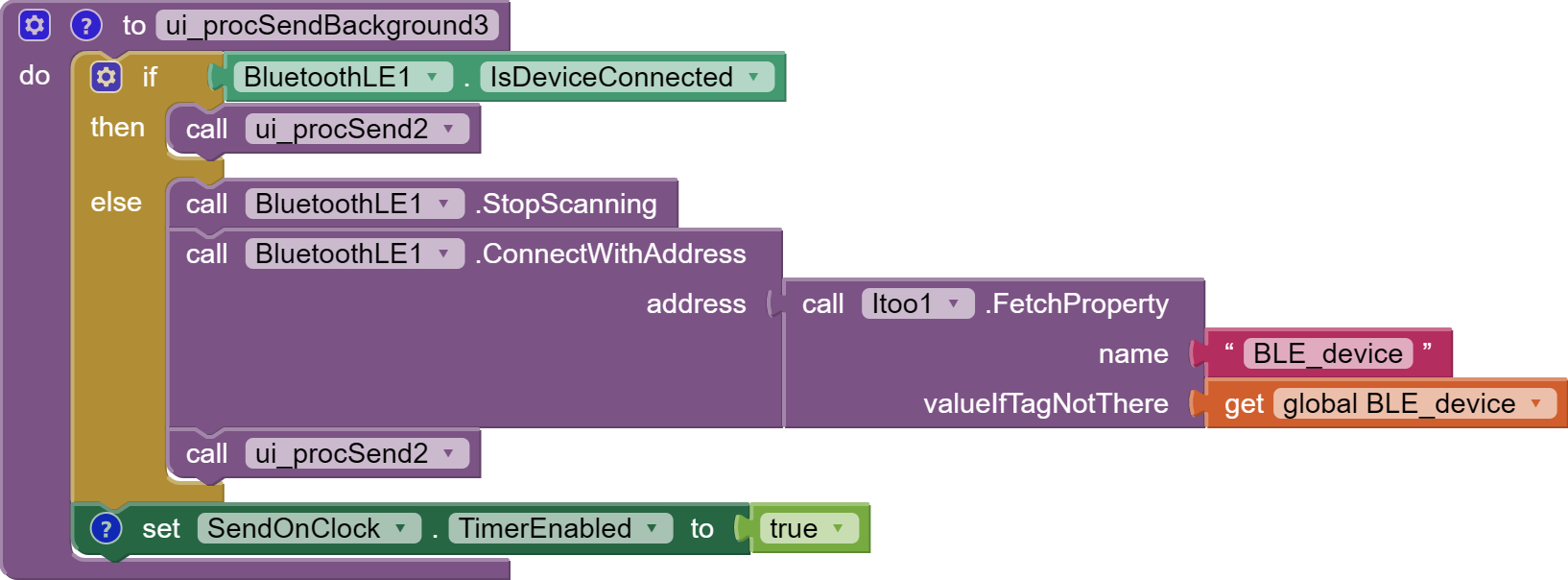

I think you should upload your aia…
In the background the user interface does not exist, therefore an ui procedure will not run
For debugging use the Notifier.LogInfo method and check logcat
Taifun