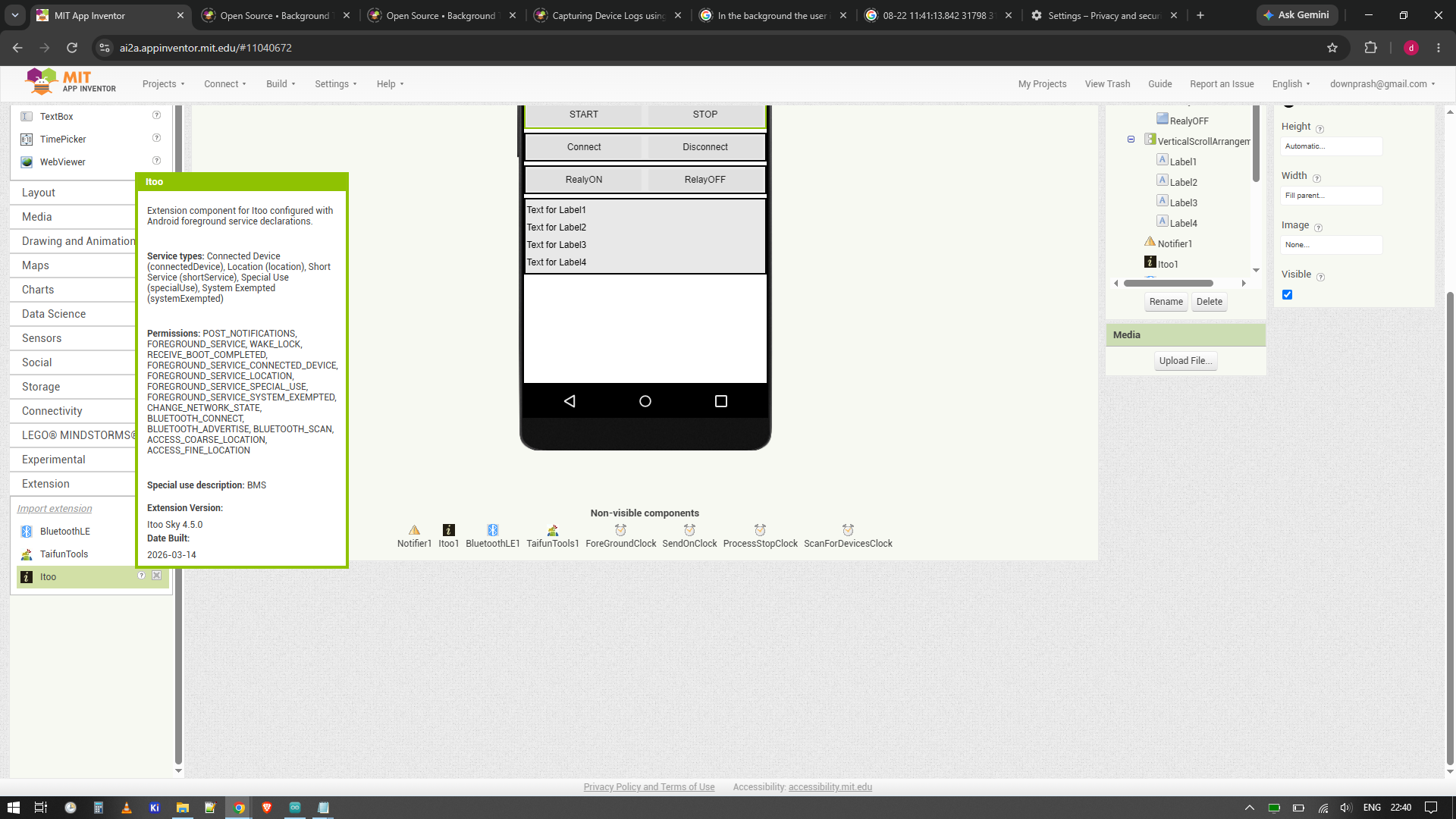
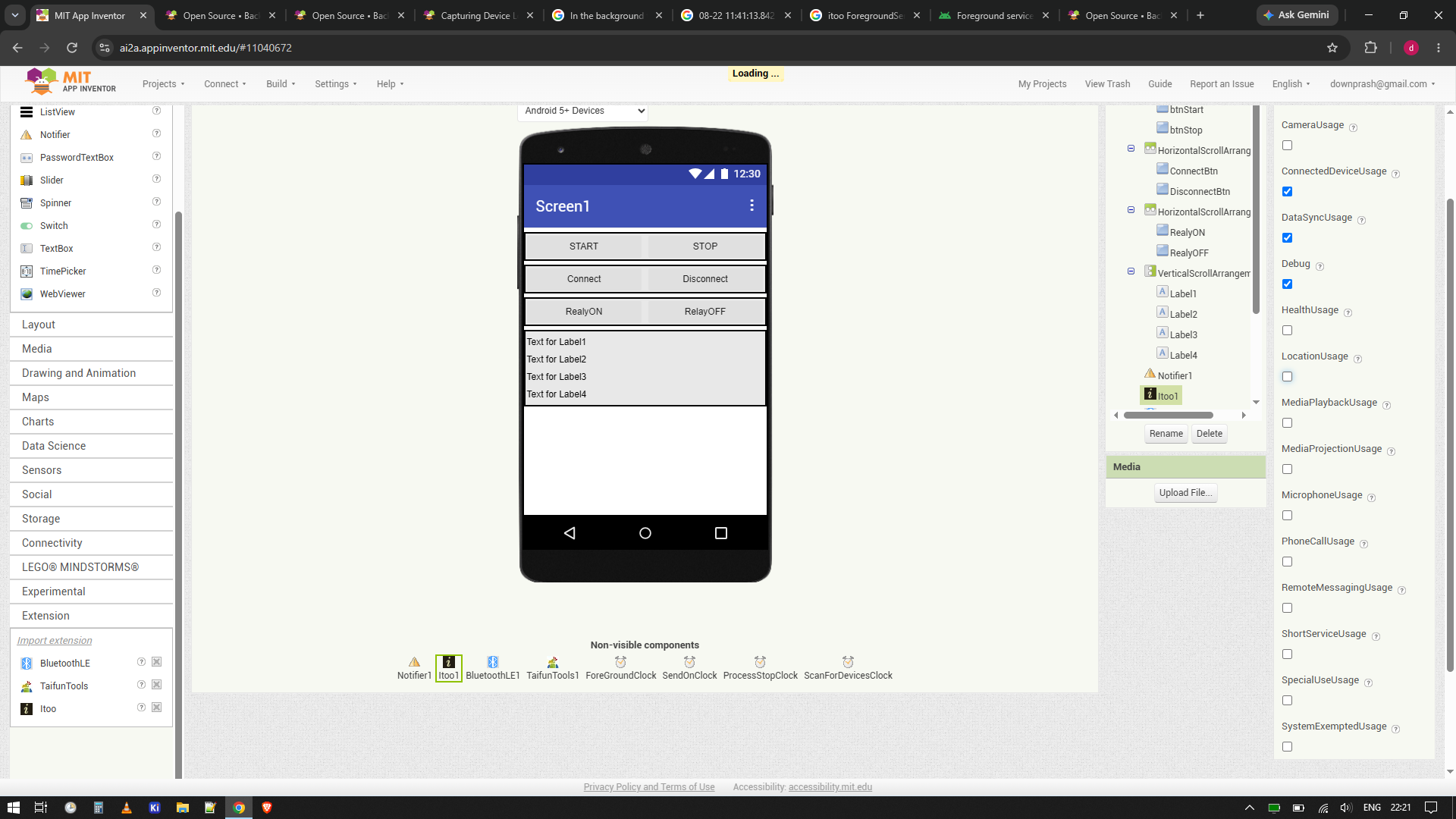
Thanks. I removed ui component for background processing. and it did work for android 12/13 phones. But when I tried in Android 15 /16 devices. “app keeps stopping” pop up appears.
FATAL EXCEPTION: main
08-21 14:32:22.764 28087 28087 E AndroidRuntime: Process: appinventor.ai_downprash.batterychecker_6_Classic_BLE_V11_T1:doraemon, PID: 28087
08-21 14:32:22.764 28087 28087 E AndroidRuntime: java.lang.RuntimeException: Unable to start service xyz.kumaraswamy.itoo.ItooService@ace41da with Intent { cmp=appinventor.ai_downprash.batterychecker_6_Classic_BLE_V11_T1/xyz.kumaraswamy.itoo.ItooService }: android.app.InvalidForegroundServiceTypeException: Starting FGS with type none callerApp=ProcessRecord{14e338a 28087:appinventor.ai_downprash.batterychecker_6_Classic_BLE_V11_T1:doraemon/u0a624} targetSDK=35 has been prohibited
I tried different custom extension, Background Bluetooth communication Connected device + BL permissions Itoo Manifest and other custom extension. But it works for android 12-13 but not for android 15-16 devices. I created simple blocks which I shared here. Issue remain same.
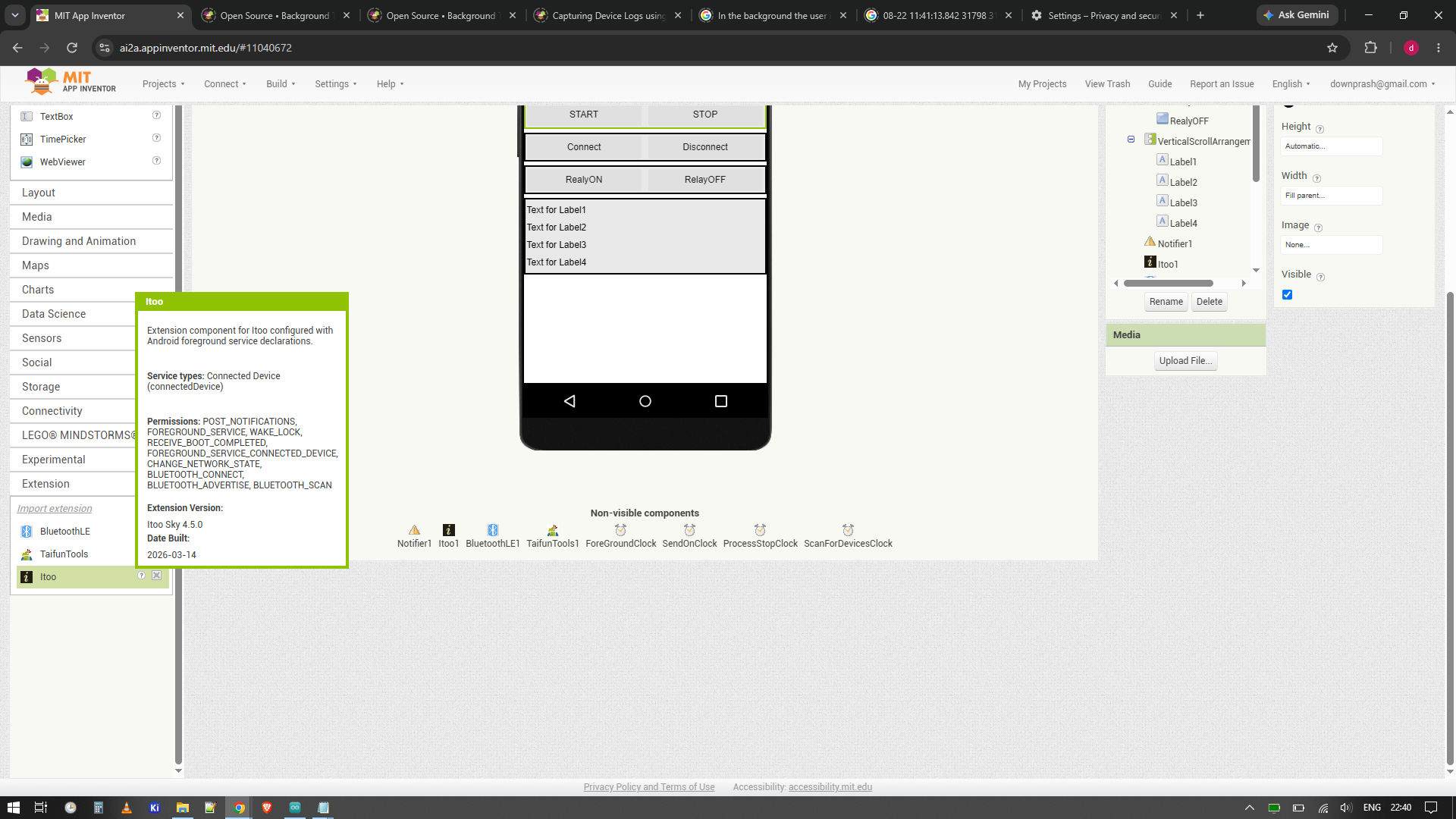
You should choose one foreground service type (and not all of them as in the first screenshot)
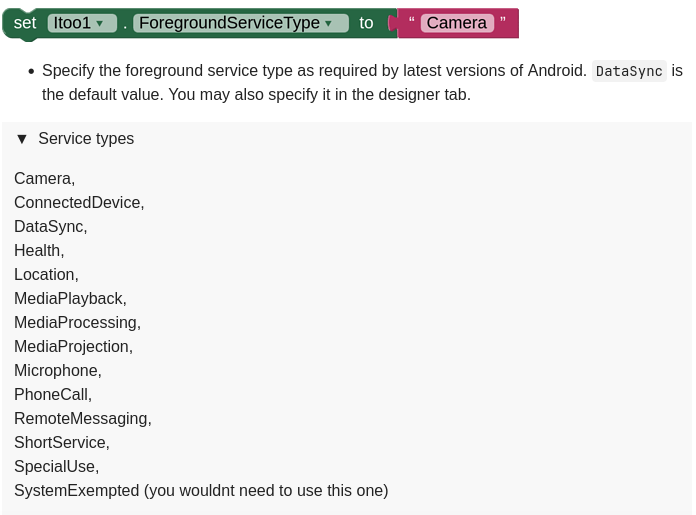
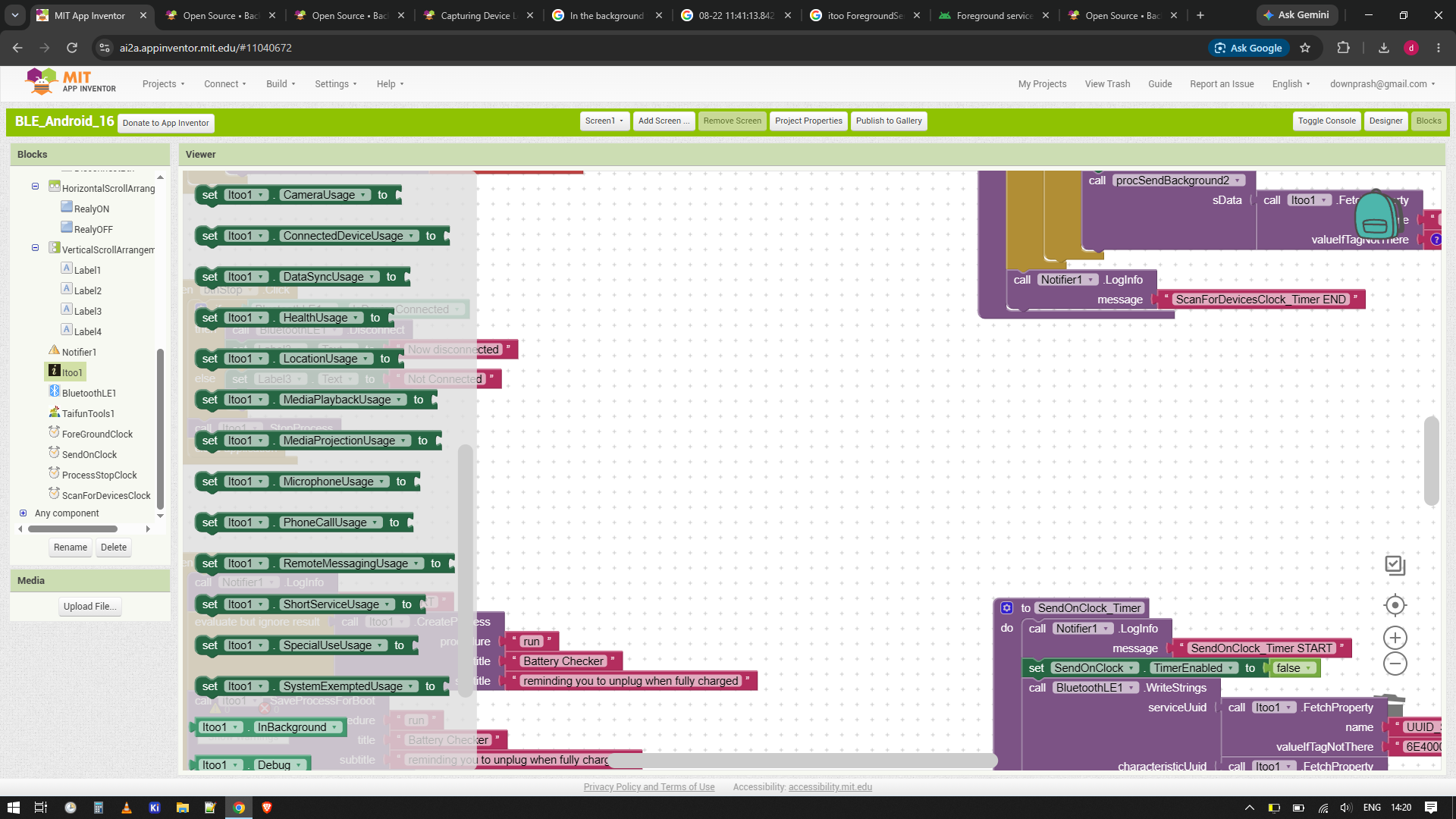
This should be done for the custom extension and later also in the blocks (also in designer possible)
The second screenshot looks better...
yes, because foreground service types have been introduced later, therefore it works there
from the log
FATAL EXCEPTION: main
08-22 22:45:22.303 21072 21072 E AndroidRuntime: Process: appinventor.ai_downprash.BLE_Android_16:doraemon, PID: 21072
08-22 22:45:22.303 21072 21072 E AndroidRuntime: java.lang.RuntimeException: Unable to start service xyz.kumaraswamy.itoo.ItooService@3ef17df with Intent { cmp=appinventor.ai_downprash.BLE_Android_16/xyz.kumaraswamy.itoo.ItooService }: android.app.InvalidForegroundServiceTypeException: Starting FGS with type none
yes, you should choose a foreground service type. none will not work
use the custom extension from the template and set the foreground service type in the blocks to ConnectedDevice
If not, then there is a bug in the extension and we have to wait for @Kumaraswamy
Either the extension is able to set the foreground service type automatically according to the generated custom extension or a property in designer and/or blocks should be available to set it
I tried that. Initially I implemented without using itoo. I did make sure that the BLE connect, disconnect and data share operation works fine for Android 12,13,15,16. then I added itoo. For background service. And it works for Android 12-13 but not for latest version Android 15-16.
In your project, I see that you have properly included the Itoo extension with appropriate permissions and the correct service type (connectedDevice) as indicated by the screenshot you posted:
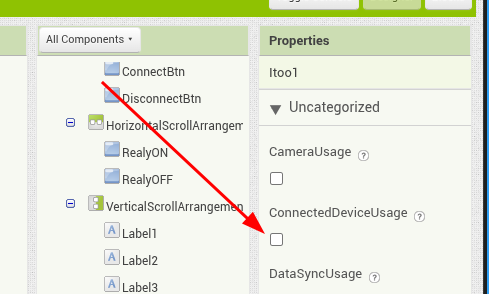
However, I have opened your given project file in the IDE and there's a tiny thing missing. You forgot to check the "ConnectedDeviceUsage" in the designer:
Which explains the crash you are witnessing on newer Android devices.
To clear the confusion regarding the ForegroundServiceType block, it was removed in the latest version of Itoo which introduced a better system to configure services. The documentation wasn't updated to reflect these changes.
Here's another testing suggestion: use only itoo+ble, and only select one ConnectedDevice in itoo, don't select multiple types, to simplify the problem.
That’s awesome. I selected only ConnectedDeviceUsage and it works perfectly now. Thank you, sir.
Kumar sir actually pointed this out in his post, but yesterday I selected multiple options in the designer. I assumed checking multiple options wouldn't be an issue, but it was actually causing the error.
Now I’ll analyse logcat file for any other issues.
If multiple foreground services are required simultaneously, the foreground services need to be declared in advance when each service starts, and the default foreground service types need to be declared again after use. This is necessary to ensure the smooth use of multiple foreground services.
Hi, does the extension work with the screen locked? I’ve already got it working with the app closed, and I also need it to work when the phone is on the lock screen, but I’m not sure if that’s possible.