Yes, the one you have found is a bit more accessible! (I like the solve animation )
Re your files and folders, this has been covered 100's of times on the community, in many different ways, in order to handle the changes made to permissions and access over the years.
Me, I would probably do this:
On first run of app, copy all the required files from Assets to a (puzzle) folder on the ASD
Create any other required folders inside this folder
Use SAF, see also SAF-Panacea, to select (from Shared Storage or ASD) and copy image files to your preferred puzzle folder location. This should work for any Android version.
Run the puzzle html from your ASD in the webviewer, you should be able to use relative references in your html (or full paths) to directly access the image files, instead of fiddling about with base64
You may also be able to generate the html page "on the fly", and call it open as a datauri, not tested that...
Yes I know… the whole forum is full with this topic. And I get it run in another app in tha past (lets say 8 months ago when i started with AI2). So I did not expected such newly up coming questions. I don’ t want to store pictures mulitple in different folders. I will study your post and the one from @anke and try it again. New day new inspirations more patience, lets see. The file handling topic is major source of frustration and a fearsome opponent. And in my opinion it should be… it is my device and my pc. Why are there such limitations and restrictions? But I don’ t want to start a discussion about that
Ask Google. There is most likely no one besides Google itself who isn't upset by this. Google seems to enjoy regulating us, and it's getting worse and worse every year.
Could you share what you did in puzzle.js for this (touch events), I have had several goes, but don't get puzzle piece events, though I do get the buttons at the top to respond.
wait… it is a missunderstanding. I forget the quotes and thought that you get the connection to your post when i reply to it. Maybe you have choosen the wrong post.
I did not realize it with doubled pictures . it is worse. If there would not be a solution without creating redundant data on the device I will skip this project.
I am a programmer in business live. This here in AI2 is only a hobby. Do it in leasure time and therefore are not professional here but I know that redudant data in IT is an absolutly no go. Sorry. My opinion. Everybody may have its own.
will come soon. I had to test it again and downloaded the JS version from AI2 back to PC because currently I destroyed my local version because creating and endless loop due to some modifcations… be few minutes patient please
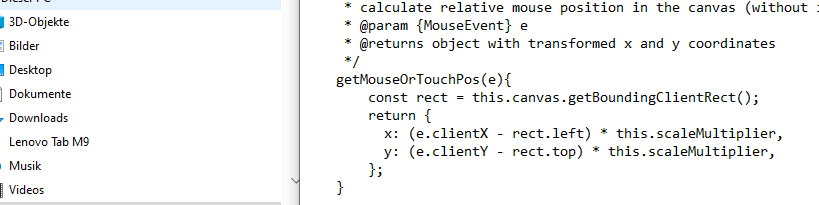
so… this i have done and it works. I also needed several attempts… and a lot of time. JavaScript is also only a hobby what I use when i need it and know only what I need at the moment.
touchstart(e){
    // prevent default and stop propagation
    e.stopPropagation();
    e.preventDefault();

	// Ersten Fingerzugriff holen
    var touch = e.touches[0];

    // get transformed mouse position
	var pos = this.getMouseOrTouchPos(touch);

    // get clicked piece at mouse position
    this.selected = this.getClickedPiece(pos);

    // if there is a selected piece set the offset
    if(this.selected!=null){
        this.selected.offset = {
			x: touch.clientX-this.selected.x / this.scaleMultiplier,
			y: touch.clientY-this.selected.y / this.scaleMultiplier
        }
    }
}

    touchmove(e){
		const rect = this.canvas.getBoundingClientRect();

		// Ersten Fingerzugriff holen
        var touch = e.touches[0];

        // if there is a selected piece move it
        if(this.selected!=null){
            // transform mouse position to relative position in the canvas + the offset
            this.selected.x = (touch.clientX - rect.left) * this.scaleMultiplier - this.selected.offset.x;
            this.selected.y = (touch.clientY - rect.top) * this.scaleMultiplier - this.selected.offset.y;
        } else {
			// else just set the current mouse position
			this.currentClientY = (touch.clientY - rect.top) * this.scaleMultiplier;
			this.currentClientX = (touch.clientX - rect.left) * this.scaleMultiplier;
		}
    }

    touchend(e){
        // if there is no selected piece or pieces weren't generated already return
        if(this.selected === null || this.pieces.length <= 0) return;

        // if the selected tile is close enough to the correct position snap it to the correct position
        if(this.selected.isClose()){
            this.selected.snap();
        }

        // set selected to null
        this.selected = null;
    }
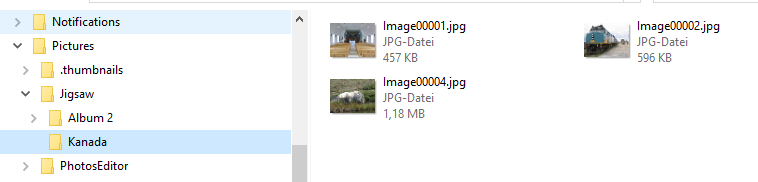
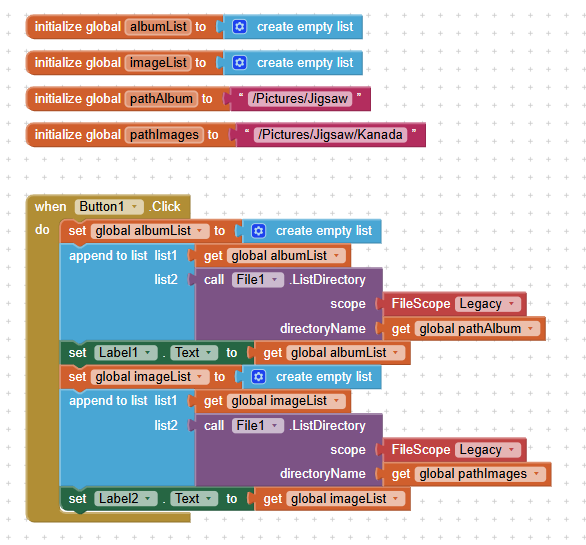
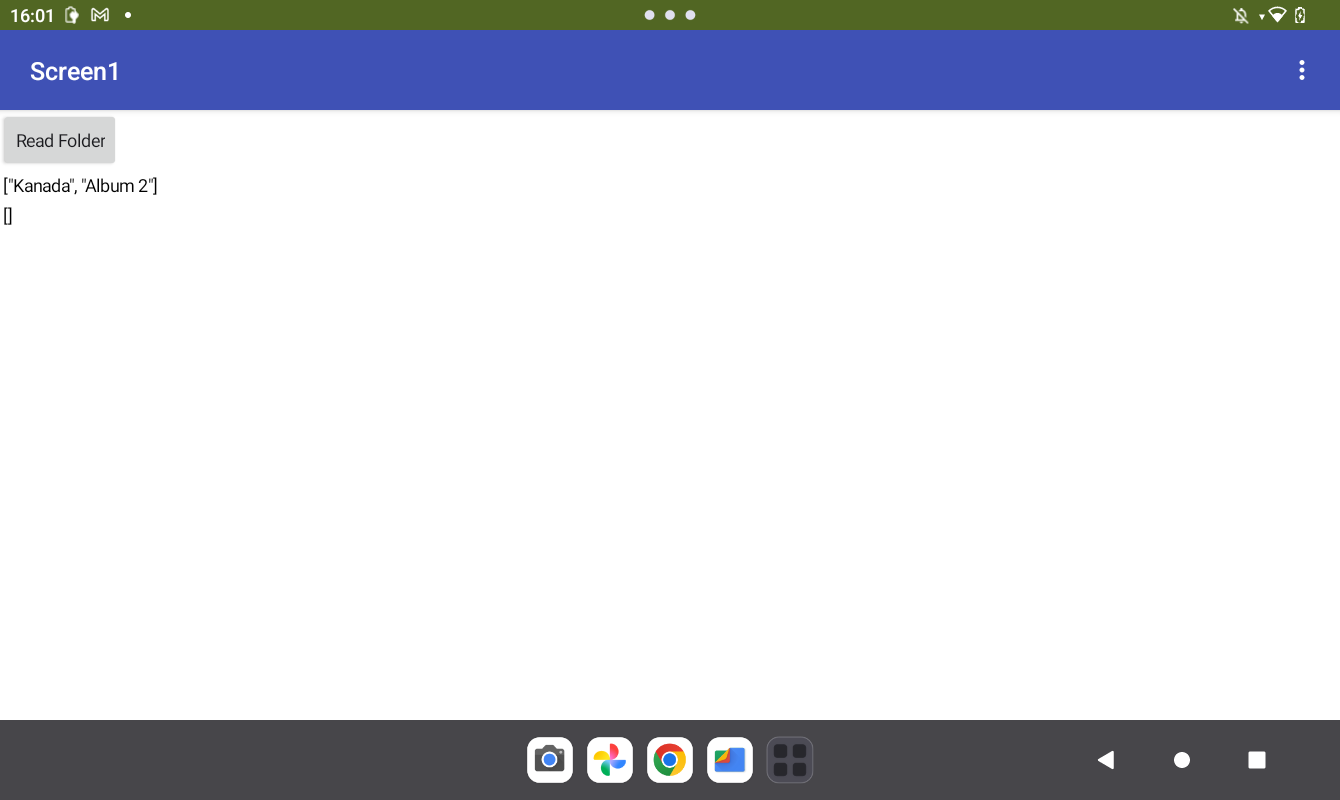
These are the blocks… yesterday I had the dynamic component extension and created buttons with text property = album / folder name. The old path and text attribute I concatenated to get the new folder. This version here is more simple but has the sam problem. I can read the subfolders but not the file within the subfolder
Where do these images come from? If the app didn't create them, you must request READ_MEDIA_IMAGES on Android 13+ and READ_EXTERNAL_STORAGE on Android < 13.
They come from my PC. When I tried it first time the device asks me and I granted that permission on device. Do I have do to it explicit again in the app (within blocks)? Do you maybe have a best practise example with easy reach? If not I will search within the forum myself
This is the objective… i look in my personal photo archive. select best of. reduce resolution in bulk and then transfer them to my device every few weeks.
 )
)