I've managed to successfully create a simple app to record my weekly spending but after using it for a couple of weeks I've realised it might be useful to be able to see what I've used tinyDB to record.
Basically, my app will allow a figure to be subtracted from a running total but I've realised that I've no way to check if the last thing I spent was recorded or if I forgot to enter it.
I'd like to have a button that when pressed shows a record of figures I've subtracted from my running total.
I'm a low skilled creator so easy steps or preferable a blocks example would be appreciated if what I am asking is even possible as my web searches have proven unsuccessful on this topic.
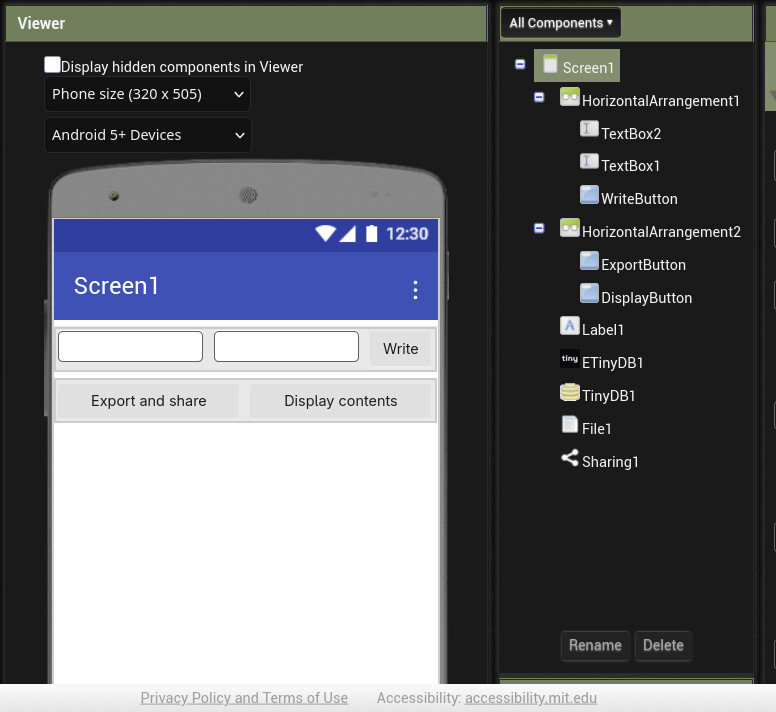
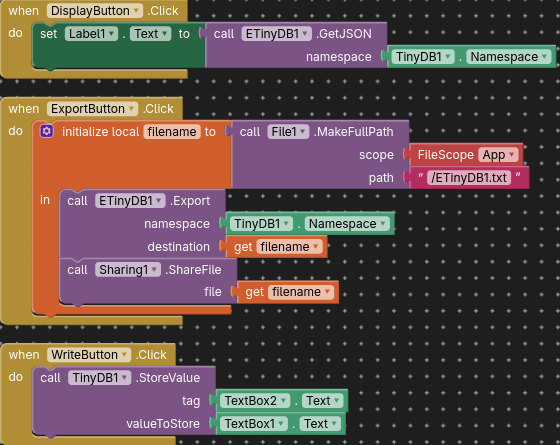
I've installed the extension but I'm such a novice I can't see how to make it work. I've looked at the comments but I can't find all the block elements being used to follow the examples.
Is it possible to show me a simple block example to call the results?
Also do I need to store data in ETinyDB to recall it or will ETinyDB pull items from my existing TinyDB?
Sorry for the lack of understanding, I'm 65 years old and not very tech savy....surprised myself even making the original app!!!!
I can't try it just yet but you've laid it out so simply I'm sure I'll now be able to make it work.
Thank you for your patience and understanding.....perhaps if I'd started at 12 it might not be as difficult........did they have PC's when I was 12 though LOL.
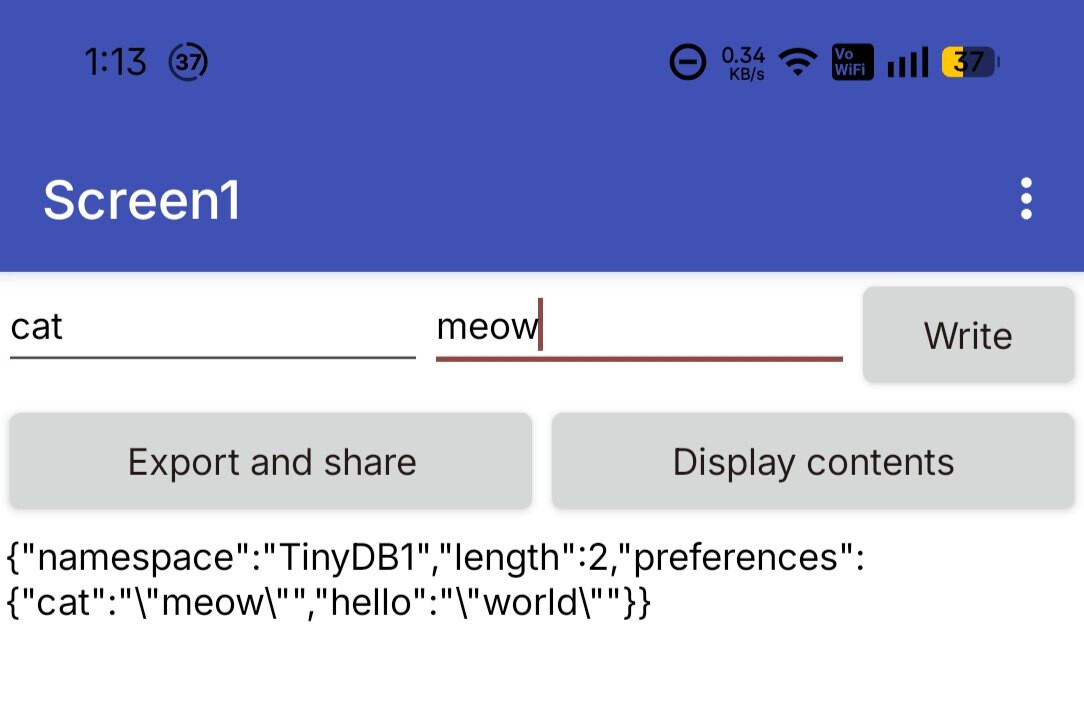
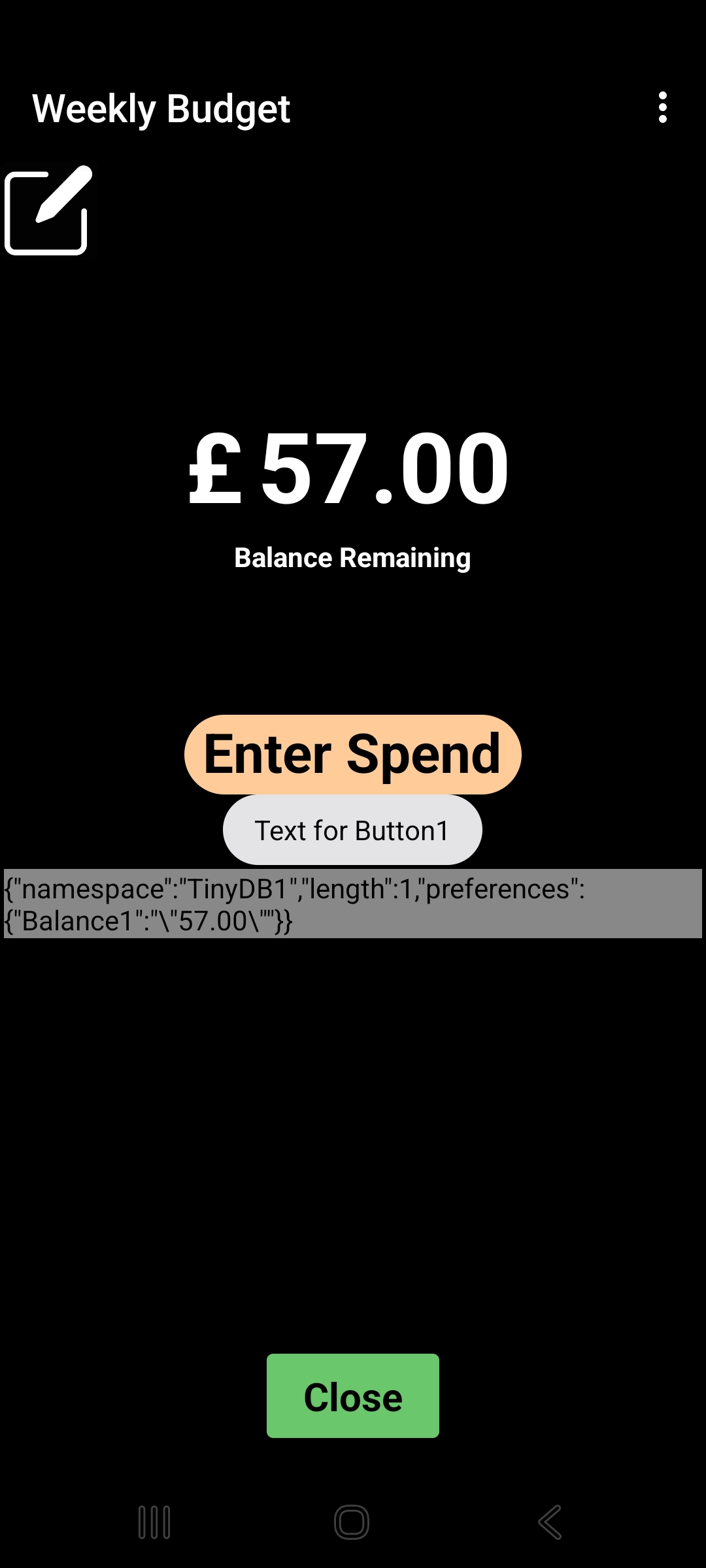
It worked perfectly but didn't return what I thought it would (see screenshot). I think that is because all I'm storing in TinyDB is the balance and not the amounts I'm entering as spend that change that balance.
Not sure how to proceed, this may be beyond my ability. Thanks for all your time and effort, it was appreciated. The app does what I want as it was, it would have just been nice to have had that record of spend as well.
Thanks everyone for the help, I think I'm slowly getting there, thank you for your patience.
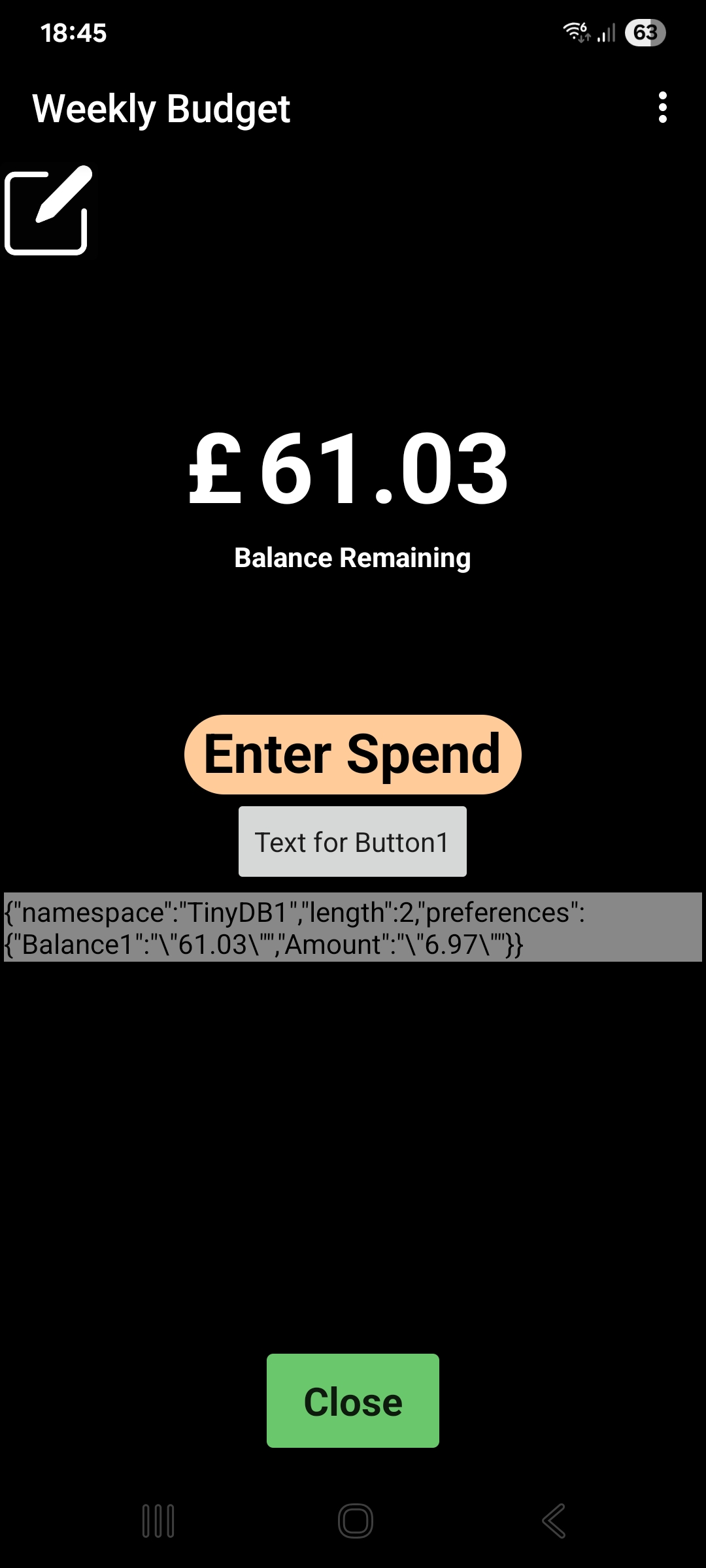
I've now managed to get the last expenditure value which will do, I don't need to go deeper than that as I just need a reminder to see what the last thing I entered was.
For some reason it is also showing the record from TinyDB1 (the balance) even though I'm not calling that.....I think!
Is there any way to present the Amount figure (showing here as 6.97) more attractively rather than this long String?
Here is the app view and I've also included the .aia file if this helps.
To get a value from TinyDB, use the GetValue method, in your case together with tag Amount
A very good way to learn App Inventor is to read the free Inventor's Manual here in the AI2 free online eBook App Inventor 2 Book: Create Your Own Android Apps ... the links are at the bottom of the Web page. The book 'teaches' users how to program with AI2 blocks.
There is a free programming course here Course In A Box and the aia files for the projects in the book are here: App Inventor 2 Book: Create Your Own Android Apps
How to do a lot of basic things with App Inventor are described here: How do you...? .
Dear @Rex_Williams,
"never say never" : I'm 67 years old and when I've started programming, the only language was the machine code, different and specific for each type of microprocessor (PC's weren't available yet) then have fun pushing the limits (as @Taifun says).
Cheers.
"Jurassic Bits"
The 6502 processor inside the Commodore was the same one equipping also the Apple II C (compact), the first computer I've bought with my second salary (only the first was not enough). It was so slow to draw a "shoot everything" game (peek and poke in the video RAM) that i've programmed it in assembly language, having found the mnemonics and the machine codes of the instructions from a HW data sheet (of course the www was still far from being born). I believe we're both "youngtimers"..


 Taifun.

