Help parsing XML data

Hello community,

due to a bug in my epg app i started some research in web and randomly found that: guide, xml-data

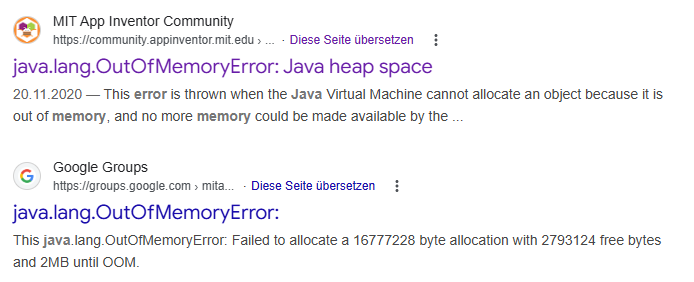
Loading that data and parsing it with web-component works one tine. than it leads to a low memory error.

I found this: link 1 and that link 2. I do not realy understand the logic how can i access the deep structure in database which is created by XMLTextDecodeAsDictionary independently of the problem with the memory.

Now I am looking for a possibility to parse the responseContent from web.gotText manually. But I find no way how to do it. Is there any possibility to walk through the content searching a tag, remember the position and then continue searching from that position?

Did anybody was triing to build an epg app with mit app inventor or is it too much because of the amount of xml content? Are there other possibilities to realize? The purpose is not to built an IPTV app (I found a project, tried it out and it works) what I want is a channel list and the television program for a time range.

Thanks in advance for ideas, opinions and / or help
The channel list precedes the program list:

<channel id="Scooore.de">
    <display-name>DE - Scooore</display-name>
    <icon src="https://iptv-epg.org/logos/Germany/Scooore.de.png"/>
  </channel>
  <channel id="DasErste.de">
    <display-name>DE - Das Erste</display-name>
    <icon src="https://iptv-epg.org/logos/Germany/DasErste.de.png"/>
  </channel>
  <channel id="ZDF.de">
    <display-name>DE - ZDF</display-name>
    <icon src="https://iptv-epg.org/logos/Germany/ZDF.de.png"/>
  </channel>

The program info is long and shallow:

 <programme start="20260214110000 +0000" stop="20260214142700 +0000" channel="DAZN8Live.de">
    <title lang="en">Next Match: Hoffenheim vs. Freiburg on 2026-02-14 at 09:27AM EST</title>
    <desc lang="en">Next Match: Hoffenheim vs. Freiburg on 2026-02-14 at 09:27AM EST</desc>
  </programme>
  <programme stop="20260214164700 +0000" start="20260214142700 +0000" channel="DAZN8Live.de">
    <title lang="en">Hoffenheim vs. Freiburg  ᴸᶦᵛᵉ</title>
    <desc lang="en">Hoffenheim vs. Freiburg.</desc>
    <live/>
  </programme>
  <programme start="20260214164700 +0000" stop="20260214172700 +0000" channel="DAZN8Live.de">
    <title lang="en">Next Match: Xhoxhaj vs. Seifkhani on 2026-02-14 at 12:27PM EST</title>
    <desc lang="en">Next Match: Xhoxhaj vs. Seifkhani on 2026-02-14 at 12:27PM EST</desc>
  <

This looks shreddable.

Here is a sample app or two:

https://community.appinventor.mit.edu/t/a-whole-lotta-building-going-on/15070/12?u=abg

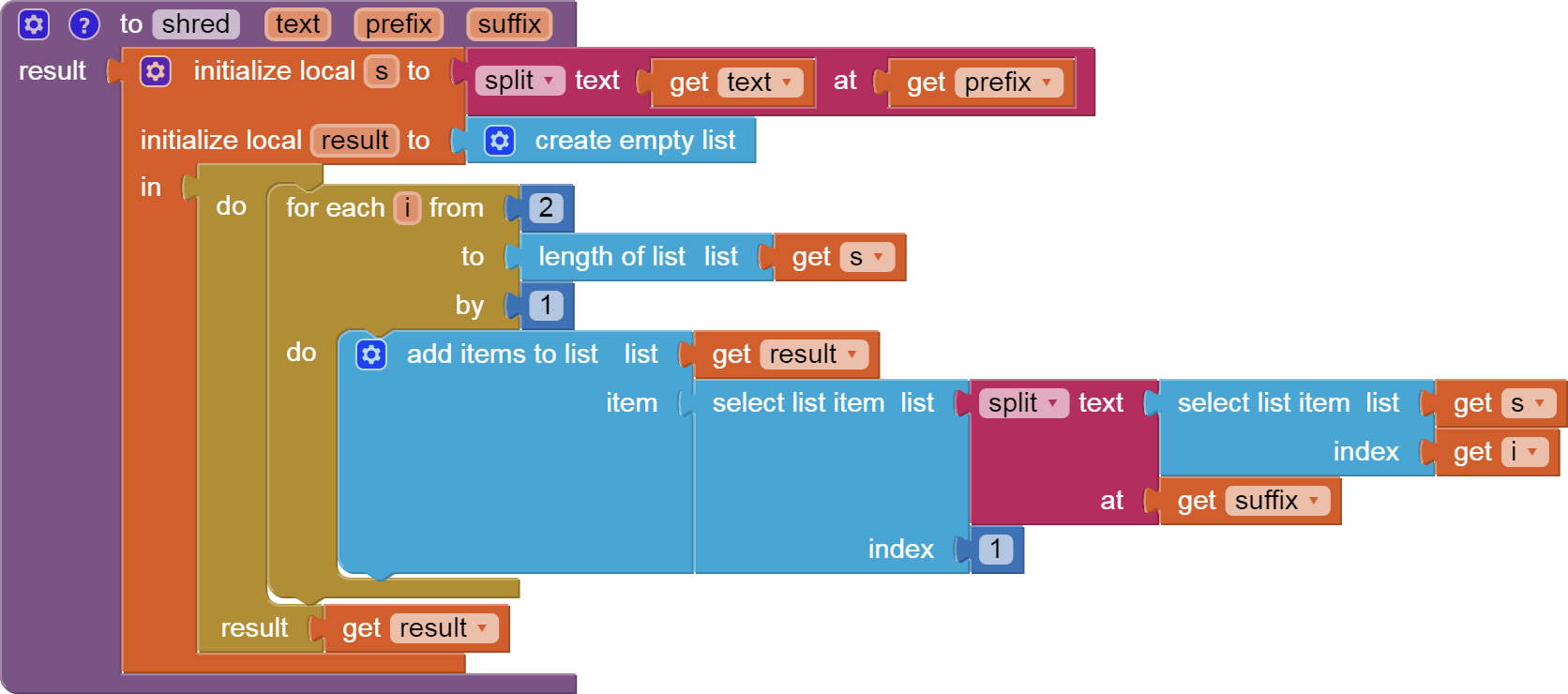
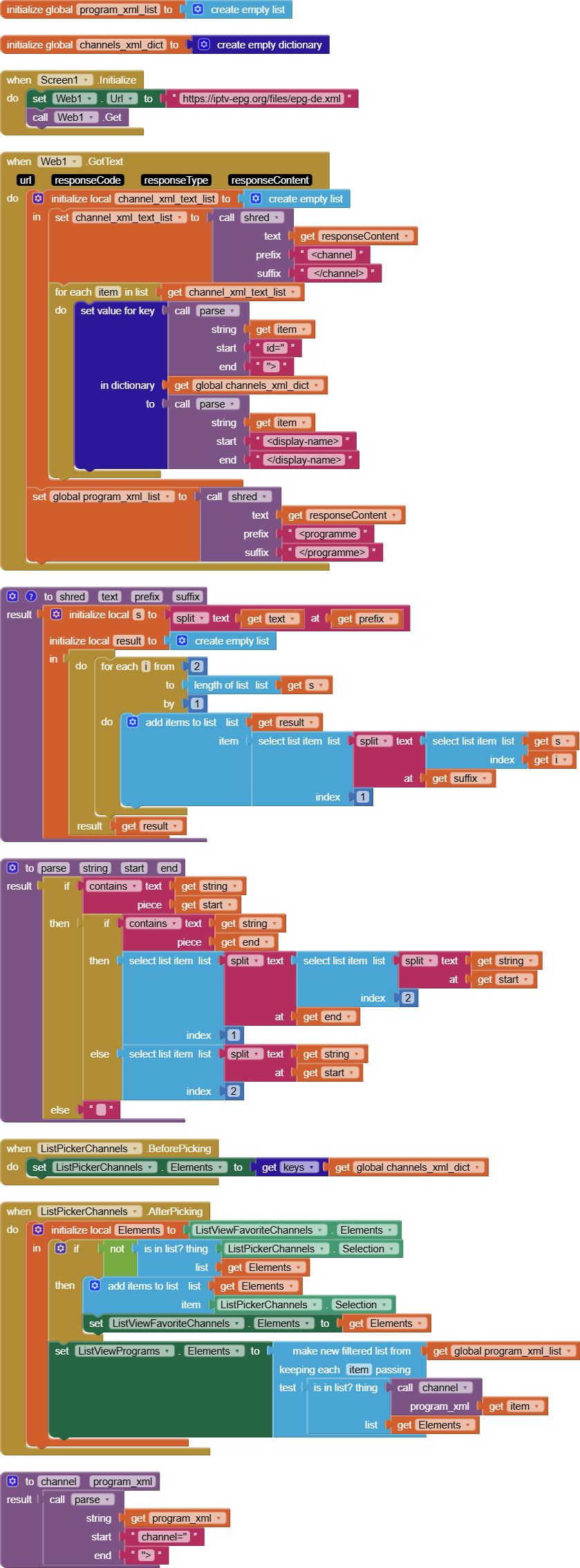
The shred procedure at the heart of these two apps works by splitting a huge text at given prefix and suffix boundaries, to make long parallel lists that can be used to filter and summarize.

1 Like

hi @ABG, this looks good. sample 2 is a guide which i will study in detail. the first link i can not access... unfortunately

I guess that the first link would be an example from you. i learn best with small conrete examples :wink:

More to the point, here's the shred procedure in a smaller sample:
shred.aia (2.6 KB)


Most of these blocks are draggable into your Blocks Workspace.

1 Like

Thanks a lot. I will have a look at it. Only to show you that I take your initial response seriously... I walked through the tutorial. Not sure if I understand all but most of it. A lot of functionality is for merching the list.

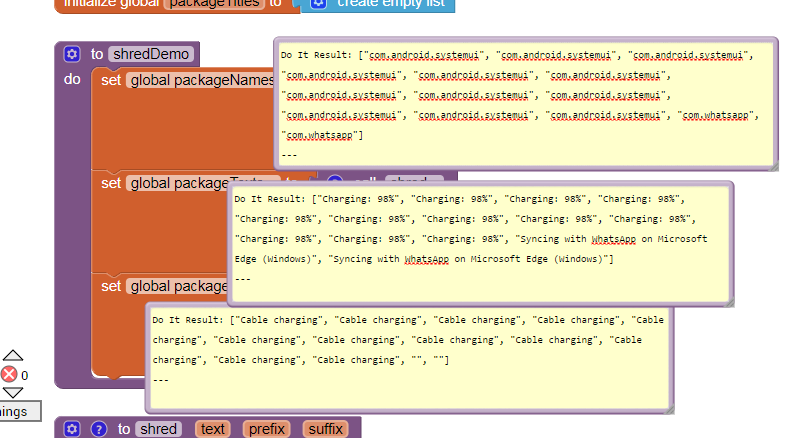
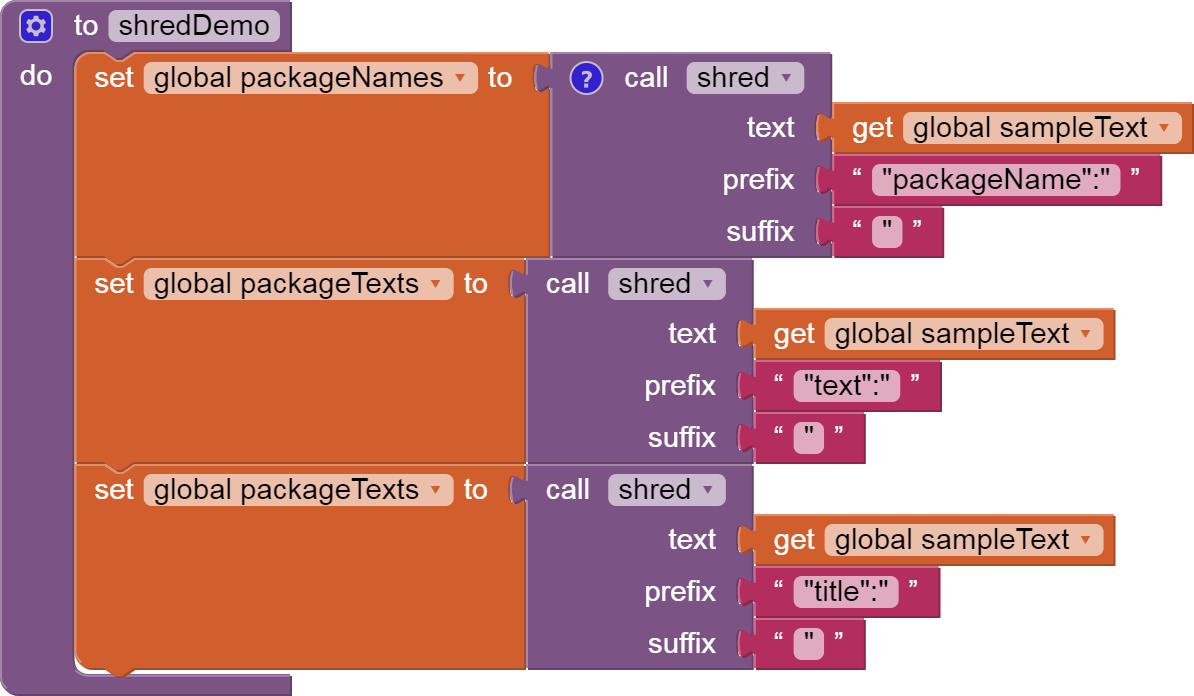
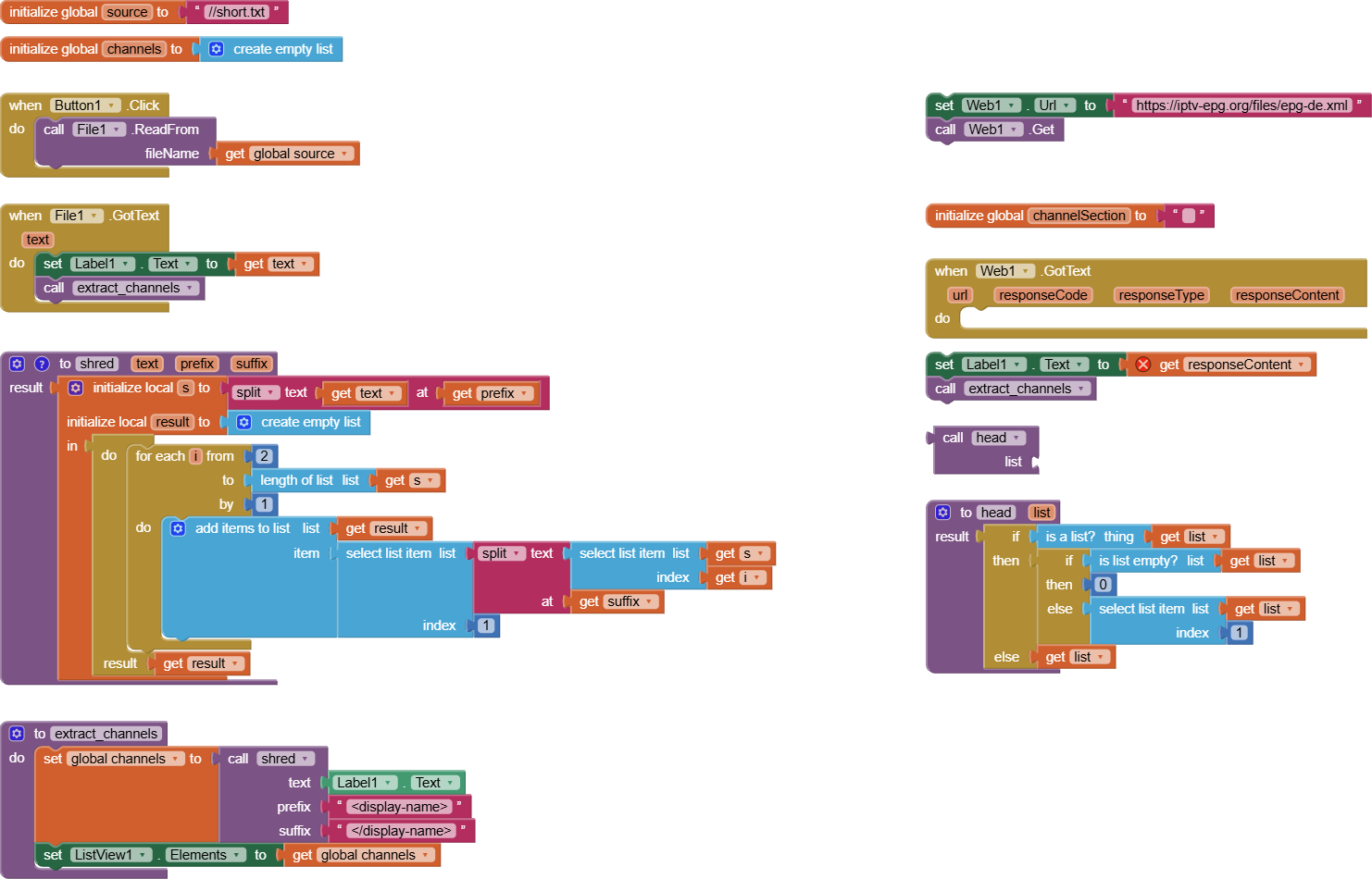
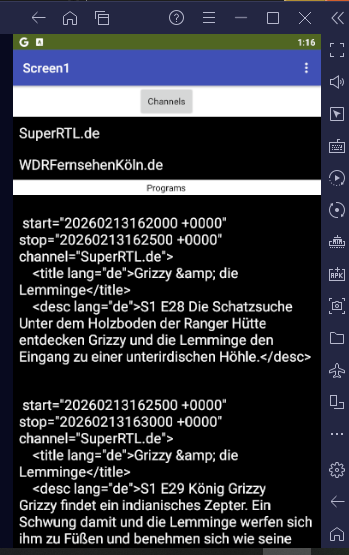
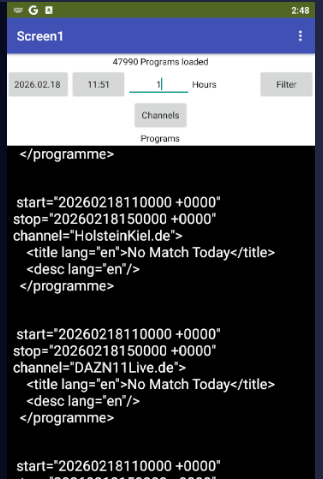
I reduced my xml download for only a small data... the result is shown below... in the blocks image only the left side is relevant. I had to store the data in a asset file and shift the procedure calls. Right is only a backup.

The result is:

Unfortunately I will not follow up that topic. There are some problems... yesterday the connection via USB works. Today not. I have the same problem as in the past (other threads) of a white screen. It only works when I use the AI Companian via QR code. This annoys me...

The main important point is the memory error which occurs after the second attempt of testing and the third the runtime to parse the data.

However... Thanks a lot for your help. The documentation is backed up and your aia file also for further use :slight_smile:

To avoid memory overflow, try to stick to local variables for intermediate results.

It's harder to debug with Do It, but it gives a chance to reach a point where you are dealing with smaller data.

There are to many questions... the xml data seems to be loaded always. The problem seams to occur when parsing the data. But I am not sure. It is a similar error like this (i lost my screenshot)

In any case parsing takes to long. Due to the fact that I am not a professional AI2 user it is to risky waste the time when the project has great potential for failure in the end.

I have other projects in relation to my arduino projects which are more important :slight_smile:

But maybe you can help me with your setup of AI2. I had a lot of threats with some problems in the app, especially with connection my tablet via USB.

Do you are a windows user? Do you use USB as well? Which app on tablet do you use? Did you install the large package with over 1,5 GB size? For what is it? Why so many local data when using AI2 in browser?

AT the moment I use on tablet MIT AI2 Companion without the large installation. It works after a lot of attempts (find the right version of the app) really nice but since an update never again with the free wheeling charme like in the past :frowning:

I run free BlueStacks Android emulator on Windows 10 desktop PC.

I can't remember if and when I tried USB Companion connection.

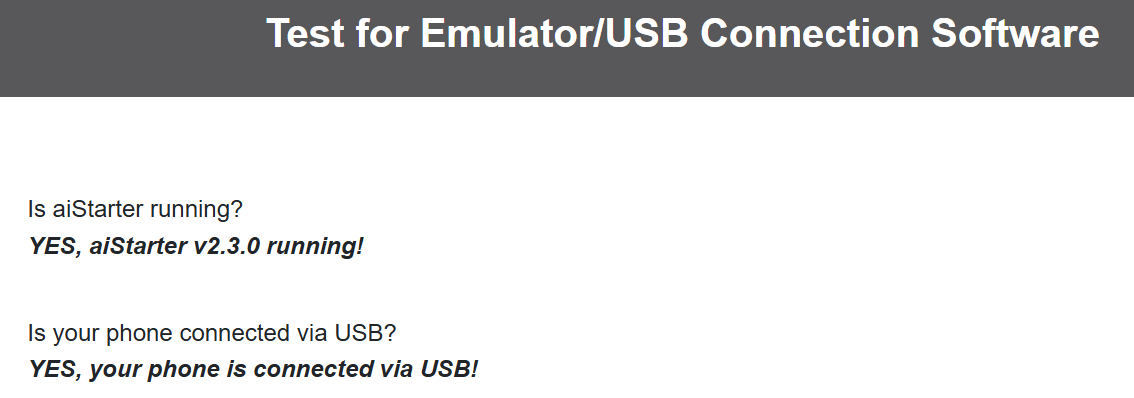
it is like the whether... I read the installation instrction. Found out that I use Companion version 2.77. tried the test page...

Connected it in AI2 via USB and... it works. The screen ist displayed with all components (e.g. buttons). The same project 30min before... the same setup, the same connection (tablet was not disconnected from pc) and the screen keeps white without any button or other components shown.

I also avoid aistarter.
It's like putting on your socks, shoes, and pants on in one operation.

I just start the Companion on my emulator,
do a Connect->Companion from my Project,
and type in the 6 letter code to the Companion app.

1 Like

Here's a test run of my on-the-fly filter approach:


shred_epg_de.aia (5.1 KB)

1 Like

Very cool. Thank you very much! It looks great. Let me test it tomorrow with the device itself if it will run into low memory issues. If not that would be really a great thing.

Maybe I have some questions for details of work principe. I I won't hesitate to ask you :slight_smile: but I will try to understand it by thinking about myself first!
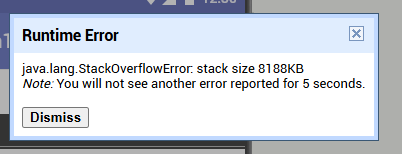
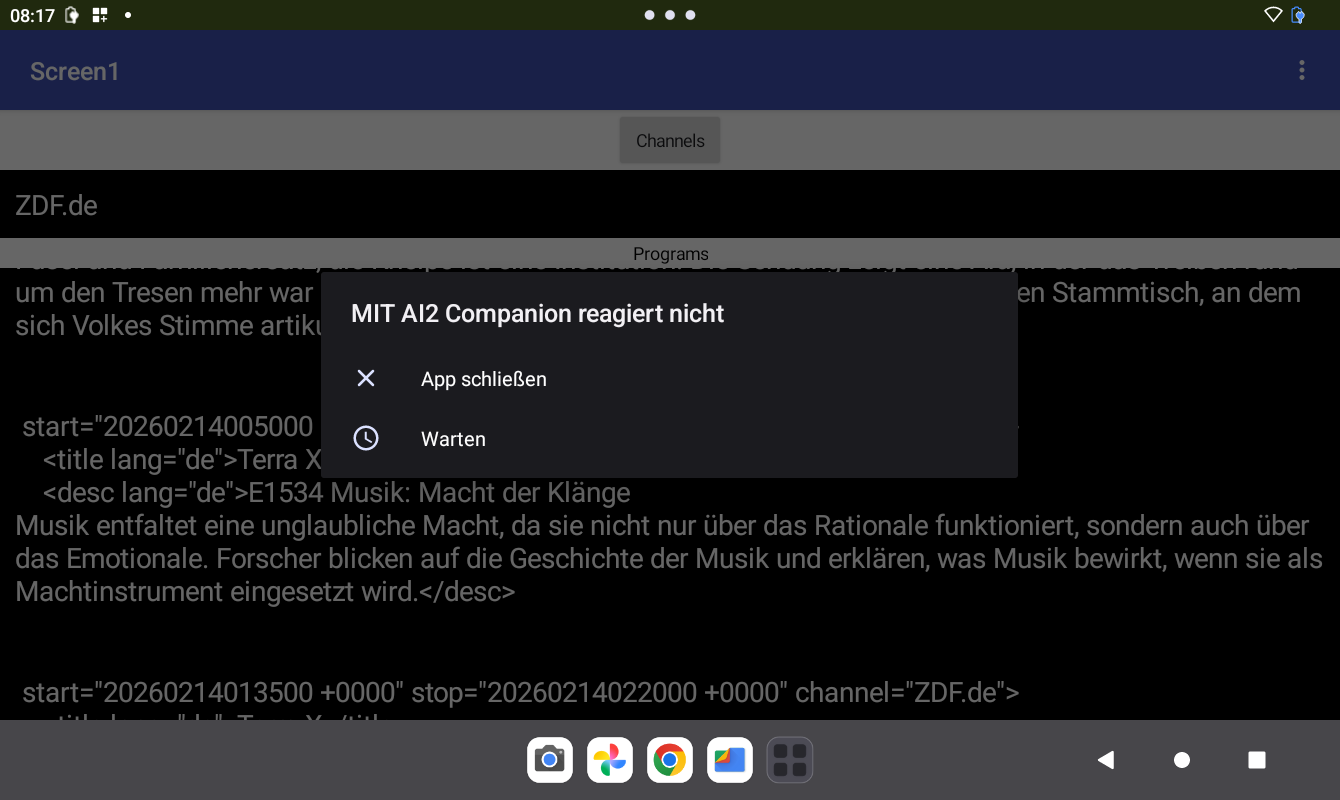
hi @ABG, i tested it with my real device via usb connection. the good news: it works :slight_smile: I compared the result with the "real" epg app. applying the time offset for CET currently 1 hour fits exactly the tv program :slight_smile:

But I run into problems also faced with in the past and which were topic of many of my threads in the past. Despite that it takes a while to load data (that would be no problem because it will do it one time a day) the programm could not be loaded at first approach... I got the memory error.

image

I ignored that and pushed the button again for a channel and it works. Programm ist displayed in the list.

The second problem is that the popup for no reaction comes again and again. I had this problem often in the past when I deal with self created apps for arduino bluetooth control. But not always... the same app without changes one day no problem another day problems. Also like the weather. I could not reproduce it. I hate such phenomenons. I tried a lot of things... .heartbeat to arduino... and so on.

So all in all... it is exactly what I was trying to build. But I am not sure if it is possible to reach a reasonable level of stability. Here in that context auf AI2 I don't have the experience to judge that.

Your aia with your blocks helps me understand better the way of design and thinking for realization of ai2 projects. Thanks again!

Have you tried building the app into an apk file and downloading that to the tablet for installation as an Android app?

That should speed it up and reduce memory requirements.

I also did not yet read the docs for options to reduce time ranges on the web request.

I also skipped adding a downstream time filter for the display.

image

You have introduced an infinite loop in your blocks, somewhere.

@ABG I checked it on the phone via apk-file. The "no reaction" popup occurs while parsing the list. It takes around 2 - 5 minutes. After parsing (where channels are identified and programs are prepared / isolated for filter logic) it works without crash and the "no reaction" popup does not come up.

Rearding you bonus with the favorite list I have to check. When pushing different channels always the same programm is shown.

I will have in the following weeks a further look at it. During the week unfortunately have no time. And this thread will be closed after 7 days inactivity.

I have ideas for fixing those, will post here when done.
Bookmarking thread.

1 Like

I have tamed time filtering and progress display for program loading under heavy volume, but have not integrated multiple filtering (channel and time range), because that's a matter of personal taste.

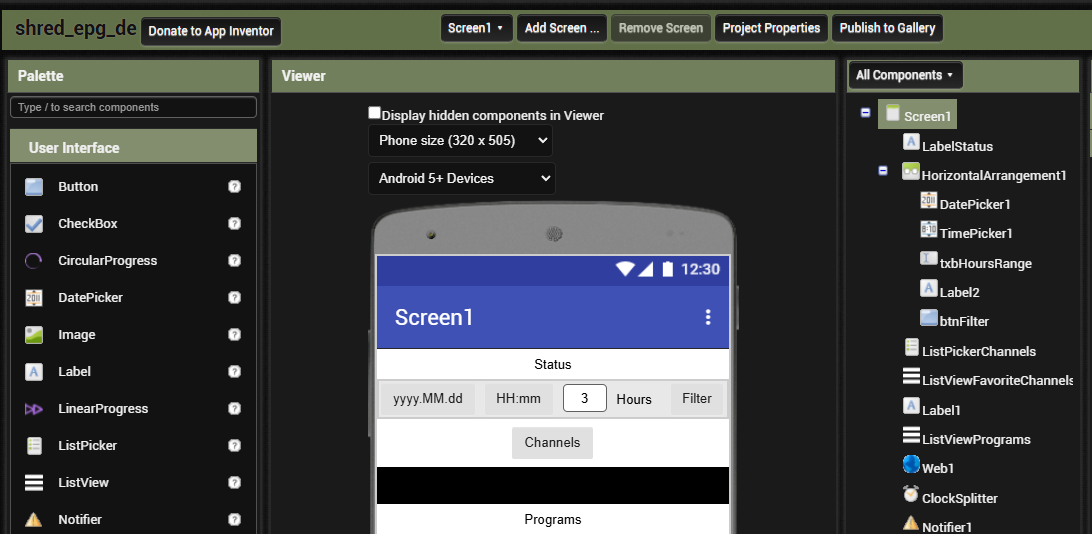
Here's my Designer view:

I added a Status Label to show where the app is in the progress of receiving and splitting the program listing xml data.

I also added a Horizontal Arrangement with enough in it to set a time range for time based filtering of the program list, to reduce its volume.
image

To avoid memory overflows and to avoid swamping the Companion connection, I display only summaries while processing unfiltered data.

(I should add another Label to summarize post filtered data, or use it as a .Text of its next filter control.)

To free up the main UI, I added Clock Timers for splitting and filtering.

I use global variables as stepping stones, to capture intermediate results.
image

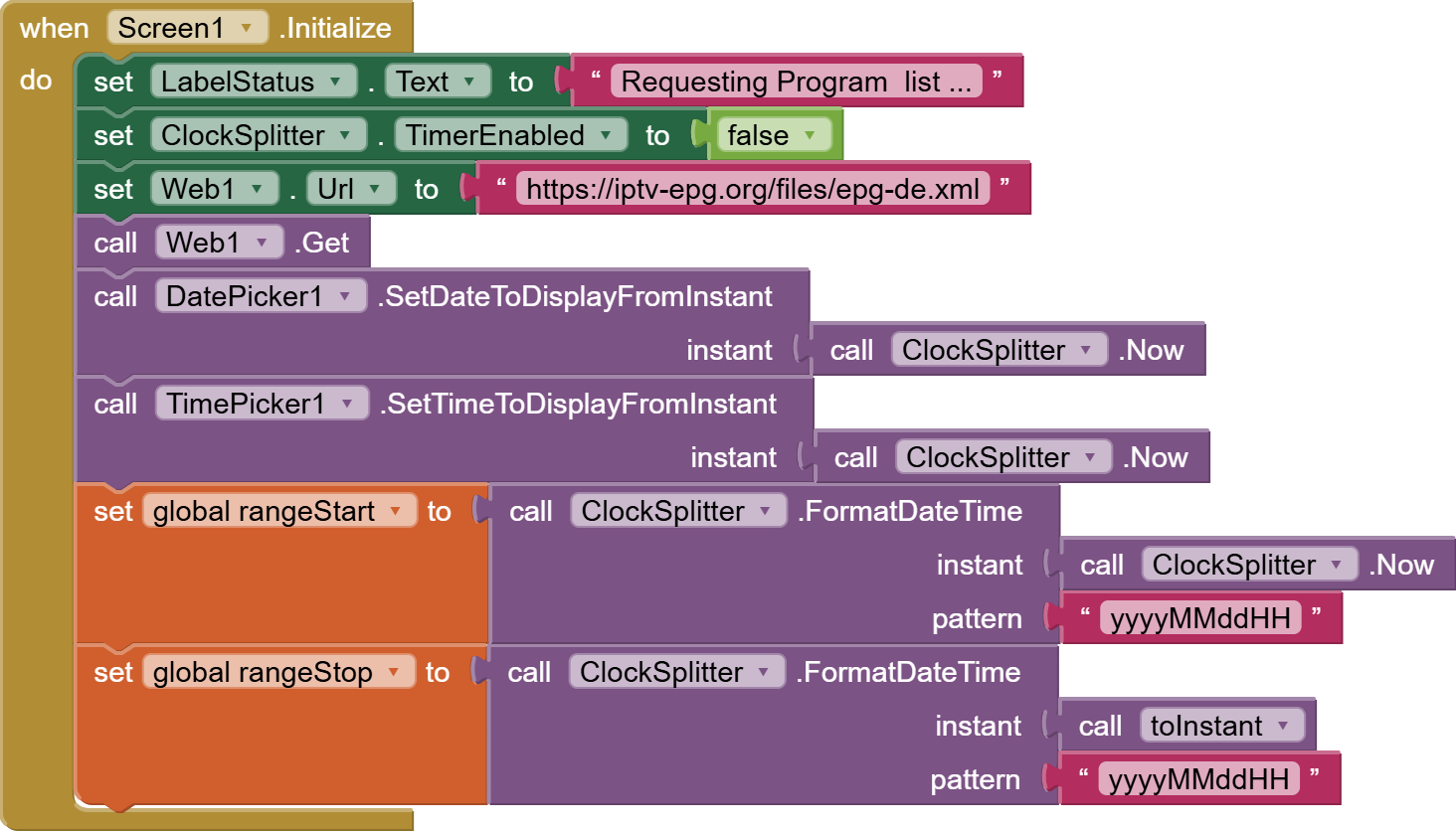
Screen1.Initialize:

First I ask for the full XML file. (The site offers no upstream filtering, unfortunately.)
I also prime the time filter components with current time, for later when they are needed.
I also disable the Clock Timer that is not yet ready to Run, because it has no data yet.

When the Web Requested XML arrives ...

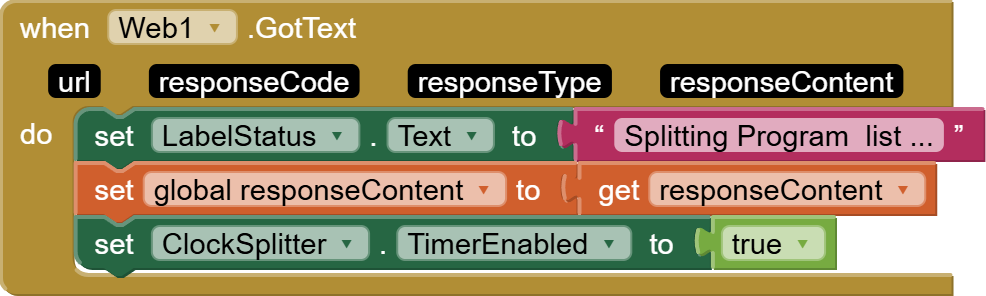
I announce the entry into the next phase of the data load, and save the response Content for the next phase. (It's also handy for debugging).
The next phase is being handled in a Clock Timer, to give the UI a chance to update.

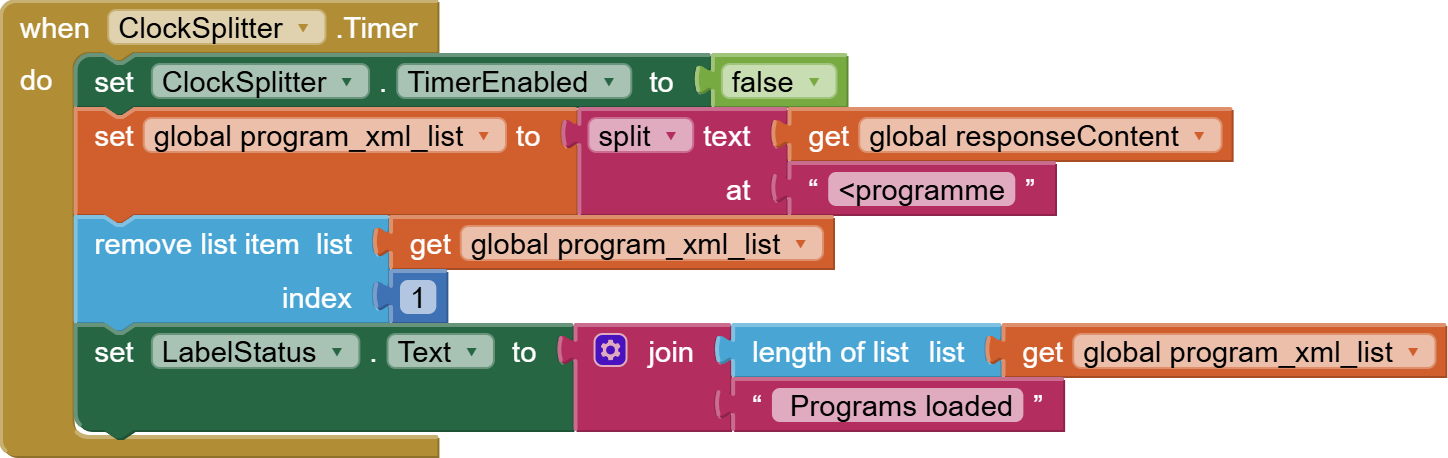
The Clock Timer is meant for single shot usage, so I immediately disable it.

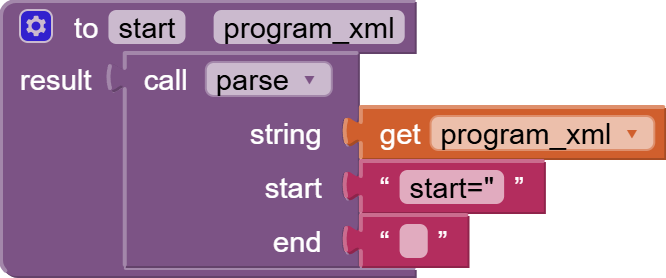
I abandoned my shred procedure, in favor of a simpler and faster text split at the front markup of each program. The breaks the XML of the fragments, but they're simple to parse individually using the Taifun parse procedure.
image

The first item of the split has the channel catalog, which is discarded from the program list. Lastly I announce the list length to mollify the user for waiting so long.

Next post: Filtering the program list.

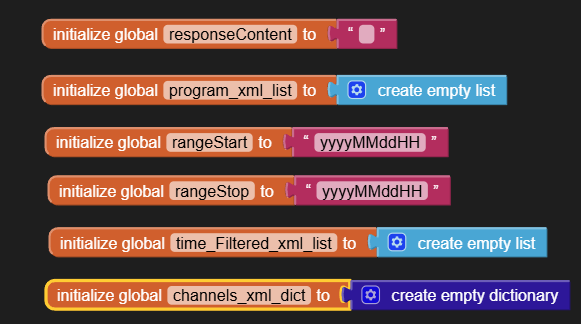
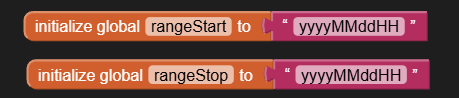
Program filtering is centered around these two global variables, setting the start and stop range that the app should show:
image

They are set in this Arrangement:
image

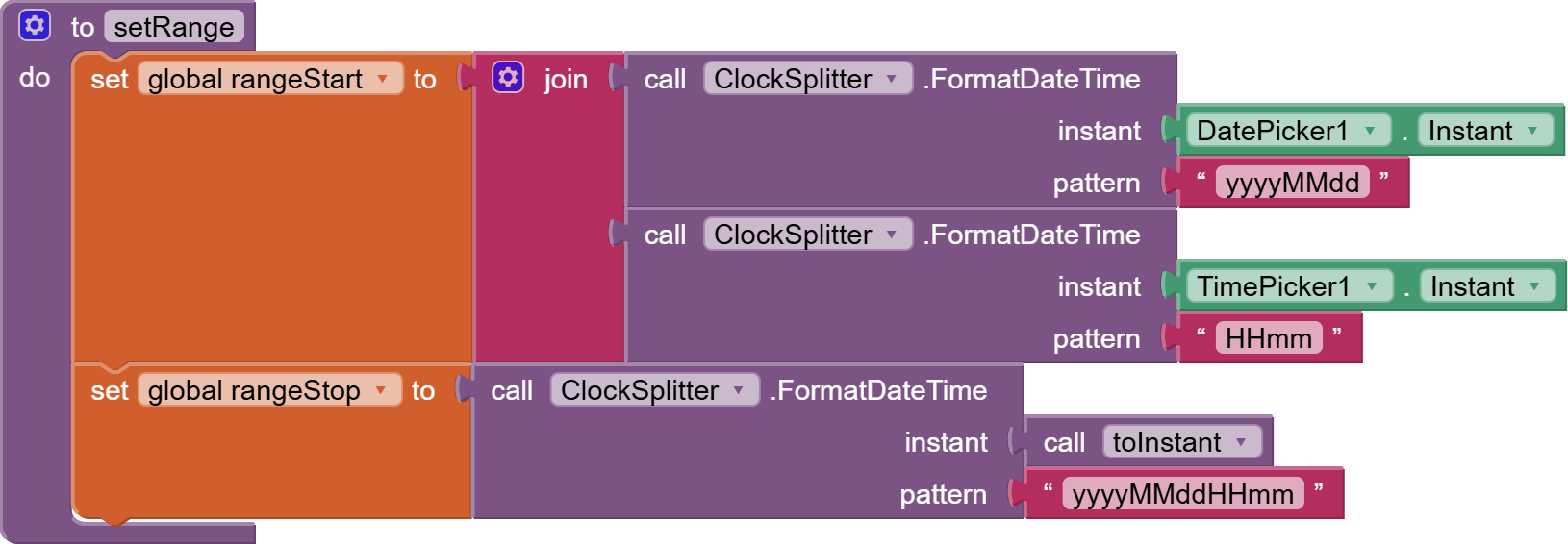
The setrange procedure loads the two global range limit variables from the Date and Time Pickers and the Hours span value.

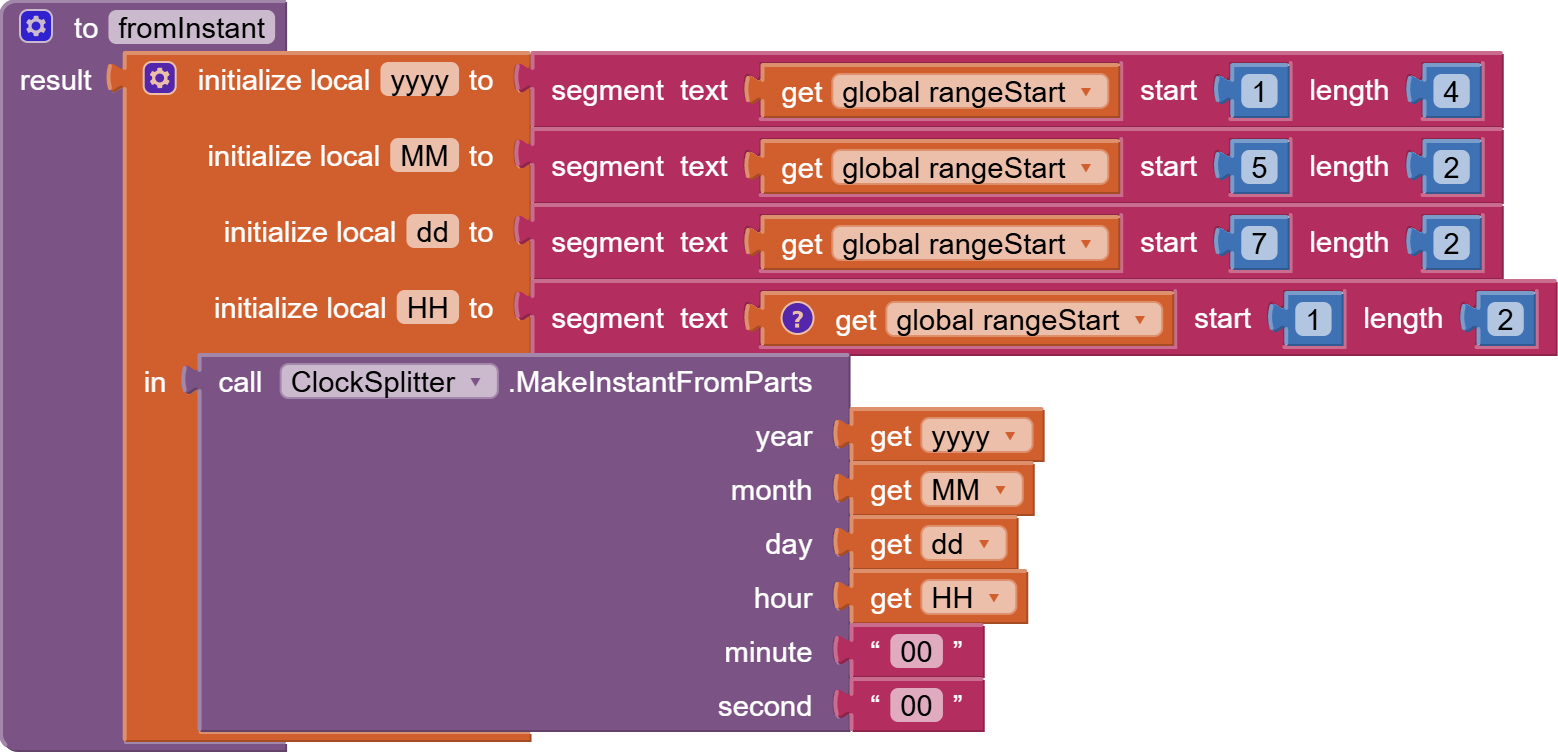
The global rangeStart variable gets a 12 digit yyMMddHHmm value from the Date and Time Picker.

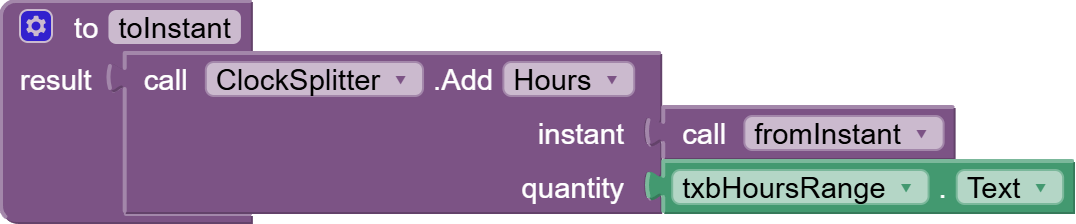
The global rangeStop variable needed to be calculated and formatted in steps, based on the rangeStart variable and the hours duration, using Clock Instant blocks.

(This could probably have been done in one step, but I have little capacity for complexity at the moment.)

Next step: the actual filtering of the program list, based on time range.

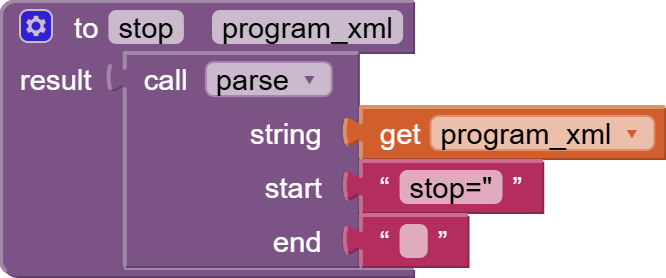
These two value procedures can extract the start and stop timestamps from a program XML fragment:

blocks (8)

blocks (9)

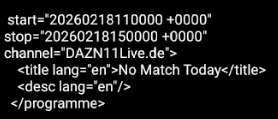
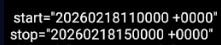
The end of each timestamp is a blank:
image
I have no idea what that +0000 is for, and it breaks math on the timestamp, so I clip it off in these functions.

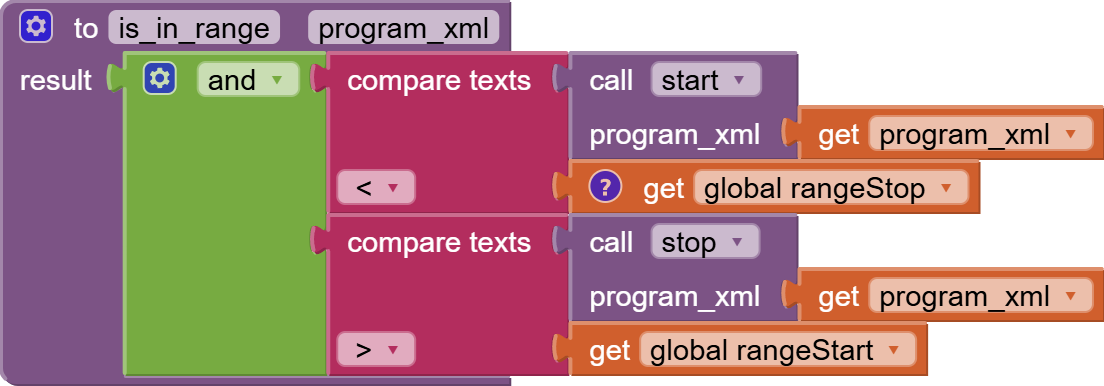
Given these functions, we are now ready to write a value procedure to decide if a program overlaps our start stop range:


I use text comparison here, because I am not forcing the timestamps to the same length. The DateTime format yyyyMMddHHmm pays off here, because text comparison is the same as chronological comparison.
It would be easier to understand the overlap logic if you were to draw two parallel line segments on graph paper, with their own start and stop points.

...........start----------stop.............
...start----------stop................

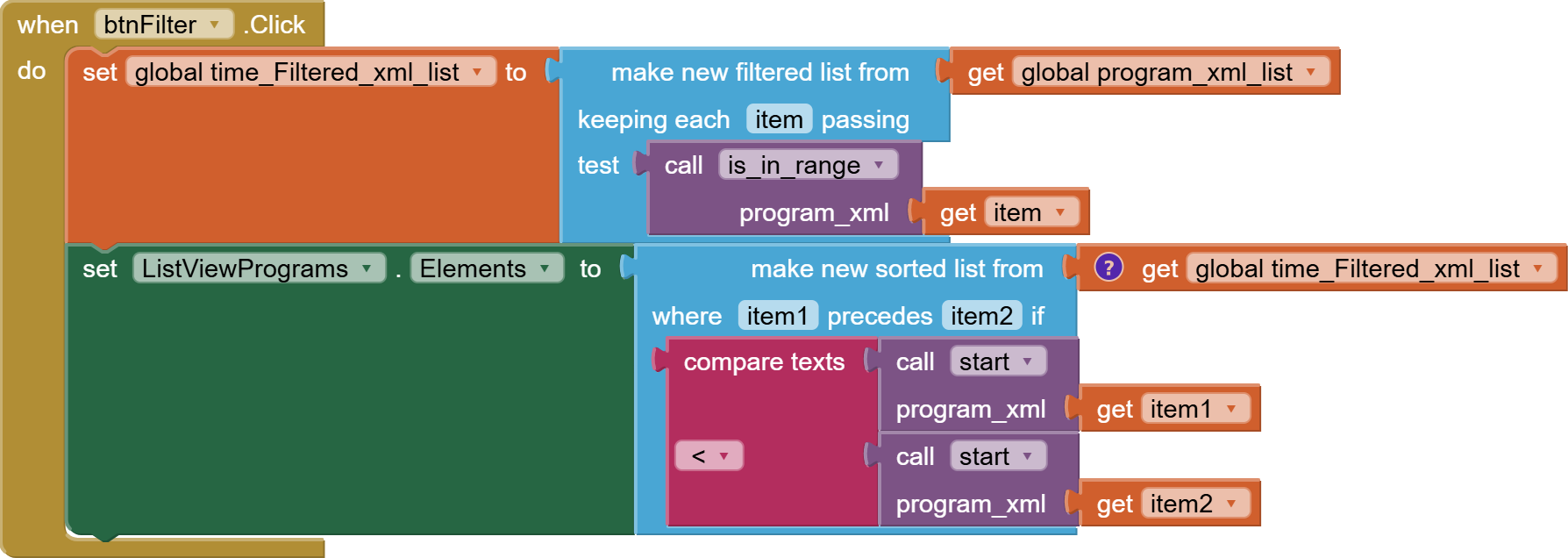
That makes the Filter button Click event simpler:


I load a new global variable from the filter result.

Then I rashly sort it by start time and load it into the Elements list of the Programs ListView, without the chance to filter it further by channel, because that is a matter of taste I leave to you.


shred_epg_de (1).aia (10.0 KB)