I’ve built a couple of simple apps for my personal use and the problem I always have is getting the project started. Once I have an outline, usually by looking it up on Google and using that as the starting place if I can find something like what I want.
Today I’m stumped as I can’t find anything like what I want online.
I’m not asking for someone to do the work, just get me started.
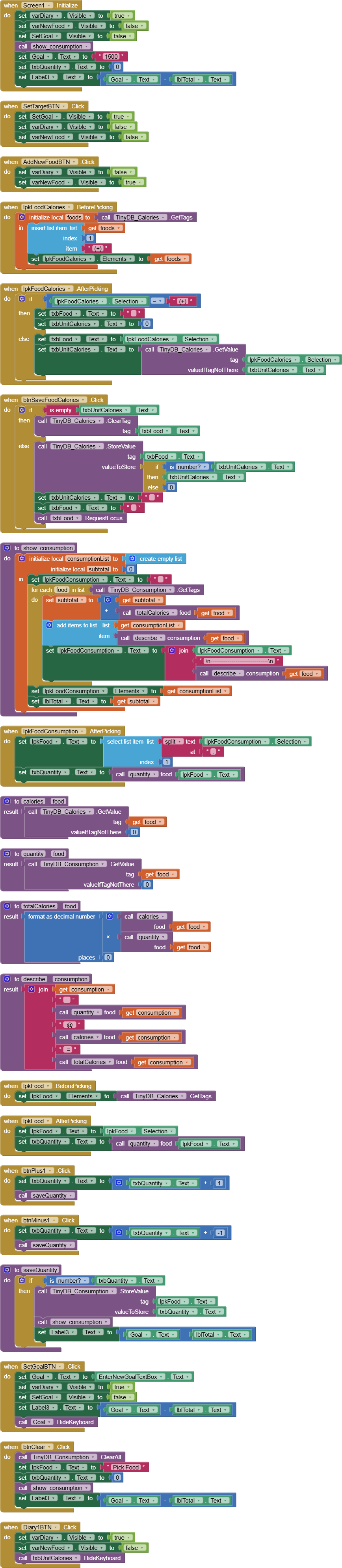
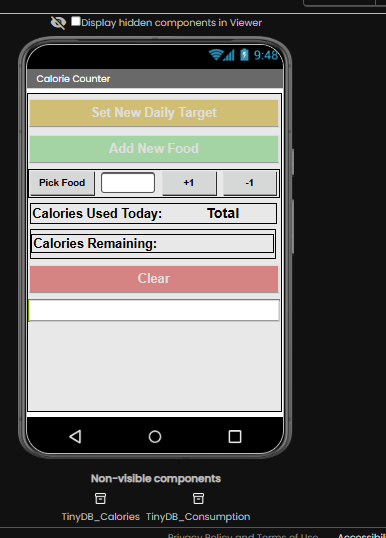
I’m trying to make a calories consumed app for my own use. I want to record foods and their calorific value and then be able to choose them and add them to a daily total i.e
Store these items and their value:
Fish 200 calories
Chips 400 calories
Peas 30 calories
Then say I have Fish and Chips but no peas, I want to pick Fish + Chips ( 200+400 = 600) and display the result.
Anyone willing to give me a starter on how to do this?
I’ve managed to adapt your aia so first thank you for your starter. I do have one follow up question - what blocks would I need to add to enable removing just one item from the tinydb.
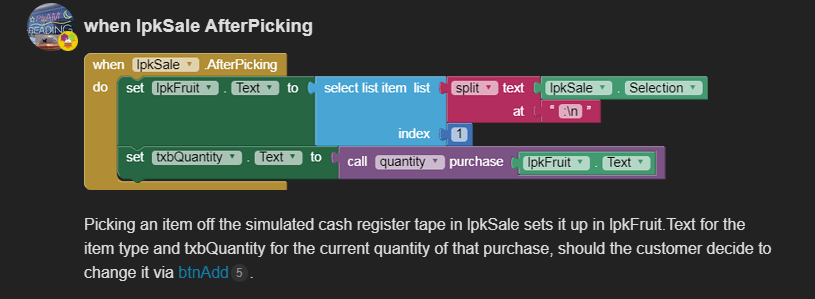
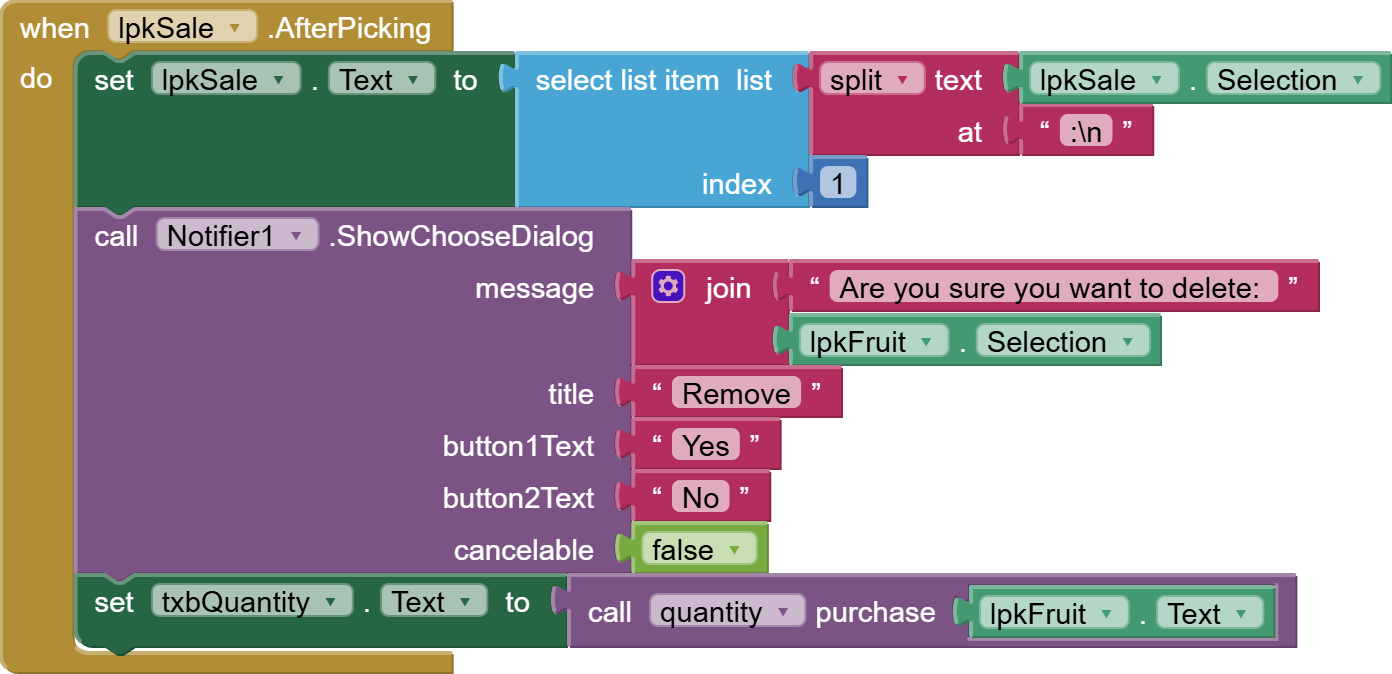
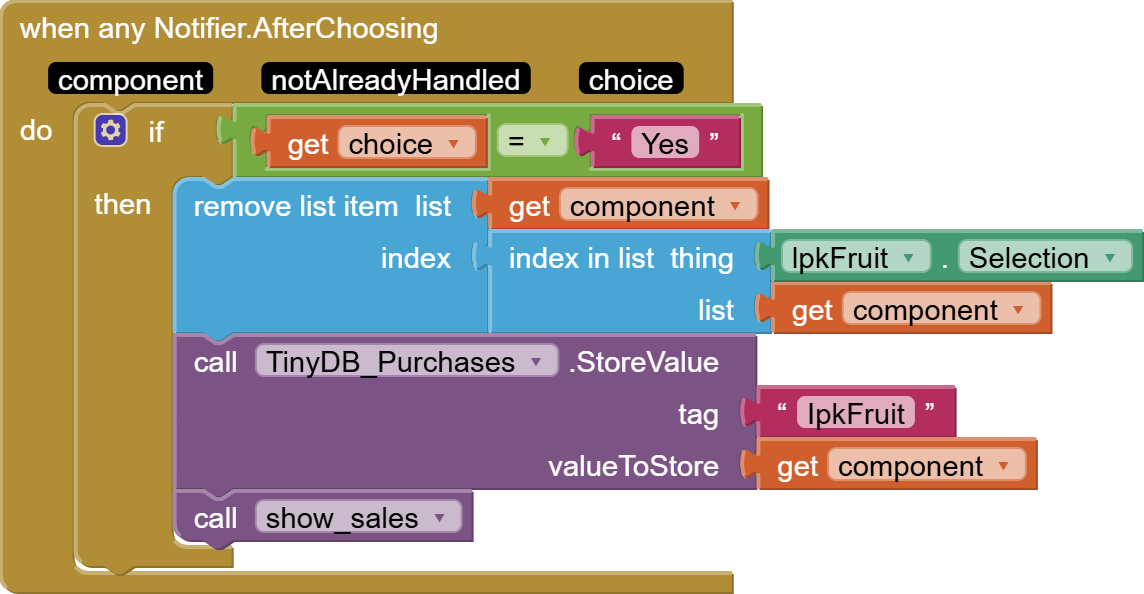
the tag of the selected sale item is set up in lpkFruit.Text, so all you need to do is add a Notifier request (2 buttons) to that event asking if the user wants to delete the tag/value from the sales Namespace.
Have the deletion run in the Notifier response event, after checking which button (Delete or Keep) the user pressed.
You need to have renamed Notifier1 to a specific named purpose, like ntfRemoveSaleItem, to express its sole function and allow for addition of other Notifiers later on, with other purposes.
You used a Generic event instead of a specific event. WHat if another Notifier need to ask a different yes/no question? It's a pain to juggle them all in one Notifier event.
The component parameter in a Notifier generic event is a Notifier component, not a list of items. You're just making stuff up at this point.
I went through all the components and procedures and variable names, renaming them for the application purpose. This was confusing enough as is, without the complications of ghosts of applications past haunting it.
Never be afraid of renaming something in AI2. It renames all uses.
I switched to immediate update, with a -1 button in addition to a +1 button.
Considering you're clearing the consumption db at end of day, that's all you need.
Here's some introductory material so you don't have to dive into the deep end.
A very good way to learn App Inventor is to read the free Inventor's Manual here in the AI2 free online eBook App Inventor 2 Book: Create Your Own Android Apps ... the links are at the bottom of the Web page. The book 'teaches' users how to program with AI2 blocks.
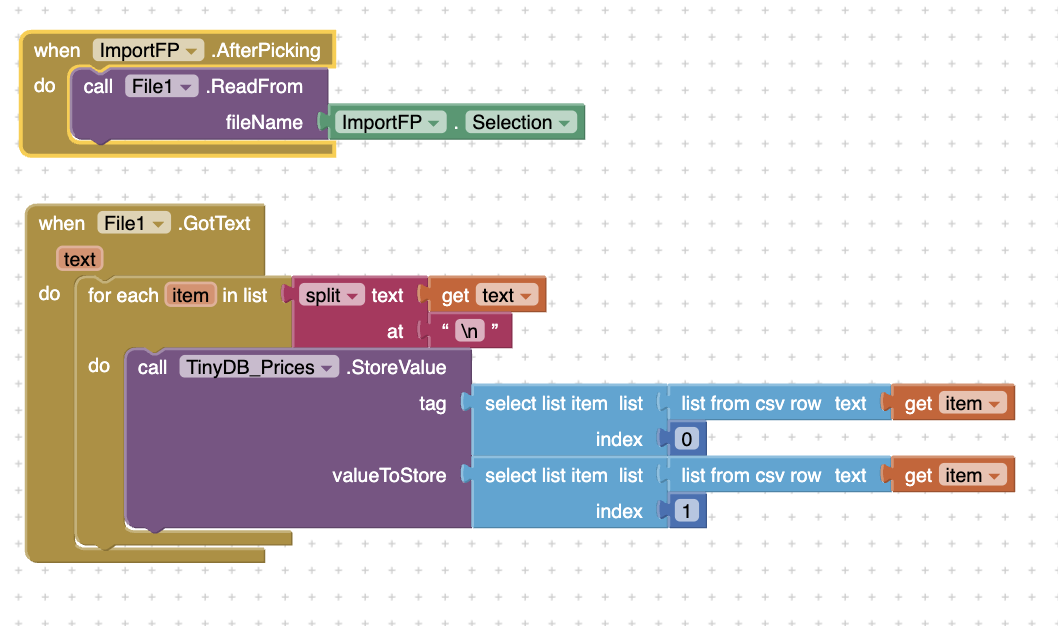
P.S. If you find your imported data covered in quote marks, there are list blocks to transform CSV table text into AI2 tables (lists of lists), removing the quotes in the process.
Changed values to 1 & 2 but now get a message that says CSV text cannot be parsed as a row. Cannot parse text argument to “list from csv row” as CSV-formatted Row.
DOH! You know I said I sometimes feel stupid? Well your reply talking about headers made me realise my CSV data didn’t have any headers. I put the headers in and it works, apart from also adding txbFruit as a food item, but I can live with than for the convenience of uploading data.