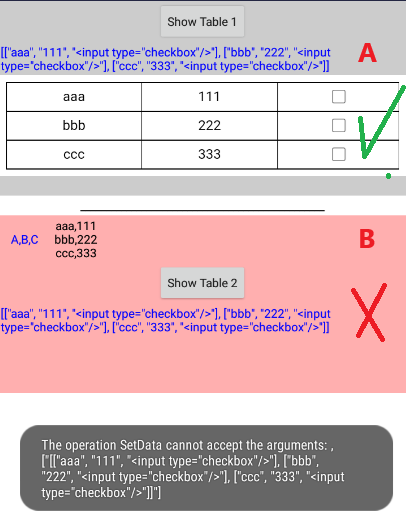
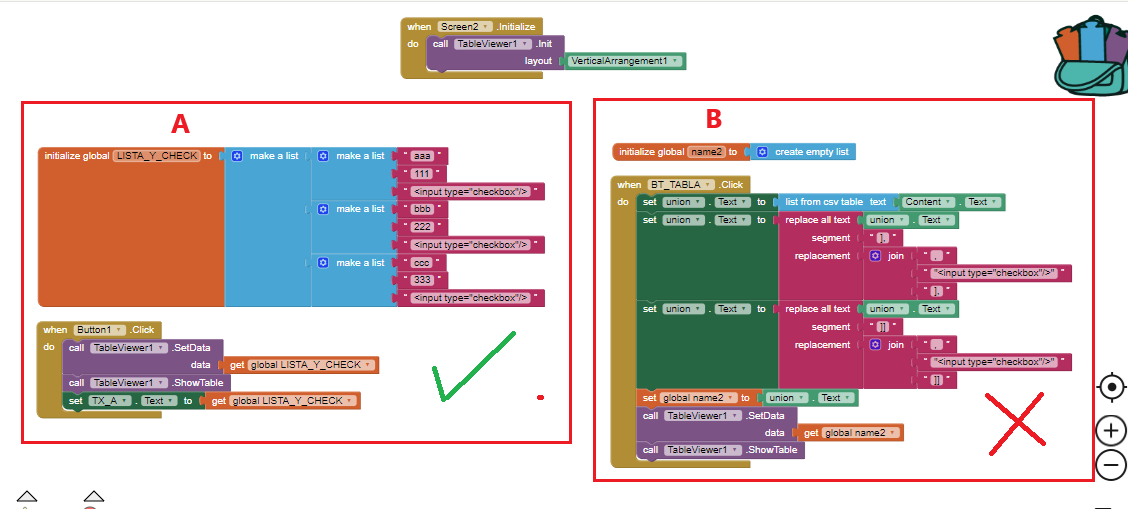
Please, help me. 
I've been struggling to make the extension work but I wasn't able to succeed yet.
I have a question. Does it requiere a vertical arrangement? If it does, do I have to set it to be as big as the screen? Or what size do you suggest?
If you read the examples in this thread, you will find out the layout can be a vertical or horizontal.
Even the simplest sample in first post not working for you?
The forum talks about showing and I don't see how to hide it
I have a table that shows when:
a label contains text
If it does not contain text it should be hidden
try with
ClearTable
and it doesn't clean
what can I do?
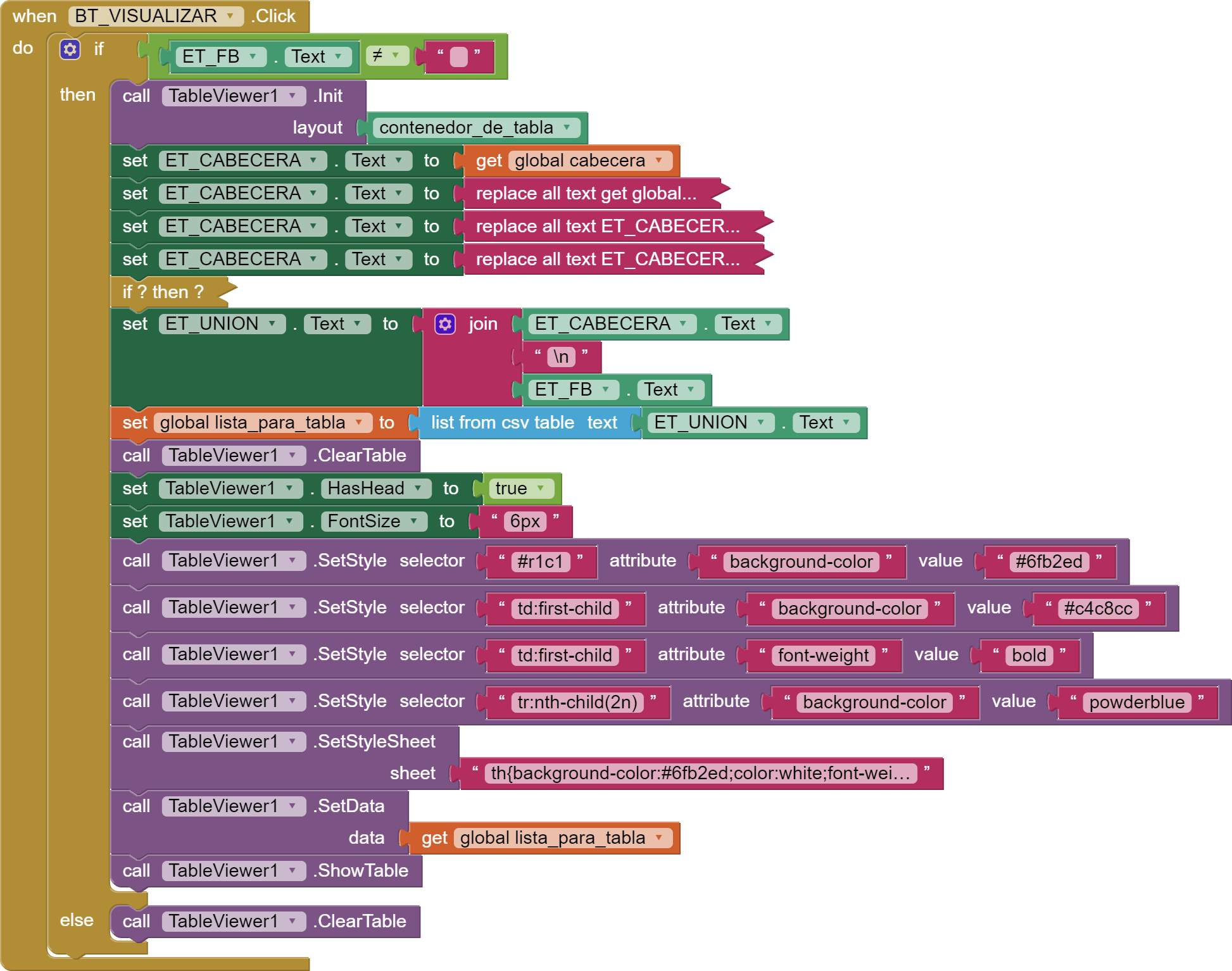
Do you want the table to still be there, but with empty columns and rows ?
not just hide it or cancel it
and when it contains text the label by pressing the button start again
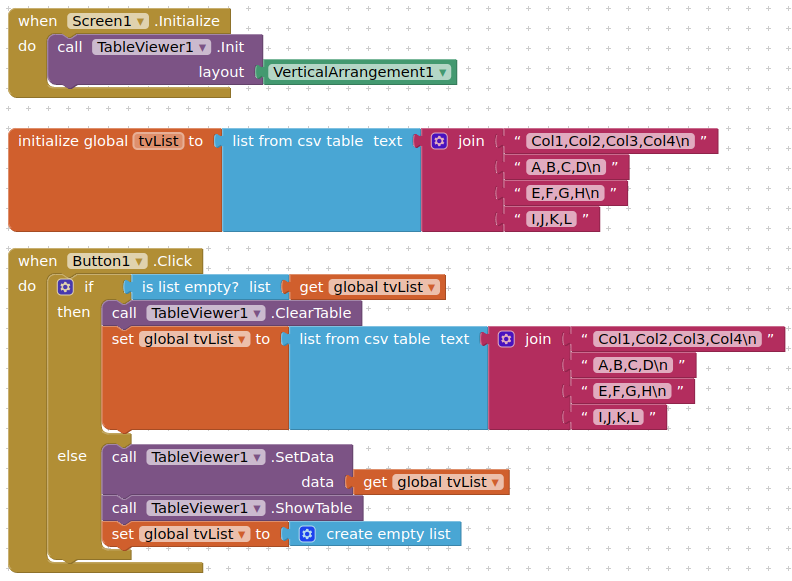
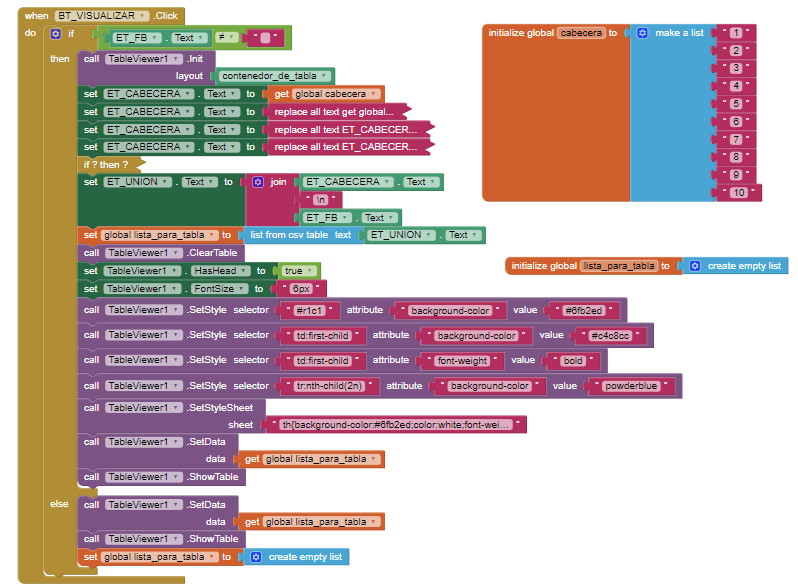
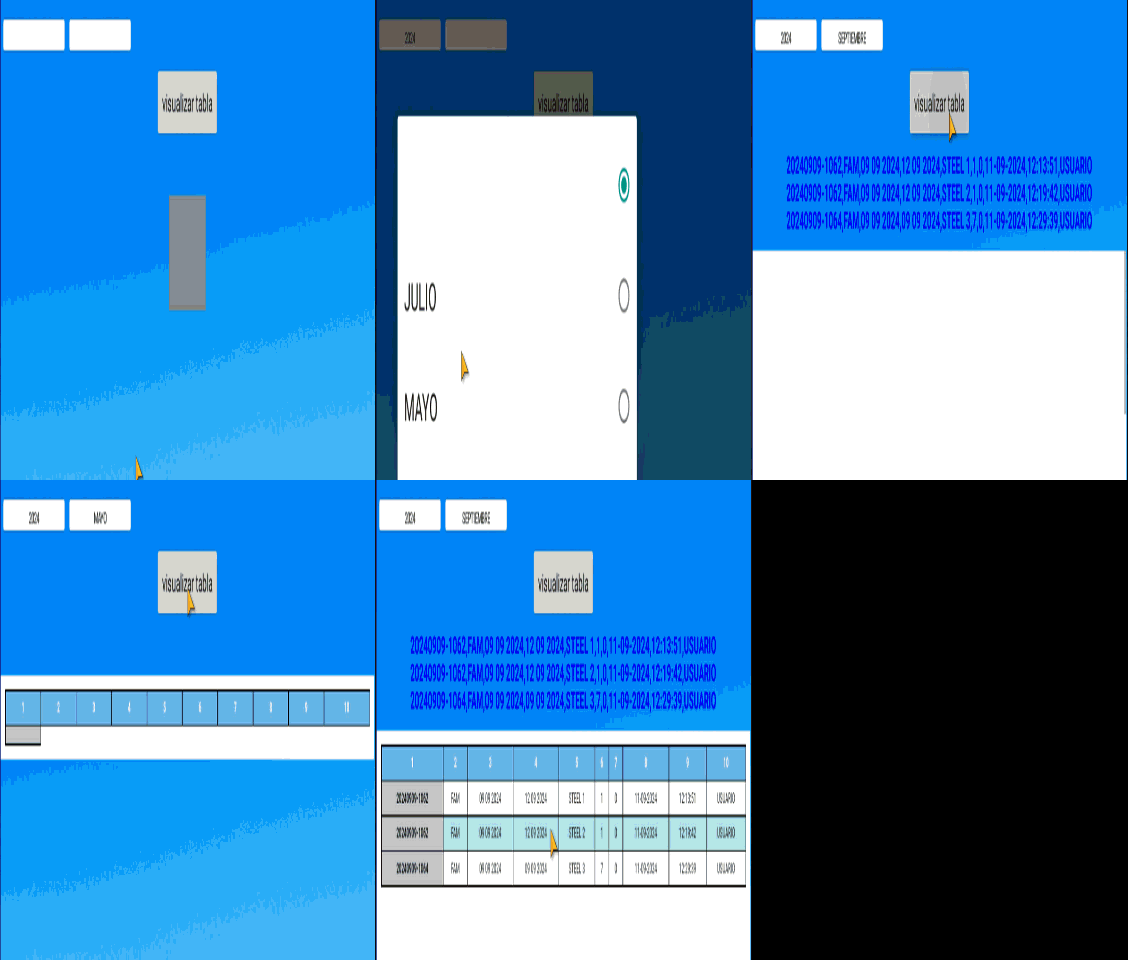
Well, you did not follow the logic of my blocks, you clear table and set table in the same section.
Why does the table appear on the second click?
I necessarily need to join 2 labels to be able to obtain the list from CSV table
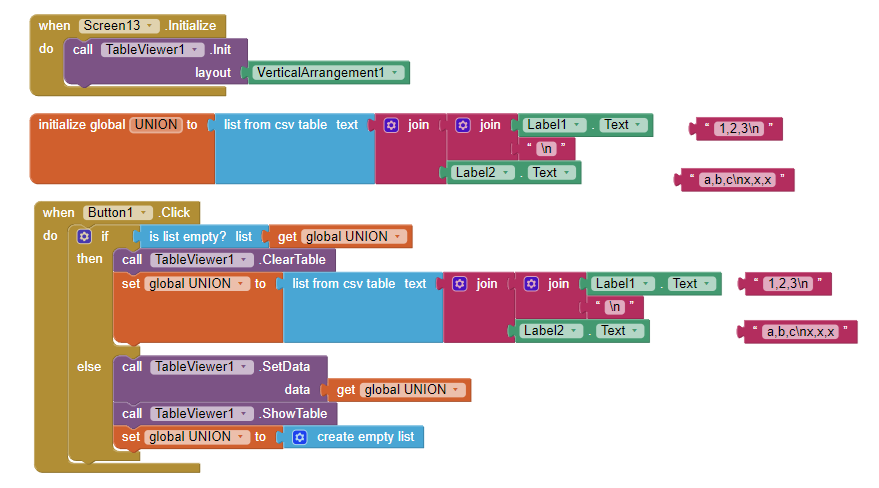
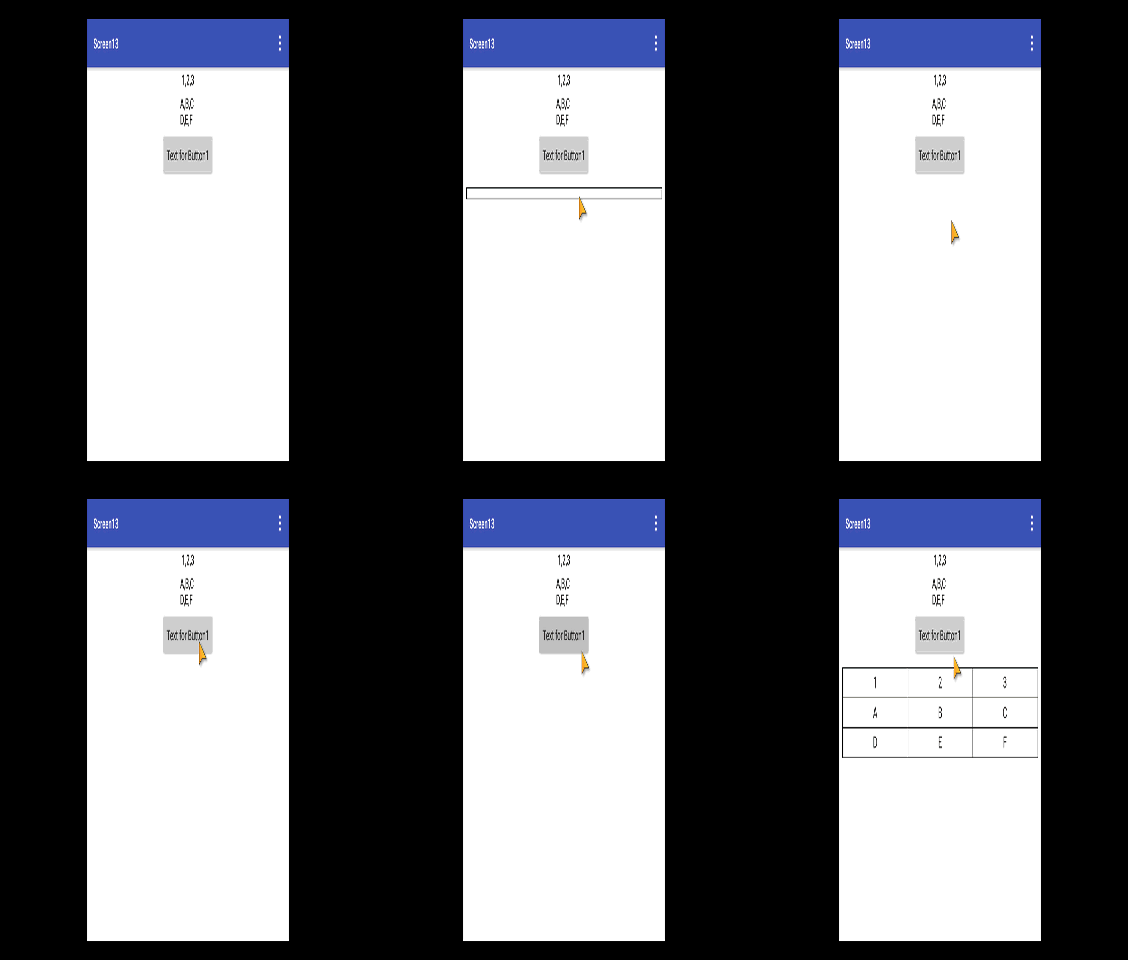
This problem is also with me in the button component,
[mod edit - unnecessary tagging removed] is there bug going on?
In both cases, it is more likely to be poor blocks coding.
and elmachi130 is on Screen13 which might also be causing stability issues.
I have no such issues with my demo ...
tvDisplay.aia (27.4 KB)
1 Like
This doesn't happen to me either
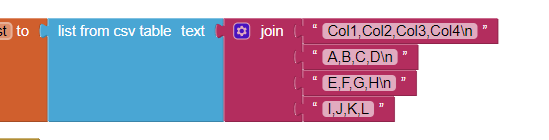
but when I add the union of text with labels the flickering happens to me

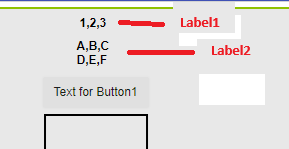
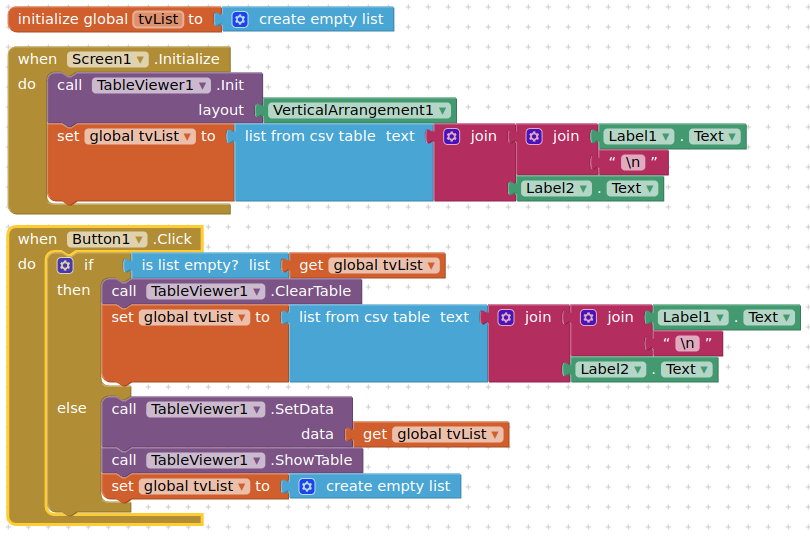
Add check box in table
I have 2 labels containing text
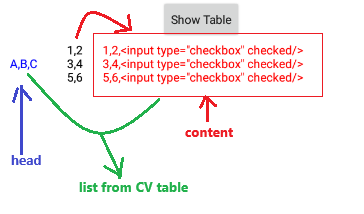
The first label has 3 items A,B,C which will be the header
The second label contains 2 items per row and that is where I would like to add a third item as a check.
then get the name of the selected item in a third label
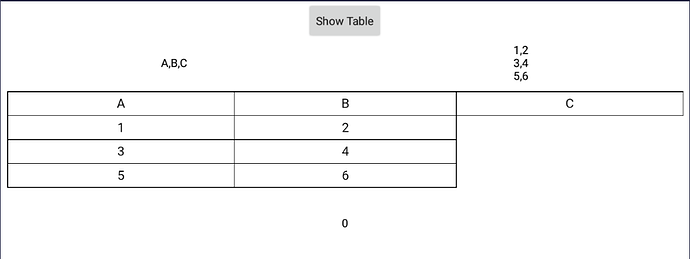
TABLA_CON_CHECK_DE_SELECCION.aia (28.2 KB)
I show how to do this in this post:
yes I was seeing it
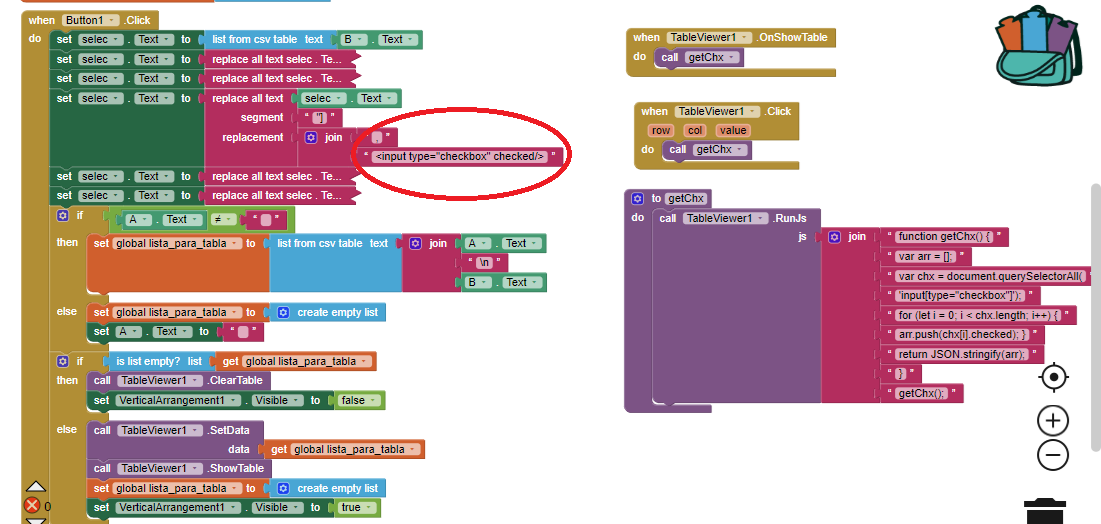
I don't know if the method of entering the check in the third item is correct.
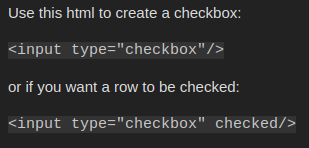
input type="checkbox" checked/
and then generate the table
or is there another way
enlighten me
TIMAI2
What do you not understand ?
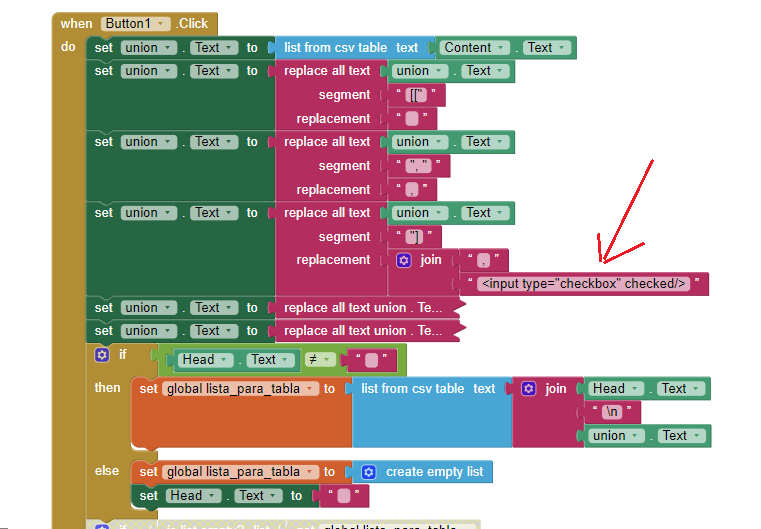
Apply 'do it' on lista_para_tabla to see what it contains.
And you need to manipulate the data as a list, not a string.