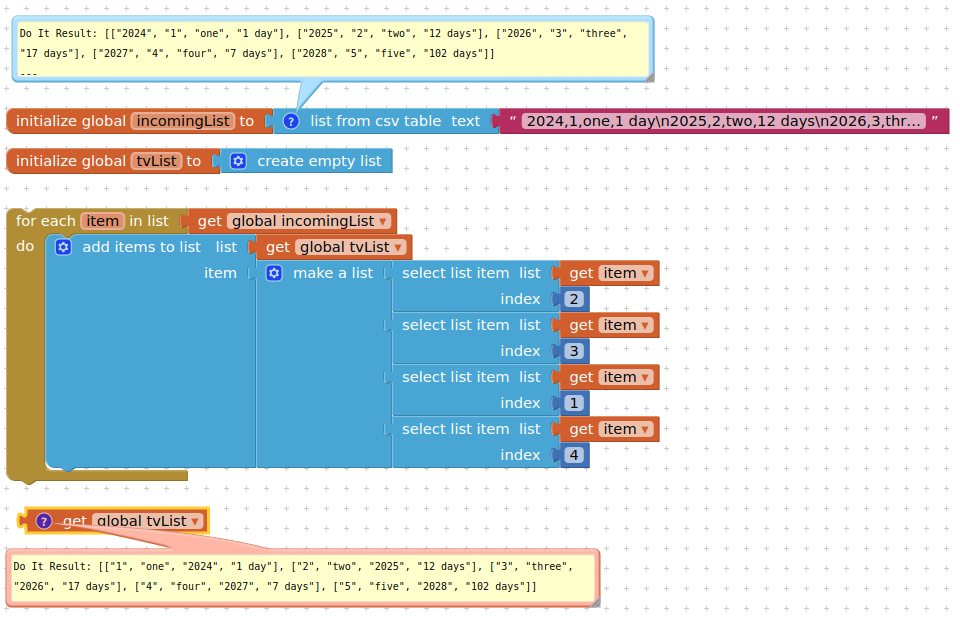
Here's my blocks
and the output
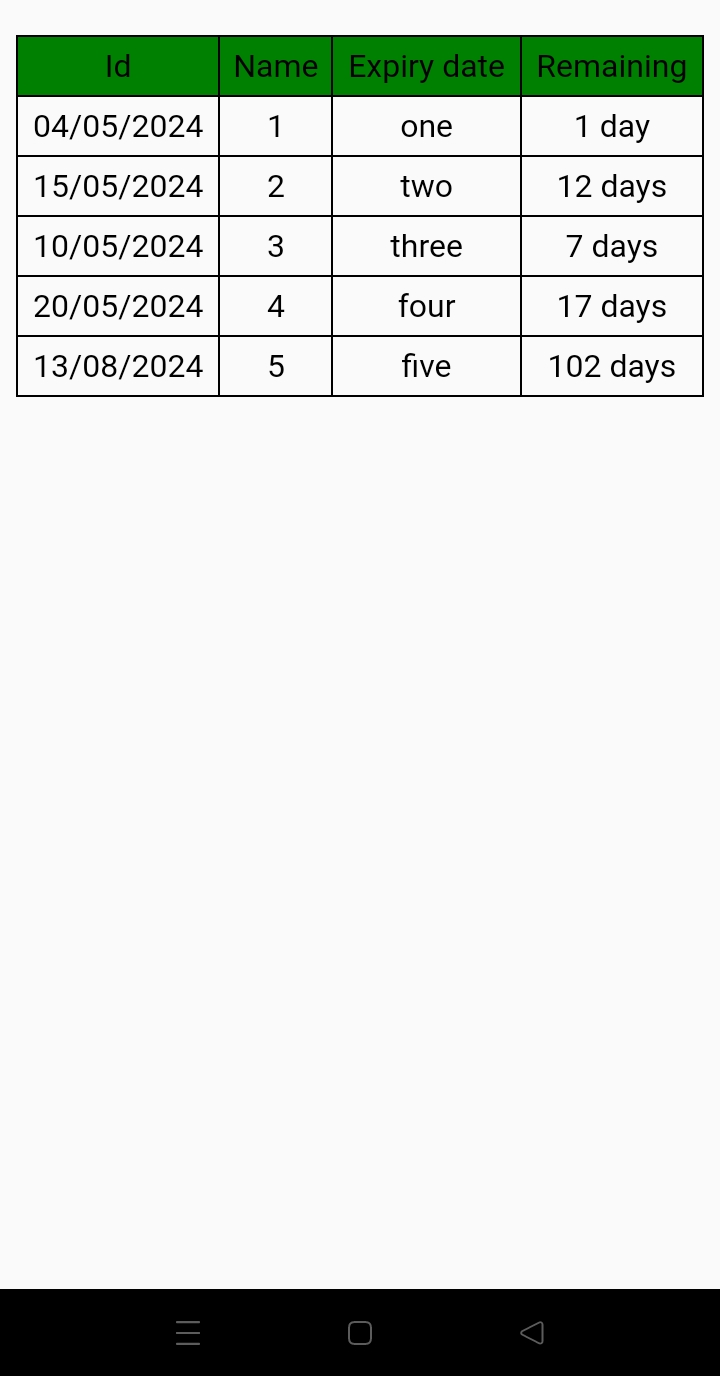
How am I gonna modify the blocks to get a correctly formatted table?
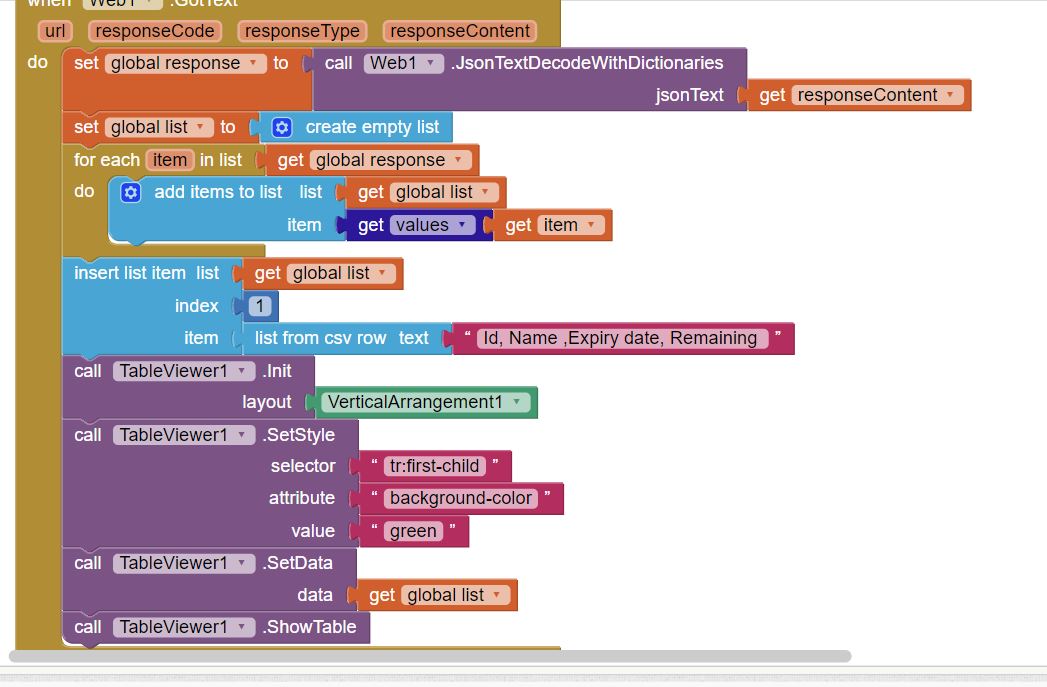
Here's my blocks
and the output
How am I gonna modify the blocks to get a correctly formatted table?
Hello Community,
I found that article. TableViewer - fully style customized
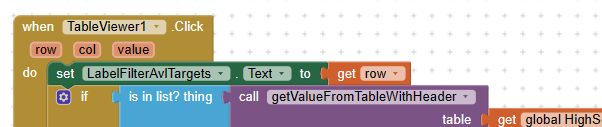
What I am trying to do is, if a line is selected via event "table viewer. click" i want to highlight the marked table line with a background color. I have all the logic i need but i did not get the background-color set.
I tried it with that but it does not work. The whole table line shall be colored not an cell only as it is described in the "tutorial".
So what i need is syntax for accessing a line of a table like the marked tr# in screenshot. Unfortunately i am not an expert in CSS.
Can anybody help please?
Read this thread from the beginning, there are many post about highlight one line /row.
Yes... I read it several times. I read it again and find a solution. but it is not perfect.
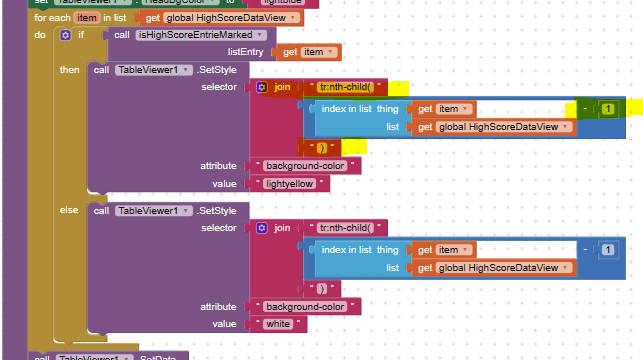
Because I address the row with the nth-child i have to subtract 1 from my index. But all other versions i tried did not work. If i use the child statement its running but not nice.

Do you have a header row, this might be the reason for that
yes I have a header line. the index i calculate is related to the table including header line and data. so the same that is shown in table view. so the index should match together. i would only understand it, if the table view control ignores that line of data because i told the control that the table has a header line. But that seams not to be true because i checked it: if i select the first data row (the first one below the header line) i get as row from TableView1.click => row = 2
I understand "child" like that (i found in web)m: :nth-child()
The
:nth-child()CSS pseudo-class matches elements based on the indexes of the elements in the child list of their parents. In other words, the:nth-child()selector selects child elements according to their position among all the sibling elements within a parent element.
I mean the different approaches I tried like tr:, tr# and so on. It works only with tr:nth-child( )... but than with the consequence of minus 1. For me it makes sence that child means the next row(s). If i understand your blocks it is the way you achieved a alternation in row highlighting (zebra)
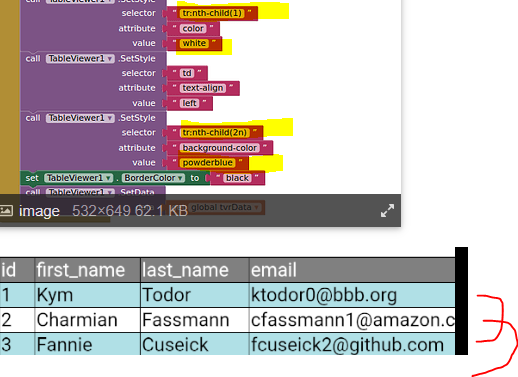
See here:
thanks a lot for your help. The problem in my case is in fact the headline. The tableview-control does the row number handle different if the flag for head-line is set. So the calculated index of the whole table has to be reduced by one. if you don' t set the flag for heading the calculated index matches directly.

Yes, I know, this is also documented above. You have now mentioned this three times, so you understand the issue (for which there is no fix) and you have a workaround. What then is the problem?
It might be possible that somewhere in this threat - which has no ending in scollbar (about 458 posts, which not only deal with the problem itself) - is written that it is an issue in ai2 without a fix. In fact I did not read this part of the post or i did not find it.
I also do not know what exactly i have written 3 times. That what I wrote was what i found out by myself except the part with tr:nth-child which i found in a threat from you. for all other side effects i searched the error in my logic without thinking of an error somewhere else.
Sorry for my question.
Issue initialised raised here (post 38)
and subsequent 4/5 posts
what kind of header do you want? from your image, it seems ok.
and setup the tableviewer out of the loop:
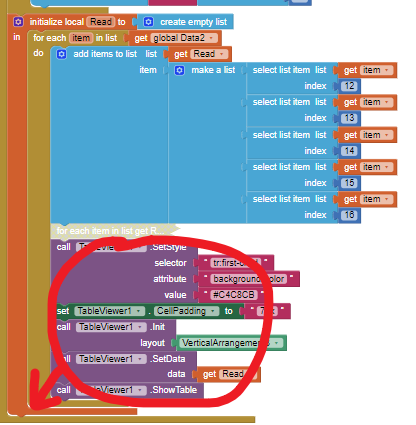
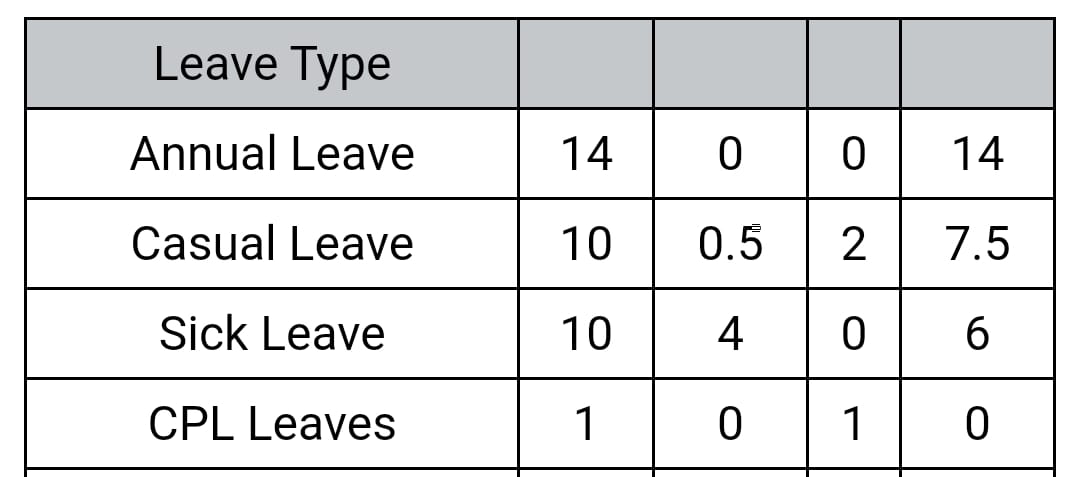
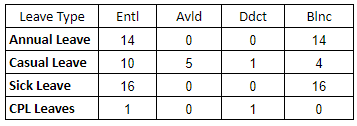
Sir, below is complete table from google sheet
so what is inside responseContent?