...what would you do to improve it?
The app needs to fit both the app user and the app author.
Why come between them?
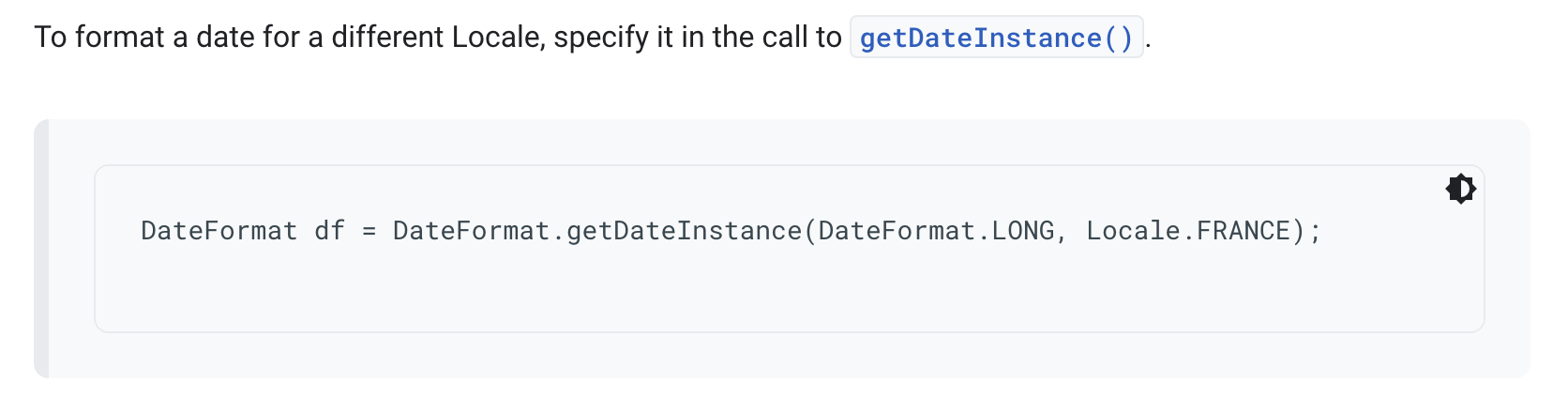
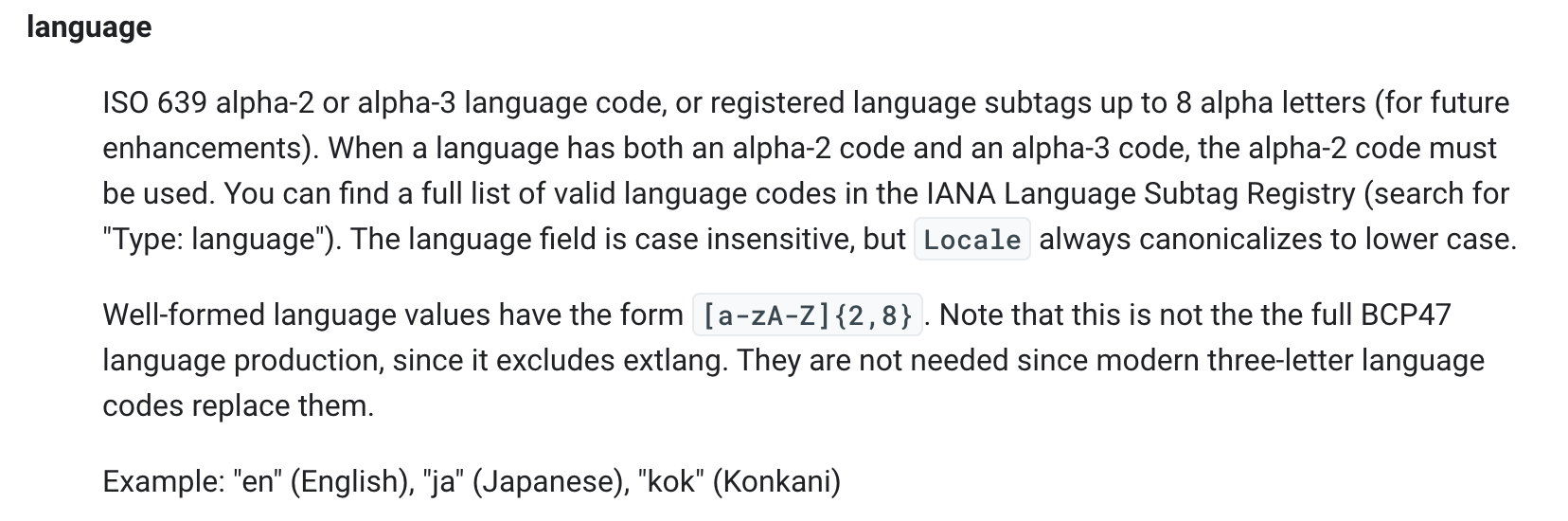

...looks like the same description as Abraham's link.
I didn't find there the answer to my question about how to set the month name in English.
Can you tell me what exactly should I write?
M Month in year Month July; Jul; 07
Month: If the number of pattern letters is 3 or more, the month is interpreted as text; otherwise, it is interpreted as a number.
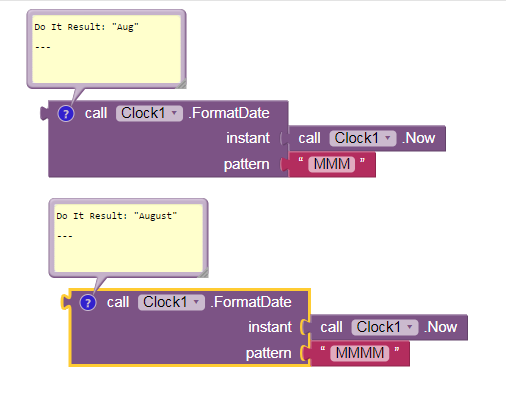
Is THIS what you wanted?
...my month name is in Italian like my phone system. I need to force it to English.
How can I do?
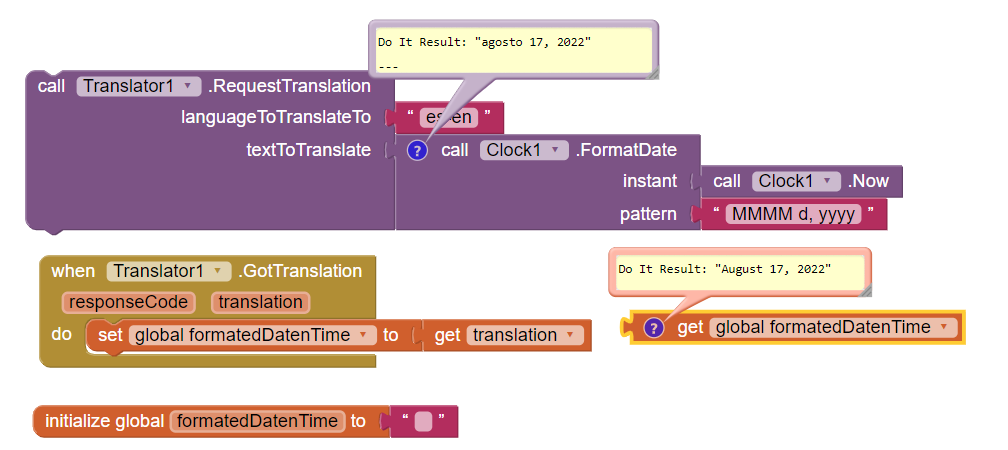
I wanted to try this solution, but after adding the Translator, when the Screen starts it doesn't recognize the first page "Home" to show (and also any other page I tried to set).
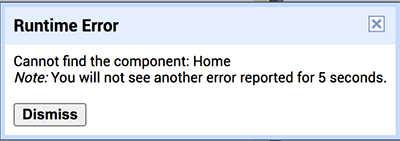
When I delete the Translator, my app works fine.
So I can't see if it works.
What happen?
...anyway, what I need is that not only Italian, but any other language of the user (it can come from any country) be forced into English.
make sure you are using the current Companion.
Also, only supply 'en' to the translator:
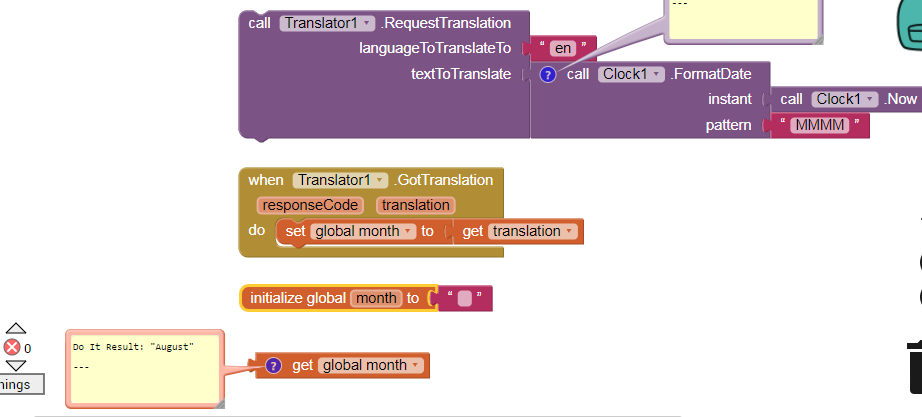
Read the tool tip for the translator block.
Yes, I think it's the Companion problem, but unfortunately I can't install the current Companion on my old iOS (El Capitan) which I can't update for various reasons.
Is there an alternative?
...it does not allow me to install the TestFlight app because it requires at least version 12 of the iOS, ... El Capitan is 10.11.6
...I installed it on my iPhone (so far I used an old android as Companion) but it has problems loading some files (images, mp2 ...) I keep deleting them to find the problem
...I will continue trying later
...so far no way
When aiStarter sends all assets to Companion it reaches 98% of the upload, it stops on some file, ...I cannot continue deleting my files. I also tried to connect a project with no files, just a few components, but it says: Network error
what to do?
Eventually I just reinstalled Companion on my android phone and this time the app loaded fine even with Translator.
However I have read that Translator requires internet connection, but in this case users will also use the app offline. So this is not the solution.
Is there another solution?
Then you may need to maintain a dictionary manually for all months names, mapping would be english-months name to its corresponding different language versions. Before display the month name you need to verify weather it is in english or in different language, if if is then you need to find its correspnging english version by using look-up dictionary.
Here is one example translation - How to Say August in Different Languages
It is just one solution version there could be many optimum version too.
very interesting, thanks
...I'm thinking, however, that my app already has many elements and actions to do and I would not want to burden it further if it is not necessary.
I would really like to just write "en" somewhere in the code/blocks 
What about those notes you also collect?
Do you also need to translate those into English?
And do it offline?
I think you bit off more than you can chew with this requirement.
There is a business practice called "firing the customer".
I think it applies here, to this unreasonable requirement.
Just restrict the distribution of the app to English-speaking users.
(No, I don't know how.)