Why do the photos I take in an app not show in the gallery when I look after closing the app? Is just a location on the device?
To what location would I change the ‘save directory. Thanks
Why do the photos I take in an app not show in the gallery when I look after closing the app? Is just a location on the device?
To what location would I change the ‘save directory. Thanks
A possible alternative to this is to use the device's camera component to take your pictures:
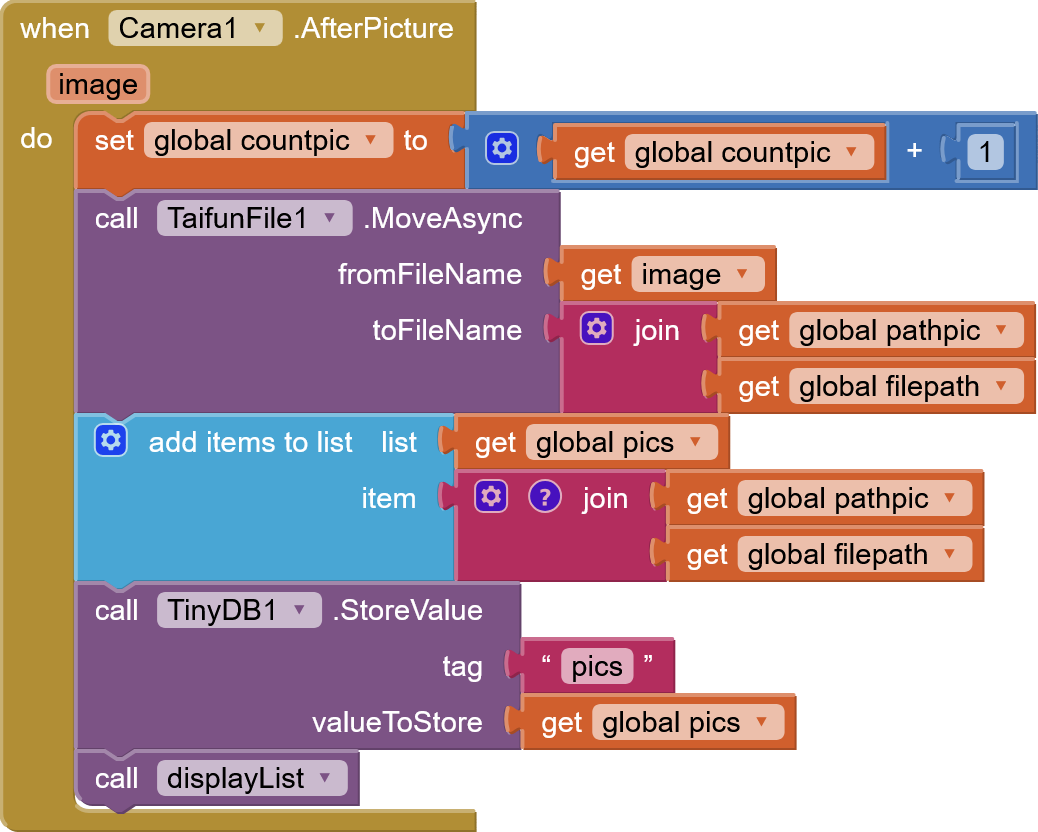
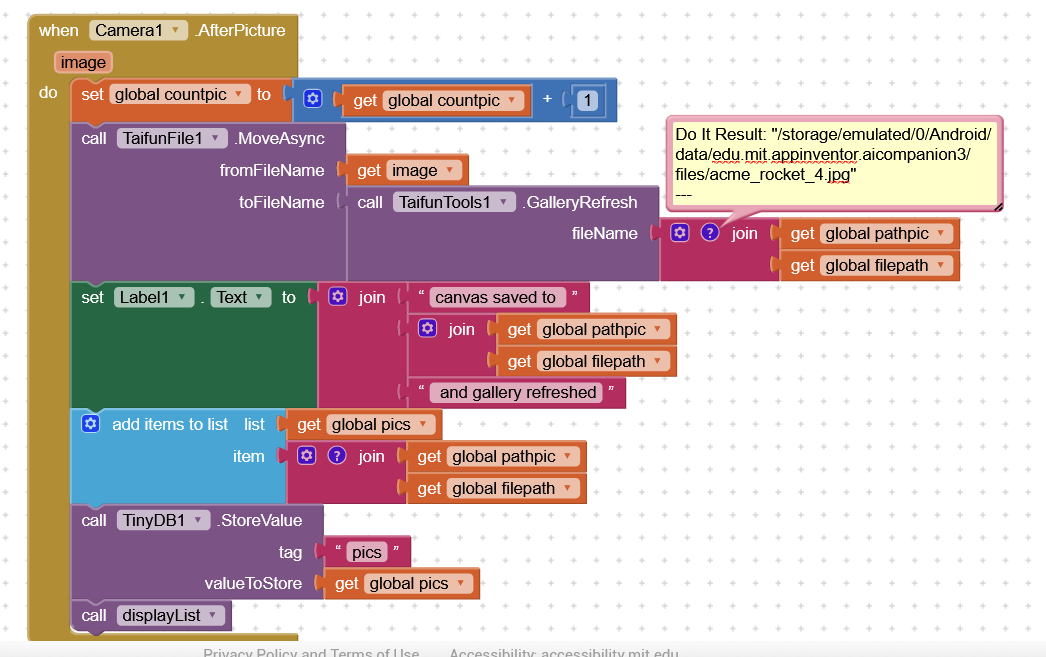
This is my after pic routine. How do I insert the Gallery refresh?
Pathpic is the path up to the filename, then file path is the file name I give the photo
In the MoveAsync event, set the new absolute path for the image file to the block.
(I believe response contains the absolute file path. If not replace it with the path you set in MoveAsync.)
You may also need to move the displayList procedure call to the Moved event block.
If memory serves me correctly (and please someone correct me if I am wrong), files in the ASD will not show in the gallery, which only handles files in the shared directories...
It does.
Only images in /DCIM and /Pictures are shown in the Gallery after using Taifun's GalleryRefresh method.
thanks folks, that gives me something to work towards. Meantime i have to away back to work.
Charley
Thanks for all you help, folks. I changed the path to DCIM/Camera, and now they show up.
Thanks again
Charley
p.s.
Not quite... where i did have a listview that displayed the pictures and the file name, the pictures now do not show up in the listview. Where I could before click on the item, the image would show up in an image box. There is nothing now. Why is that? I ponder whilst trying to muddle through it...
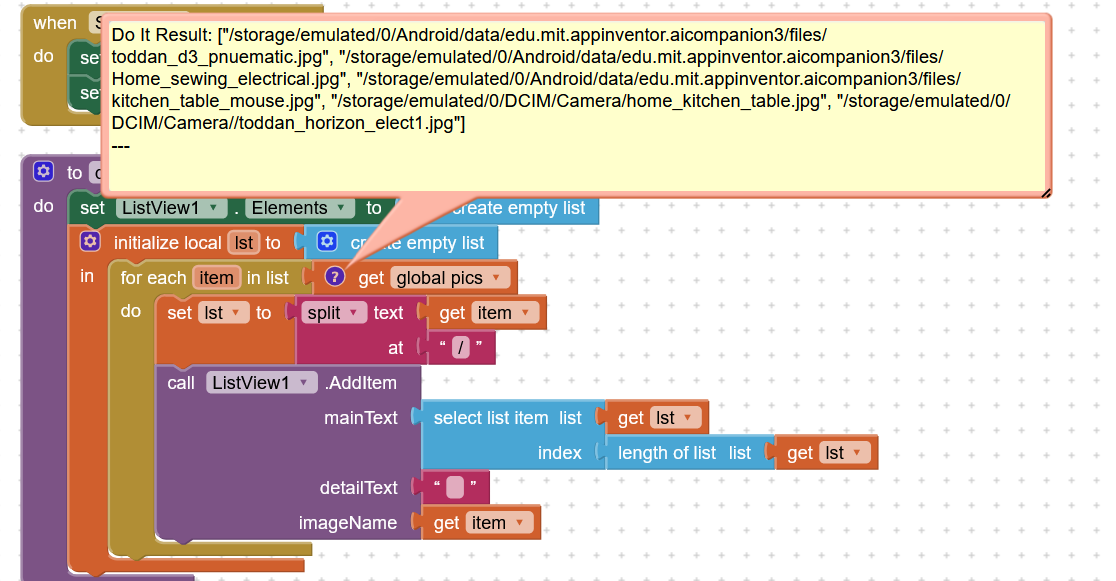
In this image, the first three images show up in the listview and the image container, the others do not
Hmm, the first three are in the ASD, the last two are in /DCIM/Camera/. 
Why?
Images in Shared folders might need a full path on your test device:
file:///storage/emulated/0/...
Post all (relevant) blocks.
The last 2 are in DCIM just for illustrative purposes. I'd like them all in dcim, but if they don't show up then the solution doesn't work. I need the photo to show in google Photos and in the list view.
I will delete them all and try again, see if that makes a difference.
Interestingly i deleted all the photos, using TDB1.clear all, and now pictures listing in the listview when I take a new pic are the ones i took yesterday... they did not delete or disappear from the db
As I said...
If those images were not created by or owned by your app, it is possible your app does not have access to them.
The images were owned (taken) by the app
It shoud be accessable with READ_MEDIA_IMAGES permission and at least the Companion app declares it in the Manifest (at least the non-Play Store version).
I am using android 14, where it seems permission is granted without having to be granted.
My laptop seems be having a stroke this morning...today it seems that they are showing up in the app and the google photos.... maybe I had only to delete everything. I can delete using the clear database block, or delete them individually in the app, which seemed to have worked. I am going to 'clean up' again and test from scratch
Yes, I preferred your suggestion of adding the file:// prefix.
If the OP is using their Chromebook, the app saves in a strange way:
Now it isn't working again....grr. The photos show up in google photos but do not show in the listview.
It seemed to work while i was disconnected....??
And the Camera.AfterPicture event returns a full path as well.