Perhaps something like this that uses emoji (not real images but a text font). It shows text in a Spinner but it wi
What emoji your phone can create and use depends on its Android version and its keyboard. Some phones cannot display emoji that work on other phones.

works in the example chat app
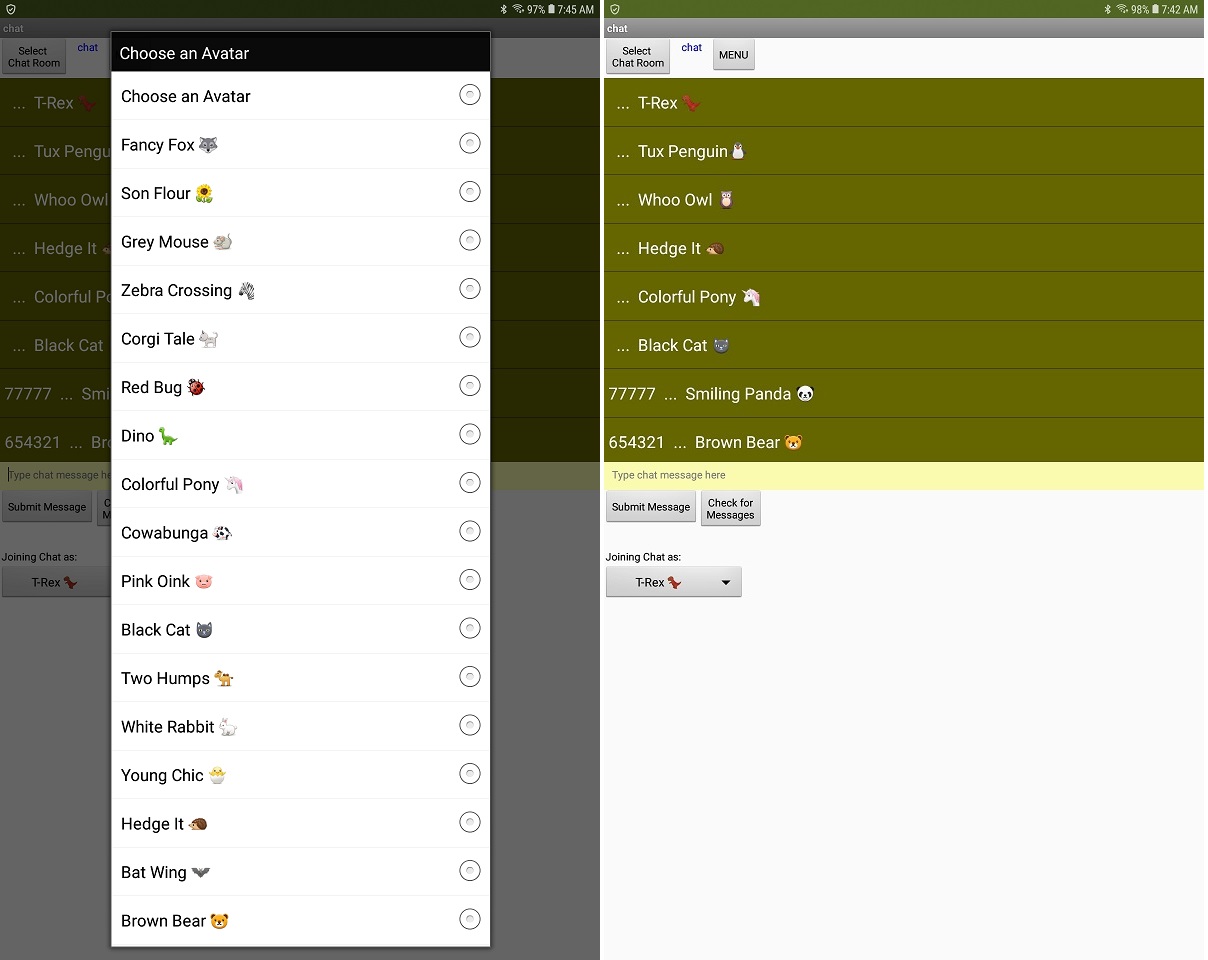
on an Android 8.1 tablet and displays in a Spinner (to the left) and a ListViewer (to the right)
using the following text script:
Choose an Avatar,Fancy Fox  , Son Flour
  , Grey Mouse
  , Zebra Crossing
  , Corgi Tale
  , Red Bug
  , Dino
  , Colorful Pony
  , Cowabunga
  , Pink Oink
  , Black Cat
  , Two Humps
  , White Rabbit
  , Young Chic
  , Hedge It
  , Bat Wing
  , Brown Bear
  , Smiling Panda
  , Track Me
  , Whoo Owl
  , Lion Around
  , Tux Penguin
 , Green Frog
  , T-Rex
  , Cricket Chirp
Perhaps knowing this will help you. Typing : ) does not display  but copying and pasting the emoji using the keyboard emoji characters works . Try using an emoji keyboard character; the emoji symbols does not necessarily work. All the symbols you see display in my Android 8.1 but only a few display in my 4.2.2 cell phone.
Simply when you send your chat message, attach an emoji to the rest of the text and you will display the chat text along with the emoji.
Not exactly what you want but
- it is free
- provides some of the functionality you want
- looks fairly nice but then it is free
Regards,
Steve