When I tried to open it, its seems to be bugged because it brings up the mit report a bug. I have tried to reload it, opening and closing my browse, restart my laptop and even trying to open it on a different one but to no avail if anyone knows how to fix this it can be a big help.
This URL allows you to open AI2 to the Project List, without opening any project.
http://ai2.appinventor.mit.edu/?autoload=false
From that list, you can request Exports of Projects without trying to open them.
Upload the troublesome .aia here.
...
Hi, this is the aforementioned file and this is what exactly happened:
AWARE_PLUS.aia (328.0 KB)
whenever i click the file or it auyomatically opens
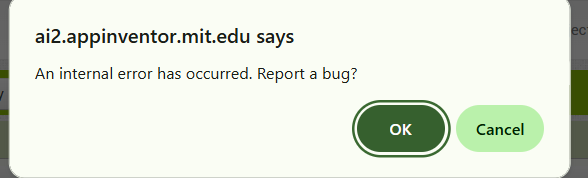
this pops up and then nothing happens and yeah whenever i try to click it again its either that or nothing.
![Screenshot 2025-12-08 104734|690x137]
(upload://4RBQMkuFGhqrlN2JeFH8SGLBcJP.png)
It's definitely corrupted.
Do you remember the last thing you did to it?
Do you have a recent aia export to fall back on?
a couple things, i was coding for make list thing, but before that i was trying out an extension called "KIO4 base64 extension" but i thought i had deleted all the blocks related to that project. yeah I exported but it also does not work
I tried a few things, but am out of time for today.
I pass the torch to other Power Users.
thank you for your help!
Quick hunch...
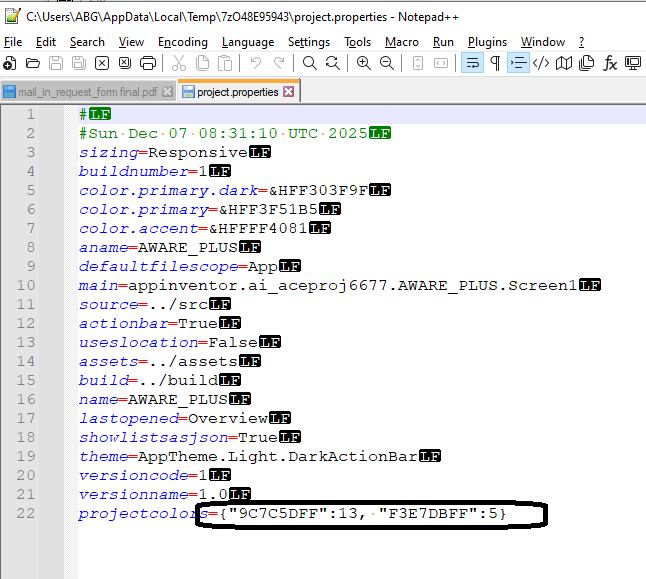
Edit the project properties in the aia using 7zip and notepad++ to reset the project colors at the end of the JSON.
The color picker is new and the encoding is magic.
(P.S. This did not help, awful as the JSON looked.)
Time to go on an extension hunt ...
I notice Screen1.scm asks for a ttf font file, but it is not in assets folder:
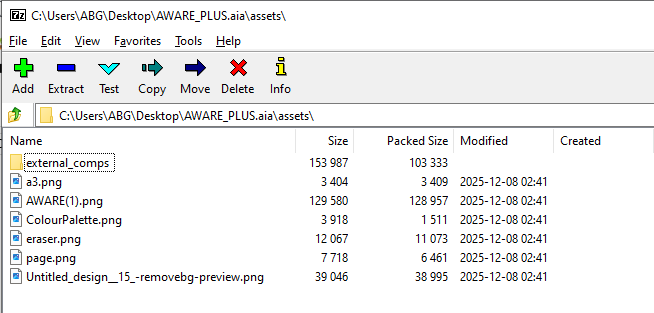
{"$Name":"Label31","$Type":"Label","$Version":"5","FontItalic":"True","FontTypeface":"poppins.light.ttf","Text":"Tap any button to begin using the app.","TextColor":"&HFF444444","Uuid":"-722720426"},
Let's see how quickly those can be cleaned up with Notepad++ in 7zip ...
Editting out FontTypeface clauses from the scm files did not help.
By process of elimination, the Overview Screen has the problem.
Here's a minimally disrupted export, missing the Overview Screen and last opened screen = Screen1.
It opens with no messages.
Prior comments about missing FontTypeface files still hold, though.
AWARE_PLUS8.aia (320.7 KB)
I'm poking at this, I'm not 100% sure, but I believe the problem is with the Overview screen, at least that is where the crash is coming from.
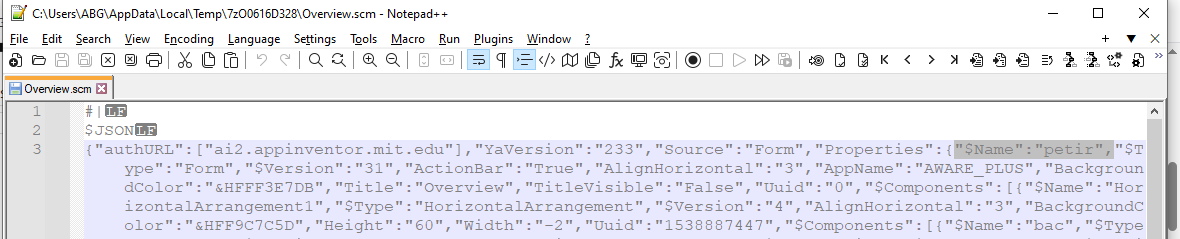
Overview.scm was misnamed internally.
Will try changing the screen name attribute back to the scm file name.
That was it.
The Overview Screen was misnamed internally..
@ace_projectss , did any one apply surgery to this Project?
AWARE_PLUS9.aia (328.0 KB)
Here is the edited version that corrects the screen name:
AWARE_PLUS_edited.aia (327.6 KB)
I'm kind of curious as to how this corruption happened. The screen name was changed to "petir"
1 Like
I have a problem like this one as well. But it wont show any error messages, it just wont open.
This URL allows you to open AI2 to the Project List, without opening any project.
From that list, you can request Exports of Projects without trying to open them.
Upload the troublesome .aia here.
If you don't want to upload your aia here, see