hello , i have my project due tomorowand the app isnt working , when i pres start butto , all i get is a white screen and i dont know wher
Newon1Screen (2).aia (14.0 KB)
e the probem is from , please if someone can help me
hello , i have my project due tomorowand the app isnt working , when i pres start butto , all i get is a white screen and i dont know wher
Newon1Screen (2).aia (14.0 KB)
e the probem is from , please if someone can help me
Also up load your sketch code so we can compare what you send to what the app expects.
// =====================================
// BED SORE PRESSURE MONITOR SYSTEM
// Arduino Mega + HC-05 + 9 FSR Sensors
// =====================================
// -------- SENSOR PINS --------
const int fsr1 = A0;
const int fsr2 = A1;
const int fsr3 = A2;
const int fsr4 = A3;
const int fsr5 = A4;
const int fsr6 = A5;
const int fsr7 = A6;
const int fsr8 = A7;
const int fsr9 = A8;
// -------- BUZZER --------
const int buzzer = 8;
// -------- THRESHOLD --------
int threshold = 100;
// -------- SENSOR VALUES --------
int s1, s2, s3, s4, s5, s6, s7, s8, s9;
void setup()
{
// Serial Monitor
Serial.begin(9600);
// HC-05 Bluetooth
Serial1.begin(9600);
// Buzzer
pinMode(buzzer, OUTPUT);
digitalWrite(buzzer, LOW);
}
void loop()
{
// -------- READ SENSORS --------
s1 = analogRead(fsr1);
s2 = analogRead(fsr2);
s3 = analogRead(fsr3);
s4 = analogRead(fsr4);
s5 = analogRead(fsr5);
s6 = analogRead(fsr6);
s7 = analogRead(fsr7);
s8 = analogRead(fsr8);
s9 = analogRead(fsr9);
// -------- LIMIT VALUES --------
// Converts readings into 1 digit only
// because your app expects 9 values exactly
s1 = map(s1, 0, 1023, 0, 9);
s2 = map(s2, 0, 1023, 0, 9);
s3 = map(s3, 0, 1023, 0, 9);
s4 = map(s4, 0, 1023, 0, 9);
s5 = map(s5, 0, 1023, 0, 9);
s6 = map(s6, 0, 1023, 0, 9);
s7 = map(s7, 0, 1023, 0, 9);
s8 = map(s8, 0, 1023, 0, 9);
s9 = map(s9, 0, 1023, 0, 9);
// -------- SEND DATA --------
// IMPORTANT:
// Your app splits empty text,
// so we send numbers WITHOUT commas
String data =
String(s1) +

String(s2) +

String(s3) +

String(s4) +

String(s5) +

String(s6) +

String(s7) +

String(s8) +

String(s9);
// Send to Bluetooth
Serial1.println(data);
// Serial Monitor
Serial.println(data);
// -------- BUZZER --------
if (
  s1 > 5 ||

  s2 > 5 ||

  s3 > 5 ||

  s4 > 5 ||

  s5 > 5 ||

  s6 > 5 ||

  s7 > 5 ||

  s8 > 5 ||

  s9 > 5

 )
{
digitalWrite(buzzer, HIGH);
}
else
{
digitalWrite(buzzer, LOW);
}
delay(500);
}
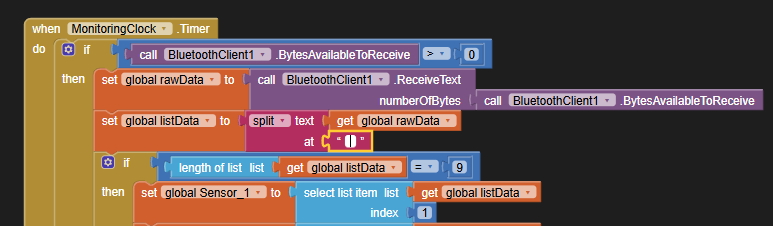
A preliminary look shows you splitting at an empty (zero length) delimiter:
That has the effect of splitting at every character.
You get a macaroni necklace.
I know because the text cursor won't wiggle inside the supposedly blank text block.
Also, you fail to follow standard BlueTooth Delimiter advice:
Be sure to use println() at the end of each message to send from the sending device, to signal end of message.
Only use print() in the middle of a message.
Be sure not to println() in the middle of a message, or you will break it into two short messages and mess up the item count after you split the message in AI2.
Do not rely on timing for this, which is unreliable.
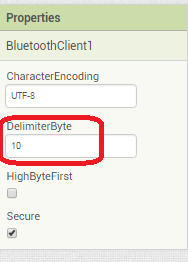
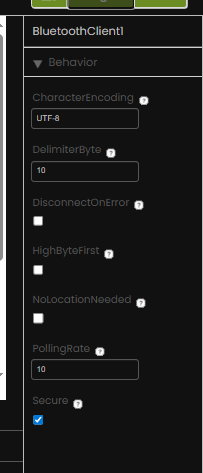
In the AI2 Designer, set the Delimiter attribute of the BlueTooth Client component to 10 to recognize the End of Line character.
Also, return data is not immediately available after sending a request,
you have to start a Clock Timer repeating and watch for its arrival in the Clock Timer event. The repeat rate of the Clock Timer should be faster than the transmission rate in the sending device, to not flood the AI2 buffers.
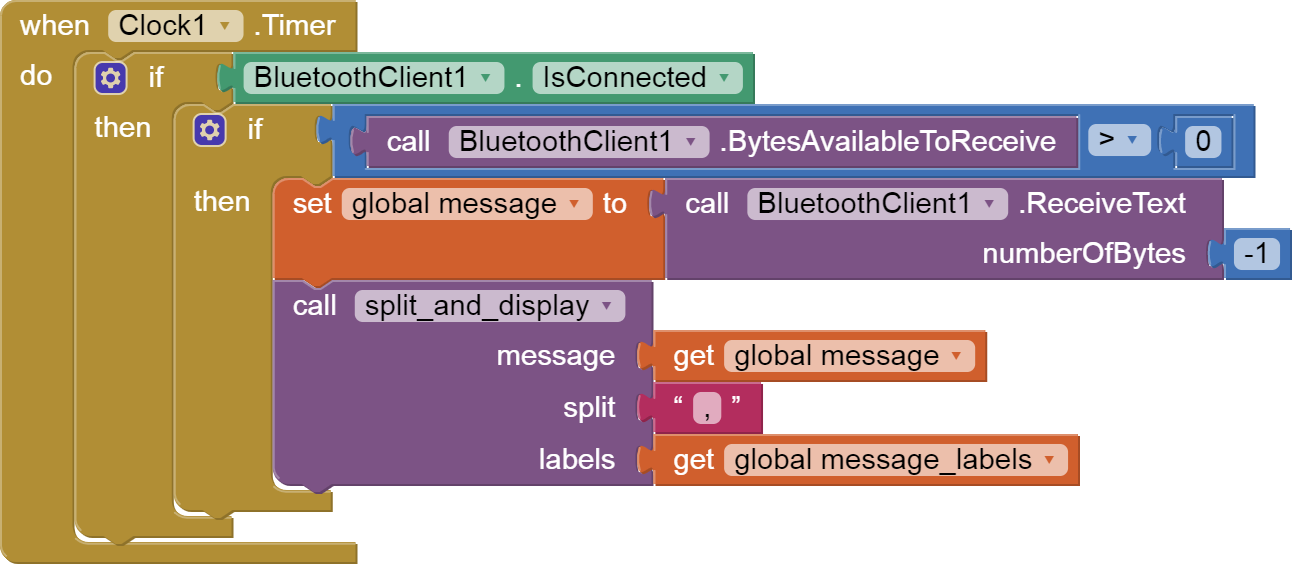
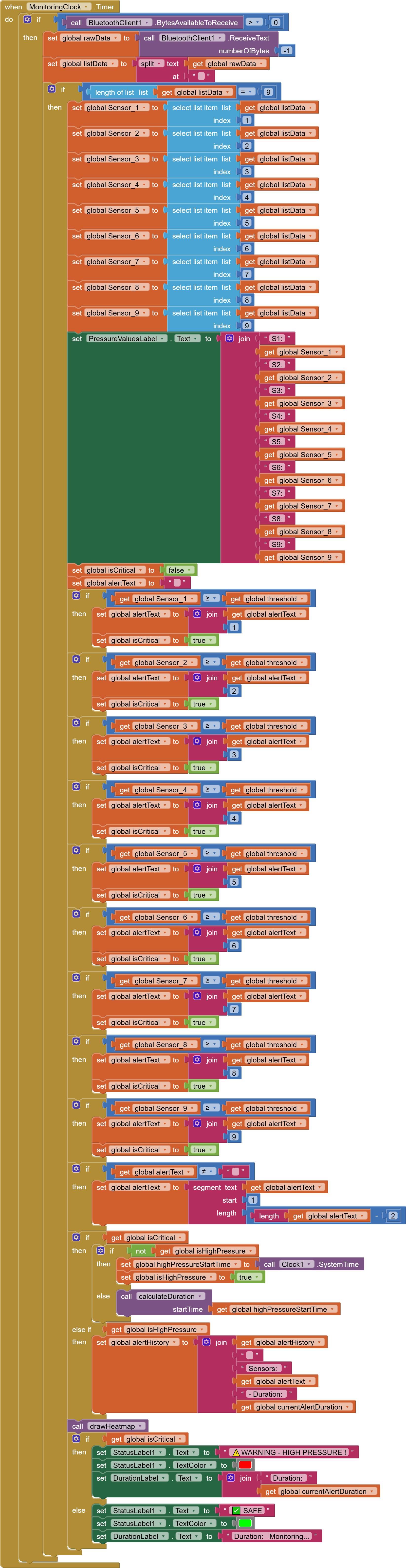
In your Clock Timer, you should check
  Is the BlueTooth Client still Connected?
  Is Bytes Available > 0?
     IF Bytes Available > 0 THEN
       set message var  to BT.ReceiveText(-1)
This takes advantage of a special case in the ReceiveText block:
ReceiveText(numberOfBytes)
Receive text from the connected Bluetooth device. If numberOfBytes is less than 0, read until a delimiter byte value is received.
If you are sending multiple data values per message separated by | or comma, have your message split into a local or global variable for inspection before trying to select list items from it. Test if (length of list(split list result) >= expected list length) before doing any select list item operations, to avoid taking a long walk on a short pier. This bulletproofing is necessary in case your sending device sneaks in some commentary messages with the data values.
Some people send temperature and humidity in separate messages with distinctive prefixes like "t:" (for temperature) and "h:" (for humidity).
(That's YAML format.)
The AI2 Charts component can recognize these and graph them. See Bluetooth Client Polling Rate - #12 by ABG
To receive YAML format messages, test if the incoming message contains ':' . If true, split it at ':' into a list variable, and find the prefix in item 1 and the value in item 2.
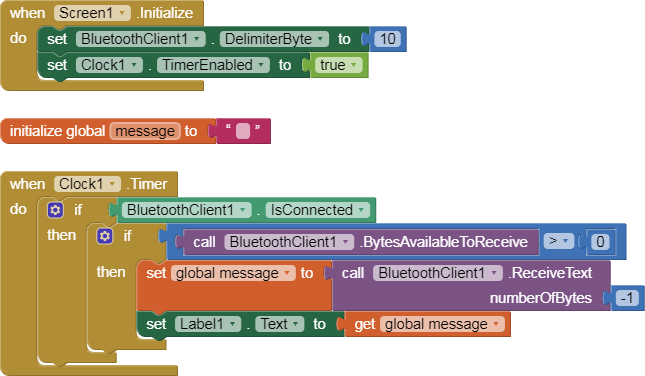
Here is a simple BlueTooth text receiver sample, for single value per line:

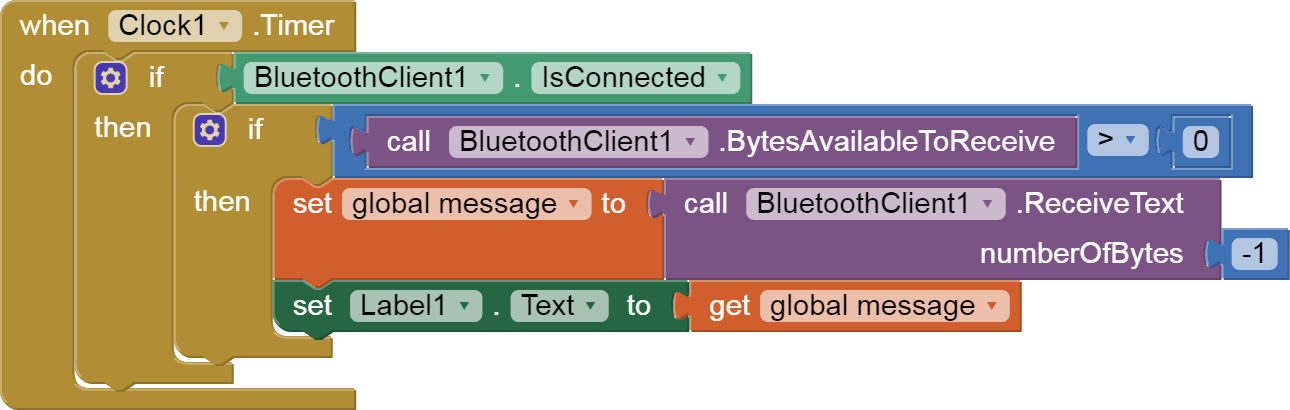
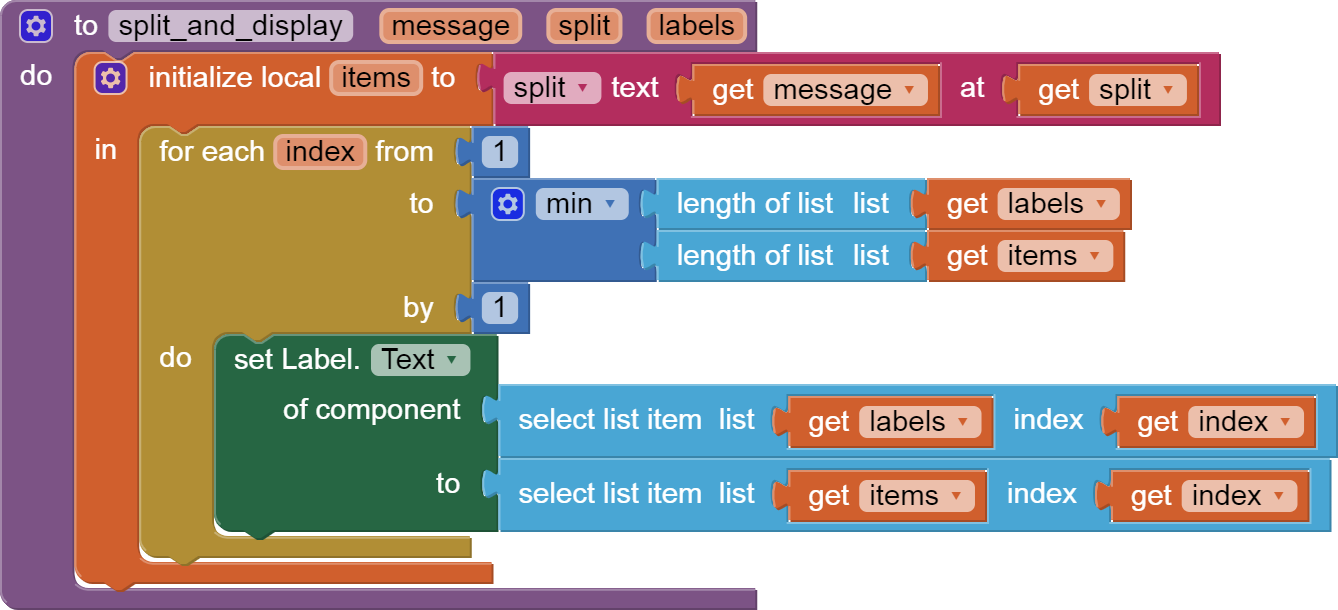
when Clock1 .Timer do1290×410 59.1 KB
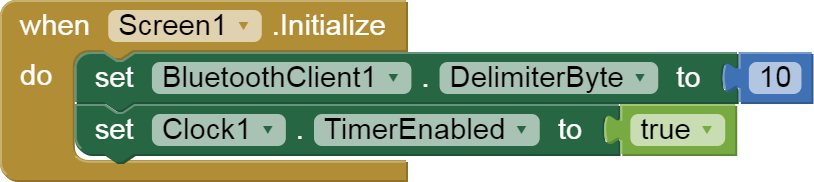
when Screen1 .Initialize do814×182 22.9 KB
..
Now that I have read your sketch, I see that you indeed split at single characters, so you lucked out on the empty string delimiter.
However, you still needed to use \n as your message delimiter.
So add a decimal 10 Delimiter in the Designer for your BlueTooth component, and ask for -1 bytes as the byte count when you read text to get exactly one message at a time.
Also, for bullet proofing, it is wise to check list length >= 9 before attempting list selects on your message.
Some one might have slipped some commentary messages into your data stream.
thank u for ur help , but i didnt quite understand as i am new to this. the poblem is only iin my arduino code?
I don't see any problem in your Arduino code.
It's in your AI2 Bluetooth setup.
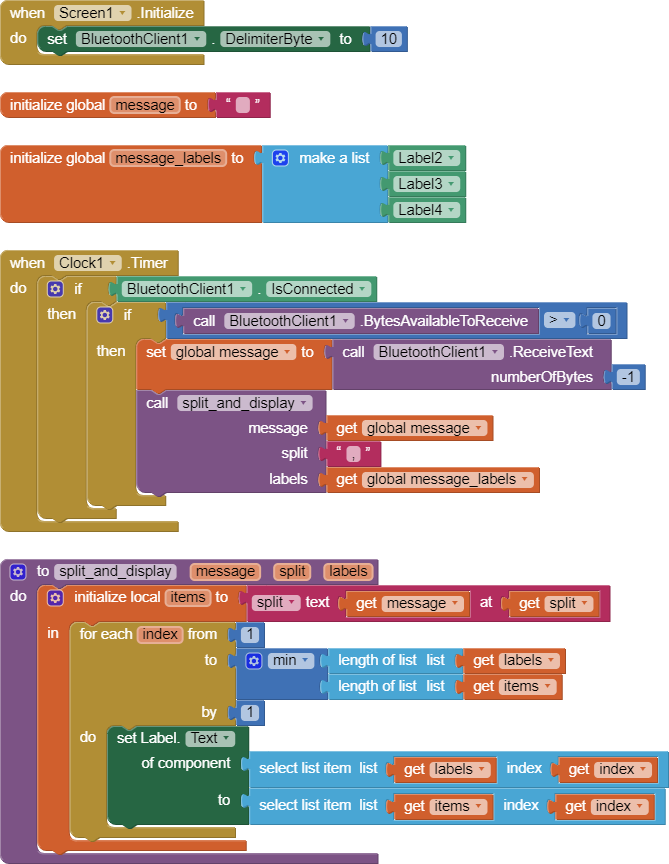
Also, you are doing a procedure call in an unusual way, I am still following up on.
BlueTooth_delimiter_sample.aia (3.4 KB) 
...
is it possible for u to change my AI2 bluetooth setup and i download it? cuz im so lost and short on time
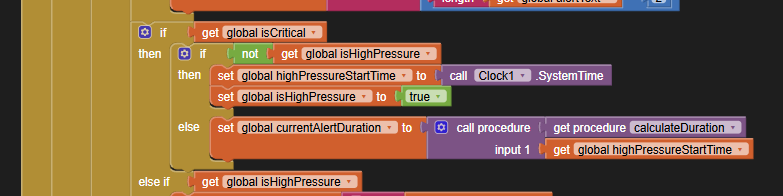
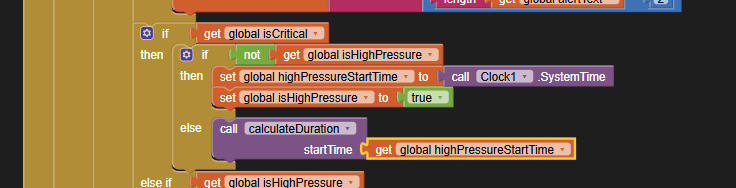
This call is wrong.
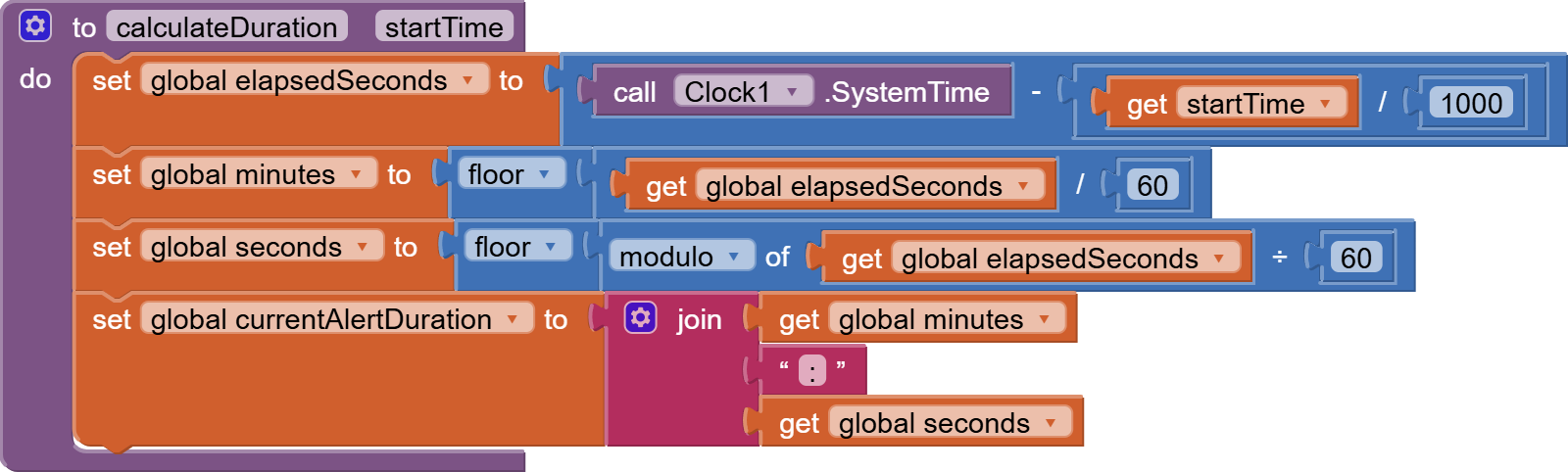
You are attempting to get a return value from a procedure that does not return a value.
(Globals don't count for this logic)
This is the type of call that would fit your procedure:
The next release of Ai2 will separate Closures from procedure blocks in a clearer manner, avoiding this trap.
please can u edit on my attached file and attach it again ?
This is what I changed for you:
Newon1Screen2 (1).aia (13.7 KB)
I have not looked at your heat map code yet.
Can you test what has been done so far?
thanks a million , im gonna test it and let u know
still a white screen , but even the lcd isnt showing anything
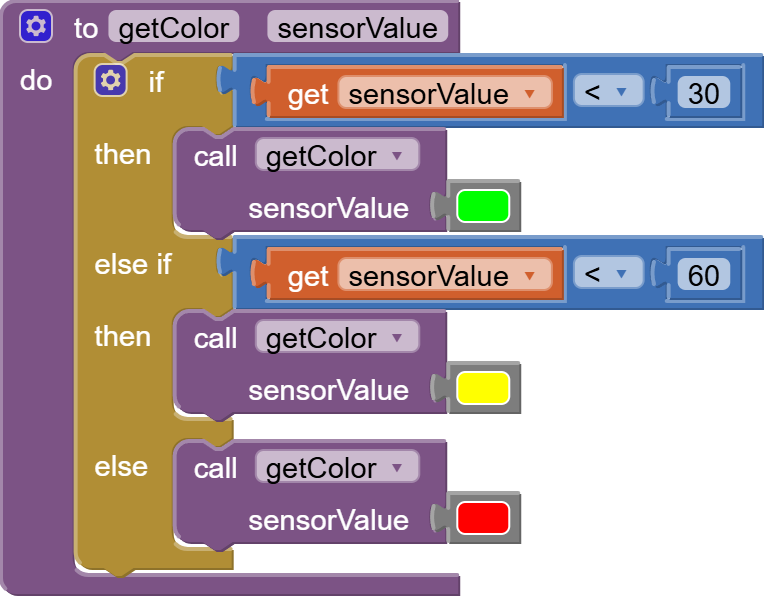
I see a contradiction between the expectation of the heat map and the single character incoming list values.
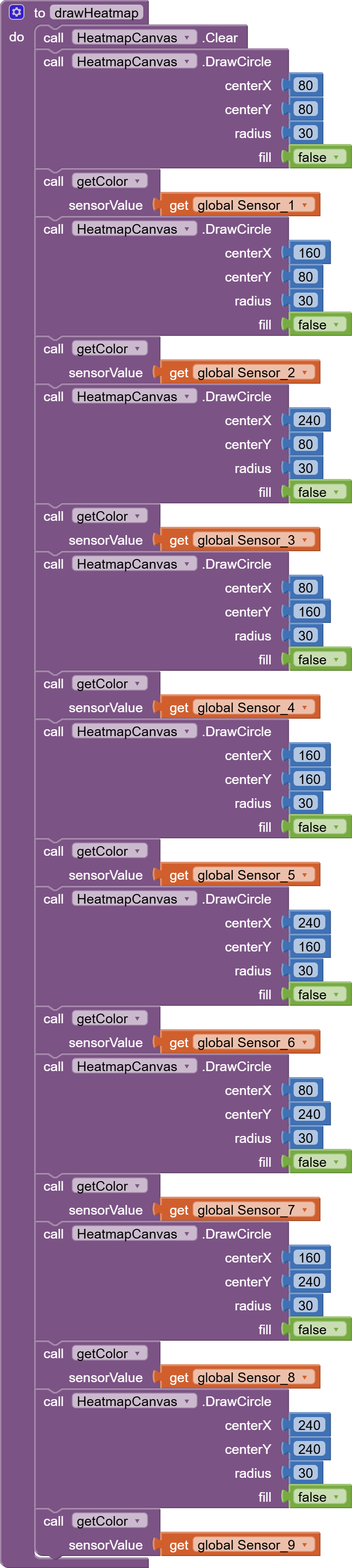
The heat map determines its colors based on numbers > 10:
So a single digit will never satisfy color selection.
It is time to apply Companion Do It to global raw_data to see what your incoming message actually looks like.
ur gonna do it and i download it like before? cuz im really lost 
Are you testing using the Companion?
Have you ever applied a Do It in your blocks before?
If not, the alternative is to add a Label to your display to catch the incoming message.
ive never heard of it
as i told u that i am new to this, i started 5 days ago , but my deadline is close an still didnt get what i expect
I will add a debugging Label at the very top, before your virtual screens.
I have also yet to check if you are making your virtual screens visible and invisible properly.
Given your time pressure, would you settle for making them all visible and just setting Screen1 scrollable?
does it work? if yes then okay
its good to mention that i already did one that has 3 separate screens , i didnt know that bluetooth is an issue in this case so i wasted my time on it