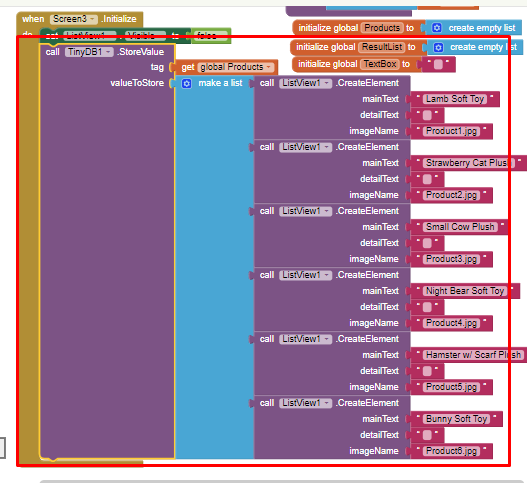
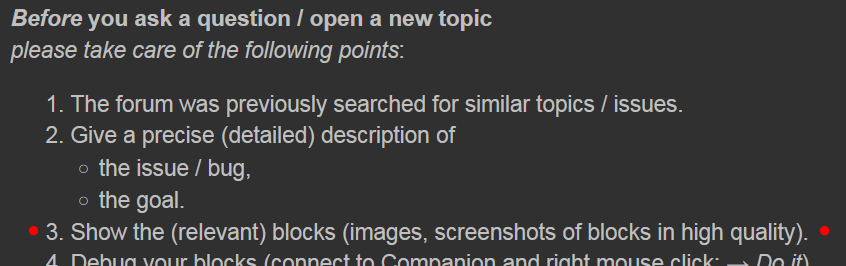
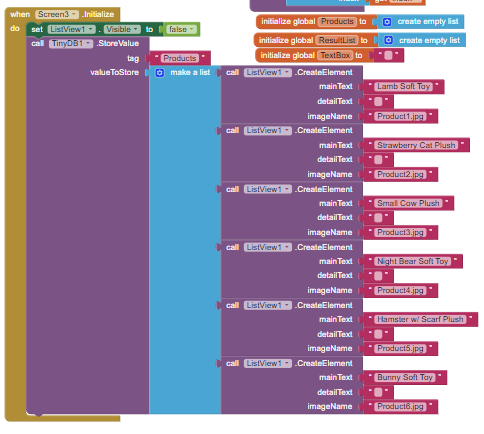
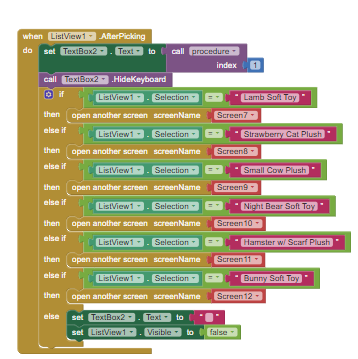
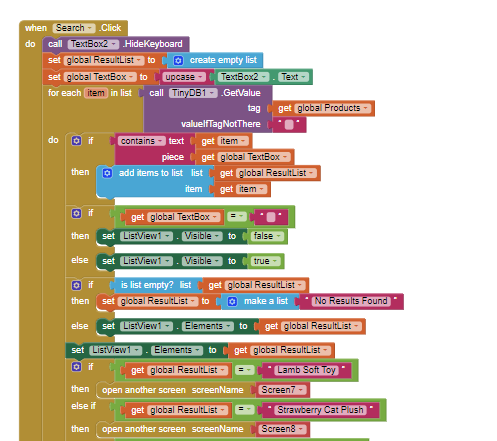
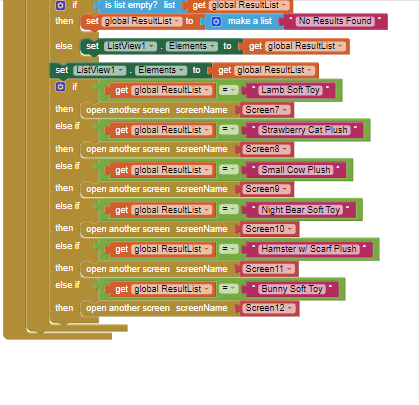
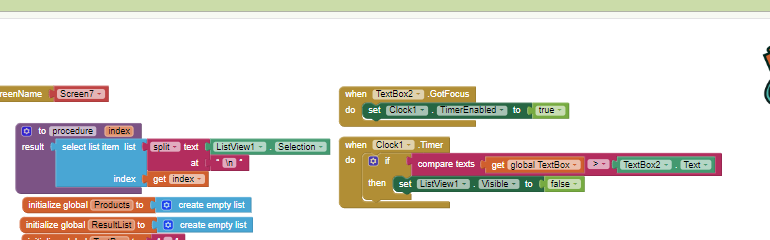
You are trying to get value from Tinydb with variable value. If your list is products , then you don't have to call Tinydb, or if your values are in a tinydb tag, use text instead of variable value.
1 Like
Antiwpx
November 29, 2022, 7:31am
4
ohh, do i delete all of this?
Don't delete, just replace get global Products with "Products"
1 Like
Antiwpx
November 29, 2022, 7:54am
6
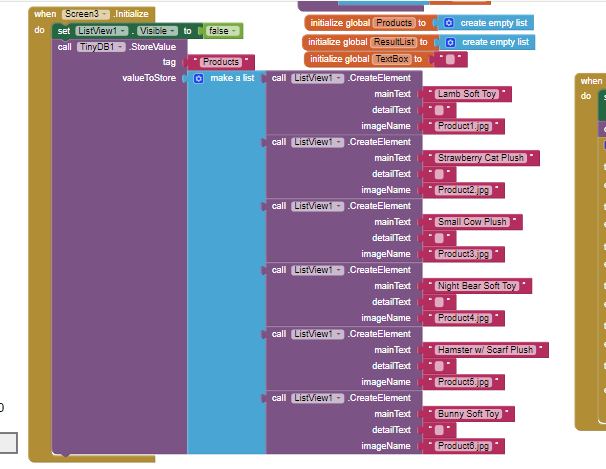
i tried changing it into this but sadly im still facing the same issue
Anke
November 29, 2022, 8:15am
7
Antiwpx:
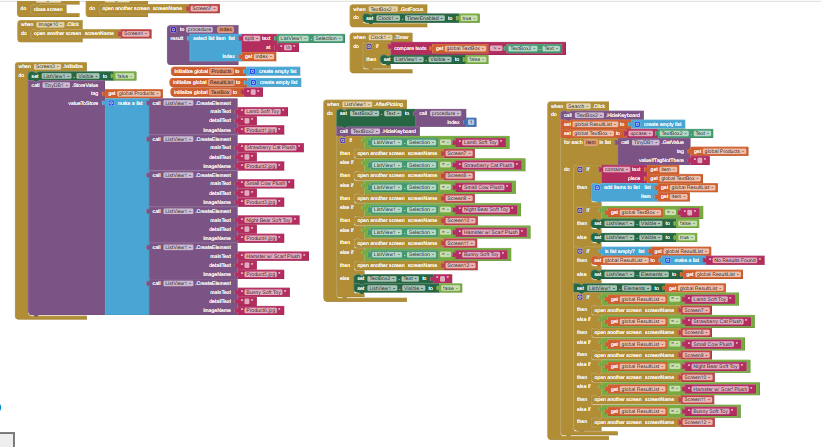
Post your blocks in high quality. See also here:
Before you ask a question / open a new topic
please take care of the following points:
The forum was previously searched for similar topics / issues.
Give a precise (detailed) description of
the issue / bug,
the goal.
Show the (relevant) blocks (images, screenshots of blocks in high quality).
Debug your blocks (connect to Companion and right mouse click: → Do it).
Name the Android / iOS version running on your (test) device.
Do not open multiple threads on the same topic.
If you haven't al…
Anke
November 29, 2022, 8:30am
10
Replace "empty string" with "create empty list" ...
1 Like
Antiwpx:
then replace "get global Products" with "Products" again
1 Like
Antiwpx
November 29, 2022, 8:51am
12
All of the get global products?
Antiwpx
November 29, 2022, 8:53am
13
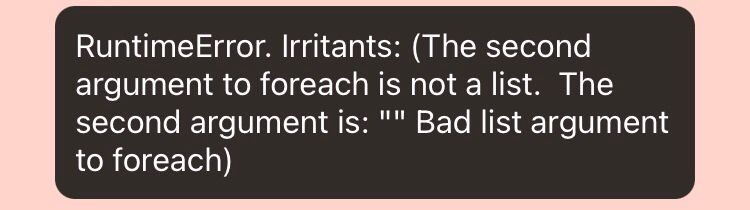
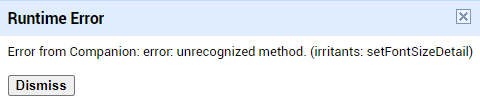
I tried that and the error disappeared but now all of the buttons wont work and this error shows up
ABG
November 29, 2022, 4:15pm
15
Using a separate screen for each inventory item is a recipe for disaster.
Learn to use lists, tables, and one or more of the AI2 data bases or Google Sheets.
AI2 has a small limit (about 10) for the number of Screens.