It was ABG who worked out where the source of the problem is.
Poprawiłem bloki w/g instrukcji ABG napis Error1003 się nie pojawia. Sowich załączenie radia nie działa. powinno się pojawić radio do odtwarzania plików z MP3playera. Radio pojawia się na chwilę przy odpaleniu programu i chowa się na górze nie ma reakcji a przełącznik. Proszę o pomoc. W telefonie na wersji bez poprawek po zmianie rozdzielczości to działa, Bez error . Próbuję tablet tam zmiana rozdzielczości nic nie daje cały czas jest error na ekranie ale robot reaguje radio się nie odpala.
I applied the blocking fix suggested by user ABG. The error 1003 message disappeared. The radio switch didn't work. I can't listen to the MP3 player. The radio panel appears briefly and then disappears when I launch the application. Please help.
Post your ESP source code here, along with your exported aia file.
Is the mp3 player on the wall-E device?
All I see is your app sending Tnnn\n to the other device when using the "ragio" controls.
You did not include the other device's code in your zip file.
I see you sending text to the other device in all your controls, but I don't see any blocks to look for responses from the other device that the text got through.
The radio works correctly when controlled from a phone using the original *.aia file build. MP3 files play. This is not a problem with the ESP code. The radio does not work on a tablet using the *.aia file modified according to the instructions. On a tablet, the original *.aia file produces an error message.
The original codes used in the project are from:
Link to my code:
Plik kodu
Can you post the error message?
Error 1003: canvas height cannot be set to non-positive number.
I tried compiling it on three different resolutions—phone, tablet, and monitor. It didn't produce the desired result.
video with sound from the player:
Reading the long thread, I see problems with pixel counting, versus using Responsive Design.
Responsive Design takes the given pixel sizes of the device and works backwards from there to size screen components. Fixed Design forces the screen into a given number of pixels.
In the Designer, set the Device size to Tablet(480 x 675)
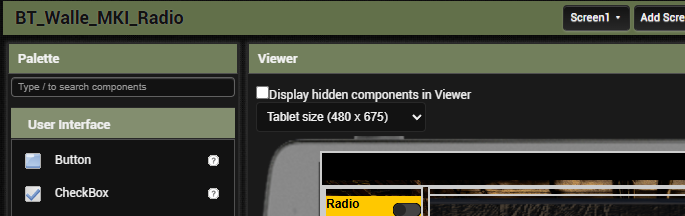
Looking in the Project Properties, I see
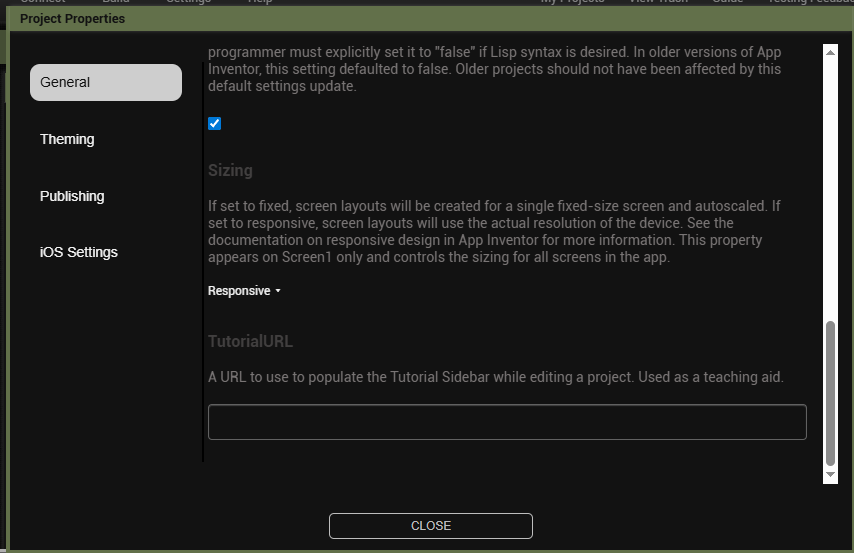
Sizing set to Responsive.
Change it to Fixed, to apply your chosen pixel counts.
These were the default settings I had in three attempts to compile with different resolutions. The error message disappeared, but the MP3 radio panel didn't appear after tapping the switch (upper right corner). The radio panel is briefly visible when the app launches and then disappears at the top of the screen.
I advise changing the app code to just turn the visibility of the "radio" arrangement on and off (.Visible = true/false) under direct control of the radio switch in the adjoining Arrangement, and removing the Clock based animated resizing of the radio Arrangement.
How much of YOUR time and effort are you willing to put into eye candy?
I built this robot from scratch – 3D printing and electronics based on a design from the hackster website. It took dozens of hours. Unfortunately, I can't code, but I can compile from shared code. I'm 70 years old and I'm doing this for my grandson. I was hoping for expert help in solving the problem. Thank you for the conversation. Best regards.
A request to MITInventor experts. Can someone share images of the corrected blocks in *.aia files?
The block images at the top of this post remove the error message, but then you can't listen to the MP3 files.