How to avoid runtime errors with the companion app
After importing an extension, please restart the companion app.
If you like to use an extension on a different screen, in Screen1 additionally drag the extension into the working area.
While starting the companion app, all necessary assets and also the imported extensions of your project will be copied to your device. So in case the no such class error shows up, the extension code to run the extension is not available on your device. Without that code the companion app is not able to execute methods from the extension.
In case restarting the companion app does not work for you after trying several times, then as it looks like the only way for you to test you app will be after building it using the apk file.
I restarted the app multiple times and added the extension in screen1 aswell.
Building the apk file and installing on the phone worked however. Is there any other solution so i dont have to install the apk file everytime i will test the app?
(Sorry if my english is not perfect. Definitely not a native speaker here)
Hi the code is working great without the image but with an attachment it gives me error "IOException while sending message".
Could somebody help?
Pls reply ASAP if possible as I have a school project deadline with 2hrs.
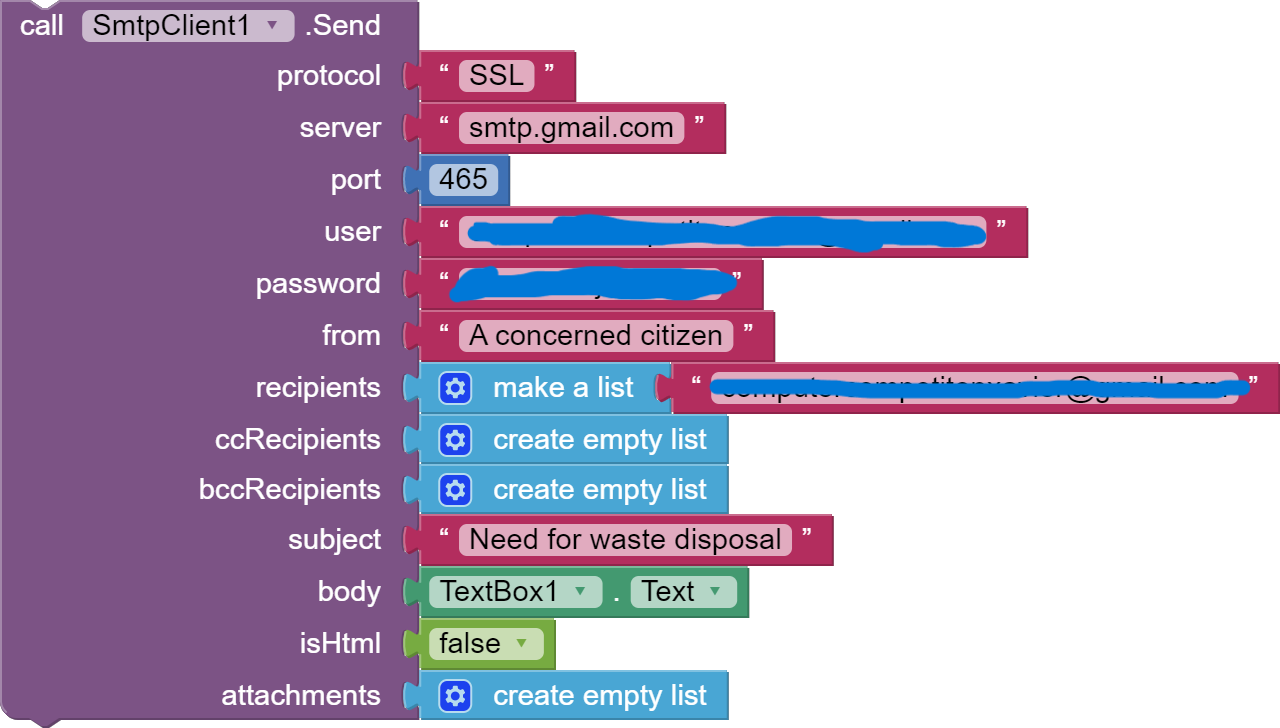
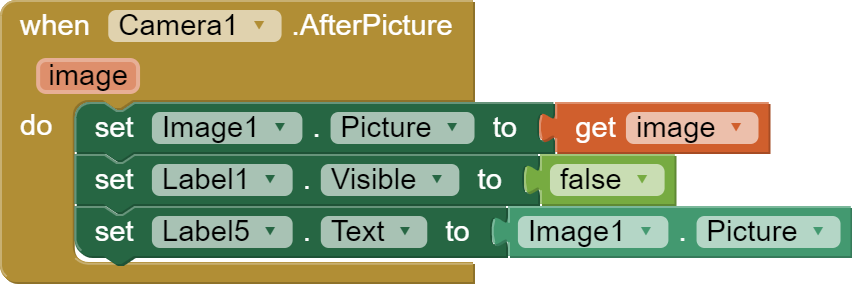
I assume this is what u want?
the code works like this however when i use an attachment i get the error"IOException while sending message"(sending code with attachment shortly)