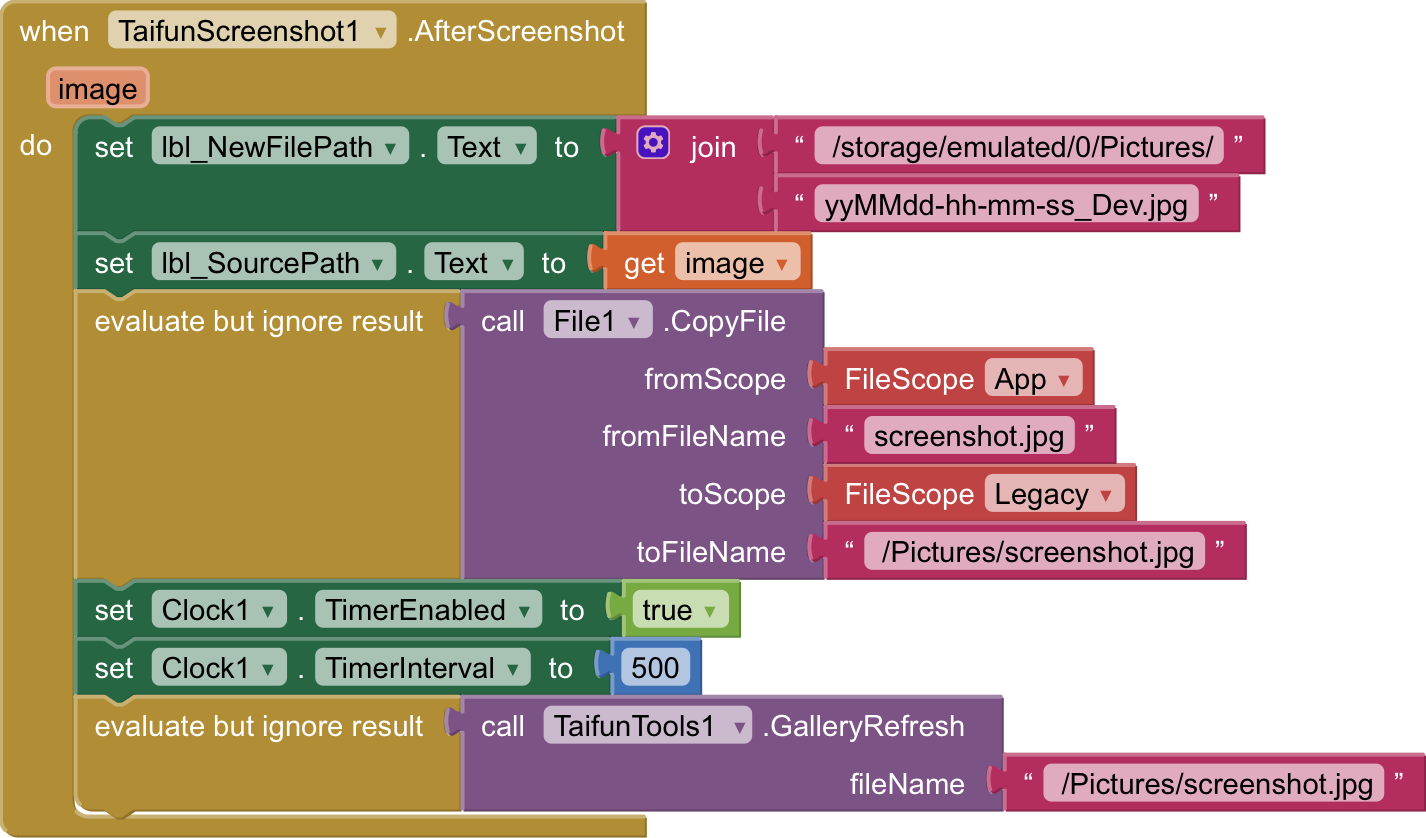
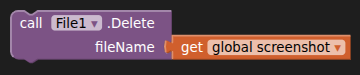
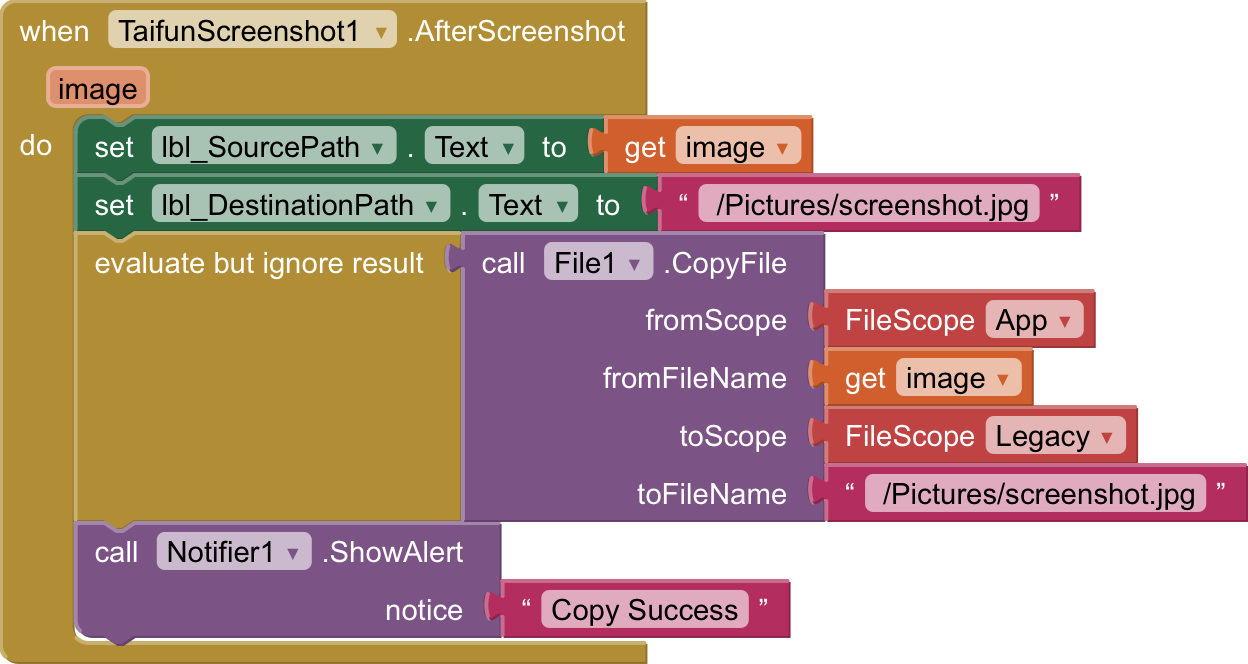
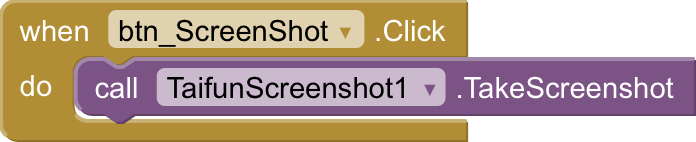
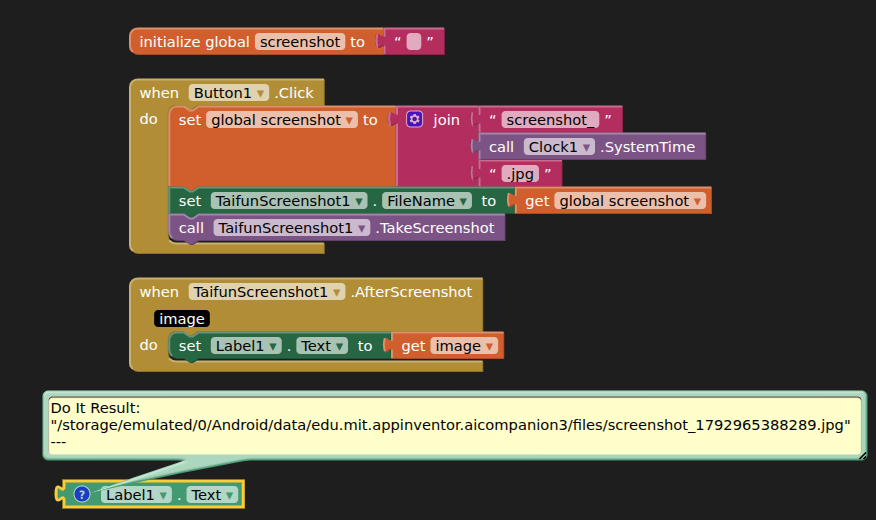
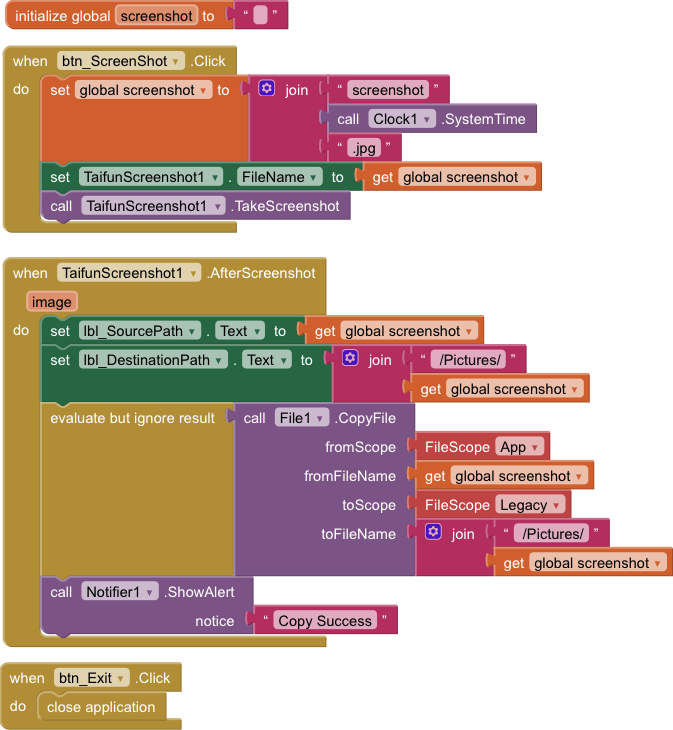
I’m new here but not new to App Inventor. So far I have muddled along on my own and managed to sort out my app related problems. I now have an issue with copying a screenshot from the app folder to the android gallery that I have been unable to resolve. I am using an old OnePlus A3003 mobile running Oxygen o/s. The jpeg is captured okay (Using Taifun Screen shot and Taifun Tools extensions) but returns file not found errors when doing the copy. I have uploaded the blocks and error messages below, hoping someone may be able to help. The app is just a tool to help me understand how the screen capture and file copy works.
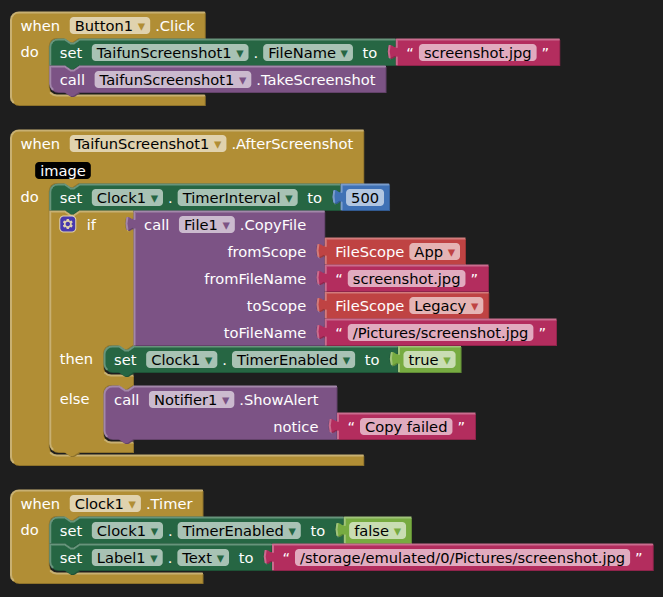
So just to clarify as I’m no expert are you saying replace the Get Image block with a text block saying just ‘screenshot.jpg’ and the To FileName should just say ‘/Pictures/‘
Are you setting the filename to save to screenshot.jpg ?
If so, did the file copy from the ASD to shared storage /Pictures ?
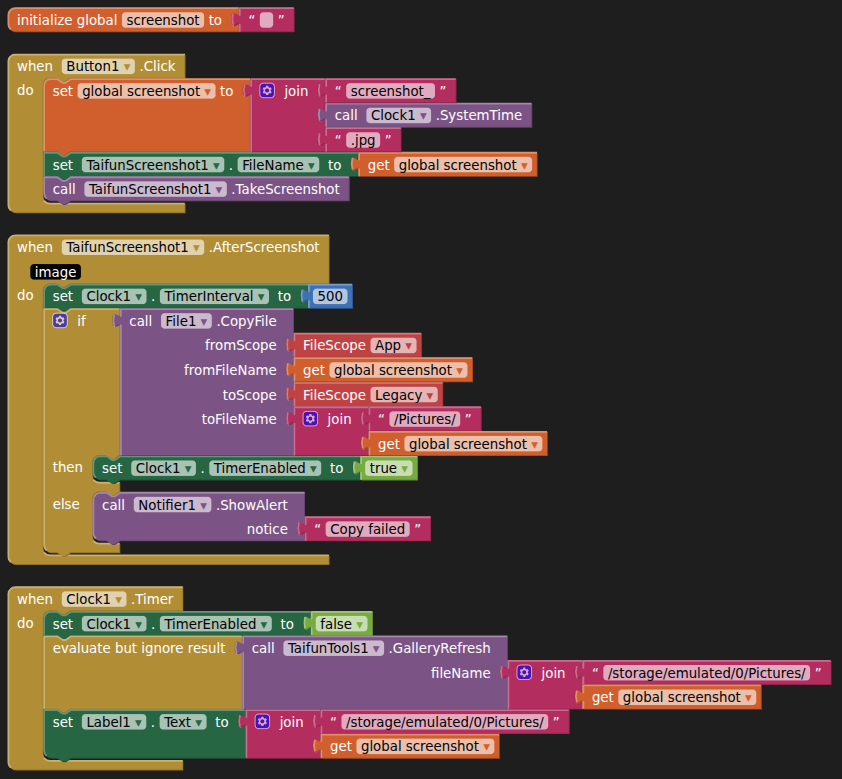
What is the clock for ? ( you should set the interval before enabling the clock). If it is to create a delay for the Gallery Refresh call, then that call should be made in the Clock Timer event (where you also turn of the clock)
This works for me (have not done the GalleryRefresh part yet, let us get the screenshotting and copying working first)
The file (default filename screenshot.jpg) saves to the ASD but does not copy and the app hangs since I made the changes from the original posted config.
I have replicated the blocks and tried it but still not working. I need to check carefully through what I have done and see how I get on. I may have made a mistake in my haste!
Thank you so much for spending your time in trying to help me, I will definitely come back and let you know how I get on!
It would really help if you provided a screenshot your relevant blocks, so we can see what you are trying to do, and where the problem may be.
To get an image of your blocks, right click in the Blocks Editor and select “Download Blocks as Image”. You might want to use an image editor to crop etc. if required. Then post it here in the community.
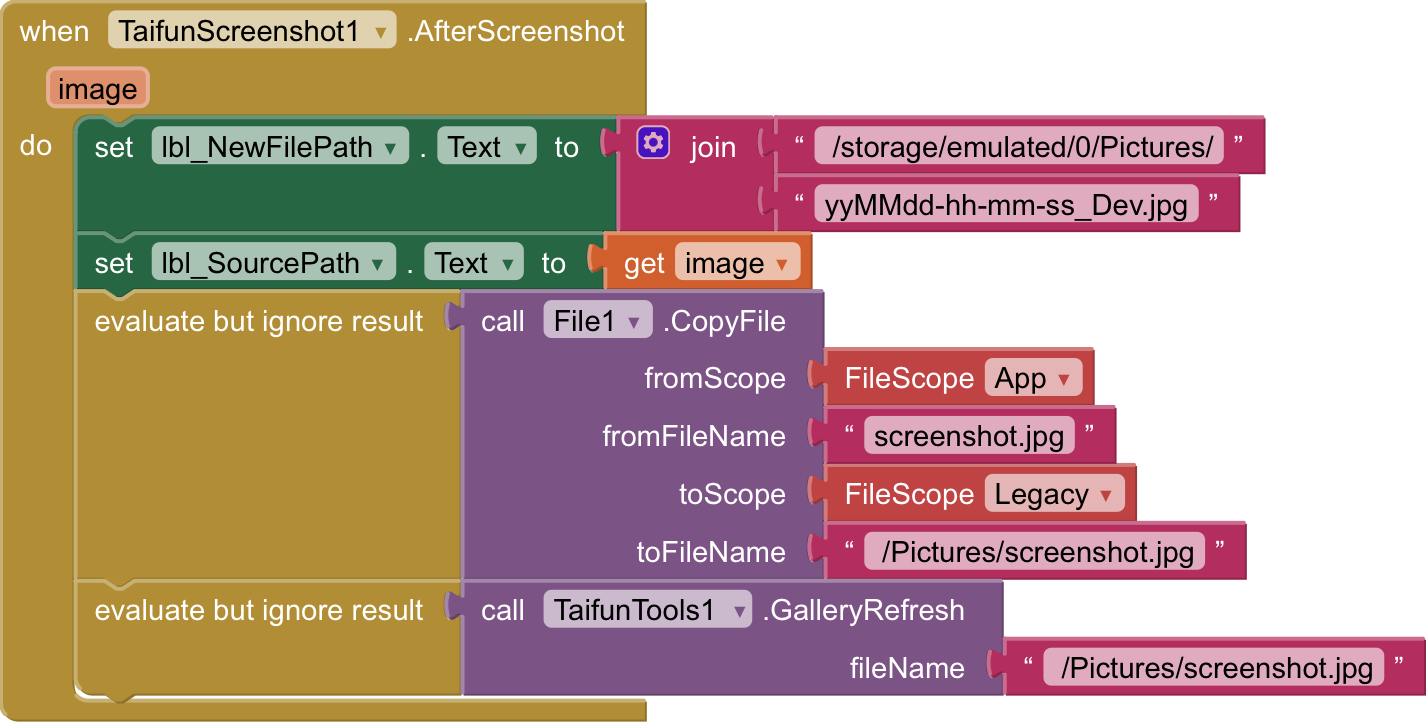
My first post included an image containing the screenshot of the blocks and the errors I initially experienced. I have also replicated the blocks as provided by TIMAI2.
All I am really trying to do is to take a screenshot image using a button in an app and then renaming and transferring it to the phones ‘Pictures’ folder.
Basically I just need the blocks to do this with the file names and paths (the File name can be anything). The issues I am having seem to be caused by the From and To parts of the File Copy block. The small app I have created is purely to enable me to get this copy process working, following which I want to use the technique in another larger app.
When I replicated the blocks supplied by TIMAI2 the screenshot was captured but the app then hung and the copy didn’t take place.
I have seen your initial screenshot and I have seen the screenshot from @TIMAI2 . But I have not seen a screenshot of what YOU tried after all the help which has been offered
Tip: try it first without clock and Gallery Refresh
I did replicate your blocks but the app hung and appreciate that you are trying to help me. I have replicated the simpler version as below and it still hangs. Apologies I seem to be making a meal of this, but I am trying guys.