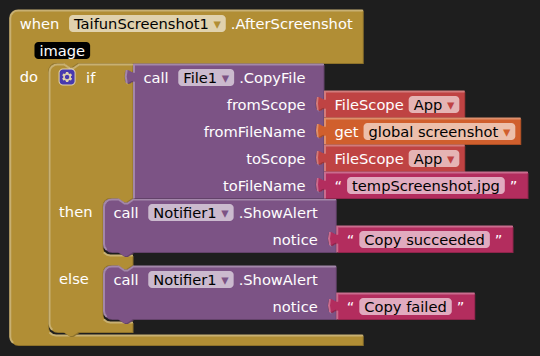
Like so:

Do you get "Copy succeeded" ?
Is the screenshot file there in /Pictures ?
Unfortunately not, the app hangs with no errors when I click the button, I am at a loss as to why. I copied your earlier blocks in full and that also hung. It seems to be a problem with the From file part of the copy event…? In both instances the screenshot is captured to the ASD
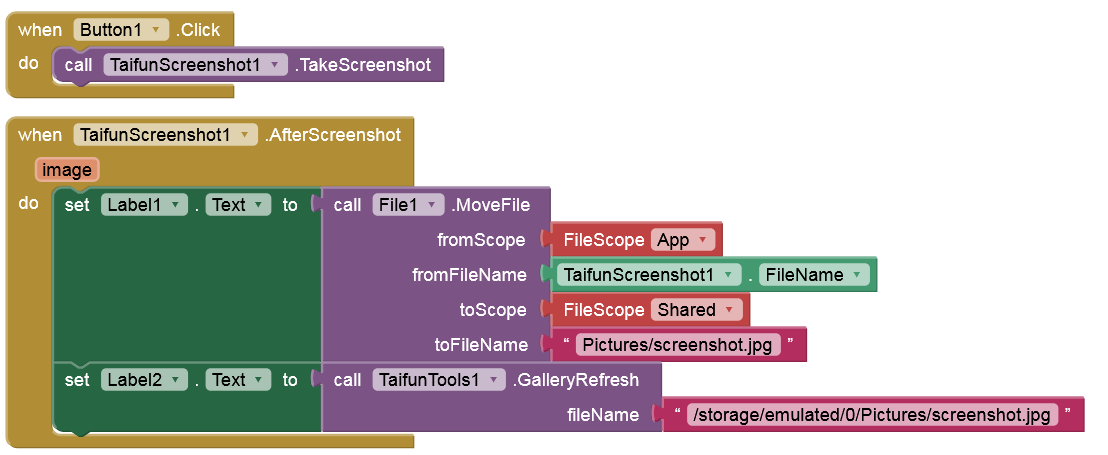
This is all you need:
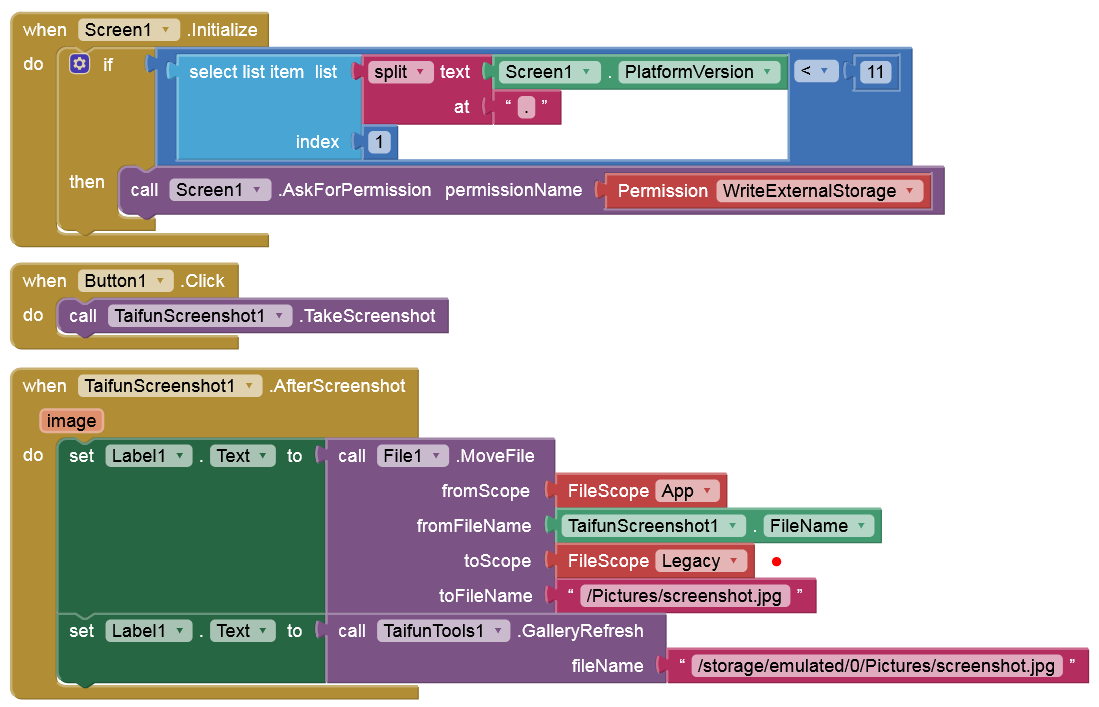
TaifunTools extension needs an absolute path to work.Of course, on Android < 11 you must request and grant WRITE permission.
Hi Anke,
Thanks for your reply, I will try that. Could you explain how I request and grant the write permission pls as I am using an old mobile with Oxygen o/s 9.0.6 for my apps.
Thanks
Shared doesn't work on Android < 11 for whatever reason. But Legacy works.
Screenshot_2.aia (25.5 KB)
Hi,
That change stopped the app from hanging and did save the screenshot to the ASD. The Copy Succeeded msg was also received but I can’t see the image tempScreenshot.jpg anywhere?
The android version is Oxygen o/s 9.0.6
Should be in your ASD.
Anyway, this helps to show, that a) the Copy method is working, b) now we are armed with the knowledge you are running Android 9, you need to request WRITEEXTERNALSTORAGE permission so that you can write to Shared Storage - see and follow @Anke's last example.
Success! - This solution worked and the screenshot now appears in the Pictures Folder.
Thanks to all of you for spending the time in helping me, I really appreciate it!
This topic was automatically closed 7 days after the last reply. New replies are no longer allowed.