我使用蓝牙连接了我的打印机,提示sending rinting commands to device,是不是适配我的打印机?
怎么购买呢?购买了后,会把扩展发到邮箱里面吗?
我购买了这个扩展,我想打印简体中文,请问如何设置呢?谢谢
Hello, there is a command that changes your printers character set. It is called CodePage. In my printer's user manual indicates the following:
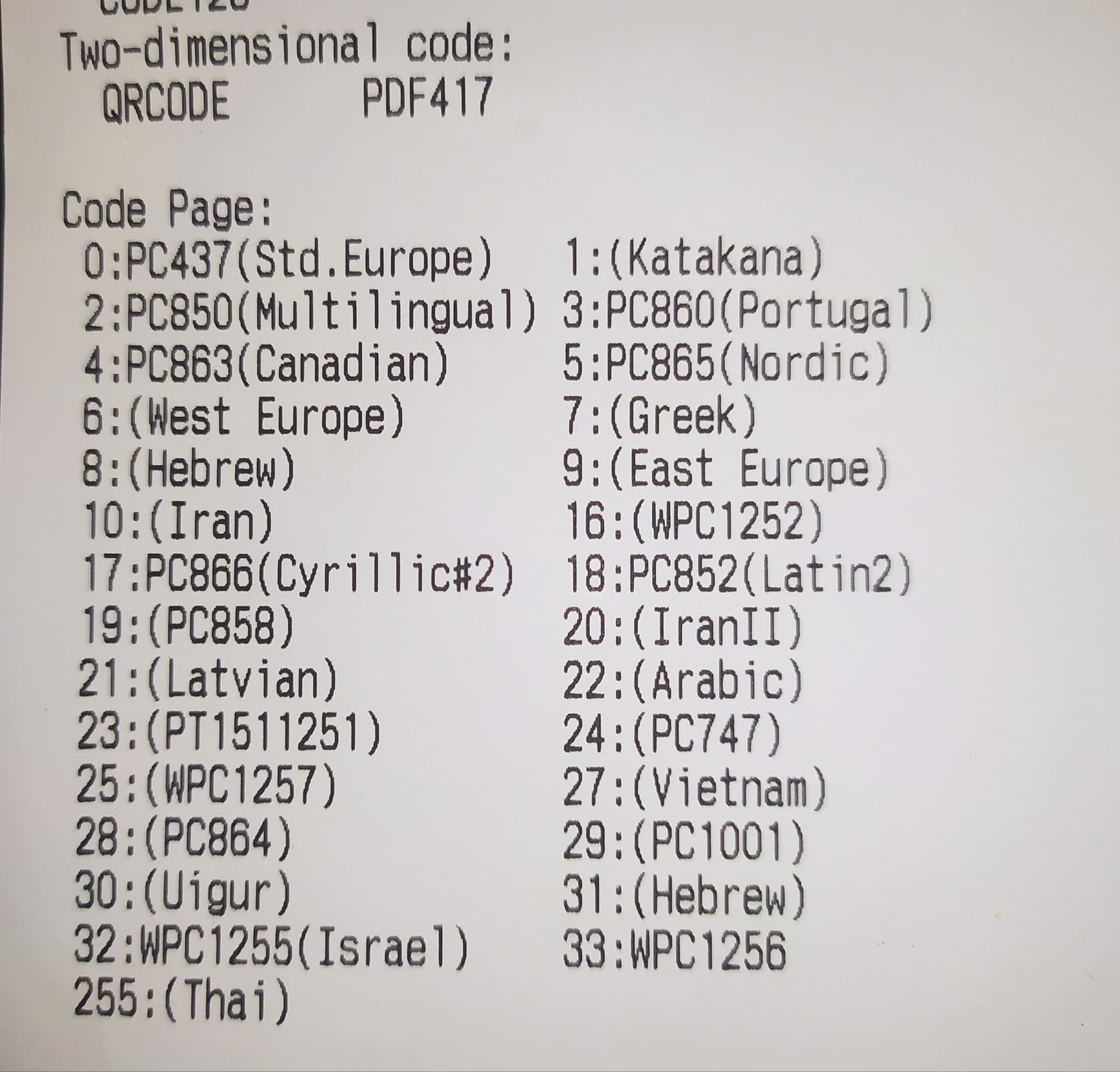
But it can change depending on the printer so i recommend you trying the following blocks, to figure what's the correct number in your printer:

NOTE: Use GB18030 for the charset parameter in the text block for Simplified Chinese.
1 Like
How to select a language?"
If possible, please provide me with an example AIA file or blocks related to language selection.
I use the Vietnamese language, but I still encounter character errors. These are the blocks

Does your printer supports Vietnamese Language?
If Yes, Printer Manual for codes
1 Like
My printer is Xprinter P300, which supports multiple languages. I have been using it for a long time with various applications, and it can print in Vietnamese without any issues. There are certain applications that cannot print Vietnamese due to language settings within the application itself. Therefore, I believe this issue is related to the configuration of the utility rather than the printer itself.
According to a stack exchange post, try code page 28.
2 Likes
1 Like
Thank you for providing the helpful information. It seems that anyone using thermal printers is experiencing font issues, regardless of whether they have selected the correct font or not. Many languages are affected by this problem.
I am currently exploring the option of printing from images as a workaround. However, creating images tends to result in blurry prints, while generating PDF files produces clear prints but this extended functionality does not support PDF files. Do you know of any utilities or methods to convert PDF to an image for printing?
I hope @mmnettime will consider this feedback and update the application with the ability to print directly from PDF files.
I forgot to mention that AI2 uses utf-8 for its encoding.
So if your text is in a text block I would expect problems if you tell the printer to expect utf-32.
2 Likes
You can try using UTF-8 and also I see your blocks and you are using 27 as the codepage parameter. Try using a for cycle from 1 to 50 to print different outputs and check what's the correct codepage for Vietnamese on your specific printer.
The language compatibility is more of a printer issue, not necessarily the extension. In some special cases where users can't print I have added an example to print from an image. DM me the receipt of the extension purchase. And I'll send you an .aia with the image workaround
1 Like
The AIA example you sent does not work. I have contacted you through the inbox, but it seems like you have been too busy to respond. @mmnettime 
How can I print text via thermal printer without breaking the words in half? What commands to use?
1 Like
Is your printer's font monospace (equal width characters)?
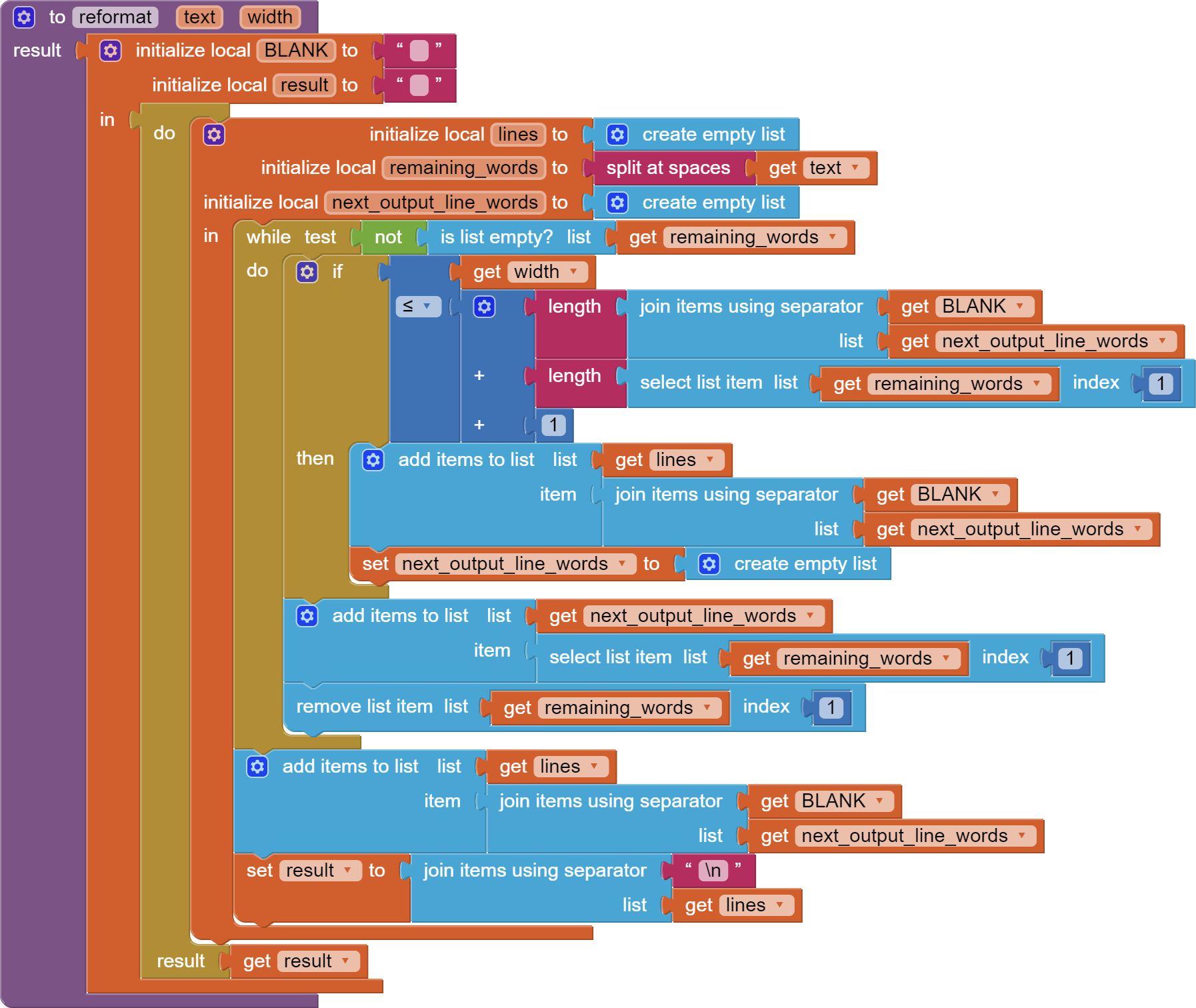
Here is sample code you can use to reformat the text to fit.

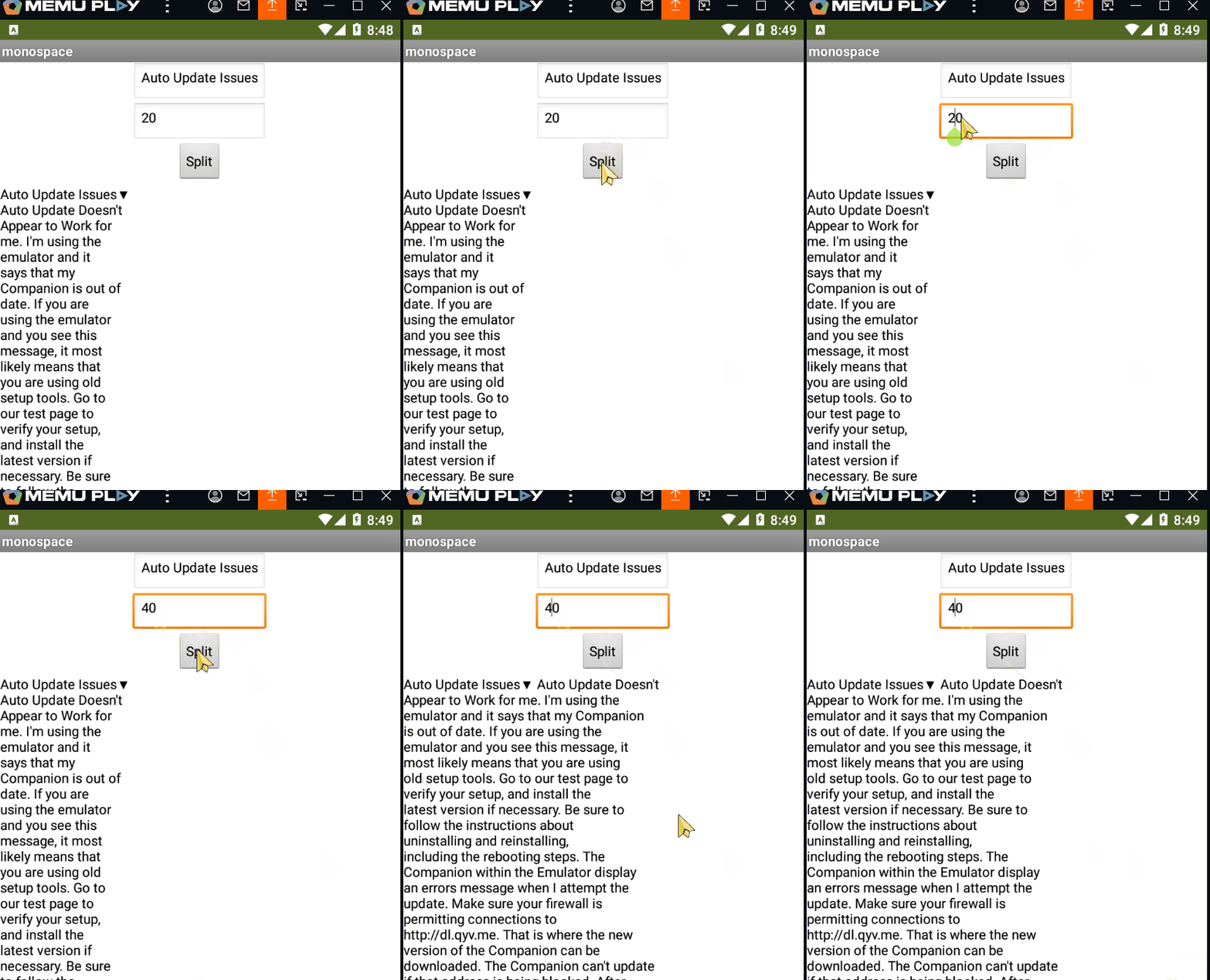

(corrected 6/16/2024 for last output line omission)
text_reformatter.aia (3.9 KB)
1 Like
Thank you very much, I am also facing similar issues. After using this extension for a while, I have noticed several limitations. It seems that the author has not updated the extension for a long time, and despite my attempts to contact them, it appears that they are not interested in maintaining their extension.
Thank you very much for your attention. It works, but it cuts off the last line of text.