OTP with your phone, php and mysql
This method could be useful for startup apps just getting going, or for low volume apps not published to Google Play Store that are unlikely to generate a "viral" interest, so perhaps a new user limit of 4-5000 per month. It provides a reliable method without requiring any third party (e.g. Firebase Authentication), and assumes that one is already using mysql/mariadb as the app's backend database.
I developed this as an alternative signup process for my Infernus project (nosql with mysql/mariadb), so that one could have phone / otp signups as well as email/password sign ups. This method is not linked or connected to any federated sign up methods (google/facebook etc.).
I currently have a monthly phone contract that offers unlimited texts and emails, but the do have a "fair use" policy, I spoke with my provider, and they seemed unconcerned about my phone sending 4-5000 sms texts per month.
Of course, if one's app was really to take off, you would need to monetise in some way to cover costs, so that you could use an sms provider, handling the sms responses at between 3 & 5p (UK pence) per sms.
The process requires two appinventor apps, a client (used by all app users) and a server (used on one's phone). At the backend there are php files that interact with a mysql/mariadb database. The SMS processes are required to verify the phone number (as a real phone number).
WORKFLOW
- The client app/phone sends an sms message to the server app/phone.
- This message is verified by the server app (message content).
- If verified, the server app/phone
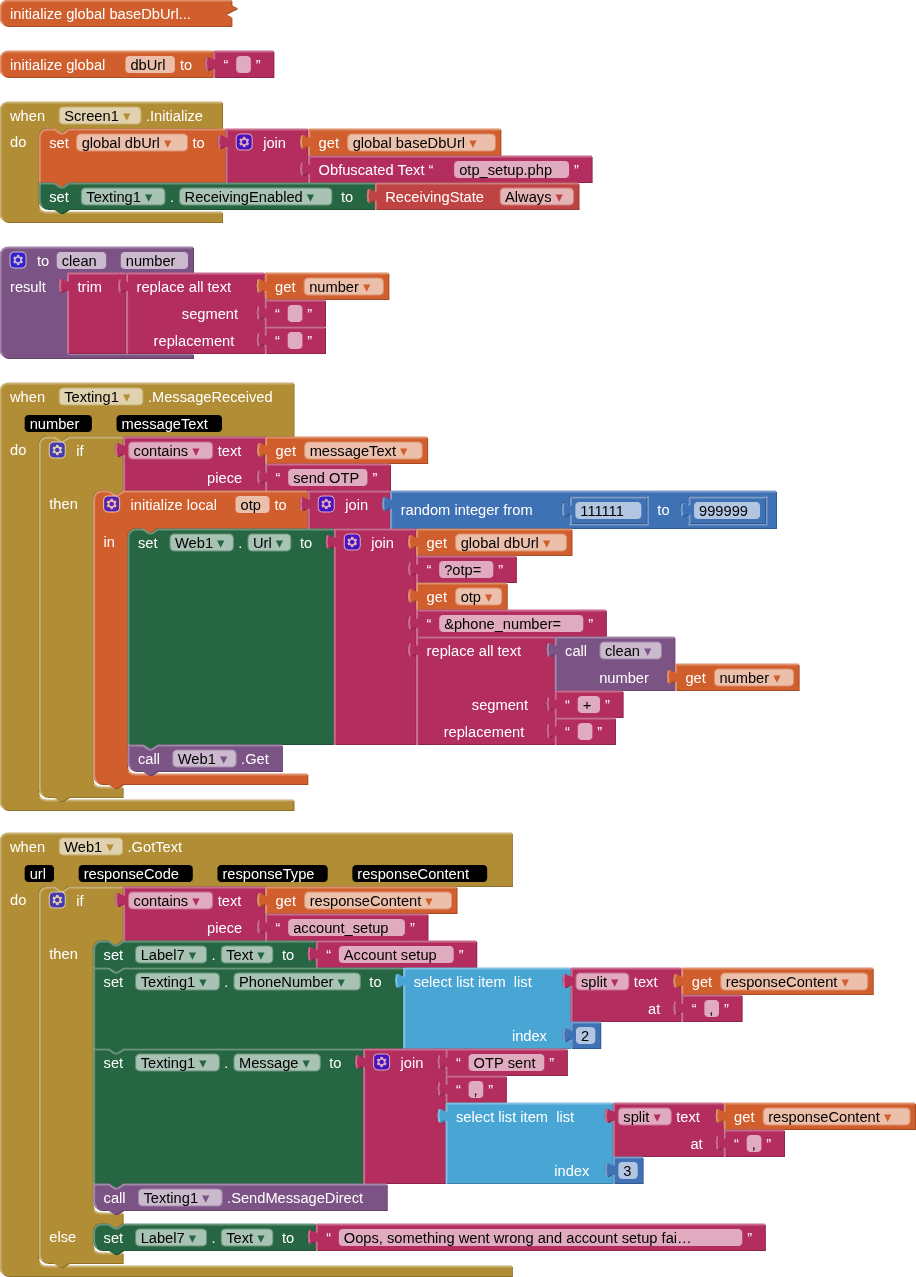
a. sends the phone number and the OTP code (by php) to the database, and an account is setup
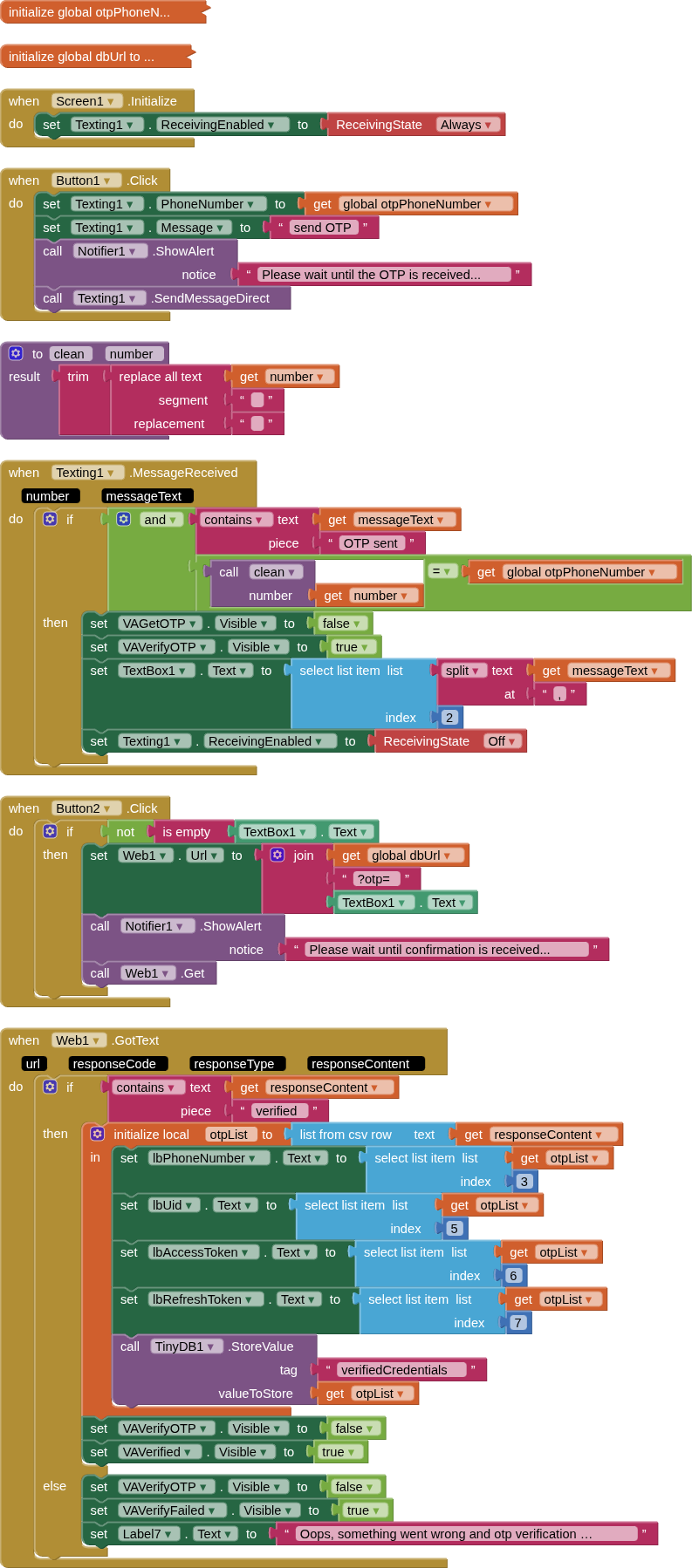
b. then the server app/phone sends the OTP back to the client app/phone. - The client app/phone will verify the message content from the server apps message
- The client app/phone then sends the OTP, by php, it received to the database
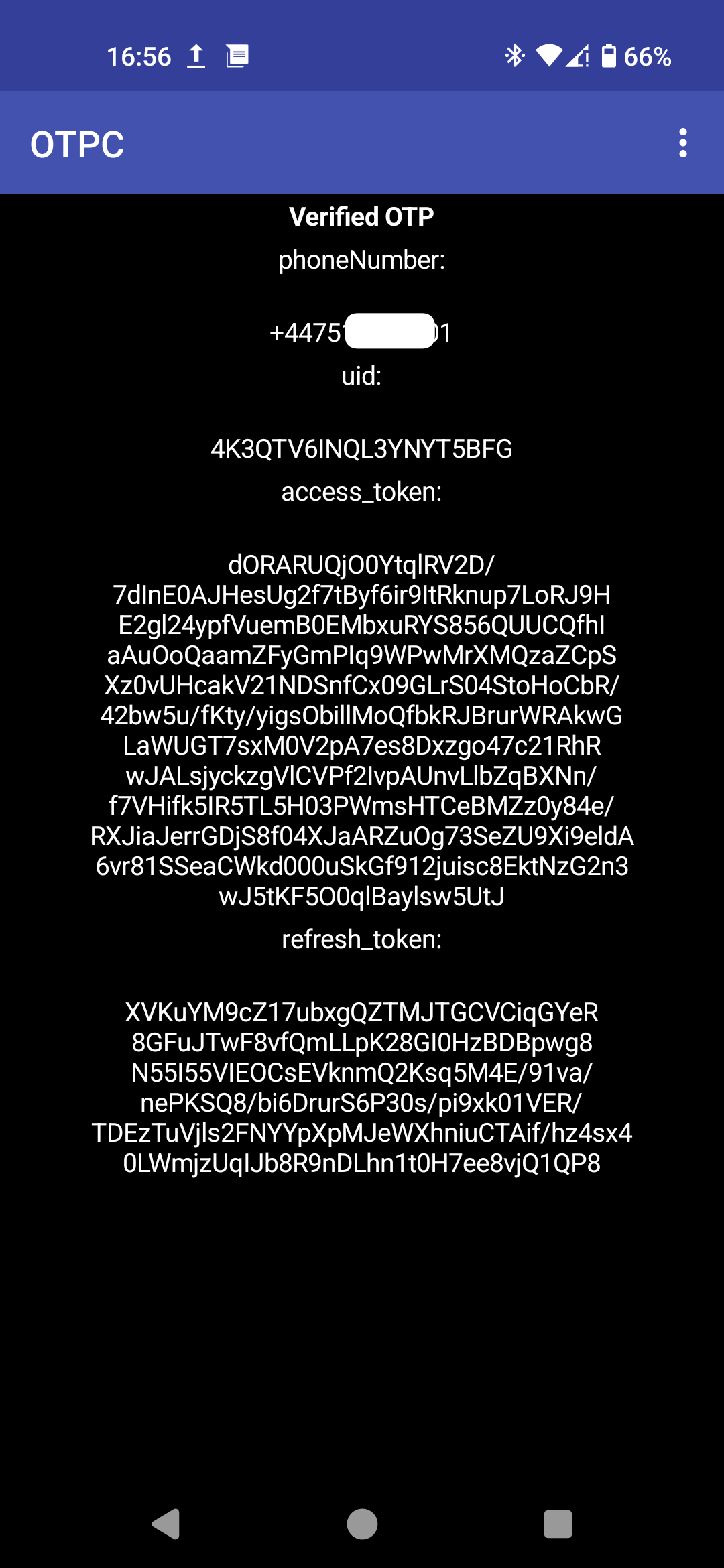
- The database compares the OTP with its records, if it exists, then the database will return confirmation, along with a UID, an access_token, and a refresh_token, and set these in the user database.
- The user is now signed up, and can use the uid and access_token to sign in when running queries on the main app's database.
Notes:
i. Additional work required to set a timestamp for the validity of the access_token (1 hour), and for use of the refresh_token to generate a new access_token with new timestamp. This should be replicating the signup/signin process as found with Firebase Authentication.
ii. The database has a cron job that runs every day to clear any setup accounts that have not been verified - on confirmation [6. above] the otp code is removed from the account data.
iii. Android 13 and below seem to handle SMS permissions OK on first run, but on later versions (only tested Android 16) a user would need to manually go into app settings and allow restricted permissions, then allow SMS.
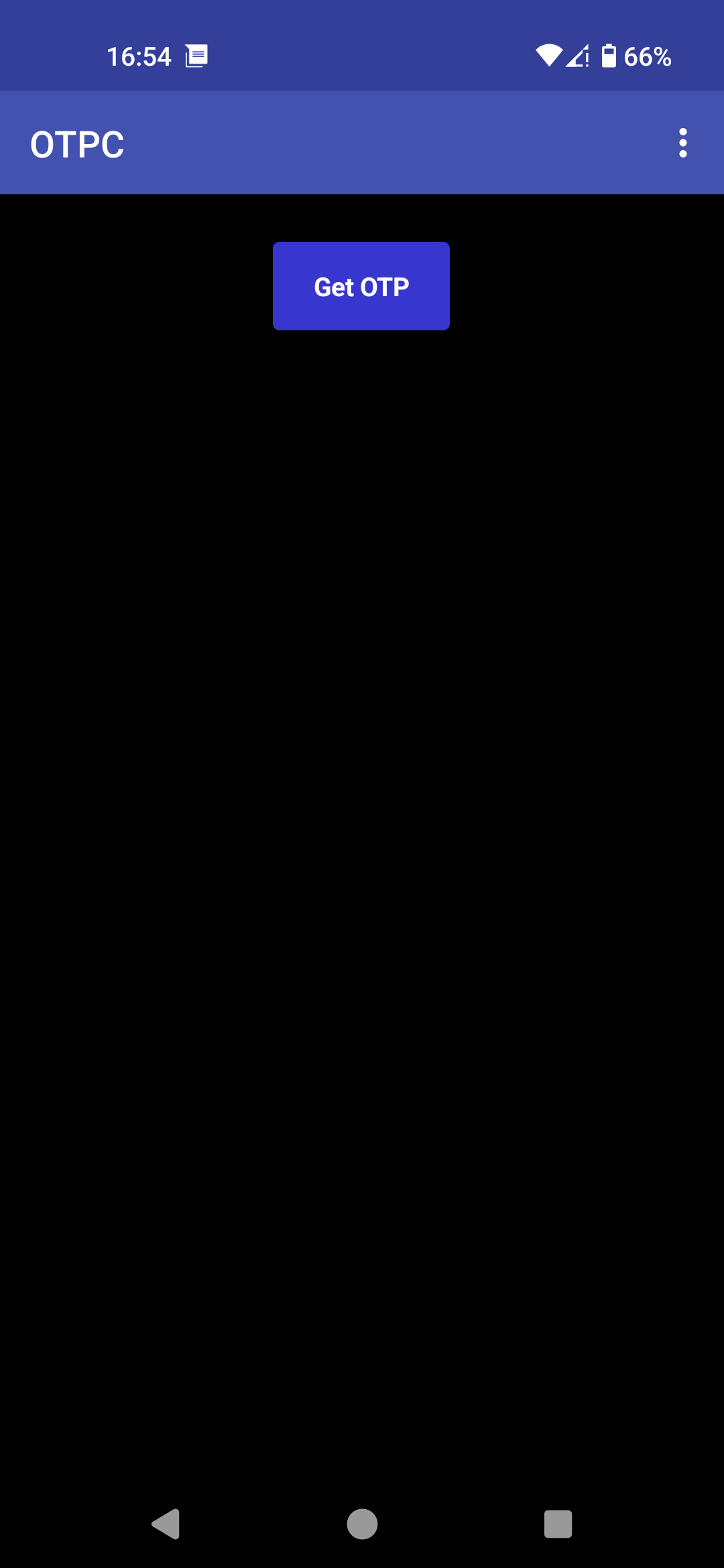
(OTPC) CLIENT APP BLOCKS, SCREENS & PHP

<?php
//otp_signup

require_once 'config.php';
$conn = new mysqli(servername, username, password, dbname);
if ($conn->connect_error) {
  die("Connection failed: " . $conn->connect_error);
}

$otp = $_REQUEST['otp'];
$sql = "SELECT id, phone_number FROM otp_sodales WHERE otp = $otp;";
$result = $conn->query($sql);
$rows = array();
if ($result->num_rows > 0) {
  while($row = $result->fetch_assoc()) {
     $rows[] = [$row["id"],$row["phone_number"]];
}
$id = $rows[0][0] ;
$phone_number = $rows[0][1];
}

$uid = str_replace("+","0",strtoupper(base64_encode(random_bytes(intval(ceil(20 * 3 / 4))))));
$access_token = str_replace("+","0",base64_encode(random_bytes(intval(ceil(400 * 3 / 4)))));
$refresh_token = str_replace("+","0",base64_encode(random_bytes(intval(ceil(200 * 3 / 4)))));

$osql = "UPDATE otp_sodales SET otp = '', uid = '$uid', access_token = '$access_token', refresh_token = '$refresh_token' WHERE id = $id;";

if ($conn->query($osql) === TRUE) {
  echo "verified," . $id . ",+" . $phone_number . "," . $otp . "," . $uid . "," . $access_token . "," . $refresh_token;
} else {
  echo "Error: " . $osql . "<br>" . $conn->error;
}

$conn->close();
?>
(OTPS) SERVER APP BLOCKS, SCREENS & PHP
<?php
//otp_setup

require_once 'config.php';
$conn = new mysqli(servername, username, password, dbname);
if ($conn->connect_error) {
  die("Connection failed: " . $conn->connect_error);
}

$phone = $_REQUEST['phone_number'];
$sql = "SELECT * FROM otp_sodales WHERE phone_number = '$phone'";
$result = $conn->query($sql);
if ($result->num_rows > 0) {
  die("phone number already exists");
}

$otp = $_REQUEST['otp'];

$sql = "INSERT INTO otp_sodales (phone_number, otp) VALUES ('$phone','$otp');";

if ($conn->query($sql) === TRUE) {
  echo "account_setup, +" . $phone . ", " . $otp;
} else {
  echo "Error: " . $sql . "<br>" . $conn->error;
}

$conn->close();
?>
(otp_sodales) MARIADB TABLE & RECORDS
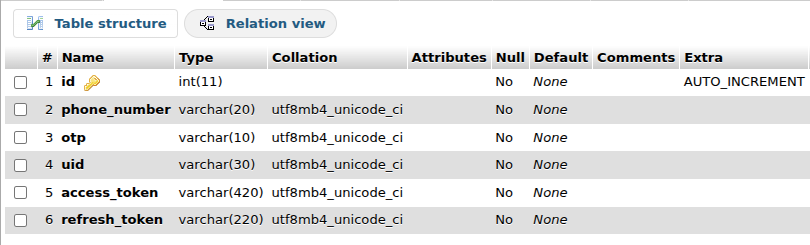

The table naming follows on the from the users table in Infernus, named 'sodales', which means members in Latin.
DISCUSSION
You will have seen that I have only used the texting component, which will require the server app to be always open and in the foreground on "my phone". This would not be practical in the real world (me and my phone need to sleep...). I would be using extensions: iToo [FREE] and SMS_Receiver [PAID] to handle the receipt and sending of SMS in the background. An example for this can be seen in the FMP (Find My Phone) app.
It is quite feasible to combine client and server apps into one, with a startup routine that sets the use type.
The client (and probably the server app too) require more work to control and check texts and database entries (e.g. when a text is not sent/received).
This approach will not be accepted in Google Play Store (Due to SendMessageDirect).