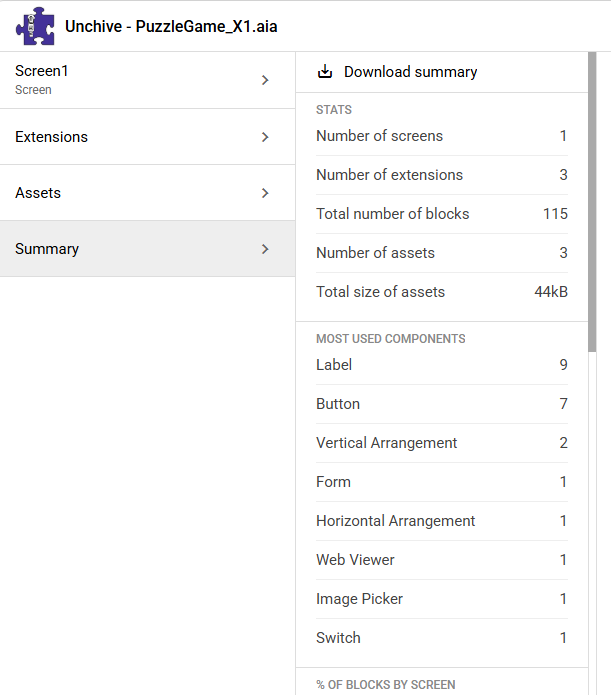
Upload your app to https://unchive.kodular.io to get some statistics of your project and post the statistics overview
Taifun
Upload your app to https://unchive.kodular.io to get some statistics of your project and post the statistics overview
Taifun
You are not using too much...
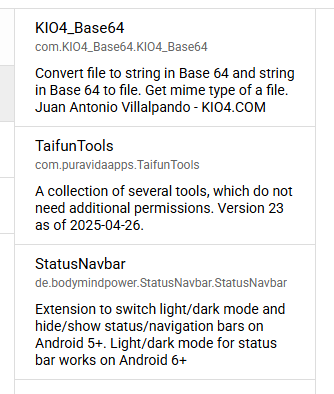
There are 3 extensions. Which ones are you using?
Taifun
i do not see anything special in the log what really looks like an error. I searched the log for the word “error”. only one occurance at the end.
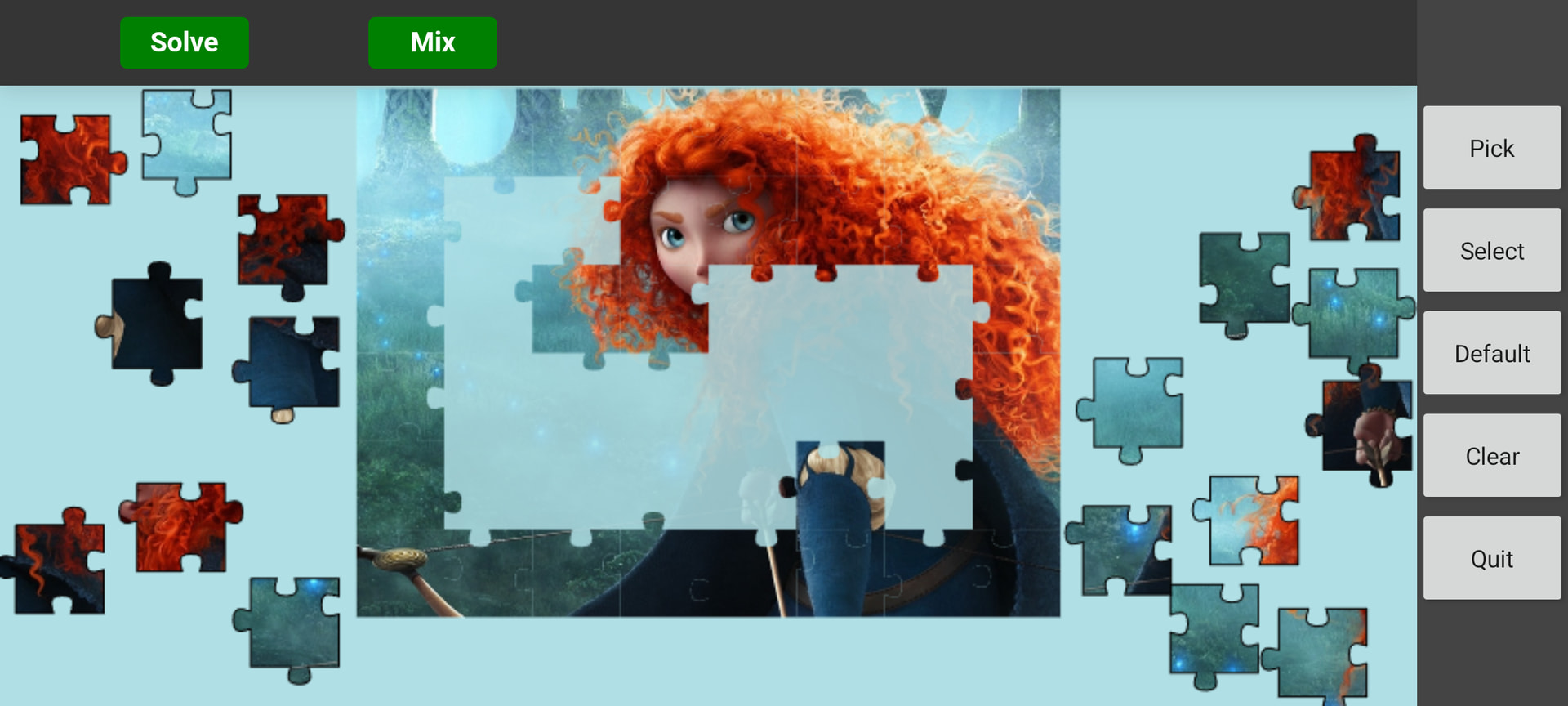
Most important… as it can be seen in the lot of screenshot above… the project works via usb or via AI companion. So… for this the building routine seams to work but not for creating the apk file itself.
One of the couriouse things in AI2 which I unfortunately do not understand 
[LoadComponentInfo] usesLocation = False
[LoadComponentInfo] Permissions needed, n = 8
[LoadComponentInfo] INFO: Component "de.bodymindpower.StatusNavbar.StatusNavbar" does not specify queries
[LoadComponentInfo] INFO: Component "com.KIO4_Base64.KIO4_Base64" does not specify queries
[LoadComponentInfo] INFO: Component "com.puravidaapps.TaifunTools" does not specify xmls
[LoadComponentInfo] INFO: Component "de.bodymindpower.StatusNavbar.StatusNavbar" does not specify xmls
[LoadComponentInfo] INFO: Component "com.KIO4_Base64.KIO4_Base64" does not specify xmls
[LoadComponentInfo] Component xmls needed, n = 0
[LoadComponentInfo] INFO: Component "com.puravidaapps.TaifunTools" does not specify features
[LoadComponentInfo] INFO: Component "de.bodymindpower.StatusNavbar.StatusNavbar" does not specify features
[LoadComponentInfo] INFO: Component "com.KIO4_Base64.KIO4_Base64" does not specify features
[LoadComponentInfo] Component features needed, n = 0
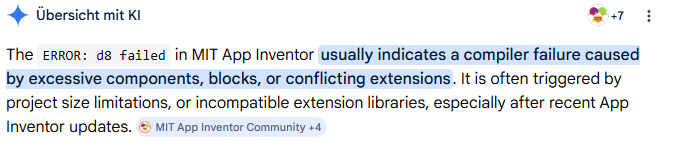
the log ends with the error, which is in your case d8 failed.
we already can say, that you do not have "too much of something". Also I do not think, that there is a library conflict for the extensions you are using.
Sorry, I currently do not have more ideas...
Taifun
Thanks for replay. Yes - the information at the end of the file - I mentioned. But I hoped that there are more hidden and useful information within the log. I sent you the complete log (anonymized ) as a private message. If you want you can have a look at it.
I also uploaded the aia here. The html file is dummy. JS and CSS are removed. So most of the buttons wont work (call JS methods which does not exist) but that should not be a problem for building the apk only for running the app. If you will do me a favour you can try to compile the aia on your device.
PuzzleGame_X1.aia (2.5 MB)
You have a massive image datauri in base64 in a comment in your Screen1.bky file.
I suggest you go back to your blocks and remove any comments from any blocks (if the comment is not displayed, then remove the blue circle indicating a comment is present).
This should reduce your Screen1.bky file from 3.4mb to @ 24kB.
Still did not compile.
I then removed the StatusNavbar extension and it compiled.
More testing to do.
Then tried removing TaifunTools only (leaving KIOBase64 and StatusNavBar in place), would not compile.
Then tried removing KIO4Base64 only (leaving TaifunTools and StatusNavBar in place), it compiled.
So some sort of conflict between KIOBase64 and StatusNavBar as a first guess...
There are other base64 extensions you could try.
After a bit more testing, it seems there is something wrong with your aia project. You might do well to start again with a new project.
Thanks for your ideas and own tests. You mean that i have to build the project from scratch and should not use the backpack?
The fact that you were able to compile the project under different conditions gives me hope.
I'm not giving up yet…
Try this one:
PuzzleGame_Xa.aia (2.5 MB)
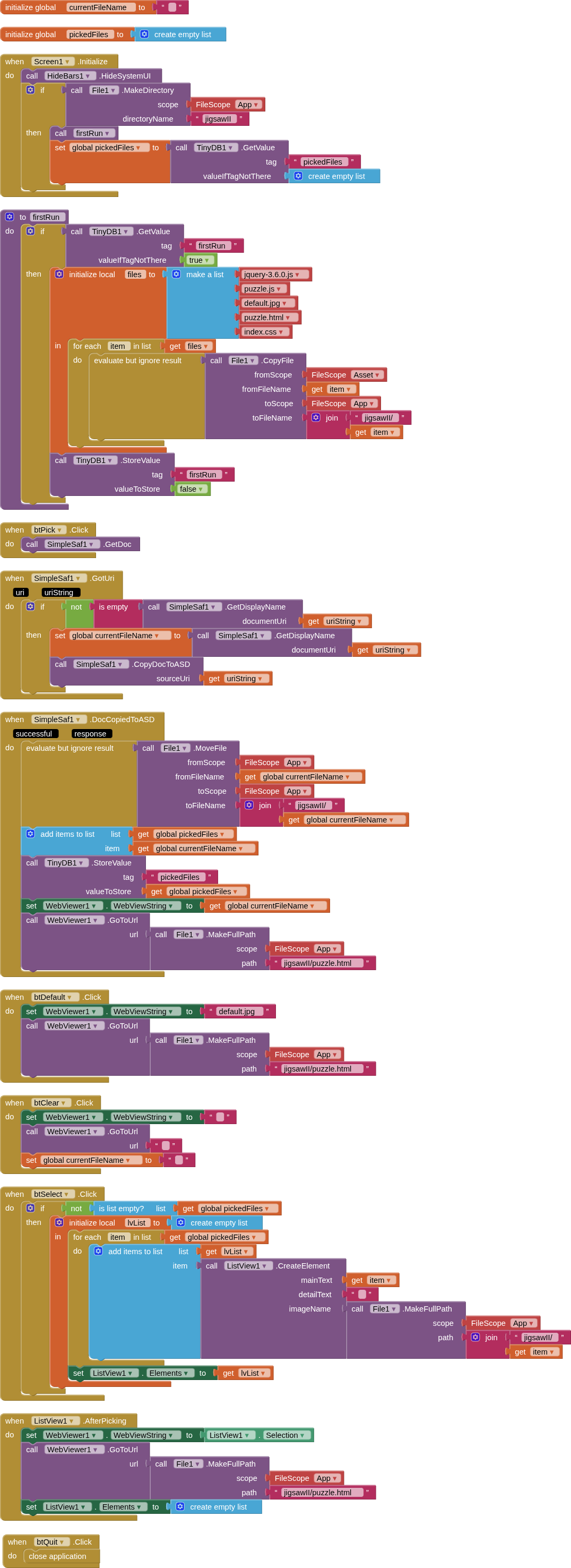
Just for fun, I had a go doing things a different way, using my SimpleSAF extension for picking of images from Shared Storage, and my Hidebars extension to clear the systemUI. All files in assets are copied to a folder in the ASD, as are the picked images, hence no requirement for converting to base64. Tested companion and compiled, Google Pixel 8a, Android 16.
jigsawII.aia (491.5 KB
If I unterstand it right (had a look at your blocks) you only give the path to html. The path is the file in ASD. So this is very efficient. I also tried to read folders / files with javascript directly but could not get it run. I think that this is only possible for ASD. Lets say that I accept that images are doubled on my devide (one somewere and second in ASD again) there will still be the problem that i have to put all new imges in assets of the app instead of simply copy them all few weeks from PC to a device folder. Or i am thinking wrong? You impot jQuery… were do you use it?
Yes, you can simply copy your images from your computer to one of the readable Shared folders (/Download, /Documents, /Pictures or a subfolder within it) on your device and then read or access them without any problems after requesting READ_MEDIA_IMAGES on Android 13+ and READ_EXTERNAL_STORAGE on Android < 13) permission.
Mhh… After testing compile with positive result I uploaded html, js,… and brought it to my target device (a larger tablet as my Lenovo testing thing). All works as expected.
So the trick is that you used another extension for Base64  The name of this one I think have also found in forum. Why I did not tried it with this one or did I something wrong and it does not worked for me and that was the reason to use KIO4? I dont know…
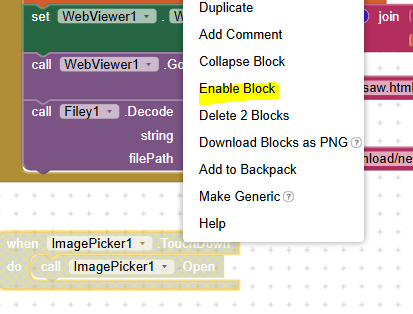
Why is the ImagePicker1.TouchDown nearly invisible? Is this a feature or normal? Have not seen a block nearly transparent till now.
Yes… with your solution. My reponse was related to the post from TIMAI2. Sometimes you see it to whom you reply. Sometimes not especially not when I use the more prominent reply button on the bottom of the web page. I need to get into the habit of always working with quotes.
The block is redundant (basically, it triggers the event twice and therefore must be removed).
A disabled block is ignored.
A circular reference? And the sytem recognizes that?
Because it has been disabled.
Do a right mouse click to disable/enable
No
This has been done manually
Just delete it to not get confused
Taifun
???
This is already happening with your use of ImagePicker, see here to read about how imagePicker works
No, you can copy them from your computer to one of the shared directories, then pick them as required from there. No need to put anything new in the assets.
If you want to copy them over all at once, then you would need to add a new procedure to handle this.
jquery is loaded in the puzzle.html file