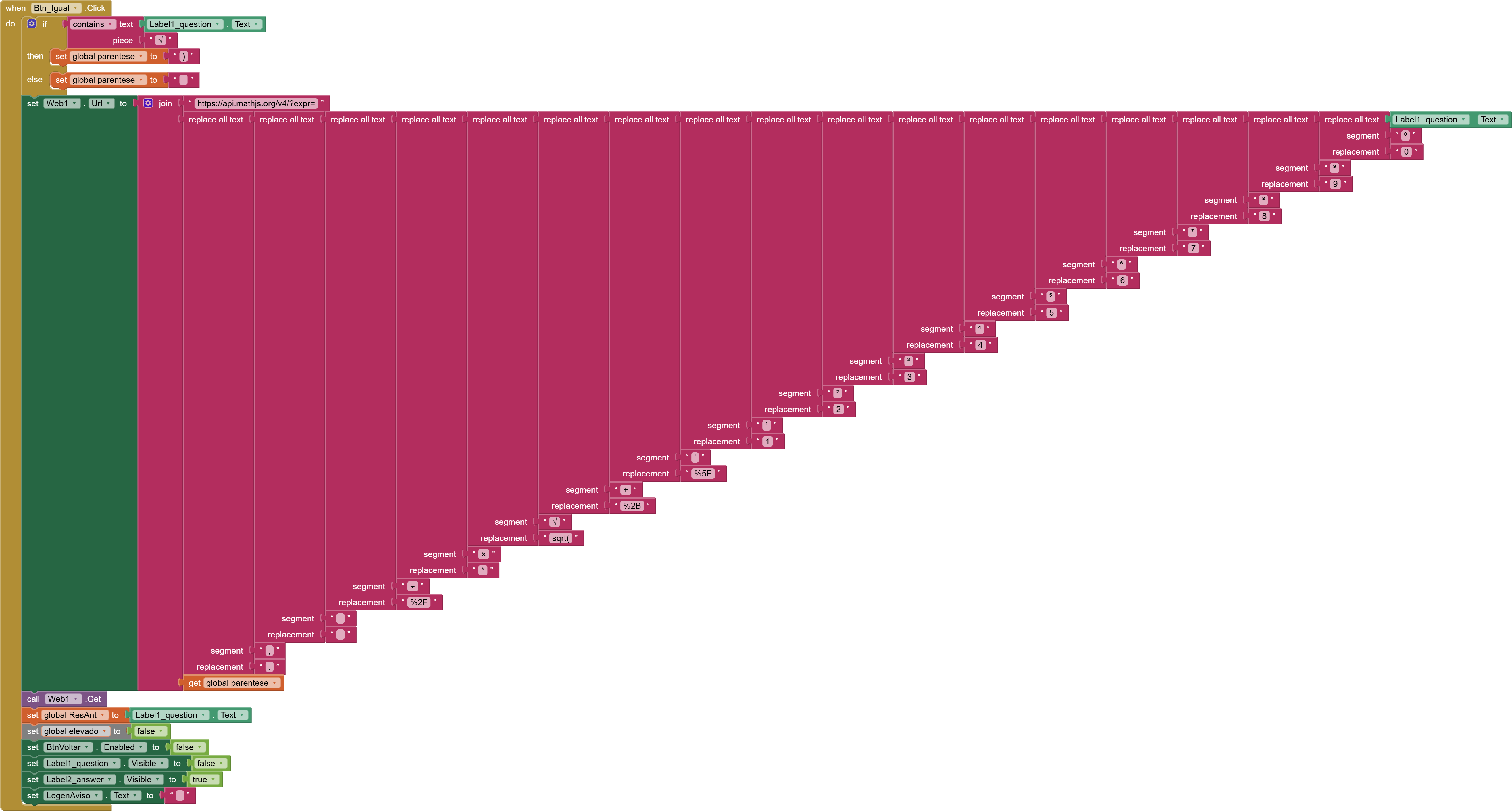
I am looking for some guidance and help from the community to refactor and optimize a specific screen in my app. It is an online calculator that sends the mathematical expression to a cloud API.
Originally, this screen had over 1,300 blocks. I managed to optimize it down to around 800 blocks, but the code has become a bit of a "spaghetti" mess due to consecutive updates, and it is prone to glitches.
The Core Logic & The Issue:
To prevent the app or the API from crashing, I have a lot of validation rules built into the blocks. For example, I block inputs like 3*****3 so the user can't type multiple operators together.
The biggest headache right now is my dynamic character counter:
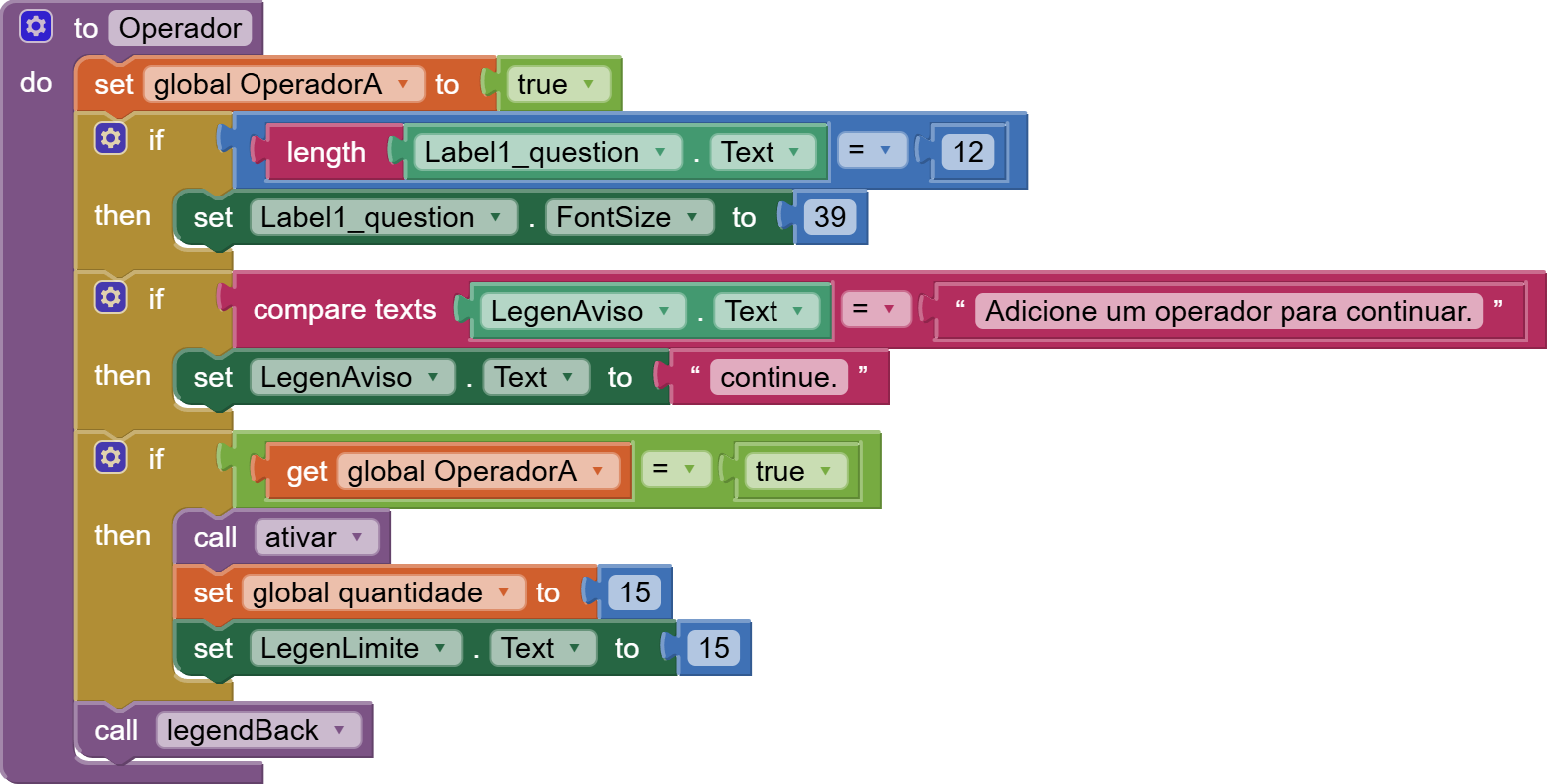
The baseline limit is 15 characters for a single number.
If the user types a math operator, the app grants another +15 available characters for the next number (similar to how Samsung's calculator app manages advanced input limits).
The Bug: If a user adds an operator (gaining +15 chars) and then deletes just that operator using backspace, the available limit stays at 15 extra characters. This allows them to bypass the limit indefinitely.
Whenever I try to hard-code a block fix for this backspace issue, it breaks the final calculation logic, or blocks the number 0 from being typed properly.
What I need help with:
Logic Optimization: I want to make the input validation smarter and cleaner without adding hundreds of more blocks. I am open to using JavaScript (via WebViewer), Regex, or Procedures to reduce the block count drastically.
UI/UX Design Changes: The UI is currently difficult to manage alongside this heavy code, and I would love some suggestions/changes to make the screen look cleaner and more professional.
I am attaching my .aia file (with all private API keys removed) so you can test it on your devices, see the bugs in action, and look at the block mess.
Note: The text elements and component names on this screen are in Portuguese, but the logic should be straightforward to follow once you look at the blocks.
Thank you so much in advance for your time and help!
When I see a text block that looks like a blank, I wiggle my cursor in it to see if las length 1 or length 0. This one has length 0, which I suspect is not what you want. (AI2 "helps" us by trimming blanks from text blocks.)
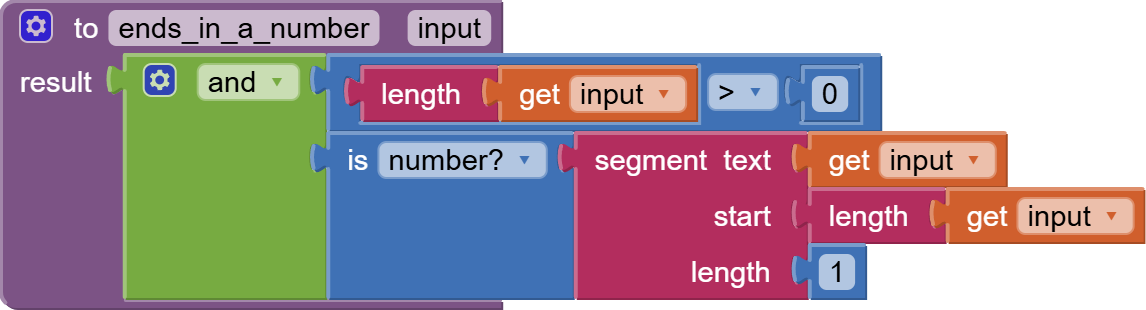
Here is a corrected version that can be dragged into your Blocks Workspace.
Thank you so much for your help and patience with my code! Whenever you are finished, if possible, could you please share the modified .aia file with the corrections? It would help me a lot
I notice that none of your procedures accept arguments or return values.
That forces dependence on global variables, which can add complications trying to keep them up to date.
See Chapter 21 of
from
You can use a common procedure for the digits (0-9) buttons, sending it the digit.
For your number length limitation, I would try building a value procedure that returns the consecutive digits length at the end of a given text. Use that to enable or disable further digit reception. (I don't see why such a limit would be needed in AI2.)
That makes total sense! I didn't know I could drag the block images directly into my workspace, that's awesome. I'll follow your updates here and implement them step-by-step. Thank you
I follow the infix operator precedence school. The user types the expression normally (like 3 + 4 * 2), and the app currently sends that full text string to a cloud API to be evaluated. https://api.mathjs.org/v4/?expr=
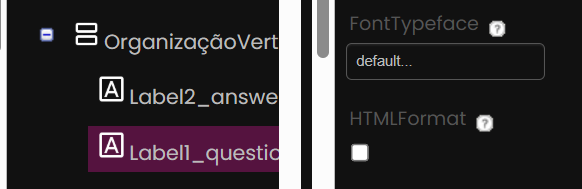
You can adjust the Label1_question Label in the Designer to allow html format. That should enable wrapping the displayed text, allowing you to avoid this nuisance.
Regarding small exponents, here is a feature of an html Label that might be easier to handle:
(from the Notifier Help Designer popup)
* The messages in the dialogs (but not the alert) can be formatted
 using the following HTML tags:
<b>, <big>, <blockquote>, <br>, <cite>, <dfn>, <div>, <em>, <small>,
 <strong>, <sub>, <sup>, <tt>. <u>
You can elevate and lower your numbers in html using sub and sup. I think that's better left off entirely, IMHO.