Uploaded the CustomWebView extension. Looked at the forum and followed the steps in the following "thread" (Can't allow microphone access for webviewer - #33 by Anke). Actually I made exact block structure as "Anke" (please see ILL 4 below).
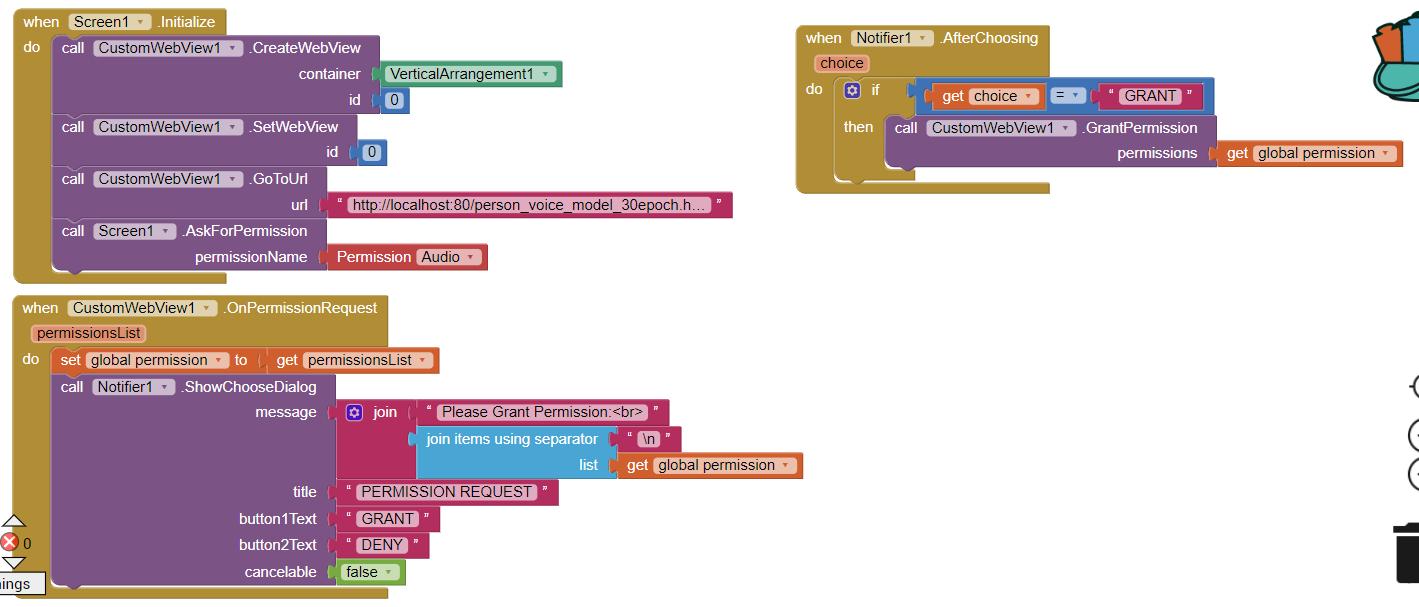
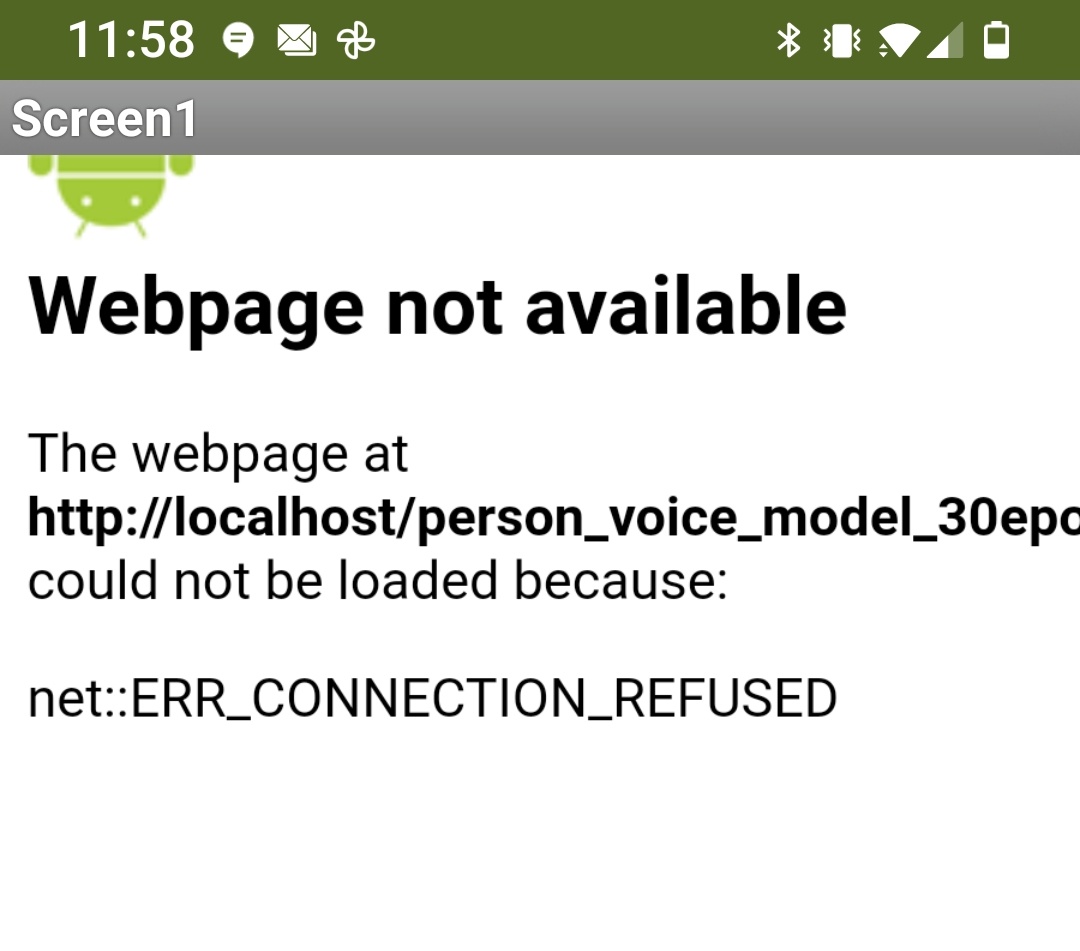
As a result the app throws the error - when it runs on my smartphone (Android 11)(please see ILL 5 below):
"Webpage not available"
"..html file path could not be loaded because:"
"net:: ERR_CONNECTION_REFUSED"
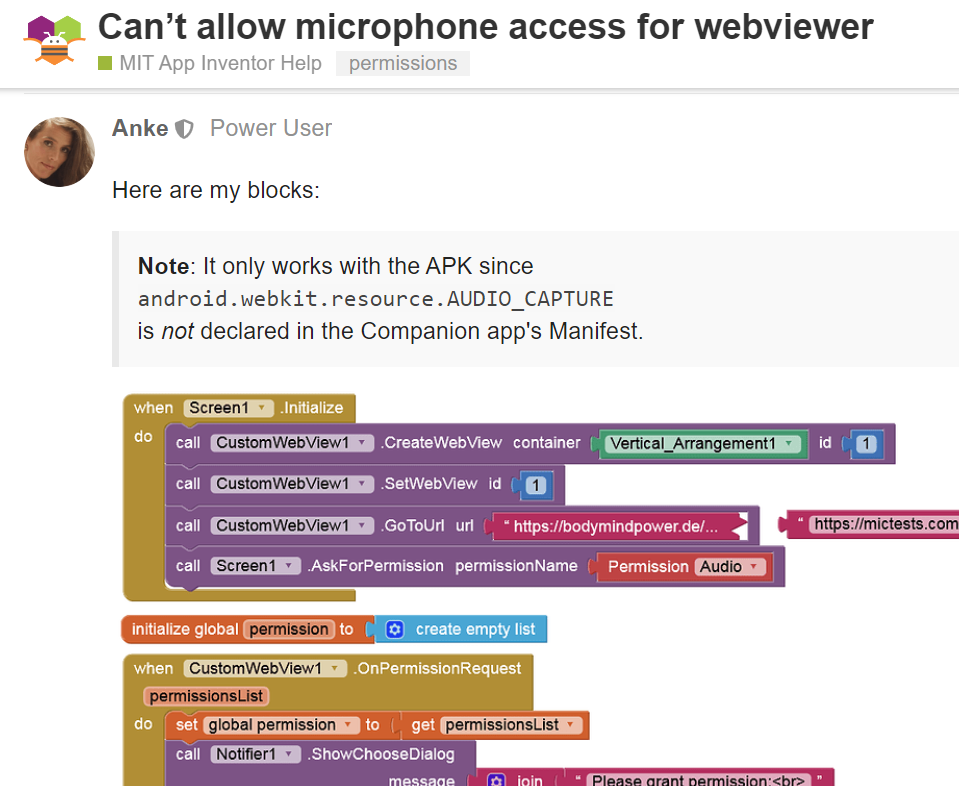
Now that I went over Anke's blocks and comments again, I see her message (ILL6), and am thinking that might be the root cause of what is going on with my trial here:
Note : It only works with the APK since
android.webkit.resource.AUDIO_CAPTURE
is not declared in the Companion app's Manifest.
It is too late tonight for me to try downloading and installing the apk file but will try that tomorrow. If that doesn't fix the issue, I will try something similar to the following post (WebView Javascript Processor) and try providing the approval to use the mic ("audio") by hard-coding it in the javascript (my ML Model snippet) by using:
- window.AppInventor.get.Webstring()
and/or - window.AppInventor.set.Webstring()
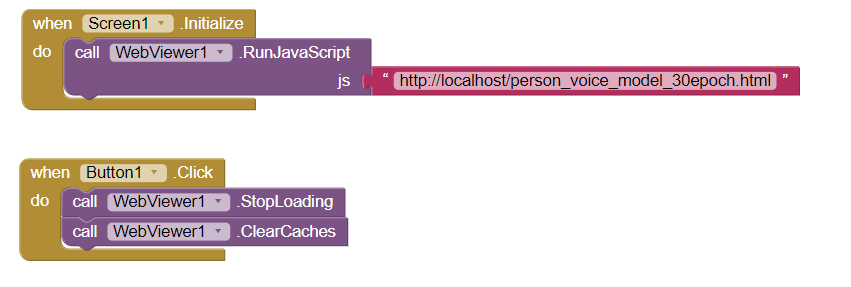
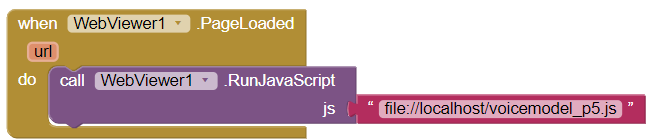
Note: I also tried running the java script (html extension) via "call WebViewer.RunJavaScript" block, with 2 models, one saved with "js" extension and approached as a local "file" and the other with "html" extension and approached as a url / html page, but nothing showed up on the app screen when I run it. (please see ILL 7 & ILL 8)
Thank you for reading and helping
Milan