How do I sort a list?

Because my data ist all mixed up how to self (i meant: "to sort", excuse me please Google was make some mistranslations) the list orderly for example here this is the list of my buttons Display the list the moment for controlling for Seeing pourposes, on Label1.

Thanks for your Help in advance.

Scott

blocks (2)

Start an empty list to collect what you have in your buttons.
Loop through the buttons one by one, adding their text to the list.
Use one of the advanced list blocks to sort the list.
Join the list with separator \n to get a multiline text.
Put it into your label.text.

How? And where?

(Canned Reply: ABG- Export & Upload .aia)
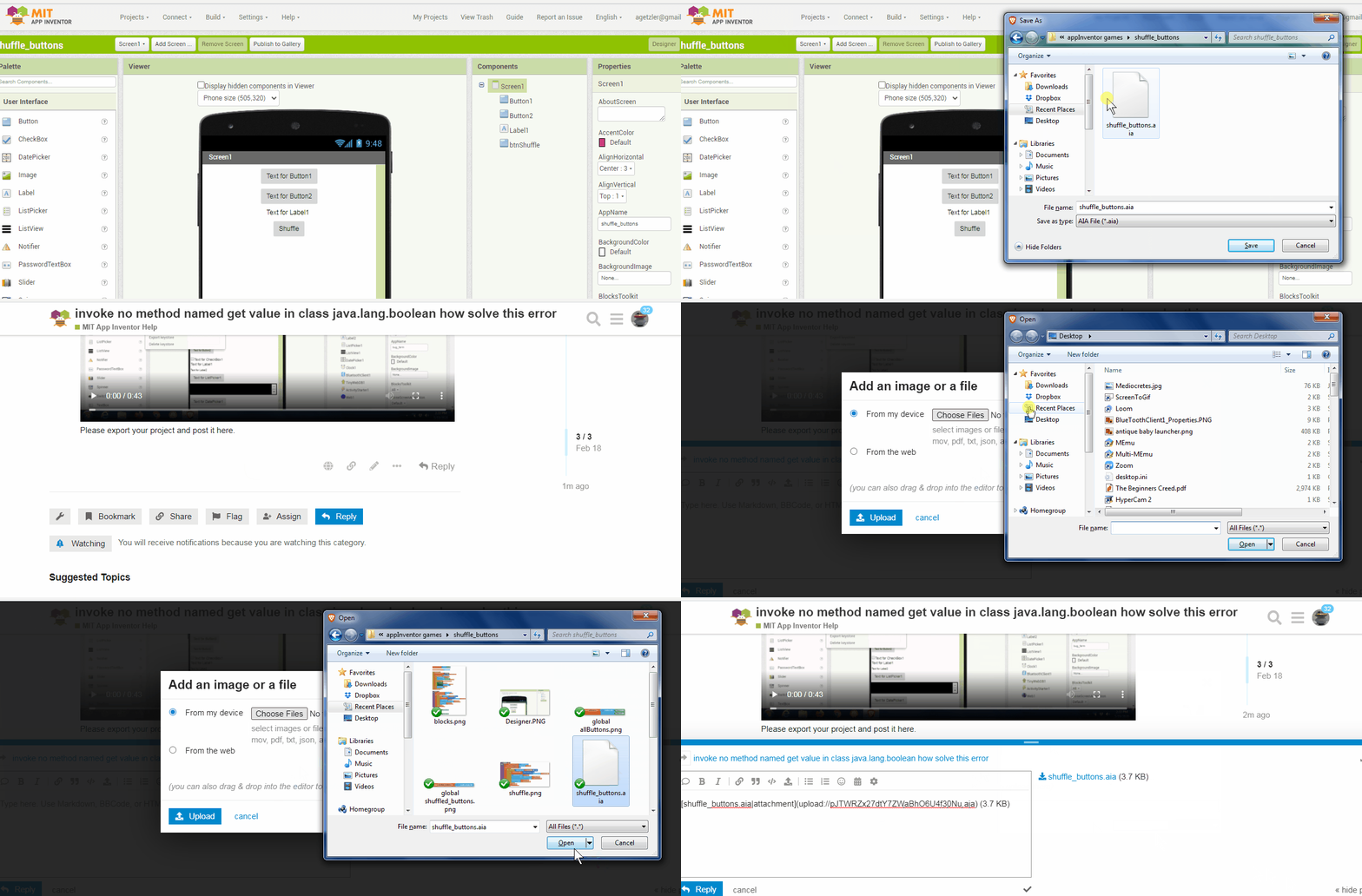
Export your .aia file and upload it here.

export_and_upload_aia

.

..

Here you can find a bubble sort for a list.
Not sure your list is "easy to sort", if I'm not wrong your list is composed by alternating elements: number,string,number,string... and sorting it will not be that useful

Why is your data in buttons?

Explain the purpose of this decision.

Maybe you need a dictionary instead?

https://ai2.appinventor.mit.edu/reference/concepts/pholo.html

Thanks I understand you, but it only accept the upload when it is as a zip file.

And in the ZIP file are not aia file unfortunately.

How I must make this to get an aia file?

Okay, my plan was to simply initiate to make my programming first time in the designer:

To create the arrangements, to put other arrangements in the arrangements, and then in the arrangements to put data, but not as labels only, but as buttons. Why buttons? To reuse the words in the buttons, instead of rewriting the words every times when I will change something on the program.

Or for example to use the words in other combinations, simply to use the UI as a keyboard with pre-defined words.

For example: I will start the app, look on the screen, and see the screensizes. And now I will have the screen sizes in a text file, so I only click on my screen Size Label button, and I have the label name in the text file, now I Klick on my screensize button, and I have my screen size in the text file.

For making a simple example. And then I can send the text file for example to you. (For making an example, for what I will use it) Simply speaking.

And for what I need this list thing? So I can have the whole list of buttons or labels or arrangements or other objects from my project, and for example to send you the text file , with a list of all my buttons to you. Or to another person.

Or I can simply look on my app, which time is it, and reply to my friend this simply question sending him this time data as a text file to his Whatsapp.

Later it will be sometimes like addictionary, but it will be like a living dictionary where I have every time the actual state of my programming, or the actual state of my app use from this app.

So I can proceed with programming, and my Button list or Label list will be automatikali have an aktualisation, when I add a new button, list or other elements to my program. And later I can Reuse this elements in other places in my programing.

But the list must be in the same order like the order I have the elements in the designer.

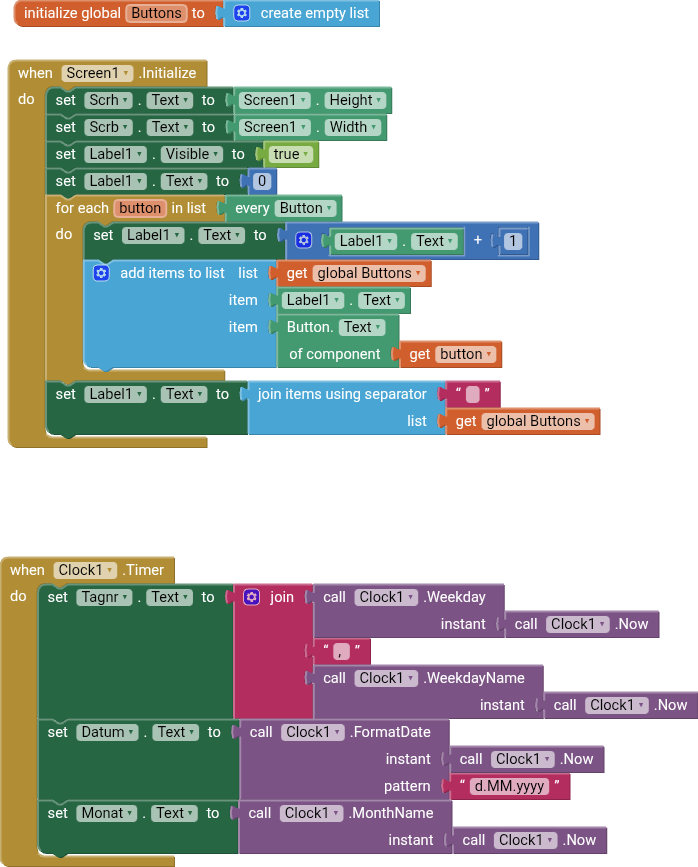
And here is my newest creation, or aktualisation:
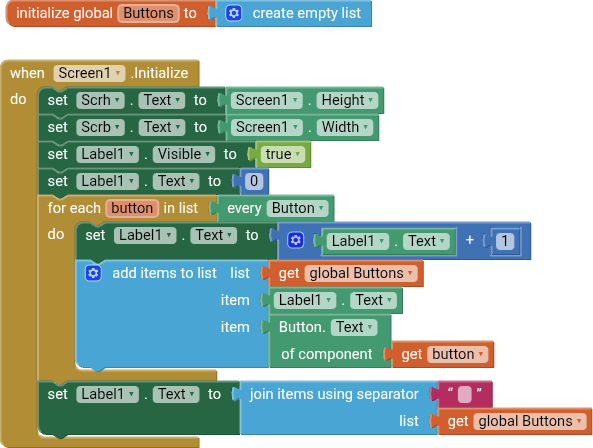
If all you want is to collect labelled data, why not use an online spreadsheet like Google Sheets?

They are built for sharing and organizing data.

Because i don't want to make this parts online, i will make on App that works locally and i don't know the Google possibilities i will first time learn all possibilities that we have here with MIT app inventor.

I will make an compact app that knows itself, und when i need to change something then i will that it is so that i have all parts that i need it in the app it self , i can simply enter, look what i need, change it and good.

A little extra question: where are the Rest of the community? Or are we the only one here in mit ab Inventur und this large planet? Where are the other people.?

Thanks for the information material i will rewiew it step by step. Thanks

Exhausted?

I see, I'm annoying?

Not you in particular.

It's the math of charity, where people give away their time/money but find themselves with little company bearing the burden.

I have received much in life, so I am here to balance my books.

Thanks for your wonderful and polite response.
Eaap1.aia (19.5 KB)

Here i was finally find out how to make it to download my project directly for you.

Excuse my delay, excuse the time that bass going before i was able to download finally my project here.

And excuse my bad english and my but english orthografie.

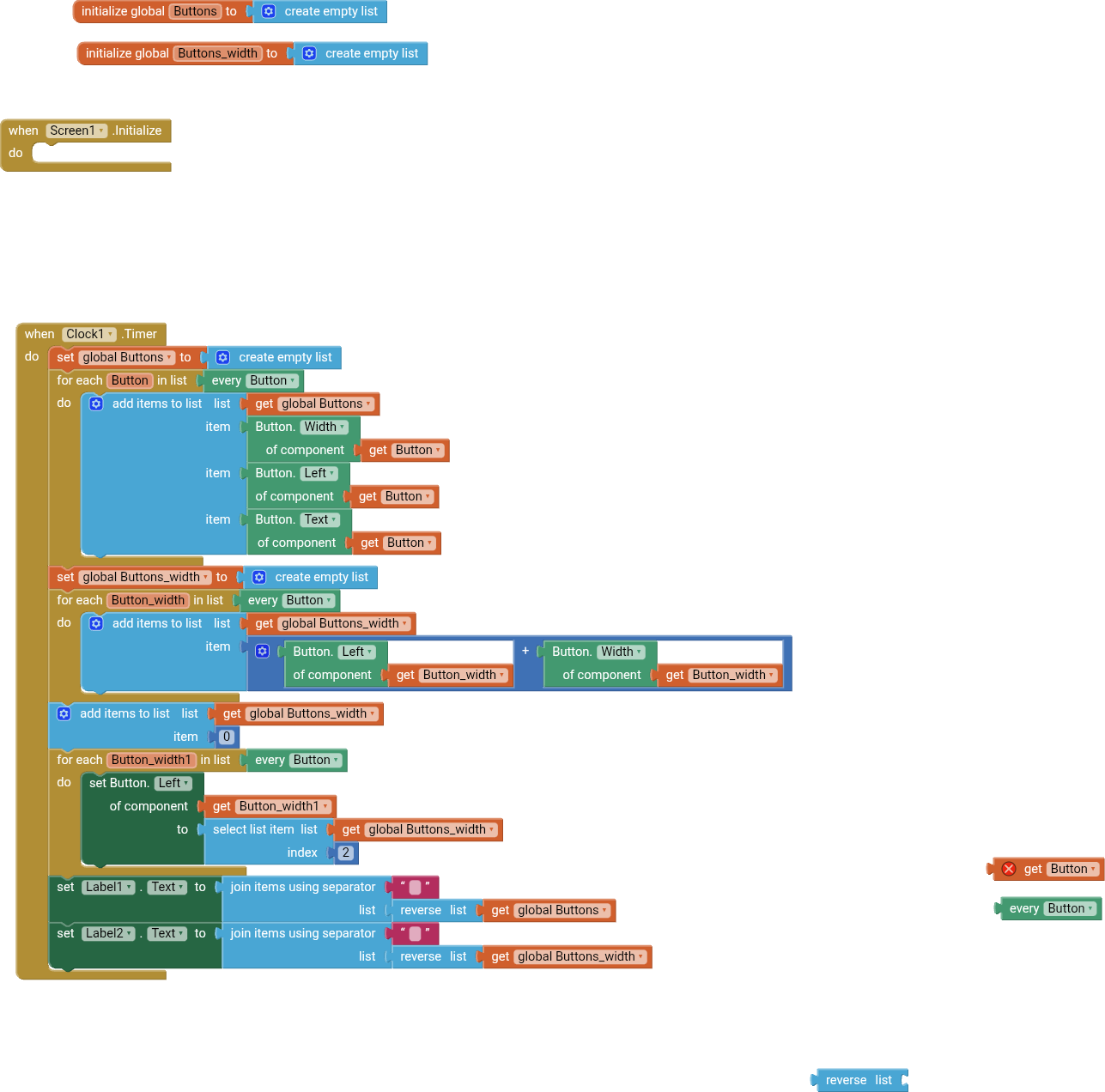
Here i have a part of the solution from what i will Achieve:

Eapp2.aia (3.1 KB)

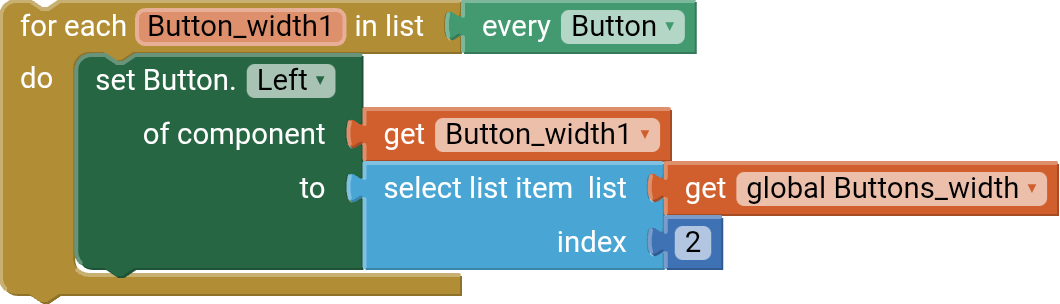
But this part here makes problems, and I don't know how to solve this:

Because I don't know how to work with the "select list item"-thing properly.

Because, in the first time it works okay, and it Putts the button to the right place, but then it's iniciating und controlably to some the number to higher numbers, anyway that there are only two buttons (for the moment) . And then the companion crushes.

Here we need something that's stops this part from going higher in the numbers, when the right numbers are reached.

What I will achieve? you ask.

I will automatikali put al Buttons in one list and work with them, in the future.

My first step now it's rearrange the buttons automatically middles the any button or every button Element, arrange itself automatically in the same Manner like, what is do when I take horizontal arrangement.

Because absolute arrangement gives me the possibility to move the buttons freely inside the absolute arrangement, up and down or left and right. But I need the same automatic that is possible with the horizontal arrangement or the vertical arrangement element. Like I have it in a label with a text inside, the text arranged itself inside the label according to the size of the screen.

Because my problem is when I use the horizontal arrangement, I have the possibility to comfortably put a mass of buttons inside there, and order arrange wonderful automatikali Bad only horizontal and and when I put them in a vertical arrangement then I have the same possibility, but only vertical, and absolute arrangement gives me the possibility to move the buttons to the left and to the right, or up and down, and with the right formula to make this automatically, like vertical Arrangement or horizontal arrangement.