thanks everyone. You have been very helpful. I solved it manually. I added a new line. And I dragged them one by one. I moved it to the previous button. Problem solved.
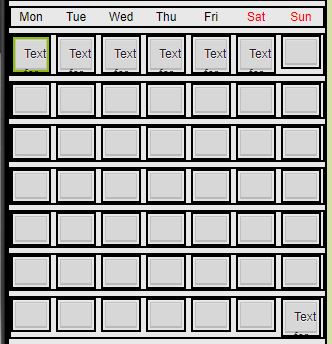
I didn't check until October :).
You could have checked it in January too 
Hmmm, I added another row of buttons, named button43 - button54, and added these to the BUTTONS list. I still get the error for Oct and Jan 2023 ?
Select list item: Attempt to get item number 0, of the list [com.google.appinventor.components.runtime.Button.....
I DID IT THIS WAY
calender_son.aia (11.5 KB)

The application was in a way that worked for me. But it works very slow. I have to wait a bit to switch to other settings. The screen is late. Is it related to the color cycle? what is your opinion?
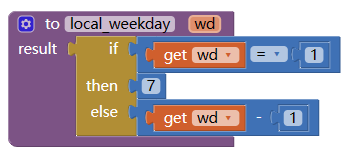
to set Monday as the first day of a week, No need to change the ui (add more buttons), we just to localize the weekday:
calendar (1).aia (9.5 KB)
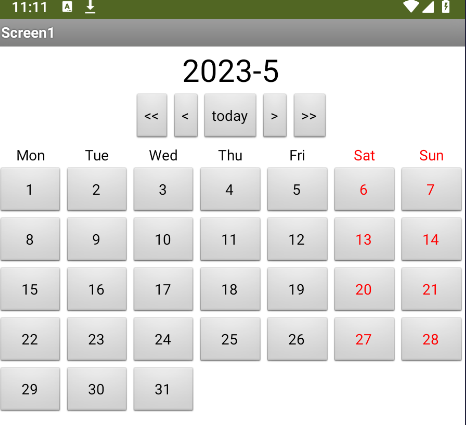
to continue the shifting pattern in next month/year, you need a startDate, calculate the duration from startDate to current day, change to days, get modulo (days, length of pattern), pick the right color, set the bg color
4 Likes
Thank you very much. You are great. Do you have a different suggestion regarding the color cycle?

calender.aia (12.8 KB)
Automatic colors do not change when you select a date. I have to close the app and enter it again. When you enter it again, the cell colors change. I want the colors of the cells to change instantly when I select a date. I will be glad if you help
why you use Screen.BackPressed event?
After you set data, have you try to show the calendar again?
Meanwhile , look at this.. [O/S] Dynamic Calendar app using Dynamic component - #56 by Still-learning - Guides - Kodular Community test it...
[Free] CalendarToolsExtended Extension - #17 by Still-learning - Extensions - Kodular Community
After you set data, have you try to show the calendar again?
I didn't understand what you wanted to say. I do not know how to do it.I do not exaggerate. I spent 6 hours trying to fix the problem. I couldn't solve
Did you mean that? You want to add calendar codes under my date selection. I've tried. When I open the application, the calendar does not appear. I have to choose the date again.
see my first question in my last post.
Try this
calender_alis_revised.aia (13.6 KB)
I have set things up so that if a date is not set then the date setter is shown, otherwise a button is shown to enable you to change the set date, and the calendar is displayed with colours from the date set in the tinydb
i did it wrong normally i was doing "sreen.initialize".
Thank you very much. A great solution. It was useful.
4calısmarenkicintablohazirlandi.aia (24.0 KB)
How can I mark today on the calendar? For my example, the cell number containing today's date could have been bolder. I want to indicate which day they are on the calendar.
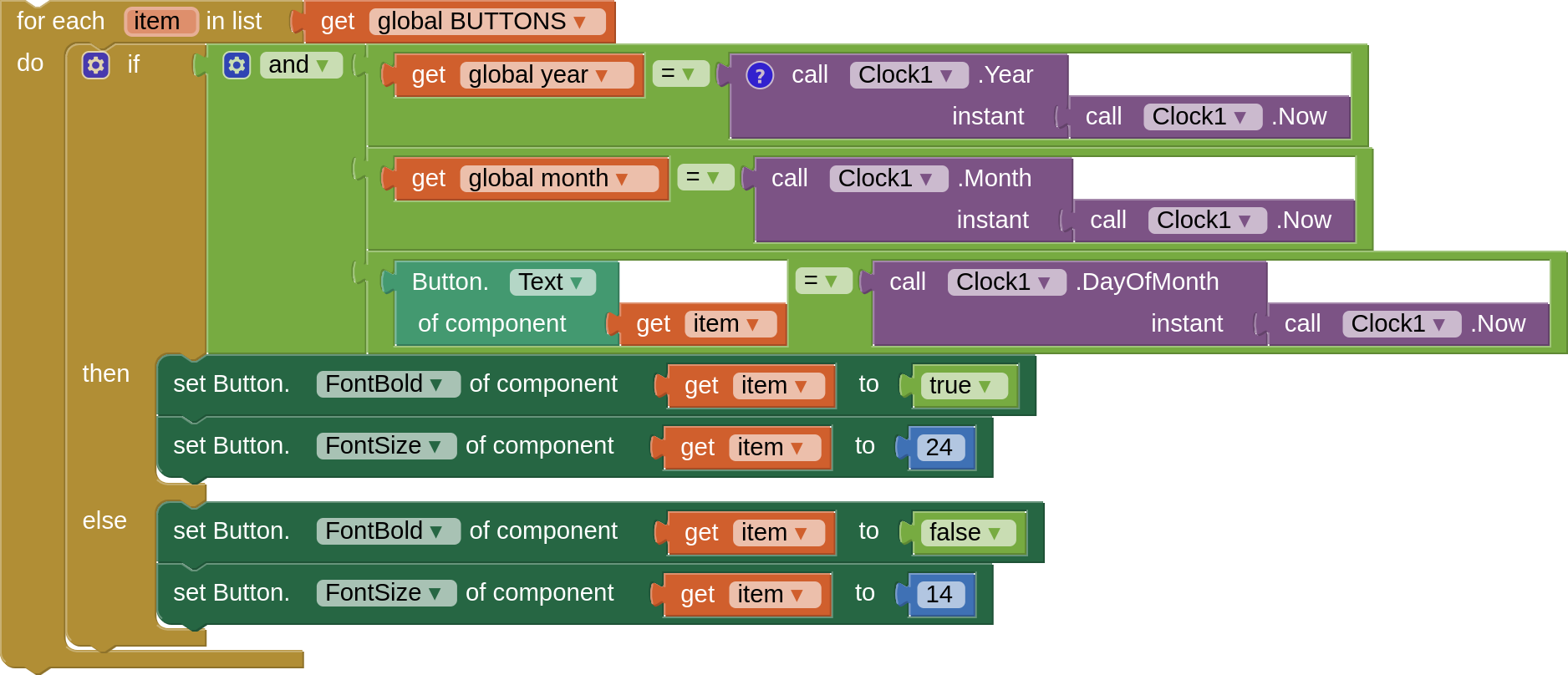
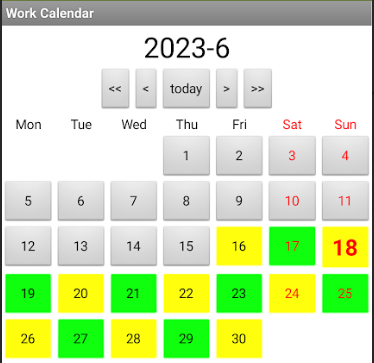
thank you very much.
how to underline the day